How to Use the Reverse Percentage Calculator
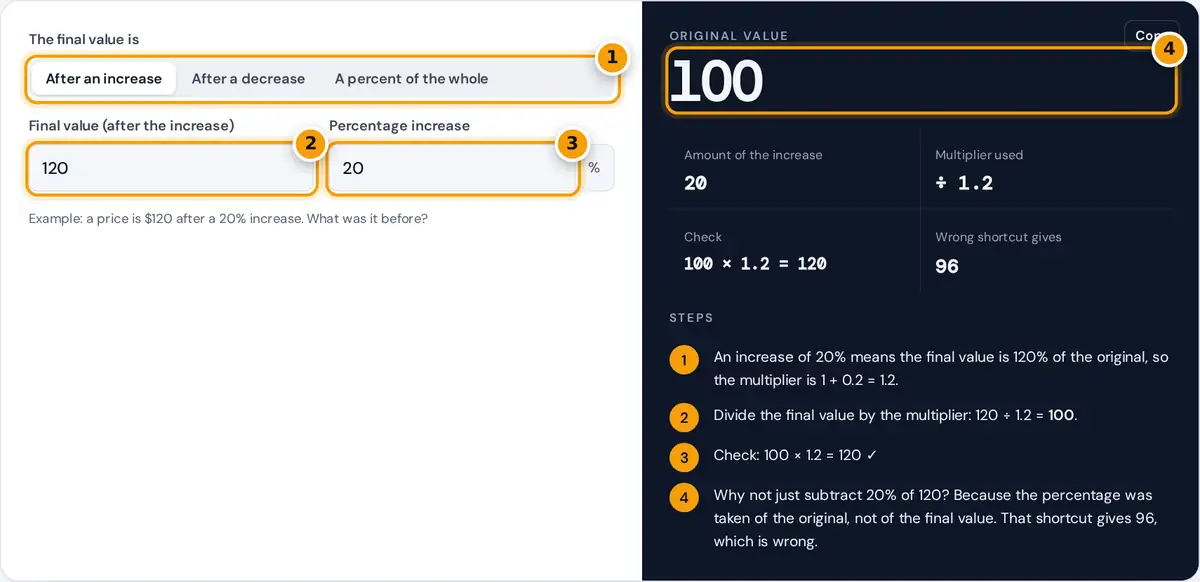
- Choose increase, decrease or percent of the whole.
- Enter the final value you know.
- Enter the percentage.
- Read the original value, the check and the wrong-shortcut warning.
Pick the situation that matches your problem. After an increase is for values that went up, such as a price including a markup or a salary after a raise. After a decrease is for values that went down, such as a sale price after a discount. A percent of the whole answers questions like “30 is 15% of what number?”
Type the value you know and the percentage. The original value appears immediately, along with the size of the change, the multiplier used and a check that takes you forward again to the number you started with. The panel also shows what the popular but wrong shortcut would give, so you can see why it fails.
Reverse Percentage Formulas
After a decrease of p%: original = final ÷ (1 − p/100)
Part is p% of the whole: whole = part ÷ (p/100)
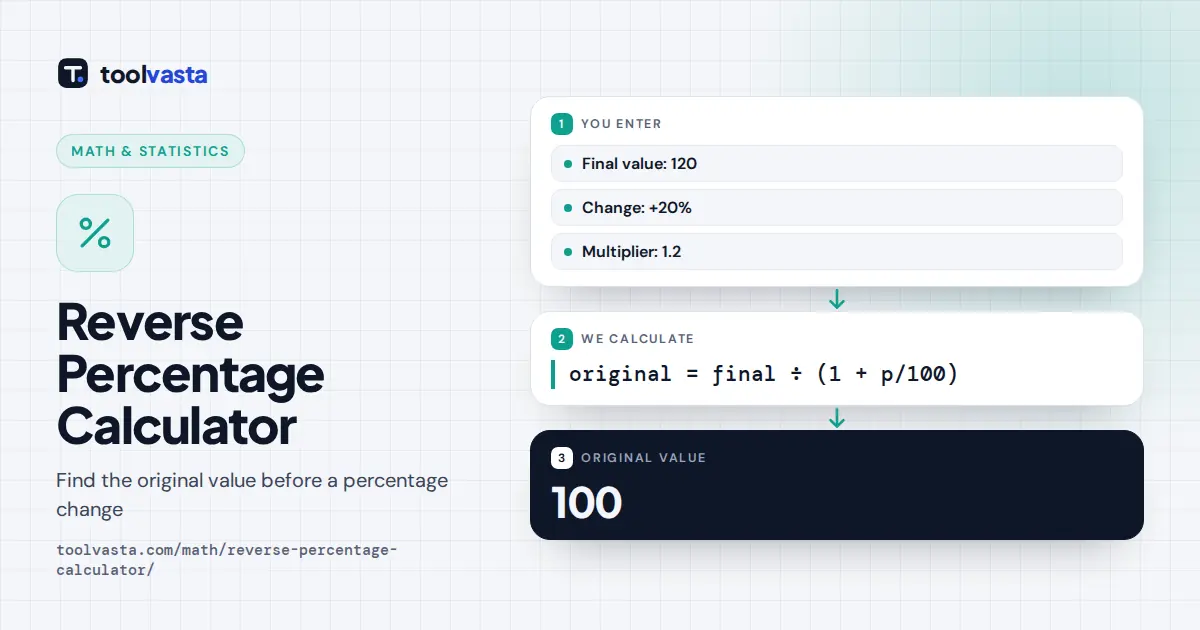
The key idea is that the final value is a known percentage of the original. After a 20% increase, the final value is 120% of the original, so you divide by 1.20. After a 25% discount, the price you pay is 75% of the original, so you divide by 0.75.
Worked Examples
- After an increase: a price is 120 after a 20% increase. Original = 120 ÷ 1.2 = 100. Check: 100 × 1.2 = 120.
- After a discount: a jacket costs 75 after 25% off. Original = 75 ÷ 0.75 = 100. Check: 100 × 0.75 = 75.
- Removing sales tax: a receipt total of 113 includes 13% tax. The price before tax is 113 ÷ 1.13 = 100, so the tax was 13.
- Finding the whole: 30 is 15% of 30 ÷ 0.15 = 200.
The multiplier view also makes the arithmetic easy on a phone calculator: type the final value, press divide, and type the multiplier.
The Most Common Mistake
It is tempting to take 20% off 120 to undo a 20% increase. That gives 96, not 100, because the 20% was calculated on the original 100, not on 120. In the same way, adding 25% to a sale price of 75 gives 93.75, not the true 100. Percentage changes are not symmetric: a 20% increase followed by a 20% decrease leaves you 4% below where you started.
| Final value | Change | Correct original | Wrong shortcut |
|---|---|---|---|
| 120 | +20% | 120 ÷ 1.2 = 100 | 120 − 24 = 96 |
| 75 | −25% | 75 ÷ 0.75 = 100 | 75 + 18.75 = 93.75 |
| 113 | +13% | 113 ÷ 1.13 = 100 | 113 − 14.69 = 98.31 |
| 50 | −50% | 50 ÷ 0.5 = 100 | 50 + 25 = 75 |
Where Reverse Percentages Come Up
Shoppers use reverse percentages to find the original price behind a discount, and businesses use them to remove sales tax or VAT from a total that includes it. In finance they recover a starting balance from a value after growth, and in exams they appear in questions such as “after a 15% pay rise, Sam earns 46,000. What did Sam earn before?” The answer there is 46,000 ÷ 1.15 = 40,000.
Undoing Several Changes
When a value has been changed more than once, undo the changes in any order by dividing by each multiplier. Suppose a price rose 10% and then fell 20%, ending at 88. The combined multiplier is 1.1 × 0.8 = 0.88, so the original price was 88 ÷ 0.88 = 100. You cannot add the percentages: a 10% rise and a 20% fall are not the same as a 10% fall, which would give 88 ÷ 0.9 = 97.78 instead.
Tips
- Write the percentage as a multiplier first: +15% is 1.15 and −15% is 0.85.
- Always check by applying the percentage forward to your answer.
- For several changes in a row, divide by each multiplier in turn, or by their product.
- Tax rates vary by place and product, so use the rate that actually applied to the purchase.
Frequently asked questions
How do you calculate a reverse percentage?
Turn the percentage into a multiplier and divide. After a 20% increase, divide by 1.2. After a 20% decrease, divide by 0.8. The result is the value before the change.
How do I find the original price before a discount?
Divide the sale price by one minus the discount as a decimal. A price of 75 after 25% off was 75 ÷ 0.75 = 100 before the discount.
How do I remove tax from a total price?
Divide the total by one plus the tax rate as a decimal. With 13% tax, a total of 113 is 113 ÷ 1.13 = 100 before tax, so the tax was 13.
Why can't I just subtract the percentage?
The percentage was taken of the original value, not of the final one. Subtracting 20% of 120 removes 24, but the increase was only 20, so you get 96 instead of 100.
How do I find the whole from a part and a percent?
Divide the part by the percent as a decimal. If 30 is 15% of a number, the number is 30 ÷ 0.15 = 200. Check: 15% of 200 is 30.
Does a 20% rise then a 20% fall return to the start?
No. 100 rises to 120, and 20% off 120 is 96. The decrease is calculated on a larger number, so you end up 4% below where you started.