How to Use the Weighted Average Calculator
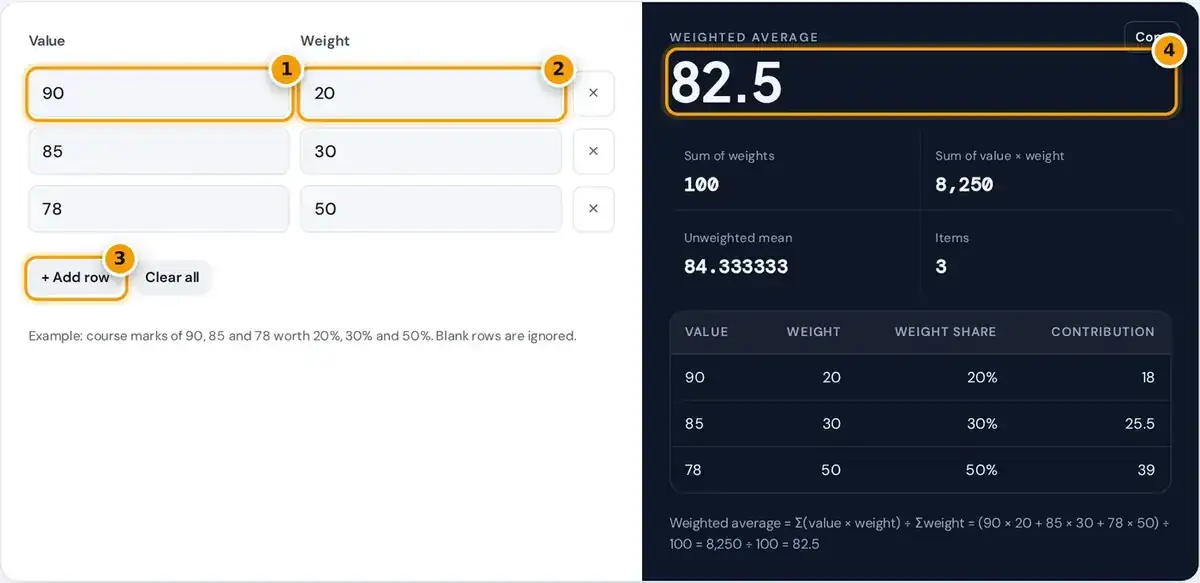
- Enter the first value, such as a mark or a price.
- Enter its weight. Percentages, credits or quantities all work.
- Press Add row for more items. Blank rows are ignored.
- Read the weighted average, then each item's share, contribution and the working.
Enter each value in the left column and its weight in the right column. Press Add row for more items, or the cross beside a row to remove it. Any blank rows are simply ignored.
The weighted average updates as you type. The panel also shows the sum of weights, the sum of value times weight, the unweighted mean and the number of items, so you can compare the results.
A table lists every item with its weight share and its contribution to the result, and a note spells out the full calculation. Press Copy to paste the weighted average into your notes or homework.
Weighted Average Formula
A weighted average, or weighted mean, multiplies each value by its weight, adds up the products, and then divides that total by the sum of weights. Items with larger weights pull the final result closer.
Since the total is divided by the sum of weights, weights need not add up to 100 or 1. Weights of 2, 3 and 5 give exactly the same answer as 20, 30 and 50.
Weights can be percentages, credit hours, units, amounts of money or counts of people. Values can be any real numbers, including negative ones, such as a loss on one single holding in an investment portfolio.
Worked Example: Course Grade
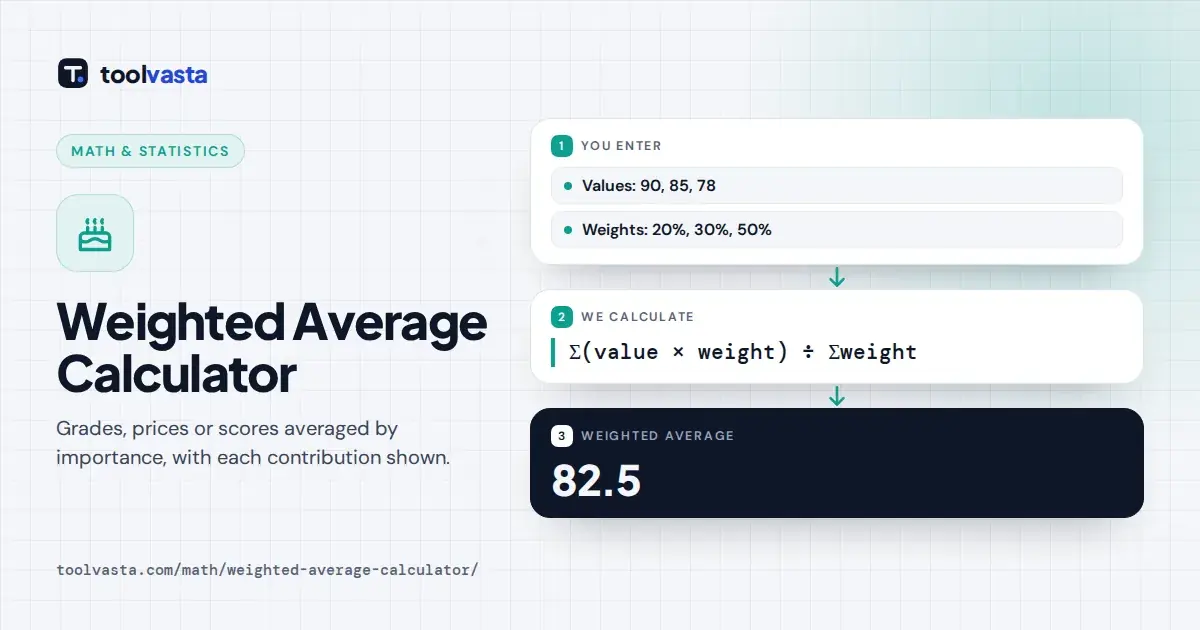
Suppose assignments are worth 20% with a mark of 90, the midterm is worth 30% with 85, and the final exam is worth 50% with 78. These are the default rows loaded in the calculator.
- Products: 90 × 20 = 1,800, 85 × 30 = 2,550 and 78 × 50 = 3,900.
- Sum of products: 1,800 + 2,550 + 3,900 = 8,250.
- Sum of weights: 20 + 30 + 50 = 100.
- Weighted average: 8,250 ÷ 100 = 82.5.
The simple average of 90, 85 and 78 is 84.33, but the final exam counts for half the course grade, so the weighted result of 82.5 is lower than the plain average of the marks.
This is why a strong midterm cannot fully make up for a weak final when the final carries more weight. Change any mark in the calculator to see how much it moves your overall grade.
Worked Example: GPA and Investments
For a GPA, use grade points as values and credit hours as weights, as the University of Wisconsin advising guide explains. Courses at 3.2, 3.7 and 4.0 with 2, 3 and 4 credits give 3.7222.
The products are 6.4, 11.1 and 16.0, which add to 33.5. Dividing by the 9 credit hours gives 3.7222, higher than the simple average of 3.63 because the 4.0 course carries the most credit hours.
For a portfolio return, use each individual holding's return as the value and the amount invested as the weight. Returns of 12%, 8% and 15% on $5,000, $3,000 and $2,000 give an 11.4% return overall.
Common Uses
Weighted averages appear wherever some items matter more, cover more units or represent more people. The table below lists common cases, with what to enter as the value and what to enter as the weight.
| Use | Values | Weights |
|---|---|---|
| Course grade | Marks | Percent of final grade |
| GPA | Grade points | Credit hours |
| Average purchase price | Price per unit | Units bought |
| Portfolio return | Return of each holding | Amount invested |
| Survey average | Rating (1 to 5) | Number of responses |
For an average purchase price, buying 100 shares at $20 and 50 at $26 gives an average cost of $22 per share, not $23, because twice as many units were bought at the lower price.
In a survey, use the ratings as values and the number of responses to each rating as weights. Statistics Canada uses the same idea for the Consumer Price Index, weighting each price by household spending.
Weighted vs Unweighted Average
An unweighted, or simple average, treats every value equally. That is the same as giving every item equal weights of 1, so the weighted mean and the arithmetic mean match exactly in that special case.
Use a weighted average whenever the items differ in importance, size, cost or frequency. The result panel shows both averages, so you can see at a glance how much the weighting shifts the final answer.
Students often search for a weighted mean calculator when a teacher or textbook uses that term. The two names mean exactly the same simple calculation, and weighted mean is simply the more formal statistics term.
Using Percentages as Weights
When weights are percentages that add up to 100, each weight is a share of the total. The Weight share column shows this share for every single row, even when your weights are not percentages.
In the course grade example from above, a mark of 78 worth 50% contributes 39 points, a mark of 85 worth 30% contributes 25.5 points, and a mark of 90 worth 20% contributes 18 points.
Those contributions add up to 82.5, which is the weighted average itself. The Contribution column in the result table shows these points for your own numbers, which makes each item's real impact easy to see.
Choosing Weights
Weights must be zero or positive. A zero weight means that item has no effect on the result, but at least one weight must be positive. Negative weights are rejected with a clear error message.
Weights are relative, so only proportions matter. If your percentages do not reach 100% yet, the result is your average so far. For the mark needed on a remaining exam, use a final grade calculator.
When all the weights are probabilities that add up to 1, the weighted average is the expected value of the outcomes. The same formula therefore covers grades, prices, surveys, investments and simple probability questions alike.
Frequently asked questions
How do you calculate a weighted average?
Multiply each value by its weight, add the products, and divide by the sum of the weights. For 90 at 20%, 85 at 30% and 78 at 50%, the weighted average is 8,250 divided by 100, or 82.5.
Do the weights have to add up to 100?
No. The calculator divides by the total of the weights, so weights of 2, 3 and 5 give the same answer as 20%, 30% and 50%. Only the proportions between the weights matter.
What is the difference between weighted mean and weighted average?
They are the same thing. Weighted mean is the more formal statistics term, while weighted average is more common in schools, finance and everyday use.
How do I calculate GPA with credit hours?
Use grade points as the values and credit hours as the weights. The weighted average is your GPA for those courses, such as 3.7222 for 3.2, 3.7 and 4.0 over 2, 3 and 4 credits.
Can a weight be zero?
Yes. A zero weight means that item does not affect the result, but at least one weight must be positive, otherwise there is nothing to divide by and no average exists.
When should I use a weighted average instead of a simple average?
Use a weighted average when some values count more than others, such as exams worth different percentages, courses with different credits or purchases of different quantities. Otherwise a simple average is enough.