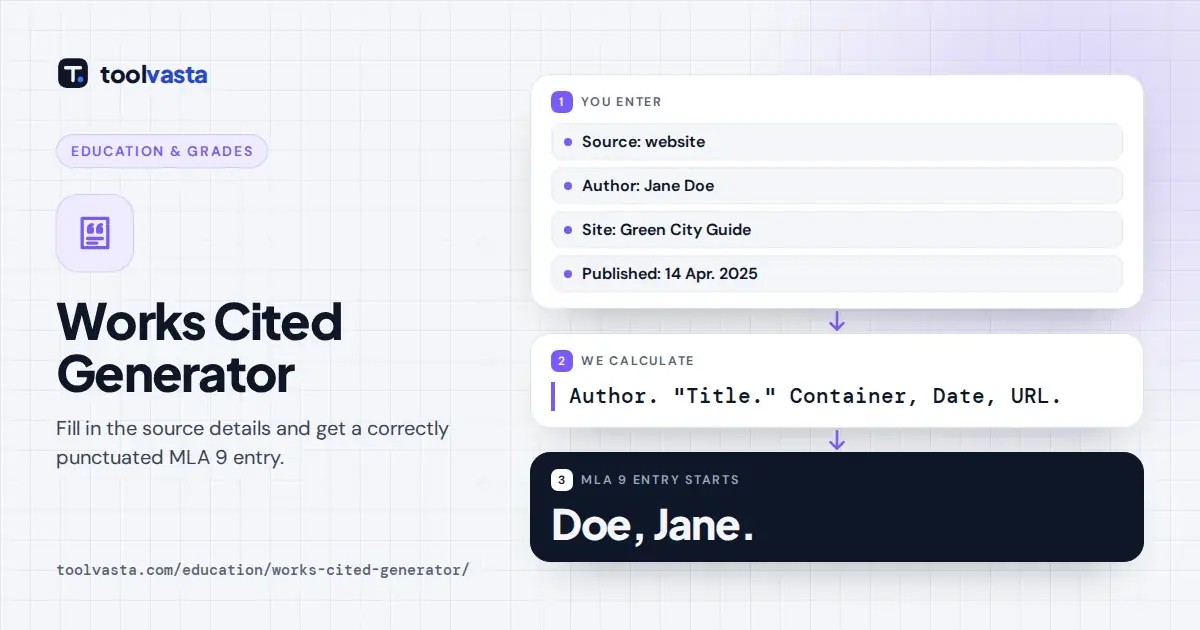
How to Use the Works Cited Generator
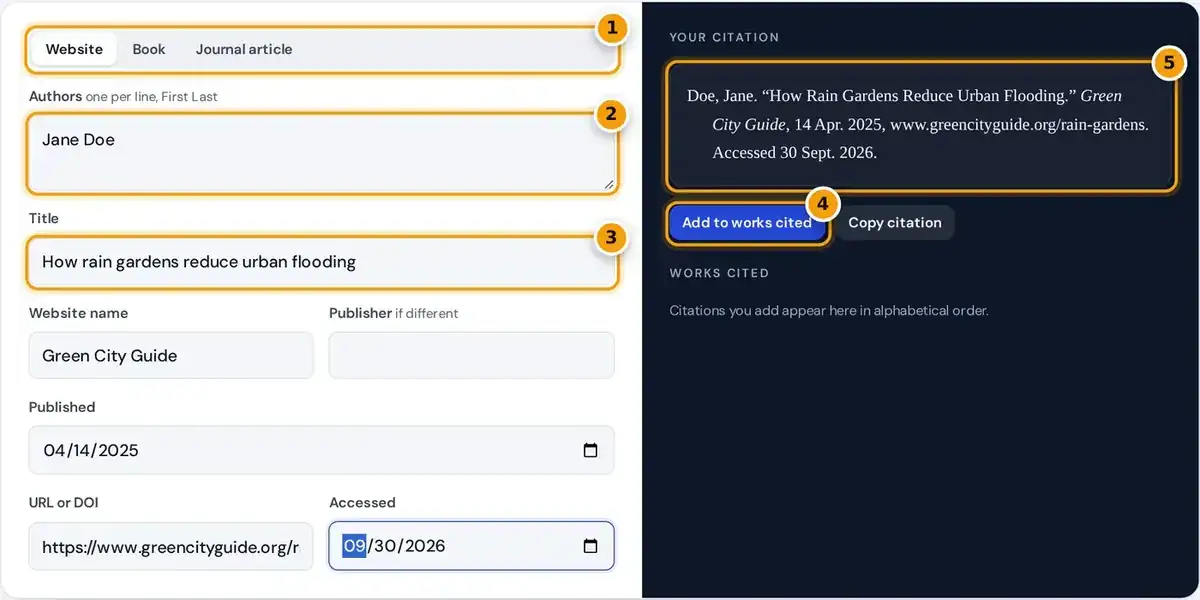
- Choose the source type: website, book or journal article.
- Enter each author on its own line as First Last. The generator flips the first name for MLA.
- Add the title, website or container name, dates and the URL or DOI.
- Add the citation to your works cited list, which is sorted alphabetically for you.
- Copy the finished MLA 9 citation or the whole works cited page.
Start by picking the source type: website, book or journal article. The form then shows only the fields that source needs, such as edition for a book or volume, issue and pages for a journal.
Type each author on a separate line as First Last, then add the title, publisher and publication date. The citation rebuilds as you type, inverts the first name and applies MLA title case for you.
Click Add to works cited to store each finished entry. Your list stays in alphabetical order, and Copy works cited gives plain text for Google Docs or Microsoft Word, where you restore italics by hand.
What Is a Works Cited Page
A works cited page is the list of sources at the end of an MLA research paper. Every entry matches something you quoted, used as a paraphrase or condensed into a summary in your text.
MLA calls this particular list works cited because it holds only sources you actually cited. APA calls its version a reference list, and Chicago uses a bibliography that can include background reading you never quoted.
The page lets readers find each source and check your claims for themselves. Missing or careless entries can cost marks, and leaving out a source you used can be treated as plagiarism, even when unintentional.
MLA 9 Core Elements
The Modern Language Association builds every entry from the same core elements, always listed in one fixed, predictable order. The MLA Handbook, 9th edition, uses this template for books, articles, web pages, films and more.
The container is the larger work that holds your source, such as a website, journal or anthology. Contributors are editors or translators, version is an edition, and number covers a journal volume and issue number.
Location means page numbers, a DOI or a stable URL. Skip any element that does not apply, and end each element with the punctuation shown in the template, closing the whole entry with a period.
Works Cited Examples by Source Type
The three source types in the generator cover most typical student research papers. The entries below use sample sources and show exactly what the tool produces, with italics shown for the container or book title.
| Source | Example entry |
|---|---|
| Website | Doe, Jane. "How Rain Gardens Reduce Urban Flooding." Green City Guide, 14 Apr. 2025, www.greencityguide.org/rain-gardens. Accessed 30 Sept. 2026. |
| Book | Atwood, Margaret. The Handmaid's Tale. McClelland and Stewart, 1985. |
| Journal article | Smith, Jane, and Ravi Patel. "Urban Heat and Tree Canopy." Journal of Urban Ecology, vol. 9, no. 2, 2023, pp. 45–61. https://doi.org/10.1234/jue.2023.012. |
A book entry names the publisher and year, and adds an edition such as 2nd ed. when you used a later edition instead. The book title is italic because the book is its own container.
A journal article adds volume, issue, year and the page range, written as pp. 45 to 61 with an en dash. When the article has a DOI, the tool formats it as a doi.org link.
Key MLA 9 Rules
Most errors in student citations come from just a handful of simple, easily missed rules. The generator applies them automatically, but knowing them helps you check each entry and fix anything a database exported incorrectly.
- Invert only the first author: last name, then first name.
- With two authors, join them with and; the second name stays in normal order.
- With three or more authors, list the first and add et al.
- Use a day, abbreviated month and year, such as 14 Apr. 2025; May, June and July are never abbreviated.
Put short works such as articles and web pages in quotation marks, and italicize whole works such as books, journals and websites. Capitalize the main words of every title, whatever style the original page used.
If a source has no author, leave the author box empty. The entry then begins with the title and is alphabetized by its first significant word, skipping A, An and The when they come first.
Formatting the Works Cited Page
Start the list on a new page after the final page of your main body text. Keep the title Works Cited centered at the top, in plain text, without bold, italics, underlining or quotation marks.
Sort entries in alphabetical order by the first word of each entry. Keep the whole page double-spaced, with no blank lines between entries, and use the same one-inch margins as the rest of your paper.
Give every entry a hanging indent of 0.5 inches, so later lines shift right. Most instructors expect a clear font such as Times New Roman in a 12-point size, as the Purdue OWL guide shows.
In-Text Citations That Match Your Entries
Every entry on the works cited page needs a matching in-text citation in your paper. The standard parenthetical form is the author's last name and a page number, such as (Atwood 45), with no comma.
If you name the author in a signal phrase, such as Atwood argues, put only the page number in parentheses. For a web page with no page numbers, the author's last name alone is enough.
When you cite two works by one author, add a shortened title so readers know exactly which entry you mean. The first word of the in-text citation must match the first word of the entry.
When to Cite a Source
Cite whenever you use a direct quote, a paraphrase, a summary, a statistic, an image or an idea that is not your own. The source does not need to be printed, since interviews count too.
Common knowledge, such as widely known dates or facts found in many general sources, usually needs no citation at all. When you are unsure, cite anyway, or ask your instructor how the course treats it.
Choose each credible source with care, checking the author, the publisher, publication date and any possible bias. Good citations support academic integrity, show the depth of your research and let readers follow your reasoning back.
Frequently asked questions
What is a works cited page?
It is the alphabetical list of every source you quoted, paraphrased or summarized in an MLA paper. It goes on a new page at the end, double-spaced, with a hanging indent of 0.5 inches.
Is this generator MLA 9 compliant?
Yes. It follows the MLA Handbook 9th edition core elements, including et al. for three or more authors, abbreviated months, title case and URLs without http:// or https://, plus full doi.org links for DOIs.
Do I need an access date in MLA 9?
It is optional. MLA recommends an access date for online sources that have no publication date or that may change, so the generator adds today's date for websites, and you can edit or clear it.
How do I cite a source with no author?
Leave the author box empty. The entry then starts with the title of the source and is alphabetized by its first significant word, ignoring A, An or The at the beginning.
How do I cite a source with two or more authors?
For two authors, invert the first name and join the second in normal order with and. For three or more, list only the first author, inverted, followed by et al.
What is the difference between works cited and a bibliography?
A works cited page lists only the sources you actually cited in the paper. A bibliography, used in Chicago style, can also include sources you read for background but did not quote or paraphrase.