How to Use the Grade Calculator
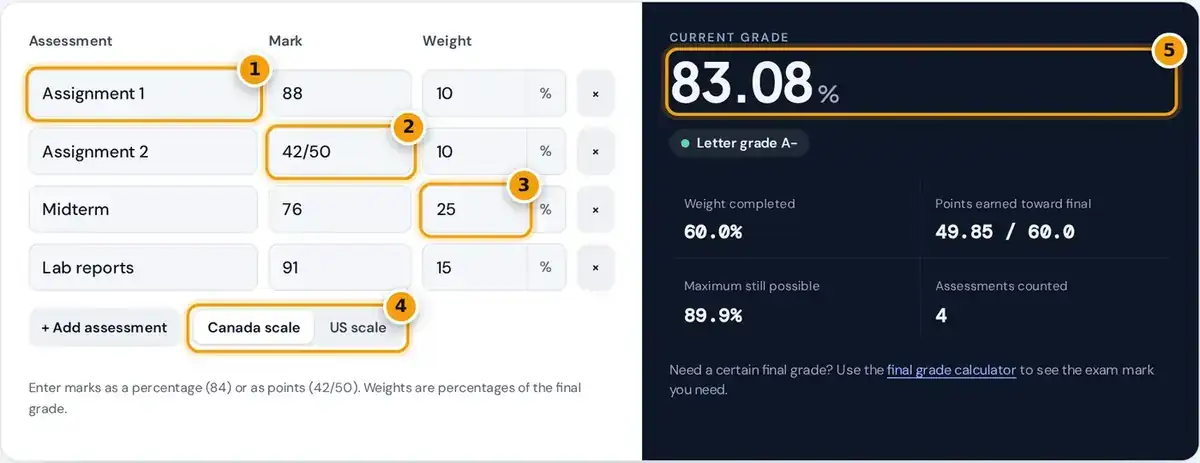
- Name each assessment, such as an assignment, midterm or lab report.
- Enter the mark as a percentage (84) or as points earned out of total (42/50).
- Enter each item's weight as a percentage of the final course grade.
- Choose the Canadian or US letter grade scale.
- Read your current grade, letter grade and the maximum grade still possible.
Type the name of each assignment, quiz, midterm or lab into its own row, then enter the mark you received and the weight listed in your syllabus. Press add assessment whenever you need another row.
The weighted grade calculator updates as you type. It then shows your current grade as a percentage, the matching letter grade, the weight completed so far and the highest course grade you can still reach.
Switch between the Canada scale and the US scale to change the letter shown. Only enter assessments that have already been marked, because unmarked work left at zero would drag your course grade down unfairly.
The Weighted Grade Formula
A weighted average gives each mark influence in proportion to its weight. A final exam worth 40% counts four times as much as a quiz worth 10%, so one strong exam can outweigh weak quizzes.
To apply the weighted grade formula by hand, convert each weight to a decimal, multiply it by the percentage grade, and add those products together. The result is your weighted points toward the final grade.
Next, divide the weighted points by the sum of the weights you have completed. Dividing by completed weight rather than 100 gives your standing on marked work, which is what the calculator reports during term.
Worked Example With Four Assessments
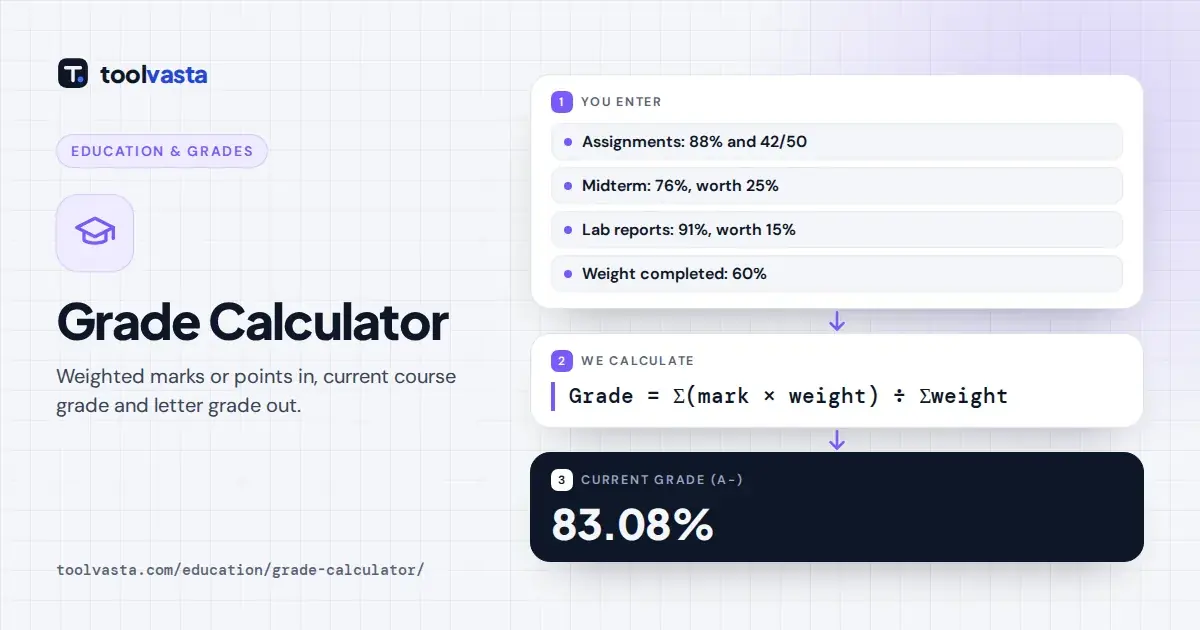
Take the default example step by step. You scored 88% on an assignment worth 10%, 42/50 on a second assignment worth 10%, 76% on a midterm worth 25% and 91% on lab reports worth 15%.
| Assessment | Mark | Weight | Weighted points |
|---|---|---|---|
| Assignment 1 | 88% | 10% | 8.80 |
| Assignment 2 | 42/50 = 84% | 10% | 8.40 |
| Midterm | 76% | 25% | 19.00 |
| Lab reports | 91% | 15% | 13.65 |
| Total | 60% | 49.85 |
The points earned total 49.85 out of a possible 60. Dividing 49.85 by 60 gives a current grade of 83.08%, which is an A- on the Canadian scale and a B on the US scale.
The weight completed is 60%, leaving 40% still to come. If you then scored a perfect 100% on everything still remaining, you would finish at 89.85%, which the calculator shows as the maximum still possible.
Letter Grade Scales in Canada and the US
Every school publishes its own grading scale, so the letter grade for one percentage can differ. The calculator offers two common versions and uses the cutoffs shown in the table below for each percent conversion.
| Letter | Canada scale | US scale |
|---|---|---|
| A+ | 90 to 100 | 97 to 100 |
| A | 85 to 89 | 93 to 96 |
| A- | 80 to 84 | 90 to 92 |
| B+ | 77 to 79 | 87 to 89 |
| B | 73 to 76 | 83 to 86 |
| B- | 70 to 72 | 80 to 82 |
| C+ | 67 to 69 | 77 to 79 |
| C | 63 to 66 | 73 to 76 |
| C- | 60 to 62 | 70 to 72 |
| D+ | 57 to 59 | 67 to 69 |
| D | 53 to 56 | 63 to 66 |
| D- | 50 to 52 | 60 to 62 |
| F | Below 50 | Below 60 |
The Canada scale matches the undergraduate scale in the University of Toronto grading practices policy, where an A+ starts at 90%, an A- starts at 80% and the lowest passing grade sits at exactly 50%.
The US scale starts an A+ at 97% and fails anything under 60%. Many schools convert letters to grade point values on a 4.0 scale to build a GPA, which this tool does not calculate.
Entering Points Instead of Percentages
If your teacher marks work out of a set number of points, type the raw score over the points possible, such as 42/50. The calculator converts it to 84% before applying the weight you entered.
A points-based course with no published weights is easy to handle. Give each item a weight equal to its points possible, and the result matches dividing your total points earned by the total points available.
You can mix percentages and fractions freely. A slash tells the calculator the mark is written out of a maximum, while a plain number such as 84 or 84% is read directly as a percentage.
Planning for the Final Exam
The maximum still possible figure shows the ceiling on your course grade. If it falls below your target grade, no final exam result can reach that goal, which is useful to know before exam season.
To run a what-if check, add a row for the final exam with a trial mark and its remaining weight. In the example, a final worth 40% needs 75.4% to reach an 80% course grade.
For a direct answer, the final grade calculator works backwards from your target. Goal setting is easier when you know the exact mark required, rather than guessing at how hard to study before the exam.
Tips to Track and Improve Your Grades
Update your list after each graded piece of work instead of waiting for a report card. Checking every few weeks through the semester shows whether a course needs more attention before the heavy assessments arrive.
A zero on a heavily weighted assignment can cost more than several average marks, so submit something rather than nothing. Check whether a late penalty is smaller than the loss from skipping the work entirely.
Use office hours to ask your instructor how marks were actually given, and build study habits around the heaviest weights. Confirm your cutoffs against your school's own policy, such as the UBC grading practices page.
Frequently asked questions
How do I calculate my weighted grade?
Multiply each mark by its weight, add those products, then divide by the sum of the weights you have completed. For example, 80% on a 30% test and 90% on a 20% project gives (24 + 18) / 50 = 84%.
What if my weights do not add up to 100%?
That is normal during the term. The calculator divides by the weight completed so far, so the result is your current standing on marked work, not a final grade that assumes zeros for unfinished assessments.
What letter grade is 83%?
On the Canada scale used here, 83% is an A-, since that band runs from 80 to 84. On the common US scale it is a B, because the US B band covers 83 to 86 percent.
How do you calculate a percentage grade from points?
Divide the points earned by the points possible and multiply by 100. A score of 42 out of 50 is 42 / 50 x 100 = 84%, and the calculator does this automatically when you type 42/50.
How much will a zero affect my grade?
It depends on the weight. A zero on a 10% assignment removes up to 10 percentage points from your final grade, while the same zero on a 2% quiz costs at most 2 points.
What grade do I need to pass a class?
It depends on your school. Many Canadian universities pass students at 50%, a D- on the Canada scale here, while many US schools set the minimum passing grade at 60%. Always check your syllabus.