How to Use the GIS Calculator
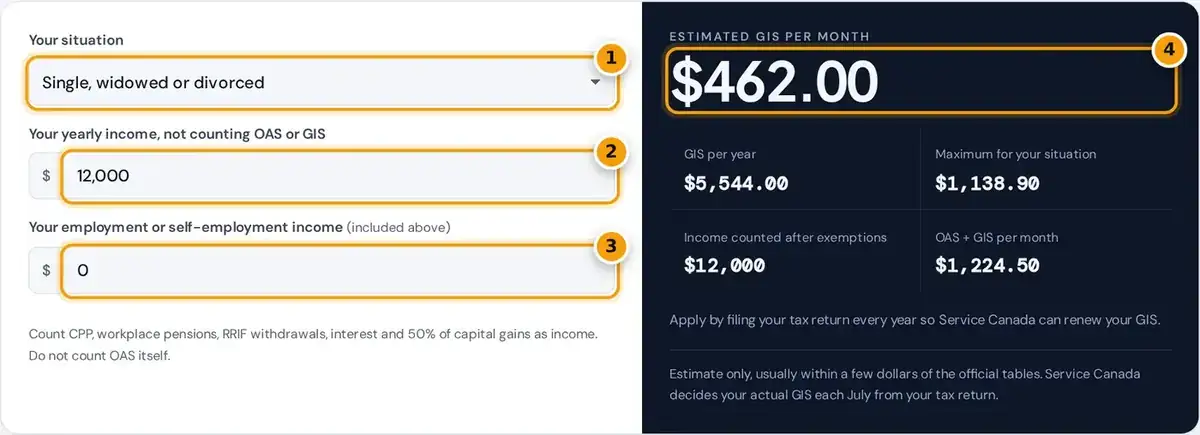
- Choose single, or a couple where your partner does or does not get OAS.
- Enter your yearly income, not counting OAS or GIS: CPP, pensions, RRIF, interest.
- Add any employment or self-employment income so the exemption can be applied.
- Read your estimated monthly GIS, the yearly total and OAS plus GIS per month.
Start by choosing your situation: single, a spouse who also receives Old Age Security, or a spouse who receives neither OAS nor the Allowance. The calculator then switches between the single and couple rules automatically.
Enter your yearly income, not counting OAS or GIS. For couples, enter combined income. If part of it is employment income or self-employment earnings, enter that amount in the second box so the exemption applies.
The guaranteed income supplement calculator then shows a monthly estimate, the yearly total, the income counted after exemptions and your OAS plus GIS per month, with every reduction step listed in a table just below.
GIS Maximum Monthly Amounts for October to December 2026
The table lists the maximum monthly GIS and the income threshold for each situation for October to December 2026. These figures come from the OAS payment amounts page published online by the Government of Canada.
| Situation | Maximum monthly GIS | Income must be below |
|---|---|---|
| Single, widowed or divorced | $1,138.90 | $23,112 |
| Spouse receives full OAS | $685.56 each | $30,528 combined |
| Spouse receives the Allowance | $685.56 | $42,768 combined |
| Spouse receives no OAS or Allowance | $1,138.90 | $55,392 combined |
A single pensioner, whether never married, widowed or divorced, can receive up to $1,138.90 a month. When both spouses receive OAS, each can receive up to $685.56 a month, based on their combined yearly income.
Benefit amounts rise with quarterly indexation to the Consumer Price Index, so the maximums change every January, April, July and October. The income limits move with them, and this calculator uses the current quarter's figures.
How GIS Is Calculated and Clawed Back
GIS has a base part and a top-up part, and both shrink as income rises. People often call this the GIS clawback, although it is an income test built into the benefit, not a tax.
A single pensioner loses 50 cents of the base part for every dollar of income, a reduction rate of 50%. The top-up is reduced separately and disappears completely once your counted income passes about $10,496.
Income is rounded down to the nearest $24 for singles or $48 for couples before the reduction. The earnings exemption ignores the first $5,000 of employment income and only half of the next $10,000 counts.
Couple (both OAS): each GIS = (max − top-up) − combined income / 48 + max(0, top-up − (combined income − $4,000) / 96)
Earnings exemption: first $5,000 of employment income, plus 50% of the next $10,000
What Income Counts for GIS
Most taxable income counts, including CPP or QPP benefits, a workplace pension, RRIF withdrawals and RRSP withdrawals, interest, and the taxable half of capital gains. Enter all these amounts as yearly income in the calculator.
OAS and GIS themselves do not count, and TFSA withdrawals are not income, so they never reduce GIS. That makes a TFSA a very useful place for savings if you expect to qualify in retirement.
GIS is not taxable, but you still report it on your tax return. The amount you receive from July onward is based on the income shown on the return you filed for the previous year.
Worked Example for a Single Senior
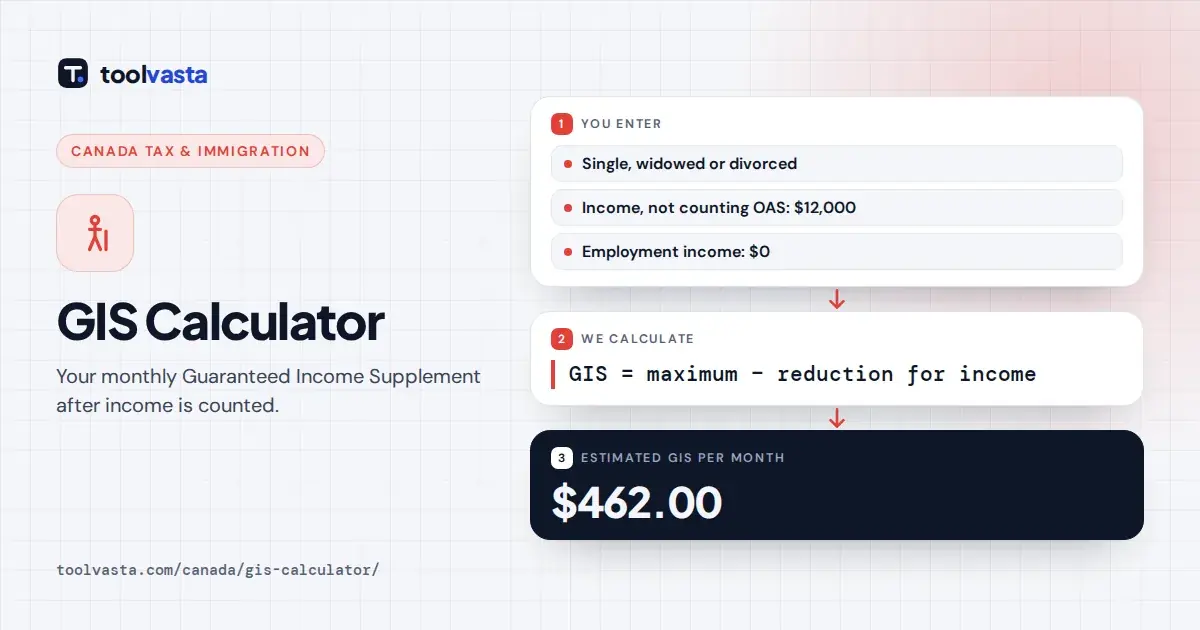
In this worked example, a single senior has $12,000 a year from CPP and a small pension. The base part is $1,138.90 minus the $176.90 top-up, which leaves a base of $962.00 before any reduction.
Income of $12,000 divided by 24 gives a $500 reduction, so the base part becomes $462.00. At this income level the top-up is already fully used up, so the estimated GIS is $462.00 a month.
Added to $762.50 of OAS pension, that gives $1,224.50 a month. The table shows how the result changes with other incomes, including the earnings exemption, which leaves much more GIS for anyone working part time.
| Scenario (single) | Income counted | Estimated GIS per month |
|---|---|---|
| No other income | $0 | $1,138.90 |
| $6,000 from CPP | $6,000 | $805.57 |
| $12,000 from CPP and a pension | $12,000 | $462.00 |
| $12,000, of which $8,000 is from a job | $5,496 | $837.07 |
GIS for Couples
When both spouses receive OAS, each can get up to $685.56 a month, and both amounts are based on combined income. The same rules apply to a married spouse and a common-law partner living together.
If your spouse is under 65 and receives neither OAS nor the Allowance, you can get the single maximum. The reduction uses combined income after an offset for the pension your spouse does not receive.
Separated spouses, or couples where one partner moves into long-term care, can ask Service Canada to assess each as single. That can raise the total GIS paid to the household, so it is worth asking.
Who Can Get GIS and How It Renews
You must receive the OAS pension and live in Canada. GIS stops after you spend more than six months in a row outside Canada, and it can restart after you return and notify Service Canada.
Most seniors are automatically enrolled when their OAS starts. If you were not, apply directly through Service Canada. There is no asset test, so savings and a home do not affect eligibility, only yearly income.
File your tax return every year, even with no income, so your GIS renews every July. Without a return, Service Canada cannot confirm your income, and payments can stop until the missing return is processed.
- You receive the OAS pension and live in Canada.
- Your income, or combined income for a couple, is below the limit for your situation.
- You file a tax return every year, even with no income.
Limits of This Estimate and Sources
This canada GIS calculator gives an estimate only. The top-up and the offset for a spouse without OAS are derived from published thresholds, so results are usually within a few dollars of the official tables.
Couples where one spouse receives the Allowance are not modelled, because the Allowance changes how income is shared. For that case, use the ESDC rate tables for October to December 2026 or call Service Canada.
Several provinces pay their own top-ups to GIS recipients, which this OAS supplement estimate leaves out. Service Canada sets your actual GIS once per year from your tax return, so treat this as a guide.
Frequently asked questions
How much is GIS in 2026?
From October to December 2026 the maximum GIS is $1,138.90 a month for a single pensioner and $685.56 a month for each spouse when both receive OAS. Amounts are indexed every quarter.
What income is counted for GIS?
Most taxable income counts, such as CPP, workplace pensions, RRIF and RRSP withdrawals, interest and taxable capital gains. OAS and GIS do not count, and part of employment income is exempt.
How much can I earn and still get GIS?
A single pensioner stops receiving GIS at about $23,112 of other income. Because the first $5,000 of employment income and half of the next $10,000 are exempt, working seniors can earn more before GIS ends.
Do I pay tax on GIS?
No. GIS is not taxable, so it does not add to your tax bill. You still report it on your tax return, and filing every year is what keeps your GIS payments renewing each July.
Does a TFSA withdrawal reduce GIS?
No. TFSA withdrawals are not income for GIS, so they do not reduce your supplement. RRSP and RRIF withdrawals do count as income and reduce GIS by about 50 cents per dollar for a single pensioner.
Can I have savings and still get GIS?
Yes. GIS is income-tested, not asset-tested, so money in the bank, a TFSA or your home does not count. Only the income those savings produce, such as interest outside a TFSA, reduces GIS.