How to Use the Markup Calculator
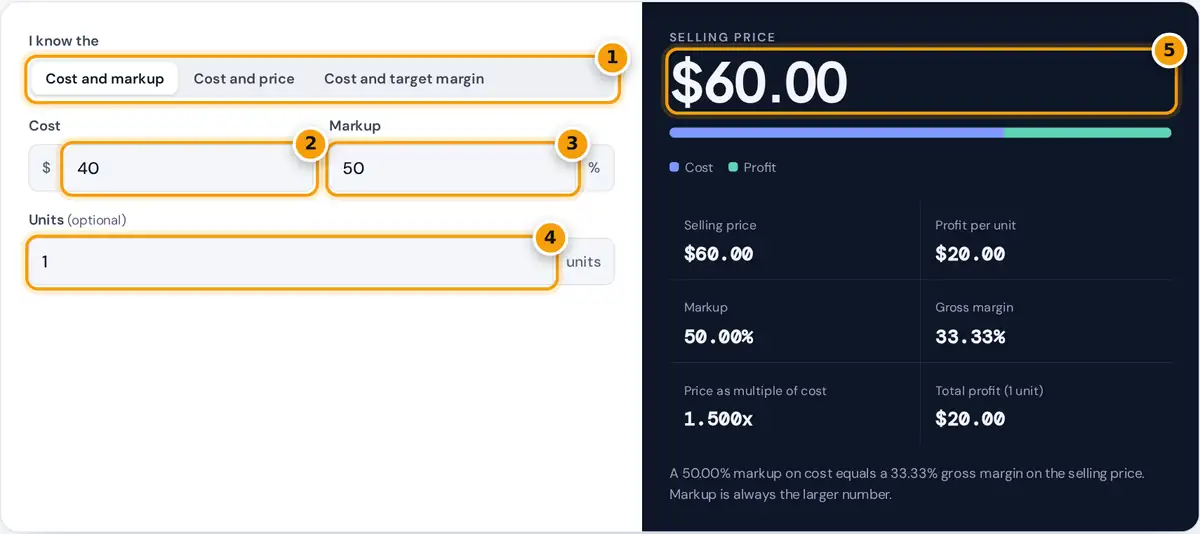
- Choose what you know: cost and markup, cost and price, or cost and a target margin.
- Enter the unit cost of the product or service.
- Enter the markup percentage you add on top of cost.
- Optionally enter a number of units to see total profit for the batch.
- Read the selling price, then compare profit per unit, markup and gross margin.
Start by choosing what you already know. Cost and markup gives the selling price when you add a set percentage. Cost and price shows the markup and margin on a price you already charge today.
Cost and target margin finds the price that delivers the gross margin you want, which is how many retailers and wholesalers price. Enter your unit cost first, then the percentage or price for that mode.
Add units to see the total profit on an order. The markup calculator also shows profit per unit, the price as a multiple of cost and a bar splitting each sale into cost and profit.
Markup Formula and Gross Margin Formula
Markup is the profit measured against cost. Gross margin is the same profit measured against the selling price, which is also your revenue per unit. The markup formula and margin formula below cover every mode.
Markup % = (price − cost) ÷ cost × 100
Gross margin % = (price − cost) ÷ price × 100
Price for a target margin = cost ÷ (1 − margin %)
Profit per unit is price minus cost. Multiply it by the number of units for total profit. The multiple of cost is price divided by cost, so a 50% markup is a 1.5 times multiple.
The markup percentage is always higher than the margin for the same sale, because the same profit is divided by a smaller base. The gap widens as markups grow, so confusing the two is costly.
Worked Examples
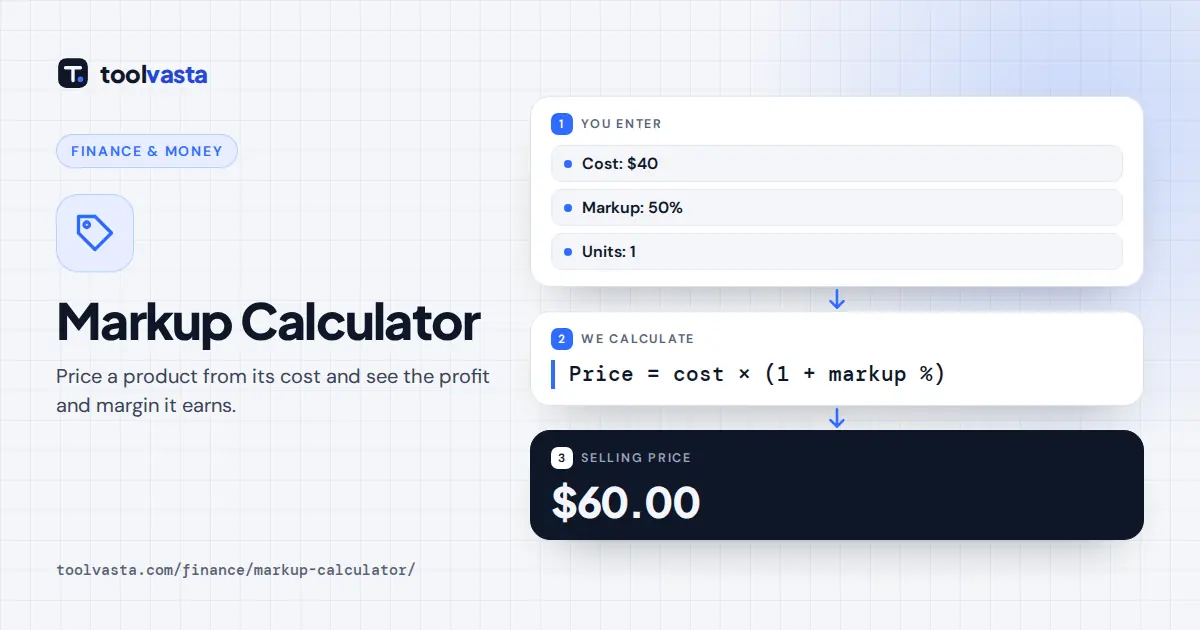
Say an item costs you $40 each. A 50% markup adds $20, so the selling price is $60.00. That $20 profit is 33.33% of the $60 price, so the gross margin is 33.33%, not 50%.
Now sell that $40 item for $65. The markup is $25 divided by $40, or 62.50%, and the margin is $25 divided by $65, or 38.46%. This is the cost and price mode in action.
To earn a 40% margin, price the item at $40 divided by 0.60, which comes to $66.67. That works out to a 66.67% markup. This worked example matches the calculator's default values in each mode.
Markup vs Margin Conversion Table
Markup vs margin is the most common pricing mix-up. If you need a 40% margin and add only a 40% markup, your real margin is just 28.57%, and the shortfall comes straight out of profit.
| Markup | Gross margin | Price on a $100 cost |
|---|---|---|
| 10% | 9.09% | $110.00 |
| 25% | 20.00% | $125.00 |
| 33.33% | 25.00% | $133.33 |
| 50% | 33.33% | $150.00 |
| 66.67% | 40.00% | $166.67 |
| 100% | 50.00% | $200.00 |
| 150% | 60.00% | $250.00 |
| 200% | 66.67% | $300.00 |
To convert by hand, write both values as decimals, not percents. Margin equals markup divided by one plus markup. Markup equals margin divided by one minus margin. So a 0.25 markup gives a 0.20 margin.
Profit margin, gross margin and markup get used loosely. In this calculator, margin always means gross margin: price minus cost, divided by price. It does not include overheads, so it is not your net margin.
How to Choose a Markup That Covers Overhead
Your markup must cover more than the cost of goods sold, which is usually called COGS. Shipping, payment processing fees, returns, rent, wages and marketing all come out of the gross profit on every sale.
A practical approach is to work backwards. Find the gross margin your business needs to cover overhead, break even and reach its profit target, then convert that margin to a markup with the table above.
Keep records of cost and revenue. The Canada Revenue Agency's T4002 business income guide shows how self-employed Canadians report gross profit, which helps you check whether your markups are actually working over a full year.
Pricing Strategies That Use Markup
Cost-plus pricing adds a fixed markup to every item, which is simple and very predictable. Keystone pricing is a version of it: a 100% markup that doubles the cost and gives a 50% gross margin.
Market-based pricing starts from what competitors charge, then checks that your own margin still works. Value-based pricing starts from what the product is worth to the buyer, which can often support a much higher markup.
Psychological pricing, such as ending at 99 cents, adjusts the final number after the markup. Typical markups vary widely by industry, so compare your results with your own costs rather than a single published benchmark.
Sales Tax and Discounts
Calculate markup on the cost before tax, and set your price before adding sales tax. GST, HST or PST collected from customers belongs to the government, so it must never be counted inside your margin.
Once you have a price, add tax with the CRA GST/HST calculator then show the full price clearly to all customers. Rates differ by province, so the same pre-tax price produces different totals across Canada.
Plan discounts carefully. On a $100 cost with a 50% markup, a 20% discount cuts the price from $150 to $120. Profit drops from $50 to $20, a far larger fall than the discount suggests.
Negative Markup and Limits
A negative markup means you sell below cost. The calculator accepts markups above minus 100% and, when the price is below cost, shows how much each sale loses, which is useful for clearance pricing decisions.
Margins must stay under 100%, because a 100% margin would need an infinite price unless the item is completely free. The calculator explains these limits with a short message instead of returning a misleading number.
The tool works on a single unit cost and does not allocate fixed overheads or tax. Results are rounded to the cent and to two decimal places, so very small differences can appear in totals.
Frequently asked questions
How do I calculate a 50% markup?
Multiply the cost by 1.5. A $40 cost with a 50% markup sells for $60. The $20 profit is a 33.33% gross margin, because margin is measured against the selling price.
What is the difference between markup and margin?
Markup is profit as a percentage of cost. Margin is profit as a percentage of the selling price. A $50 profit on a $100 cost is a 50% markup and a 33.33% margin.
How do I find the markup percentage from cost and price?
Subtract the cost from the price, divide by the cost and multiply by 100. A $65 price on a $40 cost gives a markup of 62.5% and a gross margin of 38.46%.
What markup gives a 40% margin?
A 66.67% markup. Divide the cost by 0.60 to get the price, so a $40 cost sells for $66.67. In general, markup equals margin divided by one minus margin.
Is a 100% markup the same as a 100% margin?
No. A 100% markup, known as keystone pricing, doubles the cost and gives a 50% margin. A 100% margin is impossible unless the item costs nothing at all.
Can markup be negative?
Yes. A negative markup means the selling price is below cost, so every sale loses money. The calculator accepts markups above minus 100% and shows the loss per unit.