How to Use the Engagement Rate Calculator
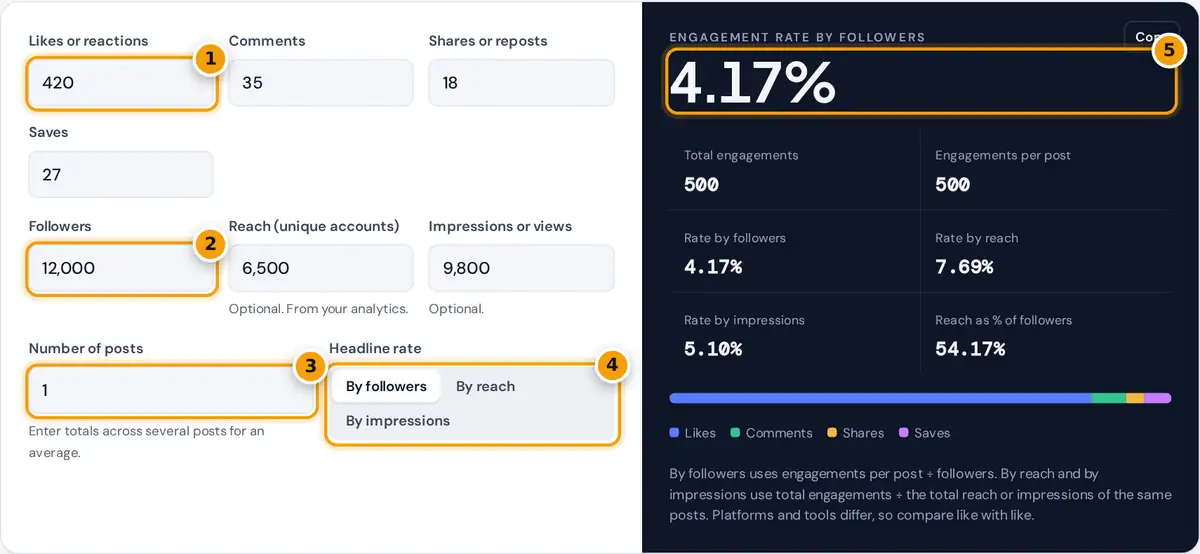
- Enter likes, comments, shares and saves from your insights.
- Enter followers, plus reach and impressions if you have them.
- Enter the number of posts if you used totals across several posts.
- Choose which rate to show as the headline.
- Read the engagement rate and compare all three methods.
Enter the likes or reactions, comments, shares and saves for a post from your platform's insights, then the follower count at the time. Add the post's reach, the number of unique accounts that saw it, and its impressions or views if your analytics show them. Leave a field at 0 if the platform does not report that action.
The calculator shows all three common engagement rates side by side, and you can choose which one appears as the headline figure. To measure a whole month or campaign, enter the totals across several posts and the number of posts. The rate by followers then becomes an average per post, which is the figure most brands and creators quote when comparing accounts.
Engagement Rate Formulas
by followers = (engagements ÷ posts) ÷ followers × 100
by reach = engagements ÷ reach × 100
by impressions = engagements ÷ impressions × 100
Engagement rate by followers is easy to calculate for any public account, which is why it is widely used for comparing influencers. Its weakness is that many followers never see a given post. Engagement rate by reach measures how the people who actually saw the post responded, so it is a better test of the content itself.
Impressions count every view, including repeat views by the same person, so engagement rate by impressions is usually lower than by reach. It suits paid campaigns, where cost is often tied to impressions.
Worked Example
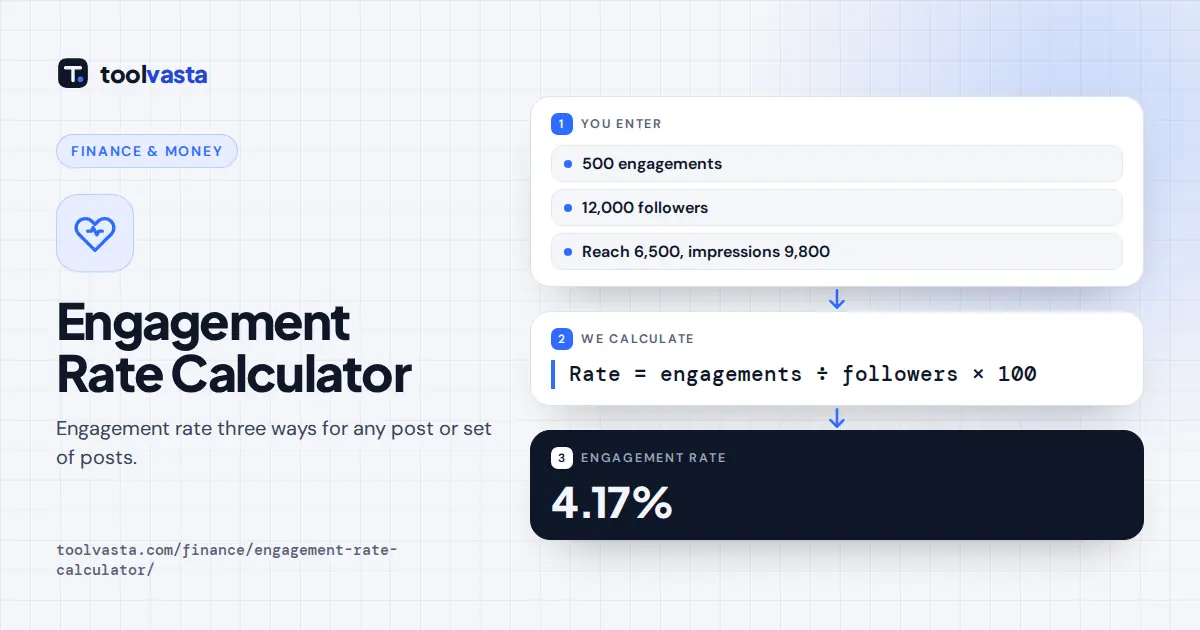
A post on an account with 12,000 followers gets 420 likes, 35 comments, 18 shares and 27 saves, a total of 500 engagements. It reached 6,500 accounts and had 9,800 impressions. The engagement rate is 4.17% by followers, 7.69% by reach and 5.10% by impressions. The post reached 54.17% of followers.
Across five posts with 2,600 total engagements on the same account, engagements per post average 520 and the engagement rate by followers is 4.33% per post.
| Method | Formula | Example result |
|---|---|---|
| By followers | 500 ÷ 12,000 | 4.17% |
| By reach | 500 ÷ 6,500 | 7.69% |
| By impressions | 500 ÷ 9,800 | 5.10% |
All three figures describe the same post. Quote the method along with the number so others can compare it fairly.
Engagement rate is useful because raw counts grow with audience size. A post with 500 likes is impressive for an account with 5,000 followers and modest for one with 500,000. Dividing by the audience puts accounts of different sizes on a comparable scale, which is why brands ask creators for engagement rates when planning sponsorships.
Video platforms add another option: engagement by views. Treat views like impressions in this calculator. If a platform reports plays that include replays, the rate will be lower than one calculated on unique viewers, so note which figure you used when you share the result.
Tips to Read Engagement Rates
- Compare accounts of similar size on the same platform. Smaller accounts usually see higher rates by followers than very large ones.
- Use the same method over time. Switching from followers to reach can make a stable account look like it improved.
- Weigh comments, shares and saves more heavily than likes when judging content quality, because they take more effort.
- Check for giveaways or engagement groups, which can inflate rates without real interest.
- Track rates by post type, such as video, carousel or single image, to see what your audience responds to.
Assumptions and Limits
The calculator uses only the numbers you enter. Platforms define reach, impressions and views differently and change their reporting over time, and some do not show saves or shares publicly. There is no single good engagement rate, so this tool does not grade the result. For paid campaigns, combine engagement with sales data, for example with the ROAS calculator.
Frequently asked questions
How do you calculate engagement rate?
Add likes, comments, shares and saves, divide by followers, reach or impressions, and multiply by 100. For example, 500 engagements on an account with 12,000 followers is a 4.17% engagement rate by followers.
What is the difference between engagement rate by reach and by followers?
By followers divides by the total audience, including people who never saw the post. By reach divides by the accounts that actually saw it, so it better shows how compelling the content was.
What counts as an engagement?
Most calculations count likes or reactions, comments, shares and saves. Some also include link clicks, profile visits or video views. Use the same definition each time you compare results.
How do I calculate average engagement rate per post?
Add the engagements across several posts, divide by the number of posts and then by followers. The calculator does this when you enter totals and the number of posts.
Why is my engagement rate by impressions lower than by reach?
Impressions include repeat views by the same person, so they are usually higher than reach. Dividing the same engagements by a bigger number gives a lower percentage.
Does this calculator work for Instagram, TikTok and LinkedIn?
Yes. The formulas are the same on any platform. Enter the actions your platform reports, and leave a field at zero if a metric such as saves is not available.