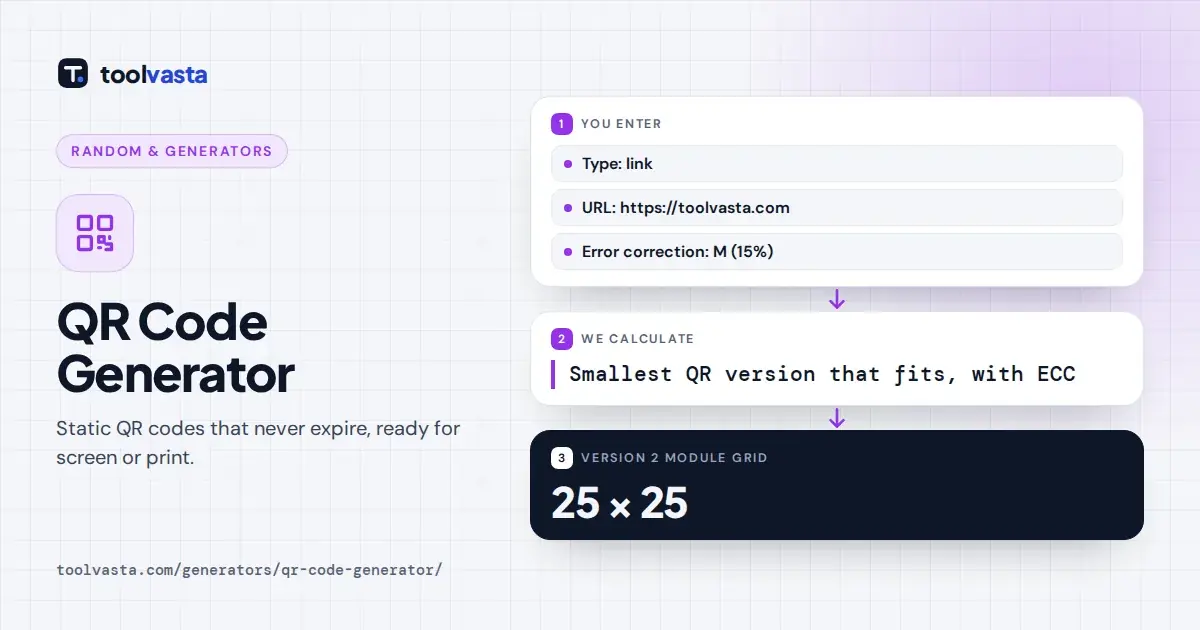
How to Use the QR Code Generator
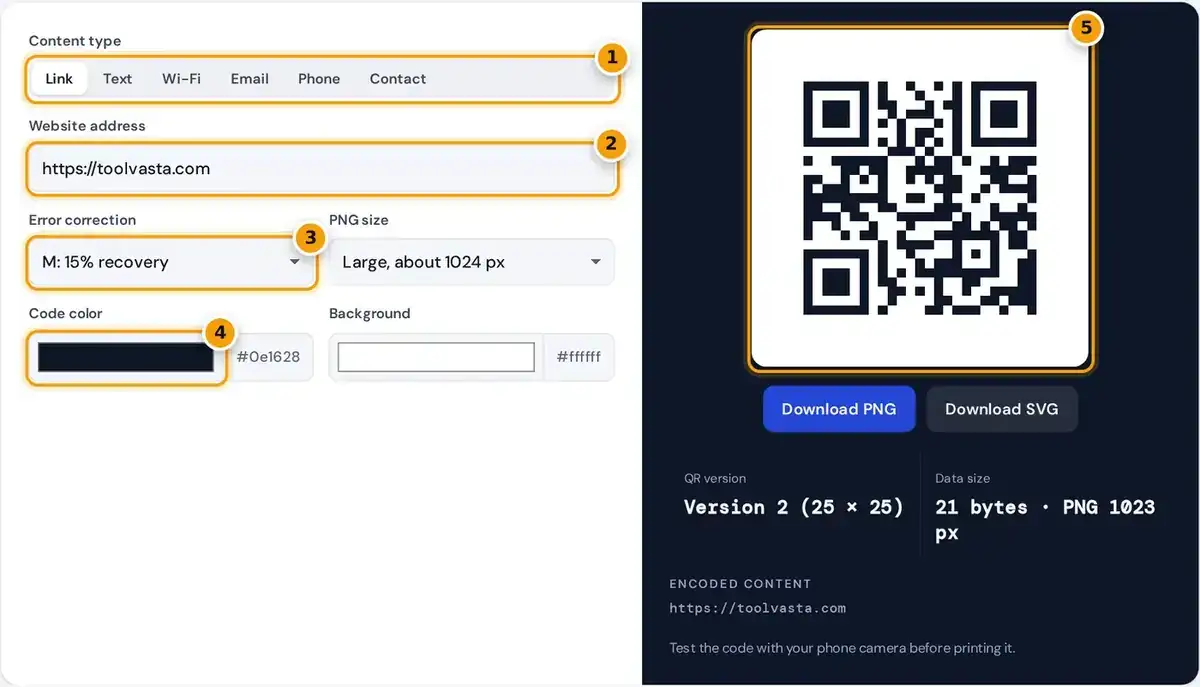
- Choose what the code holds: link, text, Wi-Fi, email, phone or contact.
- Enter your web address or other details.
- Pick error correction. Use Q or H if the code may get scuffed.
- Set the code and background colors, keeping strong contrast.
- Scan the live code with your phone, then download it as PNG or SVG.
Pick a content type first: a link, plain text, Wi-Fi login, email, phone number or contact card. Fill in the fields and the code redraws as you type, with the encoded data shown just underneath.
Choose an error correction level, a code color and a background color if you want. Then download PNG in four sizes, from about 256 to 2048 pixels, or download an SVG vector file for print.
This free qr code generator needs no sign-up and adds no watermark or logo. If you searched for a qr code generator free of limits, every code is unlimited, permanent and yours to use commercially.
Static vs Dynamic QR Codes
The codes made here are static QR codes. The content lives inside the pattern, not on a server, so they never expire, have no scan limit and keep working as long as the destination exists.
A dynamic QR code instead points to a short link on a redirect service. That lets you change the destination later and track scans, but the code stops working if the subscription or service ends.
You can still measure a static code. Add UTM tags to the link, such as a source of flyer, and your analytics tool will count visits from that code without any third party in between.
How to Make a Wi-Fi QR Code
A Wi-Fi QR code lets guests join your network by simply pointing a phone camera at it. Enter the network name, also called the SSID, the password and the security type: WPA, WEP or open.
special characters \ ; , : " in the name or password are escaped with a backslash
Special characters are escaped with a backslash so they are not read as separators. A network called Home with the password pa;ss becomes WIFI:T:WPA;S:Home;P:pa\;ss;; exactly as the data preview shows just beneath the code itself.
Choose WPA for WPA2 and WPA3 networks too, because phones use the same setting for all three. Tick hidden network if your router does not broadcast its name, so phones know to search for it.
Email, Phone and Contact Card Codes
The email option builds a mailto link with an address, a subject line and an optional message. Scanning it opens a new, prefilled email, which suits feedback forms, support signs and busy event registration desks.
The phone option stores a tel link, so a scan offers to call the number immediately. Include the country code, such as +1 for Canada and the US, so the number works for visitors too.
The contact option creates a vCard 3.0 contact card with name, company, phone, email and website. Most phones offer to save it straight to the address book, which is handy on business cards and badges.
Error Correction Levels
Every QR code carries extra Reed-Solomon error correction data, so it can still be read when part of the code is dirty, torn or partly covered. Higher levels restore more damage but also add modules.
| Level | Data that can be restored | Good for |
|---|---|---|
| L | about 7% | Screens and clean prints, smallest code |
| M | about 15% | General use (default) |
| Q | about 25% | Outdoor signs and labels |
| H | about 30% | Harsh conditions or a small logo overlay |
The link https://toolvasta.com fits in a version 2 code of 25 by 25 modules at level M. At level H the same link needs version 3, which is 29 by 29 modules and slightly denser.
Use level H if you plan to place a small logo over the center, since the logo hides part of the pattern. For screens and clean paper, level L or level M keeps codes simplest.
Size, Contrast and Scanning Tips
Always keep strong contrast, with a dark code color on a light background. Inverted or pastel codes fail on many older phones, so check the preview carefully before changing colors away from the dark default.
Leave the quiet zone, the white border around the code. This generator adds the standard margin of four modules. Print codes at least 2 cm, about 0.8 inches, wide for close scanning at arm's length.
A useful rule of thumb is a width of one tenth of the scanning distance. Shorter content makes a simpler code that scans faster, and you should test every single print with two different phones.
How QR Codes Work
The letters QR stand for Quick Response. The format was invented in 1994 by the company Denso Wave for tracking car parts, and today the format is defined by the current international standard ISO/IEC 18004.
A QR code is a 2D barcode made of square modules. Three finder patterns in the corners let a camera locate the code and read it from any angle, even when tilted or upside down.
The data is stored in the modules along with the error correction and format information. More data means a higher version with more modules, and when content is too long the tool warns you instead.
Privacy and Safety
Everything is generated in your browser with the open-source qrcode-generator library by Kazuhiko Arase. Your Wi-Fi password and contact details are never sent to a server, and nothing is stored after you leave the page.
Scanners should stay alert to phishing, where fake codes stuck over real ones lead to fraudulent sites. The Canadian Centre for Cyber Security explains how to spot and avoid malicious codes before you scan them.
If you print codes for the public, use tamper-resistant placement and a short, recognizable domain. QR Code is a registered trademark of DENSO WAVE INCORPORATED, and the name is used here only to describe it.
Frequently asked questions
Is this QR code generator really free?
Yes. There is no sign-up, no watermark and no scan limit. The codes are static, so the content is stored in the pattern itself and they never expire or stop working.
Do these QR codes expire?
No. The content is stored in the code itself rather than behind a redirect service, so it works as long as the link or information inside it is still valid.
Can I change a QR code after printing?
Not with a static code. To change the destination later you need a dynamic QR code from a redirect service, or you can point the code at a page you control and update that page.
Should I download PNG or SVG?
Use PNG for websites, documents and social media. Use SVG for print, signage and design tools, because a vector file scales to any size without losing sharpness or blurring the modules.
How do I make a QR code for Wi-Fi?
Choose Wi-Fi, enter the network name and password, and select the security type. Guests scan it with their phone camera to connect, with no need to type the password.
Why won't my QR code scan?
The most common causes are low contrast, a light code on a dark background, a missing white border or printing too small. Try the default colors, a larger size and a shorter link.