How to Use the Password Generator
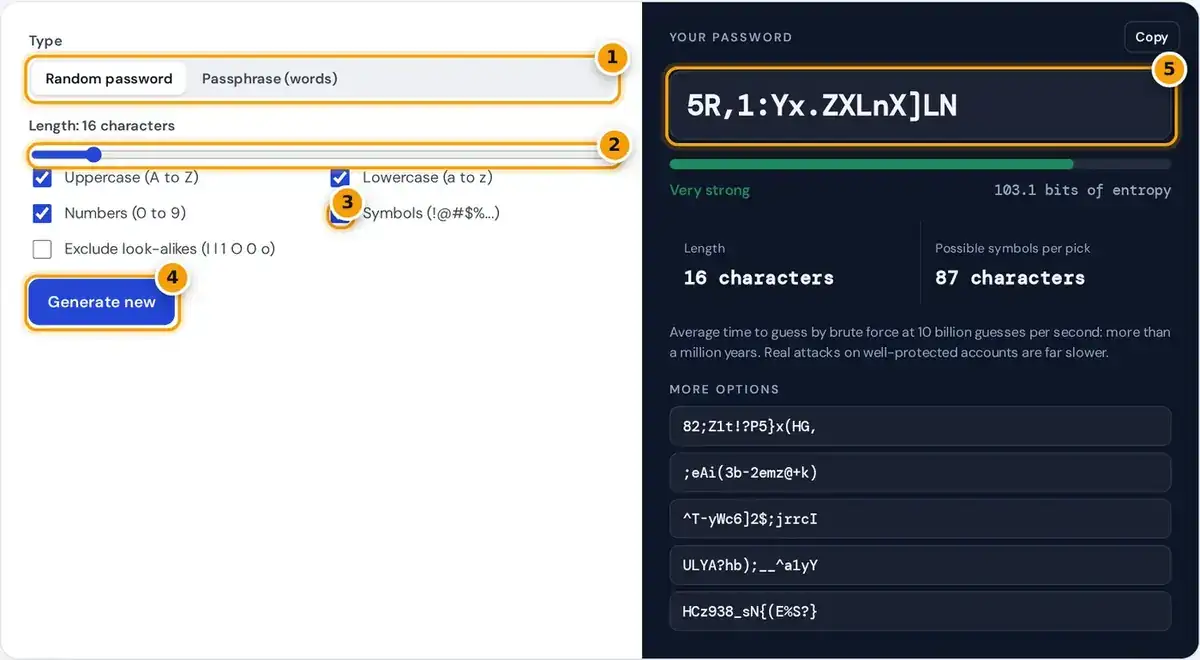
- Choose a random password or a passphrase made of words.
- Drag to set the length. 16 or more characters is a strong default.
- Tick the character types to use, and exclude look-alikes if you will type it by hand.
- Press Generate new for another password, or pick one from More options.
- Copy your password and check its strength, entropy in bits and time to guess.
Choose Random password for the most strength per character, or Passphrase for real words that are easier to type and remember. A new result appears instantly, with five extra options listed underneath the main password.
For a random password, drag the length slider from 4 to 128 characters and tick the character sets needed: uppercase, lowercase, numbers and symbols. You can also exclude look-alike characters such as l and 1.
Press Generate new for another batch, click Copy for the main result, or click any extra option to copy it. This free password generator needs no account, and the strength meter updates with every change.
Why This Is a Secure Password Generator
A secure password generator must be completely unpredictable to attackers. This one uses the browser's Web Crypto API, calling crypto.getRandomValues, the same cryptographically secure source browsers use when they create encryption keys for secure connections.
Each character is picked with rejection sampling, so every symbol in the pool has exactly the same chance of appearing. Ordinary random functions, or patterns a person invents, leave hidden biases that attackers can exploit.
Everything happens on your device. Passwords are never stored, logged or sent over the internet, so closing the tab erases them. Copy the one you want straight into your password manager before leaving the page.
How Password Strength Is Measured
Strength is shown as entropy in bits: how many guesses an attacker needs if they know exactly how the password was made. Each extra bit doubles the work, so even small increases in length matter.
passphrase entropy = words × log₂(7,776) = words × 12.925
average guesses = 2^(entropy − 1)
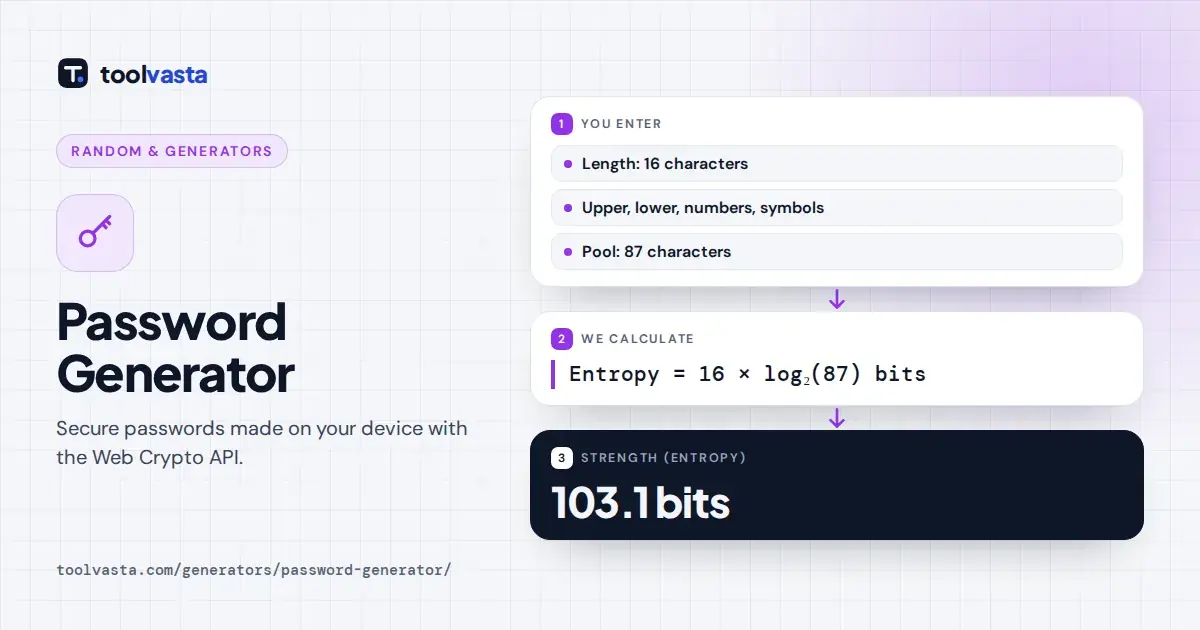
- 16 characters from a pool of 87 (26 + 26 + 10 + 25 symbols): 103.1 bits.
- The same length without look-alikes (81 characters): 101.4 bits.
- A 10-digit PIN: 33.2 bits, which is weak.
- A 5-word passphrase: 64.6 bits, or 67.9 bits with a random digit.
| Entropy | Rating here | Suitable for |
|---|---|---|
| under 36 bits | Weak | Nothing important |
| 36 to 59 bits | Fair | Low-value accounts with rate limiting |
| 60 to 79 bits | Strong | Most online accounts |
| 80 bits or more | Very strong | Email, banking, password manager master password |
These ratings are practical guidelines, not a formal standard. Under 28 bits the meter reads Very weak, and the default 16-character password scores Very strong, well past the 80-bit line for the most sensitive accounts.
The time estimate assumes an offline attack making 10 billion guesses per second, a demanding brute force scenario. Online services usually lock accounts after a few failed attempts, so real online attacks run far slower.
Password Generator Words: Making a Passphrase
Switch to Passphrase for a password generator with words. It draws from the EFF large wordlist of 7,776 words, published by the Electronic Frontier Foundation and chosen to be easy to spell, type and remember.
Set between 3 and 12 words, then pick a separator: hyphen, space, period, underscore or none. You can capitalize each word and add a random digit when a site specifically demands numbers or capital letters.
Each word is chosen independently at random, which is what makes it strong. A phrase you invent, like a song lyric or quote, is far weaker than its length suggests, because attackers try those first.
How Long Should a Password Be?
Length beats complexity every time. The NIST digital identity guidelines set a minimum length of 15 characters for passwords used as the only login factor, and tell services not to force composition rules on users.
The Canadian Centre for Cyber Security recommends passphrases of at least four words and 15 characters, and passwords of at least 12 characters. Shorter passwords are acceptable only when an account also uses multi-factor authentication.
In practice, 16 random characters or five random words cover almost every account. If a site blocks certain symbols, untick Symbols and add a few more characters of length instead to keep the entropy high.
Weak Passwords to Avoid
The weakest passwords are the most popular ones, such as 123456, qwerty, letmein and password. Attackers always try these first, followed by dictionary words with a number or symbol added at the start or end.
Personal information is just as risky. Names, birthdays, pets, streets and sports teams are easy to find on social media, and swapping letters for similar symbols adds far less protection than most people would expect.
Password reuse is the biggest danger. When one site suffers a data breach, criminals use credential stuffing, trying the leaked email and password on other sites, so a unique password per site contains the damage.
Password Tips
A generator solves only half the problem, because strong random passwords are very hard to remember by heart. The habits below make it realistic to use a different, random password for every account you have.
- Store passwords in a reputable password manager and protect it with a long passphrase as the master password.
- Turn on two-factor authentication for email, banking and social media.
- Use a random PIN, never a birth year or repeated digits.
Change a password immediately if a service reports a breach affecting you, but routine changes on a fixed schedule are no longer recommended when each password is already long, random and unique to one site.
The generator guarantees at least one character from each selected set when the password is long enough. That removes a tiny share of possible passwords, so true entropy sits very slightly below the figure shown.
Frequently asked questions
Is this password generator safe to use?
Yes. Passwords are generated locally with your browser's cryptographically secure random number generator. They are never sent over the internet, logged or stored, and they disappear when you close the page.
How long should my password be?
For random passwords with mixed characters, 16 or more characters gives over 100 bits of entropy. For passphrases, use at least five random words. Current NIST guidance sets 15 characters as the minimum.
What is a passphrase?
A passphrase is a password made of several random words, such as five words joined by hyphens. It is easier to remember and type than random characters, and still strong when the words are chosen at random.
What does entropy in bits mean?
It measures how unpredictable the password is. Every extra bit doubles the number of guesses needed, so an 80-bit password is about a million times harder to guess than a 60-bit password.
Should I use a different password for every account?
Yes. If one site is breached, attackers try the same email and password everywhere else. A unique random password for each account, stored in a password manager, stops one leak from spreading.
Why exclude look-alike characters?
Characters such as I, l and 1 or O and 0 are easy to confuse when reading or typing a password. Excluding them reduces the pool from 87 to 81 characters but prevents typing mistakes.