How to Use the YouTube Thumbnail Downloader
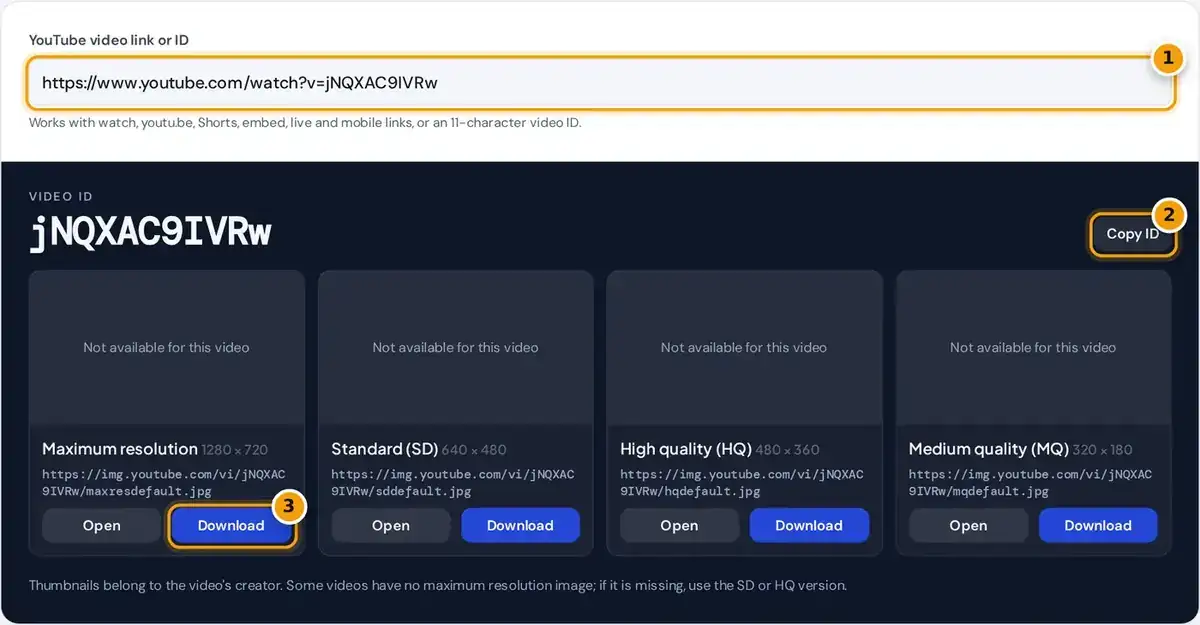
- Paste a YouTube link: watch, youtu.be, Shorts, embed or live, or just the video ID.
- Copy the 11-character video ID if you need it.
- Download the HD 1280 × 720 image, or pick the SD, HQ or MQ version below.
Copy the video link from your browser's address bar or from the Share button in the YouTube app. Paste it into the box, and the video ID plus every thumbnail size appear almost at once.
Press Open to view an image in a new tab, or Download to save it as a JPG file named after the video ID. Copy ID puts the 11-character code on your clipboard for later.
If your browser blocks the direct download, the image opens in a new tab instead. Save it from there with a right-click on a computer or a long press on a phone or a tablet.
Thumbnail Sizes
| File | Size | Notes |
|---|---|---|
| maxresdefault.jpg | 1280 × 720 | Only when the video or custom thumbnail is HD |
| sddefault.jpg | 640 × 480 | 4:3 with letterbox bars on widescreen videos |
| hqdefault.jpg | 480 × 360 | Available for almost every video, 4:3 |
| mqdefault.jpg | 320 × 180 | 16:9, no bars |
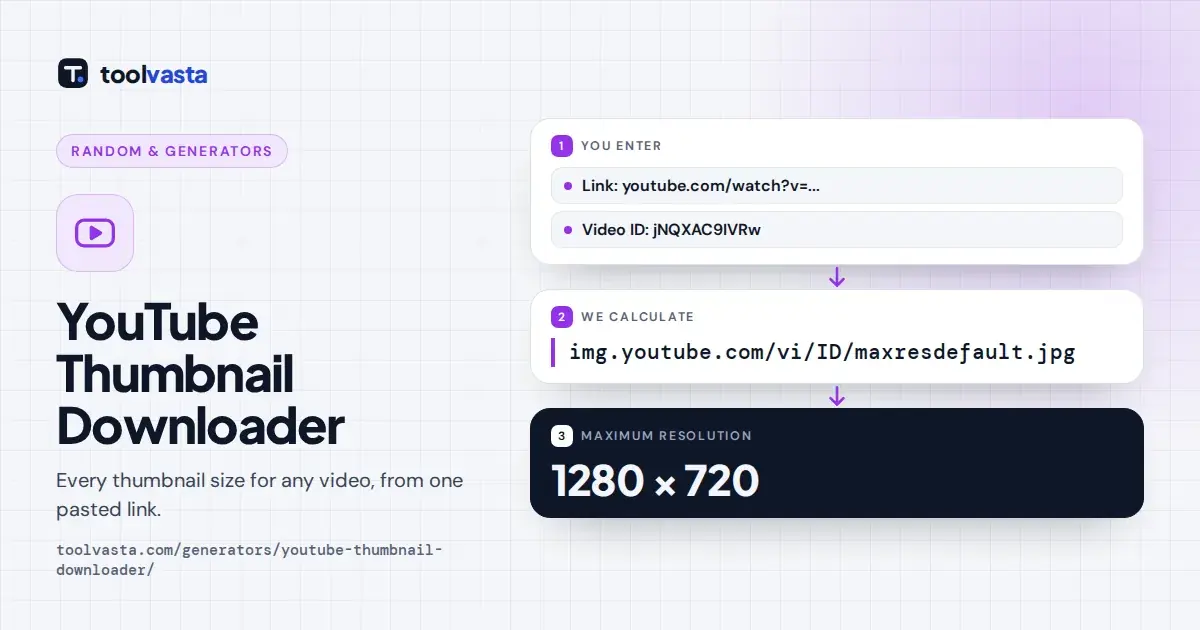
The largest public image is the maximum resolution version, 1280 by 720 pixels. YouTube only creates it when the video or its custom thumbnail is HD, so older or low quality uploads may lack it.
The SD image is 640 by 480 and the HQ image is 480 by 360. Both use a 4:3 frame, so widescreen videos show black letterbox bars above and below the picture in both sizes.
The MQ image is 320 by 180 in a 16:9 frame with no bars, suiting small previews. Sites that promise 4K thumbnails are usually showing upscaled copies, since YouTube does not publish larger public files.
How Thumbnail URLs Are Built
https://img.youtube.com/vi/VIDEO_ID/sddefault.jpg
https://img.youtube.com/vi/VIDEO_ID/hqdefault.jpg
https://img.youtube.com/vi/VIDEO_ID/mqdefault.jpg
YouTube serves thumbnails at predictable addresses on img.youtube.com. Each one follows the same URL pattern: the video ID, then a file name such as maxresdefault or hqdefault, ending in the usual JPG image file extension.
The tool reads the 11-character video ID from your link and fills in that pattern for each size. An ID uses letters, digits, hyphens and underscores, and it uniquely identifies one video on the platform.
For the default link, the ID is jNQXAC9IVRw, so the full size image lives at https://img.youtube.com/vi/jNQXAC9IVRw/maxresdefault.jpg. Every link format for that video gives exactly the same address. Try the youtu.be short link to confirm it.
Supported Link Formats
Standard watch links work, including ones with extra parameters such as a timestamp or playlist. Short youtu.be links work too, even with the si tracking code that the app's Share button adds at the end.
Shorts, embed and live links are all supported, along with m.youtube.com mobile links, music.youtube.com links and privacy-enhanced youtube-nocookie.com embed links. You can also paste a bare 11-character video ID on its own, without any link.
Links from other websites are rejected even if they contain a v= parameter, so the tool never guesses. If you see an error, open the video on YouTube and copy the address again from there.
Use Thumbnails Responsibly
A thumbnail is part of the creator's work and is protected by copyright like the video itself. The Canadian Intellectual Property Office explains how copyright protects artistic works such as images and photographs in Canada.
Use this tool for thumbnails of your own videos, or with the permission of the creator. Commentary, criticism or news reporting may fall under fair dealing in Canada, but that depends on the specific situation.
Commercial use of someone else's thumbnail, for example in your own videos, ads or products, can infringe their rights and breach YouTube policies. Linking to or embedding the original video is usually the safer choice.
Why Creators Download Their Own Thumbnails
The most common reason is recovering an original custom thumbnail after the source design file was lost or deleted. Downloading the maximum resolution copy gives you the exact published version to edit, reuse or archive.
Creators also add thumbnails to a channel website, portfolio or press kit, or create a matching post for social media that links back to the video. The consistent image helps viewers recognize the content quickly.
Before a redesign, it helps to check how a thumbnail reads at the MQ size, since many viewers see it that way on phones. Competitor research, studying how successful channels frame images, is another use.
Troubleshooting
If a size shows not available, YouTube returned a small gray placeholder instead of a real image. The tool detects that placeholder automatically, so use the next size down, usually the SD or HQ version.
If every size says not available, the video may be a private video, removed, or still processing after upload. Check that the link opens on YouTube and that you can watch it while signed out.
A new custom thumbnail can take a while to appear, because images are cached for a while after they change. Wait a few minutes and reload. For upload rules, see YouTube Help on custom thumbnails.
Frequently asked questions
How do I download a YouTube thumbnail?
Paste the video link into the box, then press Download under the size you want. If the download is blocked, press Open and save the image from the new tab with a right-click or long press.
Is it legal to download YouTube thumbnails?
Thumbnails are copyrighted by their creators. Downloading your own is fine, and for anyone else's you should get permission before reusing the image, especially for commercial use such as ads, products or your own videos.
Why is the maximum resolution thumbnail missing?
YouTube only creates a 1280 by 720 image for videos with an HD source or an HD custom thumbnail. Older or low quality uploads may not have one, so use the SD or HQ version instead.
Does this work with YouTube Shorts?
Yes. Paste a youtube.com/shorts/ link and the tool extracts the video ID the same way as a normal video. Live, embed and mobile links work too, as does a bare 11-character video ID.
Can I download a 4K YouTube thumbnail?
No. The largest public thumbnail YouTube serves is 1280 by 720 pixels. Tools that advertise 4K results usually enlarge that image, which adds size but no real detail to the picture.
What is a YouTube video ID?
It is the 11-character code that identifies each video, made of letters, digits, hyphens and underscores, such as jNQXAC9IVRw. It appears after v= in watch links and after the slash in youtu.be links.