How to Use the Random Date Generator
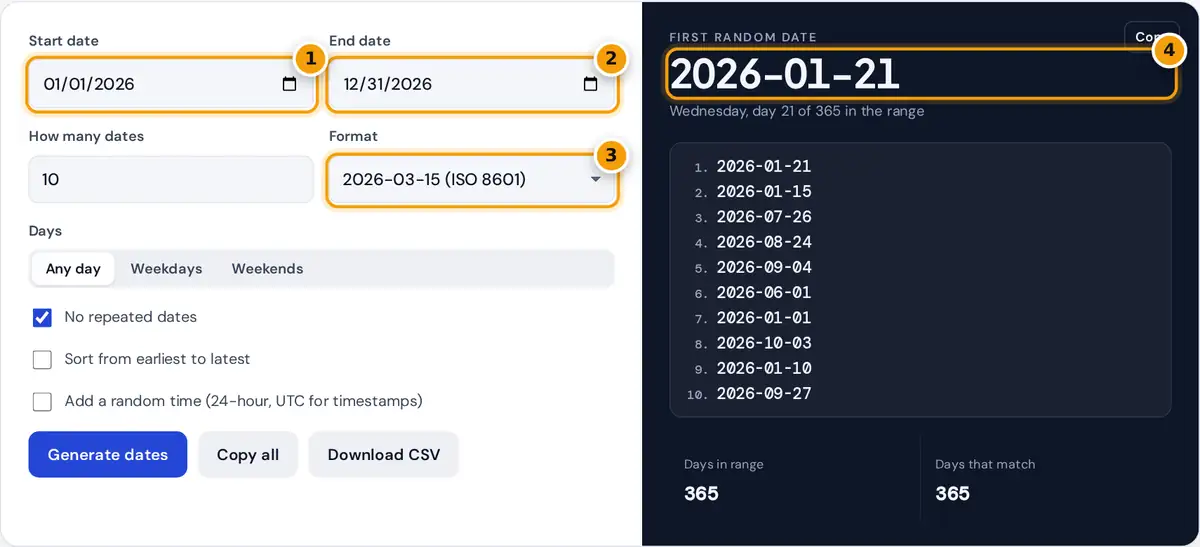
- Set the start date of the range.
- Set the end date. Both dates are included.
- Choose a format such as ISO, US or Unix timestamp.
- Read the first date, then copy the list or download a CSV.
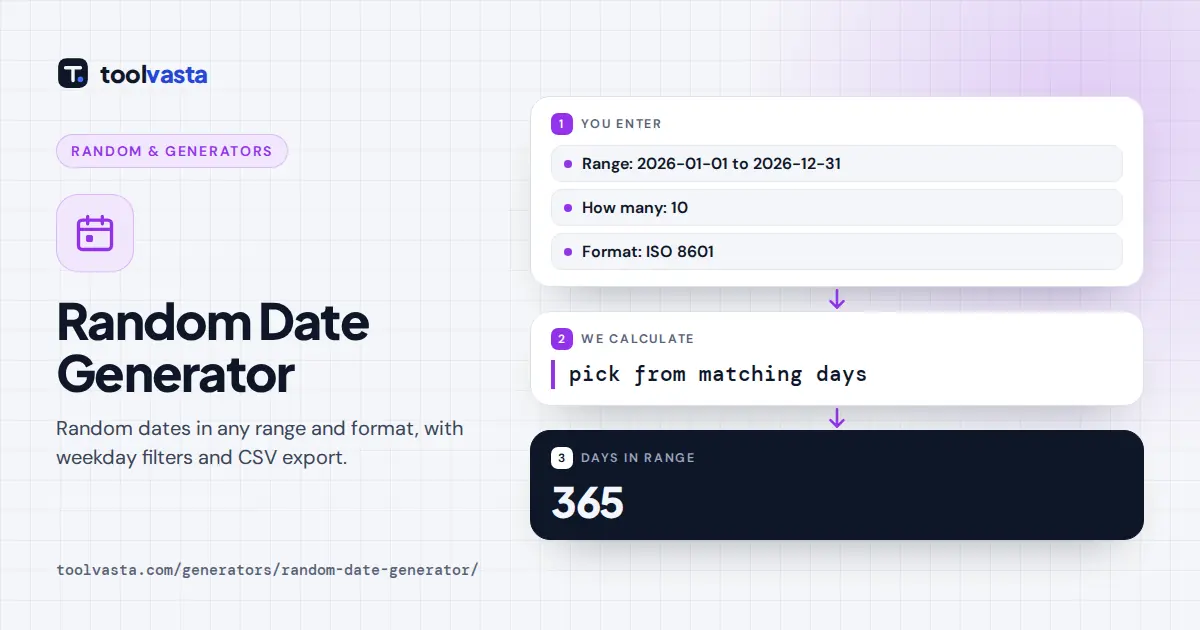
Choose a start date and an end date; both are included in the range. Enter how many dates you want, from 1 to 1,000, and pick a format. Use the Days control to limit results to weekdays (Monday to Friday) or weekends. The stats show how many days are in the range and how many match your filter.
Keep No repeated dates ticked for a list of different dates, or untick it to allow the same date more than once. Tick Sort to put the list in calendar order, and Add a random time for a time of day as well. Copy the first date, copy the whole list, or download a CSV file for a spreadsheet.
How the Dates Are Picked
The generator lists every day in your range that passes the filter, then picks from that list using your browser's secure random source. Without repeats, it shuffles the list and takes the first dates, so every matching day is equally likely and none appears twice. With repeats allowed, each date is an independent pick.
2026: 365 days, of which 261 are weekdays and 104 are weekend days
Dates are calculated in whole days, without time zones, so a range never skips or doubles a day around a daylight saving change. Random times are spread evenly over the 86,400 seconds of a day.
Date Formats
| Format | Example for March 15, 2026 | Common use |
|---|---|---|
| ISO 8601 | 2026-03-15 | Databases, programming, file names |
| US | 03/15/2026 | United States forms |
| Day first | 15/03/2026 | Most of the world, including the UK |
| Long | March 15, 2026 | Letters and articles |
| Long with weekday | Sunday, March 15, 2026 | Invitations and schedules |
| Day month year | 15 March 2026 | Formal writing outside the US |
| Unix timestamp | 1773532800 | Software and APIs (seconds since January 1, 1970 UTC) |
ISO 8601, published by the International Organization for Standardization, writes dates from the largest unit to the smallest, so ISO dates sort correctly as plain text. That makes it the safest choice for data, and it avoids the confusion between 03/04 meaning March 4 in the United States and 3 April elsewhere. Canada uses several formats, and Government of Canada style guidance recommends the ISO order (YYYY-MM-DD) when a date is written in numbers only.
Uses for Random Dates
- Test data. Fill a database, spreadsheet or form with realistic dates, including edge cases like leap days.
- Scheduling and fairness. Pick random audit days, inspection dates, spot checks or a surprise team lunch on a weekday.
- Games and classrooms. Generate random birthdays or historical dates for quizzes, and ask students which day of the week each fell on.
- Writing and role-play. Choose dates for events in a story timeline or a tabletop campaign.
- Contests. Pick a random draw date within a promotion period.
Random Times and Timestamps
When you add a random time, the 24-hour time is shown after the date, for example 2026-03-15T14:07:31 in ISO format or March 15, 2026 14:07 in the long format. Unix timestamps add the random seconds to midnight UTC, so a date and time can be pasted straight into code or a database. Times are not adjusted to your local time zone, which keeps the results identical for everyone who uses the same settings, and makes them predictable for testing.
Tips
For random birthdays of adults, set a range of several decades, for example 1960 to 2005, and leave repeats on, because real people share birthdays. For one random weekday in the next month, set the range, choose Weekdays and ask for one date. If the generator says only a certain number of different dates fit, either widen the range or untick No repeated dates. Leap years are handled automatically: a range from February 1 to February 29, 2024 contains 29 days.
Frequently asked questions
How do I generate a random date between two dates?
Enter a start date and an end date, choose how many dates you want and a format. The generator picks evenly from every day in the range, including both the start and end dates.
Can I get only weekdays or weekends?
Yes. Choose Weekdays for Monday to Friday or Weekends for Saturday and Sunday. The stats show how many days in your range match, for example 261 weekdays in 2026.
Can the dates include a time?
Yes. Tick Add a random time to get a 24-hour time with each date. ISO dates include seconds, and Unix timestamps count seconds from January 1, 1970 in UTC.
Can I download the random dates?
Yes. Press Download CSV to save the list as a spreadsheet-ready file with a date column, or Copy all to paste the list anywhere. Up to 1,000 dates can be generated at once.
Why can I not get more dates than days in the range?
With No repeated dates ticked, each date can appear only once, so the list cannot be longer than the number of matching days. Untick it to allow repeats.
Which date format should I use?
Use ISO 8601 (2026-03-15) for data and software because it sorts correctly and is unambiguous. Use a long format like March 15, 2026 when people will read the dates.