How to Use the Invoice Number Generator
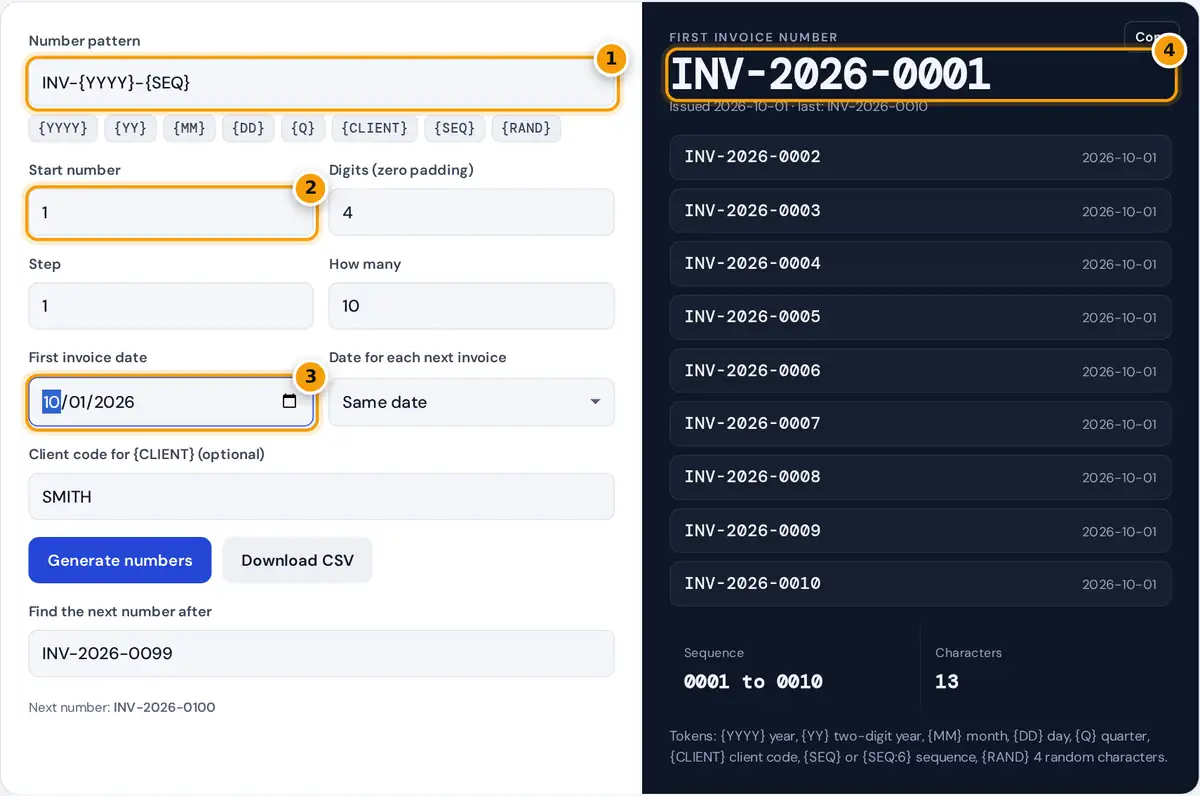
- Type a pattern or tap tokens such as {YYYY} and {SEQ}.
- Set the start number for the sequence.
- Pick the first invoice date for the date tokens.
- Read the first number. Copy the list or download the CSV.
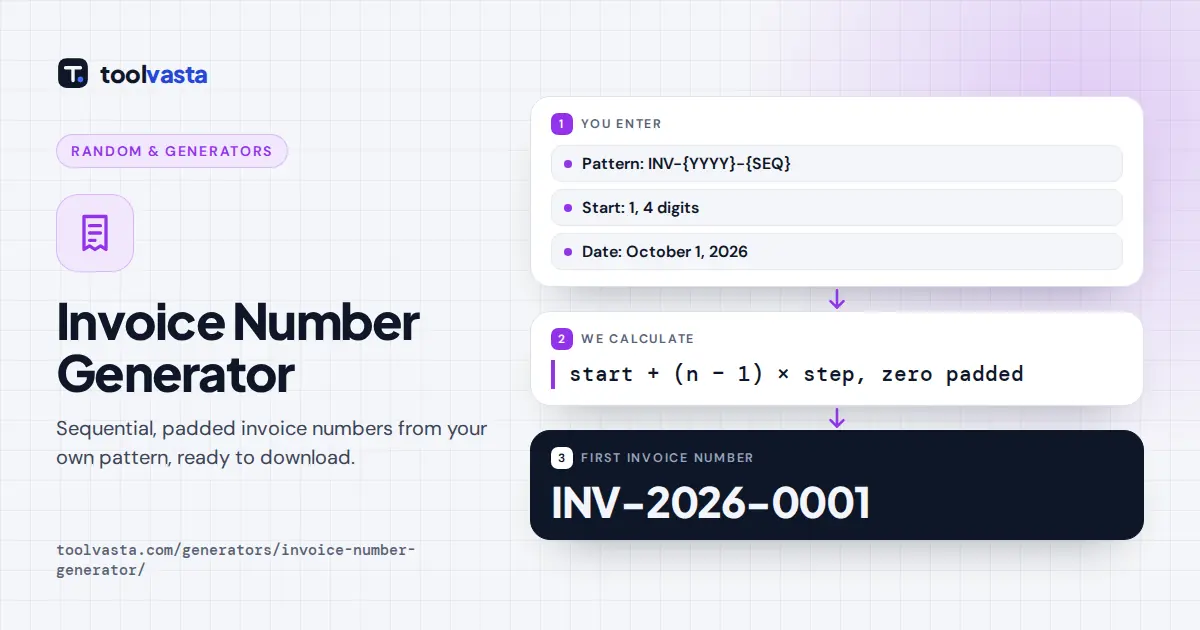
Type a pattern or build one with the token buttons. The default, INV-{YYYY}-{SEQ}, gives numbers such as INV-2026-0001. Set the start number, the number of digits for zero padding, the step between invoices and how many numbers you want. Pick the first invoice date, and if you bill on a schedule, choose Next week or Next month so each number carries its own date.
The first number appears large, followed by the full run with issue dates. Copy the list or press Download CSV to open it in a spreadsheet or import it into your accounting tool. Already invoicing? Type your last invoice number in Find the next number after to get the next one in the same format.
Pattern Tokens
| Token | Becomes | Example (October 1, 2026) |
|---|---|---|
| {YYYY} | Four-digit year | 2026 |
| {YY} | Two-digit year | 26 |
| {MM} | Month, two digits | 10 |
| {DD} | Day, two digits | 01 |
| {Q} | Quarter | Q4 |
| {CLIENT} | Your client code, in capitals | SMITH |
| {SEQ} | Sequence, padded to the digits setting | 0001 |
| {SEQ:6} | Sequence padded to 6 digits | 000001 |
| {RAND} | 4 random letters and digits | K7QX |
{RAND} leaves out look-alike characters (0, O, 1 and I) so numbers are easy to read over the phone. Pair it with {SEQ} if you need numbers that are both unique and hard to guess.
How the Sequence Is Calculated
padded = sequence written with leading zeros to the digits setting
Worked example: pattern INV-{YYYY}{MM}-{SEQ}, start 1, step 1, 4 digits, first date January 31, 2027, Next month. The first three numbers are INV-202701-0001, INV-202702-0002 and INV-202703-0003, dated 2027-01-31, 2027-02-28 and 2027-03-31. When a month is shorter, the date moves to that month's last day instead of spilling into the next month. With start 1001 and step 10, the third invoice gets 1001 + 2 × 10 = 1021.
The next-number finder increases the last group of digits and keeps its width, so INV-2026-0099 becomes INV-2026-0100 and A-999 becomes A-1000.
Invoice Numbering Best Practices
- Unique and sequential: many tax authorities expect each invoice to have a unique number in a logical sequence, so avoid reusing or skipping numbers without a record of why.
- Pad generously: four digits allow 9,999 invoices per sequence, and padding keeps numbers sorting correctly in spreadsheets and file names.
- Use dates for context: a year or year-month prefix shows at a glance when an invoice was issued. If you restart the sequence each year, the year prefix keeps numbers unique.
- Keep it short: short numbers are easier for clients to quote in payment references.
- Do not reveal volume: a new business may prefer to start at 1001 rather than 1.
Rules for invoice content and numbering differ by country, so check what your tax authority requires. This tool formats numbers only. It does not store them or track which ones you have already used, so keep your own record.
Common Invoice Number Formats
| Pattern | Example | Good for |
|---|---|---|
| INV-{SEQ} | INV-0001 | Simple, small businesses |
| INV-{YYYY}-{SEQ} | INV-2026-0001 | Sequences that restart each year |
| {YY}{MM}-{SEQ:3} | 2610-001 | Monthly numbering |
| {CLIENT}-{SEQ} | SMITH-0001 | Separate sequences per client |
| {YYYY}-{Q}-{SEQ} | 2026-Q4-0001 | Quarterly reporting |
Whichever format you choose, stick with it. Switching formats midway makes records harder to search and can raise questions during an audit. If you need a fresh start, such as at a new financial year, change only the year part and keep the rest of the pattern the same.
Restarting or Continuing a Sequence
To continue an existing sequence, type your last invoice number into the next-number finder, or set the start number to one more than your last sequence number. To restart each year, include {YYYY} or {YY} in the pattern and set the start back to 1 in January. The year keeps every number unique even though the sequence repeats, and your records stay easy to sort by year.
Frequently asked questions
What is a good invoice number format?
A good format is short, unique and sequential, such as INV-2026-0001. A prefix identifies the document, the year adds context and a zero-padded sequence keeps numbers sorting in order.
How do I find my next invoice number?
Type your last invoice number in Find the next number after. The tool increases the last group of digits and keeps the same width, so INV-2026-0099 becomes INV-2026-0100.
Can invoice numbers include the date?
Yes. Use {YYYY}, {YY}, {MM}, {DD} or {Q} in the pattern. Choose Next day, Next week or Next month to give each invoice in a recurring series its own date.
Should I start invoice numbers at 1?
You can, but many businesses start higher, such as 1001, so new clients do not see how few invoices have been sent. Set any start number and step.
Can I download the invoice numbers?
Yes. Press Download CSV for a file with each invoice number and its issue date, ready for a spreadsheet or accounting import. Copy puts the numbers on your clipboard, one per line.
Does the generator remember numbers I have used?
No. Everything runs in your browser and nothing is saved. Keep your own record of issued numbers, and use the next-number finder to continue from your last one.