How to use the API key generator
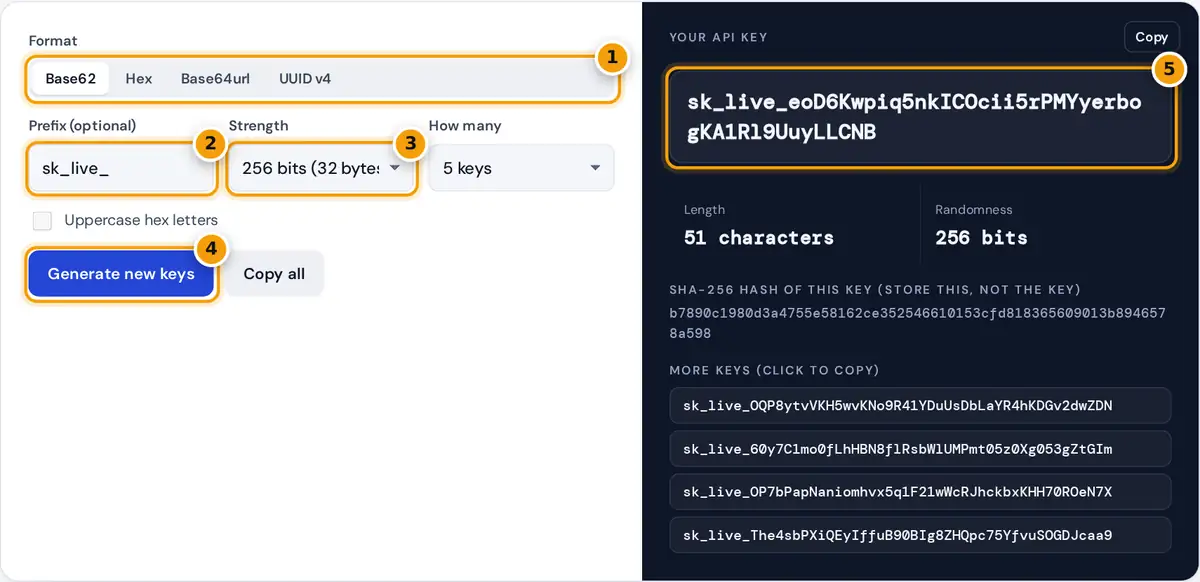
- Choose a format: Base62, hex, Base64url or UUID v4.
- Add an optional prefix such as sk_live_ so keys are easy to recognize.
- Pick the strength, from 128 to 512 bits. 256 bits suits most APIs.
- Press Generate new keys to make a fresh batch.
- Copy your key, and store its SHA-256 hash instead of the key itself.
Choose a format, set the strength and add an optional prefix. Keys are generated instantly with crypto.getRandomValues, the browser's cryptographically secure random number generator, and never leave your device. Copy the main key with one click, click any key in the list to copy it, or use Copy all to paste a batch into a seed file or spreadsheet.
The tool also shows the SHA-256 hash of the first key. A good practice is to show the full key to your user once, store only its hash in your database, and compare hashes when a request comes in. If your database leaks, the stored hashes cannot be used as keys.
API key formats explained
| Format | Characters used | Bits per character | Length for 256 bits |
|---|---|---|---|
| Base62 | A to Z, a to z, 0 to 9 | 5.954 | 43 |
| Hex | 0 to 9, a to f | 4 | 64 |
| Base64url | A to Z, a to z, 0 to 9, - and _ | 6 | 43 |
| UUID v4 | Hex with hyphens | 122 random bits in total | 36 (fixed) |
Base62 keys contain only letters and digits, so they are safe in URLs, headers, config files and command lines, and a double click selects the whole key. Hex is the most widely accepted format for secrets such as webhook signing keys and HMAC keys. Base64url is the most compact and is common for session tokens. UUID v4 is convenient as an identifier, but with 122 random bits and a fixed length it is better suited to IDs than to high-value secrets.
How key strength is measured
base62 characters needed = ceiling(bits ÷ log₂(62))
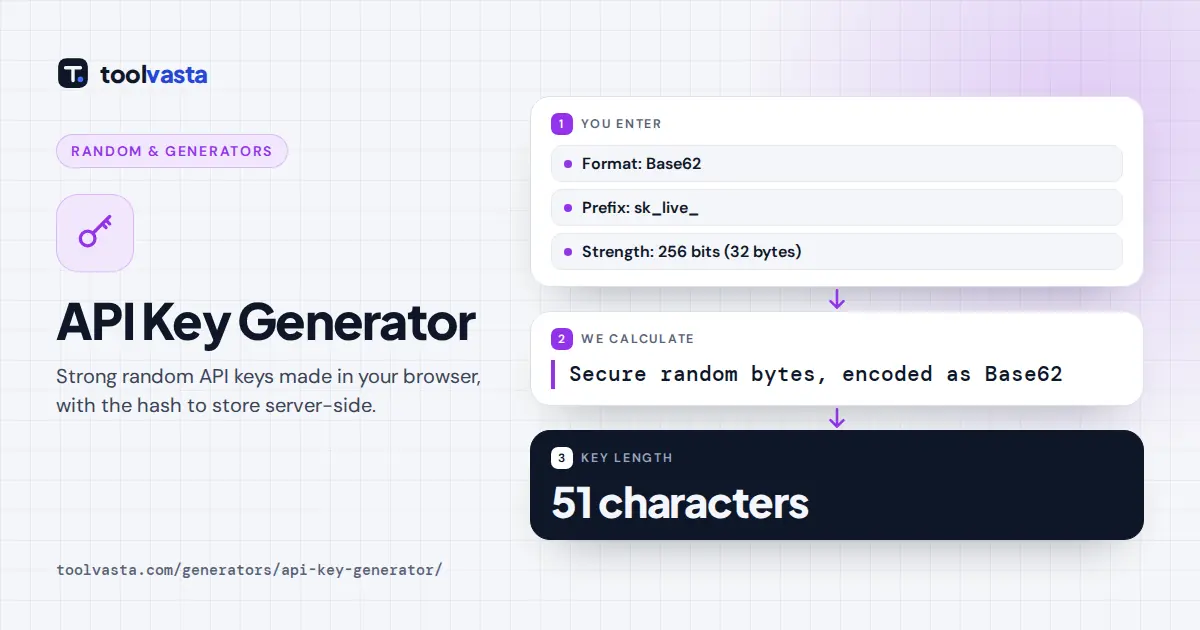
For a 256-bit base62 key, 256 ÷ 5.954 = 42.99, so the generator uses 43 random characters, giving 43 × 5.954 = 256.0 bits. In hex the same strength takes 32 bytes × 2 = 64 characters. The default key, sk_live_ plus 43 characters, is 51 characters long. The prefix adds no randomness, so it is not counted in the entropy.
How strong is strong enough? A 128-bit key already has 2128, about 3.4 × 1038, possible values, which is far beyond brute force. Many teams still choose 256 bits for long-lived secrets because the extra length costs almost nothing. Each base62 character is picked with rejection sampling, so every character is equally likely and the key has no bias.
Why add a prefix to API keys
A short prefix such as sk_live_, pk_test_ or myapp_ tells people and tools what a key is for. It makes keys easy to recognize in logs and support tickets, lets you tell test keys from live keys at a glance, and allows secret scanning tools to detect your keys if they are accidentally committed to a code repository. Keep the prefix short and do not put customer data in it.
API key security checklist
- Generate keys with a secure random source, never with timestamps, user IDs or Math.random.
- Store a hash of each key, and show the full key only once when it is created.
- Send keys only over HTTPS and in a header, not in the URL, where they can end up in logs.
- Keep secrets out of source code. Use environment variables or a secrets manager.
- Give each key the smallest set of permissions it needs, and support rotation and revocation.
Keys are generated locally in your browser and are not transmitted or stored by toolvasta. For production systems, you can generate keys the same way on the server with your language's secure random library.
Frequently asked questions
Is it safe to generate an API key online?
This generator runs entirely in your browser with the Web Crypto API, and keys are never sent to a server. For maximum caution, you can disconnect from the internet before generating.
How long should an API key be?
At least 128 bits of randomness, and 256 bits is a common choice for long-lived secrets. That is 43 characters in base62 or 64 characters in hex.
What is the best format for an API key?
Base62 with a prefix is easy to copy and safe in URLs and headers. Hex is the most widely accepted for signing secrets, and base64url is the most compact.
Should I store API keys in my database?
Store a hash of each key instead, such as the SHA-256 shown here. When a request arrives, hash the key it sends and compare the hashes.
Can I use a UUID as an API key?
A version 4 UUID has 122 random bits, which is hard to guess, but it is designed as an identifier. A dedicated 256-bit key is the stronger choice for secrets.