How to Use the UPC Barcode Generator
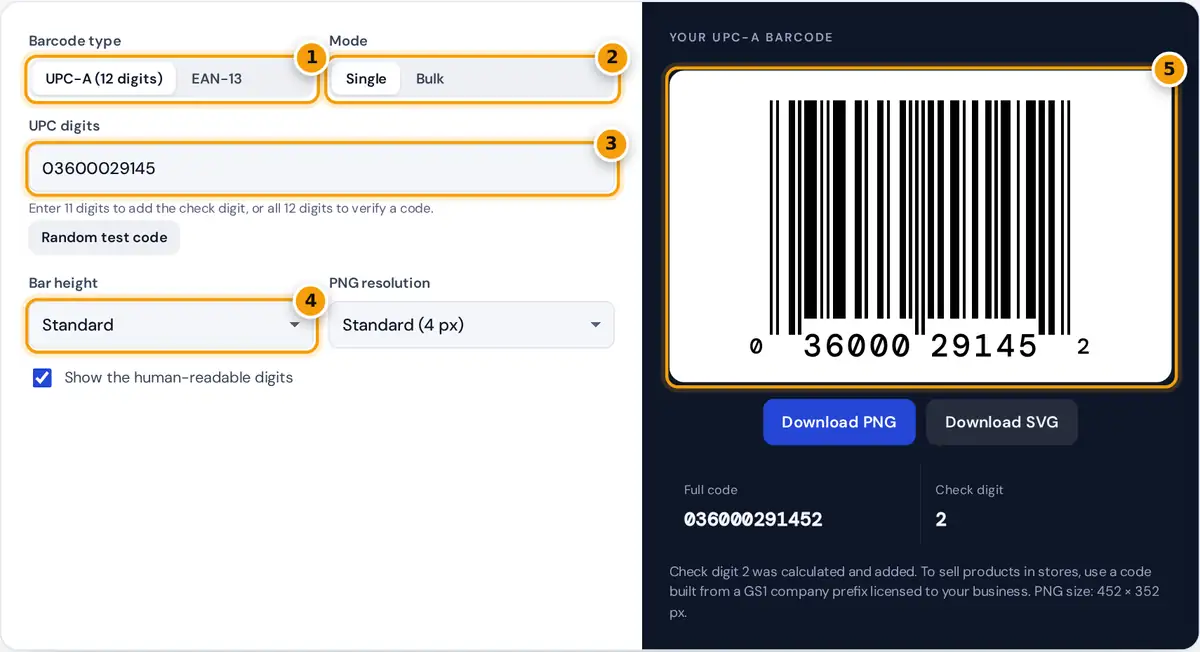
- Choose UPC-A for North American products or EAN-13 for international ones.
- Pick Single for one barcode or Bulk to make a whole sheet.
- Type 11 digits to add the check digit, or all 12 to verify a code.
- Set the bar height and PNG resolution for screen or print.
- Check your barcode and full code, then download it as PNG or SVG.
Choose UPC-A for the 12-digit barcode used on most products in Canada and the United States, or EAN-13 for the 13-digit international version. Then type the first 11 digits of your UPC into the box.
The generator calculates the check digit, draws it and prepares PNG and SVG downloads. If you type a full code, it verifies the check digit and shows the correct one when it does not match.
Switch to Bulk to use it as a bulk barcode generator for up to 100 codes. Valid codes appear in a grid, errors are listed, and you can download an SVG sheet or CSV file.
How the UPC Check Digit Is Calculated
The last digit of every UPC and EAN barcode is a check digit. Scanners recompute it, so a smudged or mistyped code is rejected instead of ringing up the wrong product at the checkout counter.
sum = total of those products
check digit = (10 − (sum mod 10)) mod 10
UPC-A, EAN-13 and other GTIN formats all use the same modulo 10 rule, published by GS1 in its guide on how to calculate a check digit manually. The weights simply alternate between 3 and 1.
Because the weighting starts from the right, the odd positions of an 11-digit UPC take the weight 3, while the odd positions of a 12-digit EAN take the weight 1. The generator handles both automatically.
Worked Example: UPC-A 03600029145
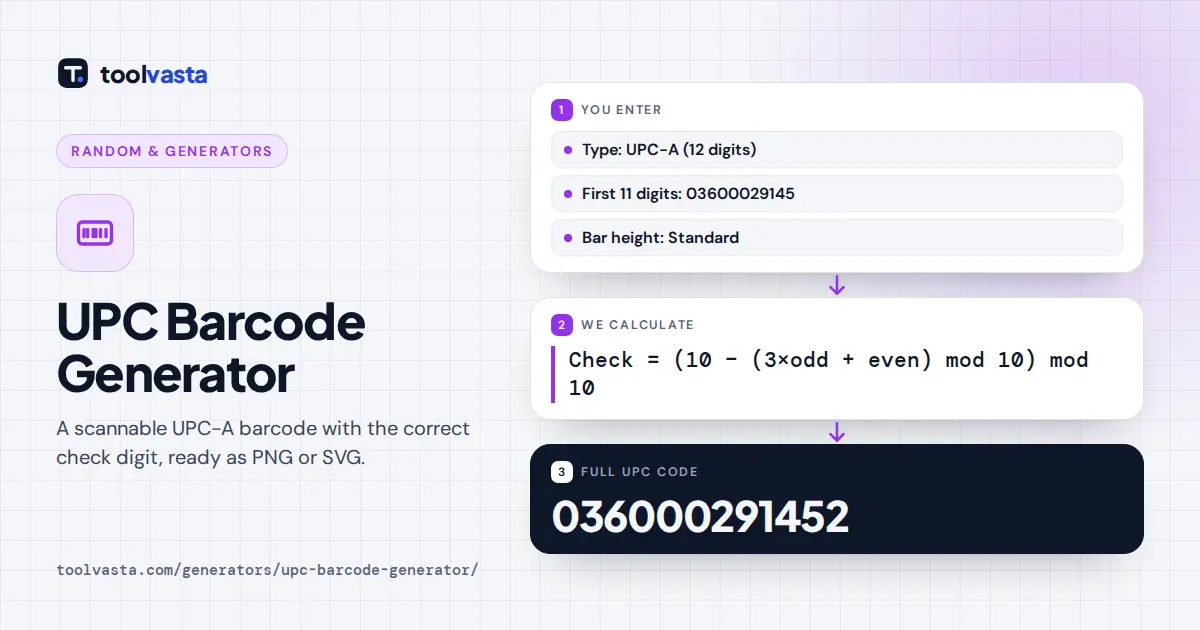
Take the 11 data digits 03600029145 as an example. The digits in odd positions, counted from the left, take the weight 3: 0 + 6 + 0 + 2 + 1 + 5 = 14, and 14 times 3 is 42.
The five digits in even positions take the weight 1 instead: 3 + 0 + 0 + 9 + 4 = 16. The sum of both is 42 + 16 = 58, and the remainder of 58 divided by 10 is 8.
Subtract that remainder from 10 and you get 2, so the full 12-digit code is 036000291452. For the EAN-13 digits 400638133393, the same method gives a sum of 89 and a check digit of 1.
UPC-A and EAN-13 Compared
Both symbols share the same layout: a start guard, six left-hand digits, a center guard, six right-hand digits and an end guard. Each digit is drawn as two bars and two spaces across seven modules.
| Feature | UPC-A | EAN-13 |
|---|---|---|
| Digits | 12 | 13 |
| Main region | Canada and the United States | Rest of the world |
| Bar modules | 95 | 95 |
| Quiet zone | 9 modules on each side | 11 left, 7 right |
| Relationship | A UPC-A code is an EAN-13 code that starts with 0 | |
In EAN-13, the first digit is not drawn as bars at all. It is encoded by the pattern of odd and even parity used for the six left-hand digits, keeping the symbol at 95 modules.
That is why any UPC-A code can be scanned as an EAN-13 code with a leading zero, and the tool converts between the two when you switch types. 978 or 979 EANs are book ISBNs.
Can I Use These Barcodes on Products?
The generator draws a correct barcode for any number you give it, but it cannot give you a number that belongs to your company. Retailers and marketplaces such as Amazon expect numbers licensed through GS1.
Real product barcodes are built from a GS1 company prefix licensed to the brand owner, from your national GS1 office such as GS1 Canada or GS1 US. Each product variation needs its own unique code.
Codes starting with 2 (EAN), or with 2 or 4 after the leading 0 (UPC), are reserved for restricted circulation, such as in-store labels and coupons. The Random test code button uses this safe range.
Printing Tips for Scannable Barcodes
Print in black on a white or light background, because red bars are invisible to most laser scanners. Keep the white quiet zone clear on both sides of the bars, which the downloads already include.
Use the SVG file for packaging and labels so the bars stay sharp at any size, and never stretch the barcode in one direction. Use the PNG at print resolution if your software rejects SVG.
The nominal size of a UPC-A symbol is about 37.3 mm wide by 25.9 mm tall at 100%, and the GS1 EAN/UPC standard allows magnification, or scaling, from 80% to 200% for most retail uses.
- Test a printed sample with a phone scanner app before ordering a full run of labels.
- Avoid curved or glossy surfaces that bend or reflect the bars.
- This tool makes UPC-A and EAN-13 only, not UPC-E, add-on codes or GS1-128 shipping labels.
Frequently asked questions
How do I calculate a UPC check digit?
Starting from the rightmost data digit, multiply the digits alternately by 3 and 1, add the results, and subtract the last digit of the sum from 10. If the result is 10, the check digit is 0.
Can I make my own UPC code for free?
You can draw a barcode for any number for free, and codes in the restricted-circulation ranges are fine for internal use. To sell through retailers, you need a GS1 company prefix licensed to your business.
What is the difference between UPC and EAN?
UPC-A has 12 digits and is used mainly in Canada and the United States. EAN-13 has 13 digits and is used internationally. A UPC-A code is the same as an EAN-13 code that starts with 0.
Can I generate barcodes in bulk?
Yes. Choose Bulk, paste up to 100 codes one per line, and download a printable SVG sheet or a CSV file with the completed codes and check digits. Lines with errors are listed separately.
Which file format is best for printing barcodes?
SVG is best because it is a vector file and stays perfectly sharp at any size. Use the PNG at the Print resolution if your design or label software does not accept SVG files.
Why won't my barcode scan?
Common causes are printing too small, stretching the image, low contrast colors, a missing quiet zone or a curved surface. Print in black on white at 80% to 200% of nominal size and test before printing labels.