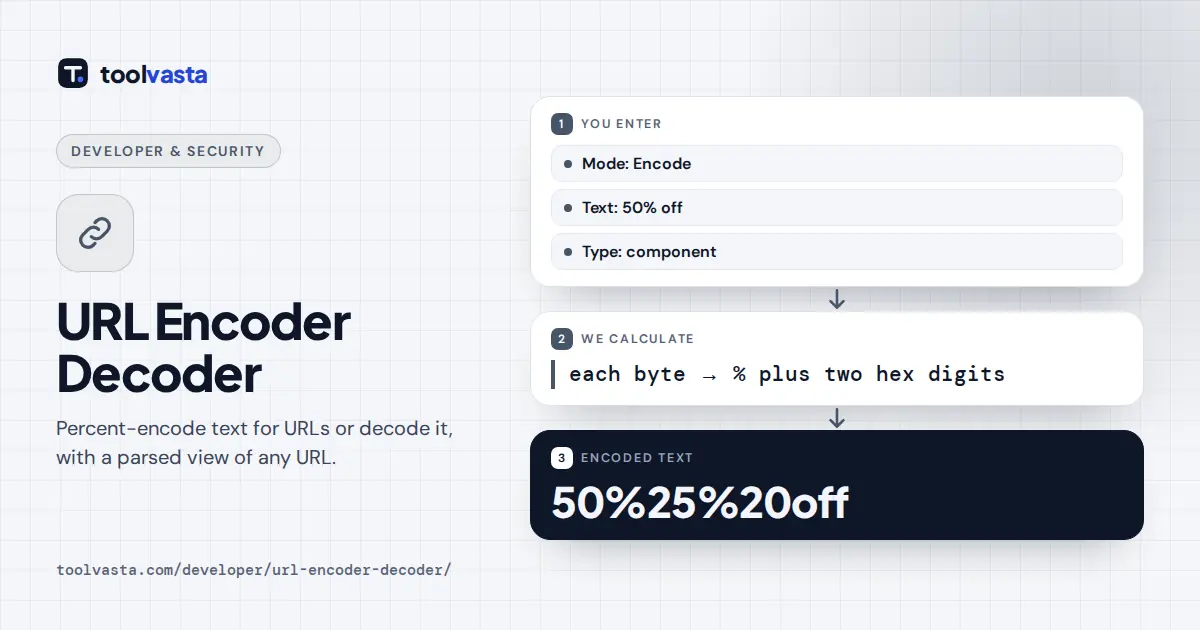
How to Use the URL Encoder Decoder
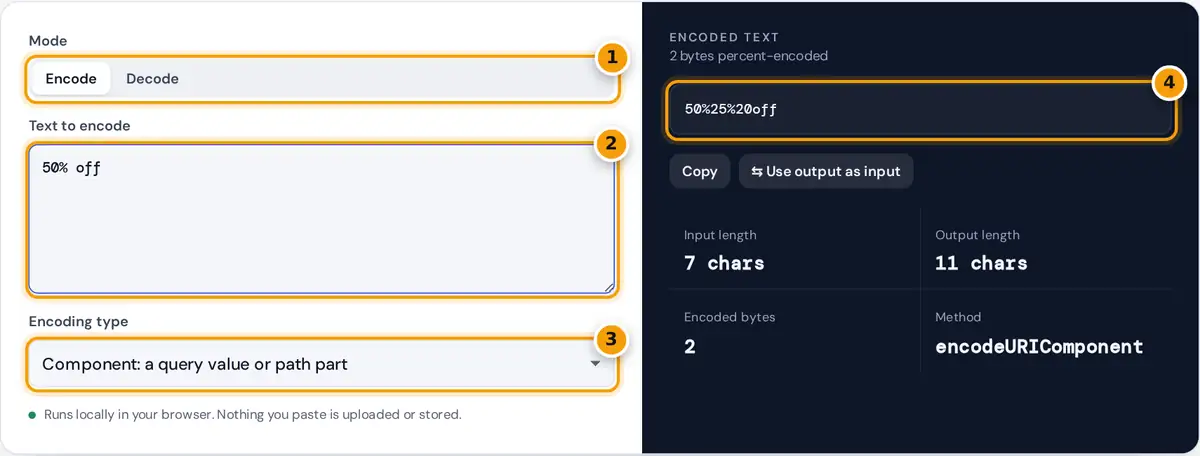
- Choose Encode or Decode.
- Type the text or paste the encoded URL.
- Pick component, full URL or form encoding.
- Read the result, copy it, and check the parsed URL parts below.
Choose Encode to make text safe for a URL, or Decode to turn percent-encoded text back into readable characters. When encoding, pick the type that matches where the text will go. Component is for a single query value or path segment and encodes everything except letters, digits and - _ . ! ~ * ' ( ). Full URL keeps the characters that give a URL its structure, such as : / ? & = #. Form data follows the HTML form format, where spaces become plus signs.
When decoding, leave Decode + as a space on for query strings and form posts, and turn it off for paths, where a plus sign is a literal plus. If the input or output is a complete URL, the panel breaks it into scheme, host, path, each decoded query parameter and the fragment. The tool runs locally in your browser.
How Percent-Encoding Works
URLs may only contain a limited set of ASCII characters. RFC 3986 defines how to carry anything else: convert the character to UTF-8 bytes, then write each byte as a percent sign followed by two hexadecimal digits.
& → 0x26 → %26
é → 2 bytes 0xC3 0xA9 → %C3%A9
✓ → 3 bytes 0xE2 0x9C 0x93 → %E2%9C%93
Worked Example
Encode Café & crème brûlée / 50% off? as a component. The accented letters become two bytes each, the spaces become %20, the ampersand %26, the slash %2F, the percent sign %25 and the question mark %3F:
As form data the spaces become + instead: Caf%C3%A9+%26+cr%C3%A8me+br%C3%BBl%C3%A9e+%2F+50%25+off%3F. Decoding %E2%9C%93+done with plus as space gives ✓ done.
Common Percent-Encoded Characters
| Character | Encoded | Character | Encoded |
|---|---|---|---|
| space | %20 (or + in forms) | # | %23 |
| ! | %21 | $ | %24 |
| " | %22 | % | %25 |
| & | %26 | + | %2B |
| / | %2F | : | %3A |
| = | %3D | ? | %3F |
| @ | %40 | é | %C3%A9 |
Component or Full URL?
Use component encoding for each piece you insert into a URL, such as a search term in ?q=. If you used full URL encoding on a value containing &, the ampersand would stay raw and split your parameter in two. Use full URL encoding only on a complete address that is already correctly structured, for example to escape spaces and accented letters in a path. In JavaScript these match encodeURIComponent() and encodeURI(); in PHP, rawurlencode() matches component encoding and urlencode() matches form data.
Troubleshooting
- %2520 in a link means a value was encoded twice: %25 is the encoded percent sign. Decode twice to recover the text.
- Plus signs turning into spaces is correct for query strings. Encode a real plus as %2B.
- Malformed sequences such as a lone %, or bytes that are not valid UTF-8, are reported with their position.
- Domain names with accents use Punycode (xn--), a different system from percent-encoding.
Reserved and Unreserved Characters
RFC 3986 splits URL characters into two groups. Unreserved characters, the letters A to Z and a to z, the digits 0 to 9 and - . _ ~, never need encoding. Reserved characters such as : / ? # [ ] @ ! $ & ' ( ) * + , ; = have special meaning in a URL, so they must be encoded when they are part of a value rather than structure. Every other character, including spaces, quotes, accented letters and emoji, must always be percent-encoded.
URL Encoding in Code
In JavaScript, use encodeURIComponent for values, or build query strings with URLSearchParams, which applies form encoding automatically. Python uses urllib.parse.quote for paths and quote_plus or urlencode for query strings. Java has URLEncoder.encode, which produces form encoding with plus signs for spaces. Encoding values one at a time and joining them with & and = afterward avoids almost every bug.
Frameworks often encode automatically. If you pass an already encoded value to a function that encodes again, you get double encoding such as %2520. Decide on one place in your code where encoding happens, and pass raw text everywhere else.
Testing a link after encoding is simple: paste it into the decoder and check that every value comes back exactly as you wrote it.
Frequently asked questions
What does %20 mean in a URL?
%20 is an encoded space. The space character has the byte value 32, which is 20 in hexadecimal, so it is written as a percent sign followed by 20. In form data and query strings a space can also appear as a plus sign.
What is the difference between encodeURI and encodeURIComponent?
encodeURIComponent encodes every reserved character, including / ? & = and #, so it is right for a single value. encodeURI leaves those characters alone so a complete URL keeps its structure. Use the component option for query values.
How do I decode a URL?
Choose Decode and paste the encoded text. Each %XX sequence is turned back into its byte, and the bytes are read as UTF-8. Keep the plus as space option on for query strings, where + stands for a space.
Why does my URL contain %2520?
It was encoded twice. The first pass turned a space into %20, and the second pass encoded the percent sign as %25, giving %2520. Decode it twice, then fix the code that encodes the value a second time.
Should spaces be + or %20?
In paths, use %20. In query strings and HTML form data, both work, and + is traditional for forms. If you are unsure, %20 is safe everywhere, while a + in a path is treated as a real plus sign.
Does URL encoding handle accented letters and emoji?
Yes. Each character is first converted to UTF-8 bytes and every byte is percent-encoded, so é becomes %C3%A9 and a check mark becomes %E2%9C%93. Decoding reverses the process exactly.