How to Use the RAID Calculator
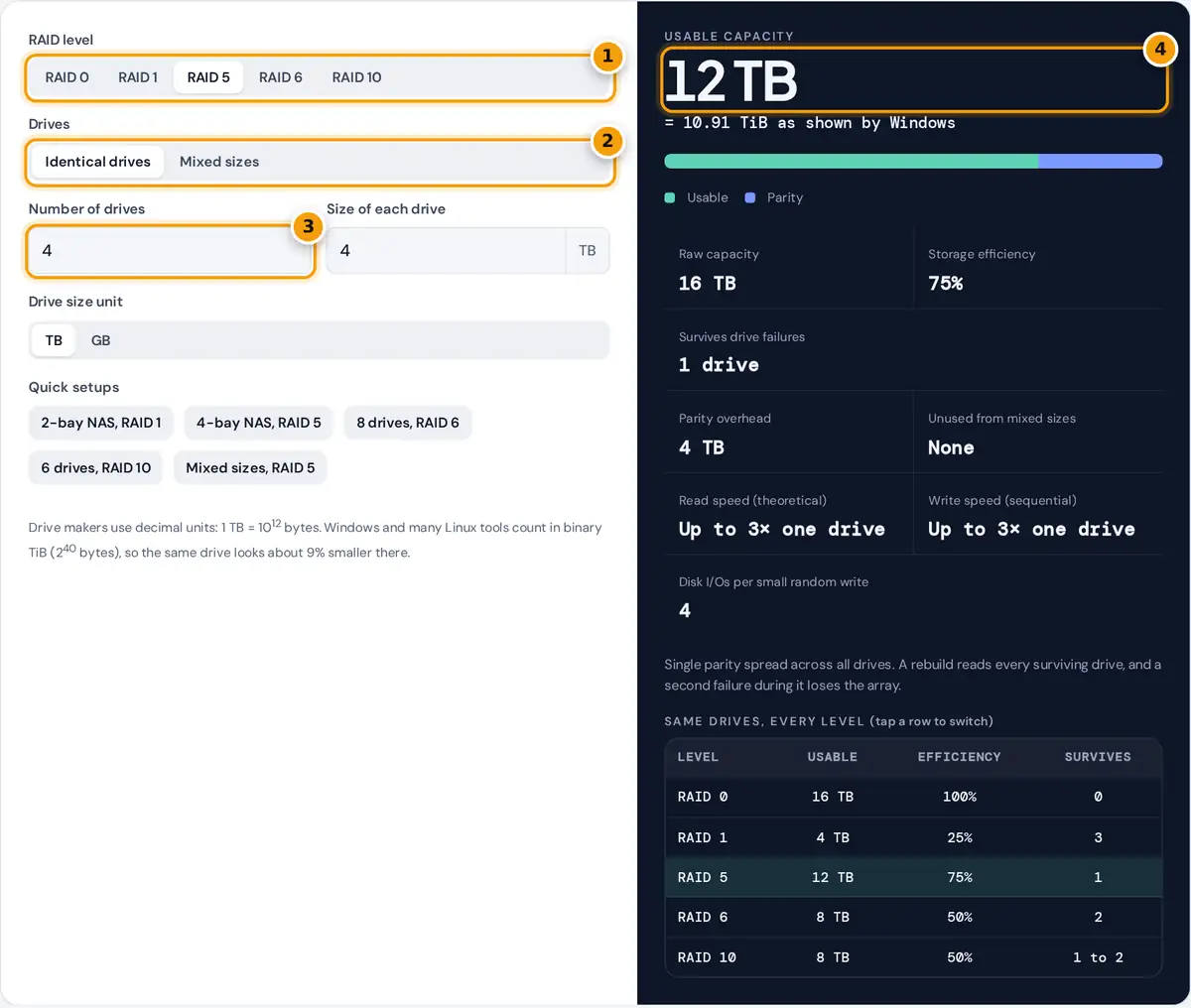
- Pick the RAID level: 0, 1, 5, 6 or 10.
- Choose identical drives, or mixed sizes to apply the smallest-drive rule.
- Enter how many drives you have and the size printed on each one.
- Read the usable capacity in TB and TiB, then compare every level in the table below.
Choose a RAID level, then describe your drives. With Identical drives, enter how many drives you have and the size printed on each one. With Mixed sizes, list every drive, such as 4, 4, 6, 8. Pick TB or GB to match the label on the drives. The panel shows the usable capacity in decimal TB and in binary TiB, a bar that splits the raw space into usable, redundancy and unused parts, the number of drive failures the array can survive, and theoretical read and write speed compared with a single drive.
The table at the bottom of the result panel repeats the calculation for every level with the same drives, so you can compare RAID 5 with RAID 6 or RAID 10 at a glance. Tap a row to switch to that level.
RAID Capacity Formulas
With n drives and S as the size of the smallest drive, usable capacity is:
RAID 5 = (n − 1) × S RAID 6 = (n − 2) × S
RAID 10 = (n ÷ 2) × S
efficiency = usable ÷ raw capacity
| Level | Minimum drives | Survives | Small write cost | Best for |
|---|---|---|---|---|
| RAID 0 | 2 | No failures | 1 I/O | Scratch and cache space |
| RAID 1 | 2 | All but one drive | 1 I/O per copy | Boot drives, small servers |
| RAID 5 | 3 | 1 drive | 4 I/Os | Read-heavy file storage |
| RAID 6 | 4 | Any 2 drives | 6 I/Os | Large arrays, big drives |
| RAID 10 | 4, even | 1 per mirror pair | 2 I/Os | Databases, virtual machines |
The write cost is the classic write penalty: a small random write on RAID 5 reads the old data and parity, then writes new data and parity. Sequential writes on parity arrays avoid most of it.
Worked Example
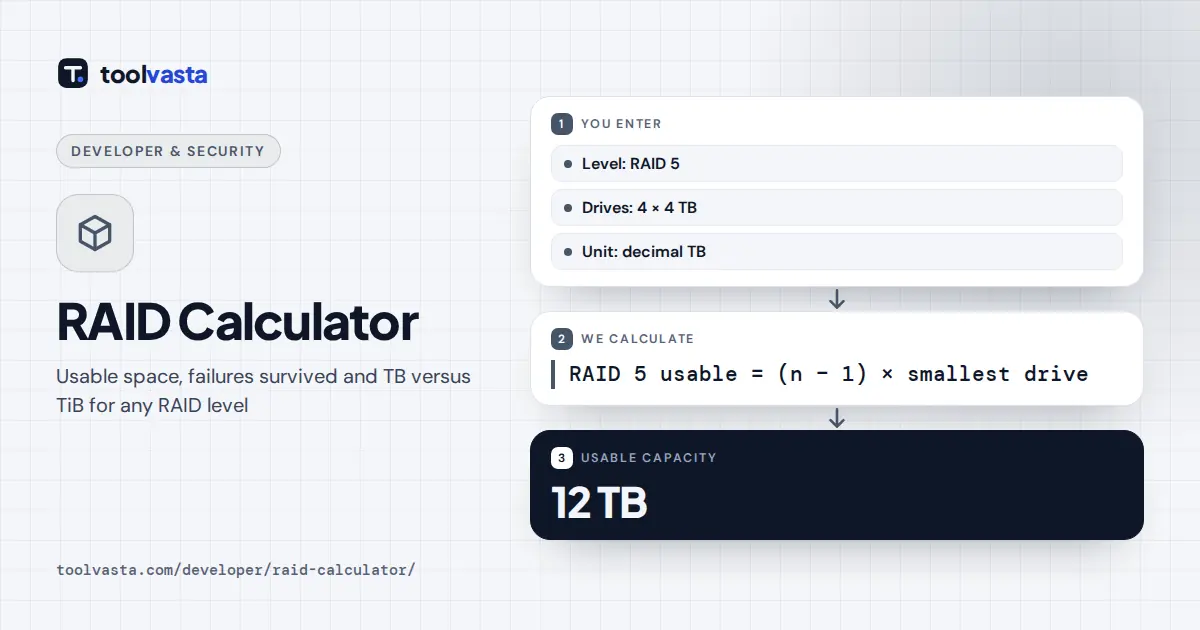
Four 4 TB drives in RAID 5 give (4 − 1) × 4 TB = 12 TB usable out of 16 TB raw, a 75% efficiency, and the array survives one failed drive. In binary units that is 12 × 1012 ÷ 240 = 10.91 TiB, which Windows shows as 10.9 TB. The same drives in RAID 6 or RAID 10 give 8 TB, survive two failures in RAID 6, and survive one guaranteed failure in RAID 10.
With mixed drives of 4, 4, 6 and 8 TB in RAID 5, the smallest drive sets the size of every member: (4 − 1) × 4 TB = 12 TB usable from 22 TB raw. The extra 2 TB and 4 TB on the larger drives, 6 TB in total, stay unused by the array.
TB Versus TiB
Drive makers count in decimal units, so 1 TB is 1,000,000,000,000 bytes. Many operating systems count in binary units, where 1 TiB is 240 = 1,099,511,627,776 bytes, and Windows labels that unit TB. The gap is about 9% at the terabyte scale, which is why a new array always looks smaller than expected. The NIST page on binary prefixes explains the official names. File system metadata and reserved space reduce the final free space a little further.
Limits and Practical Advice
- RAID is not a backup. It keeps a server running through a drive failure, but deleted files, ransomware and controller faults affect every copy. Keep separate backups.
- Speed figures are theoretical. Real results depend on the controller, caching, file system and workload.
- Rebuilds take time. A parity rebuild reads every surviving drive. On large drives this can take many hours, so RAID 6 or RAID 10 is safer than RAID 5 for big arrays.
- Hot spares sit outside the array, so do not count them as drives here.
- Systems such as ZFS, Btrfs and some NAS hybrid modes can use mixed sizes more efficiently than classic RAID. This calculator follows the standard smallest-drive rule.
For network storage planning, the SNIA dictionary defines each RAID term used here.
Frequently asked questions
How do you calculate RAID 5 capacity?
Multiply the number of drives minus one by the size of the smallest drive. Four 4 TB drives give 3 times 4 TB, which is 12 TB usable. One drive's worth of space holds the distributed parity.
Is RAID 6 better than RAID 5?
RAID 6 survives any two drive failures, while RAID 5 survives only one. It costs one more drive of capacity and slower small writes, but it is safer for large drives and arrays with long rebuild times.
Why does my RAID show less space than the calculator?
Windows and many tools show binary TiB but label it TB, so 12 TB appears as about 10.9 TB. File system metadata and reserved space take a little more.
Can I mix drive sizes in a RAID array?
Yes, but classic RAID treats every member as the size of the smallest drive. The extra space on larger drives is unused until you replace the smaller drives and expand the array.
How many drives can fail in RAID 10?
At least one. RAID 10 survives more failures only when each failed drive is in a different mirror pair. Losing both drives of the same pair loses the whole array.
What is the difference between TB and TiB?
A TB is 10 to the power 12 bytes, used on drive labels. A TiB is 2 to the power 40 bytes, about 1.0995 TB, and is what many operating systems actually measure.