How to Use the Chmod Calculator
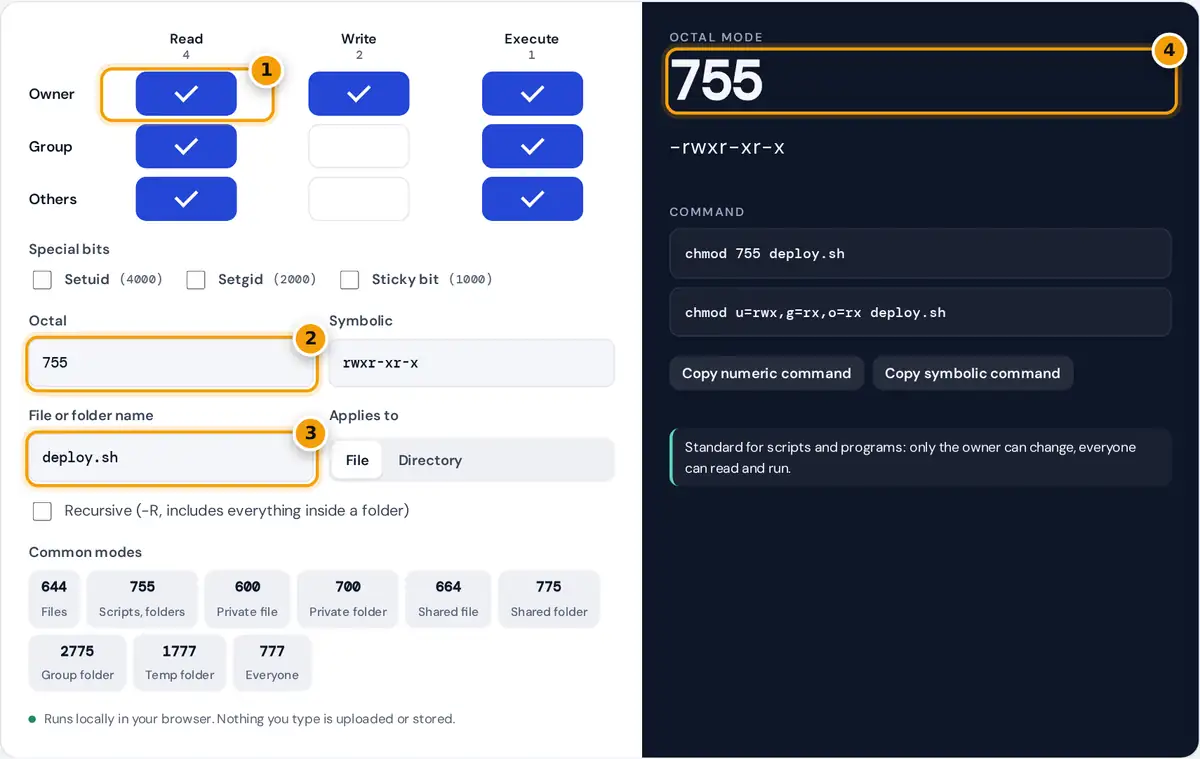
- Tick read, write and execute for the owner, group and others in the grid.
- Or type an octal mode like 640 or a symbolic string like rw-r----- to decode it.
- Enter the file or folder name and choose File or Directory for the command and notes.
- Read the octal mode and rwx string, then copy the numeric or symbolic chmod command.
Tick the boxes in the grid to choose who can read, write and execute. Each row is a class of user: the owner of the file, members of the file’s group, and everyone else. The octal mode, the symbolic string and the chmod command update as you click. You can also work backwards: type an octal number such as 640 or a symbolic string such as rw-r----- and the boxes follow.
Enter the file or folder name to get a command ready to paste, choose Directory to see what each permission means for a folder, and tick Recursive to add -R. The common mode buttons load typical settings, and the notes under the result flag risky choices such as world-writable files.
How Octal Permissions Work
Each permission has a value, and each class gets one digit made by adding the values it has. The three digits are written in the order owner, group, others.
digit = read + write + execute (0 to 7)
mode = owner digit, group digit, others digit
| Digit | Symbolic | Meaning |
|---|---|---|
| 7 | rwx | Read, write and execute |
| 6 | rw- | Read and write |
| 5 | r-x | Read and execute |
| 4 | r-- | Read only |
| 0 | --- | No access |
For a directory, read lets you list the names inside, write lets you create, rename and delete entries, and execute lets you enter the folder and reach files in it. A folder almost always needs execute wherever it has read.
Worked Example
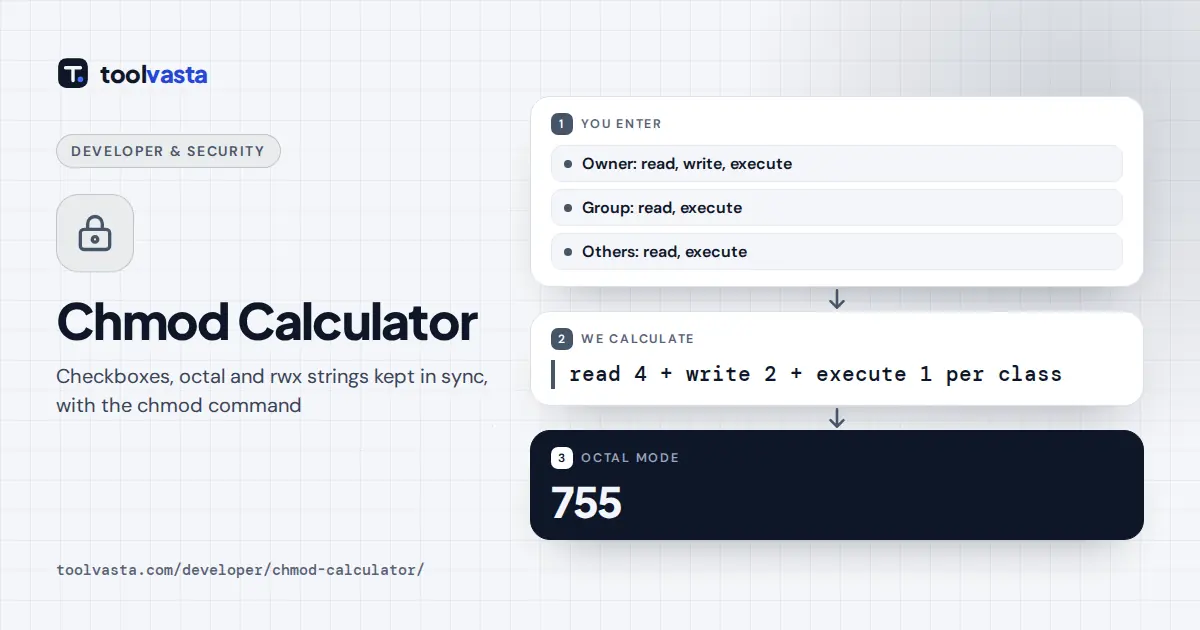
A deployment script should be editable only by its owner but runnable by everyone. The owner gets read, write and execute: 4 + 2 + 1 = 7. The group and others get read and execute: 4 + 1 = 5. The mode is 755, written rwxr-xr-x, and the command is chmod 755 deploy.sh. The same change in symbolic form is chmod u=rwx,g=rx,o=rx deploy.sh. For a private SSH key, owner read and write only gives 4 + 2 = 6 for the owner and 0 for the rest: 600, or rw-------.
Setuid, Setgid and the Sticky Bit
A fourth digit in front of the usual three holds three special bits: setuid is 4, setgid is 2 and sticky is 1. In the symbolic string they replace the execute letter of a class.
- Setuid (4000): a program runs with its owner’s rights. Shown as s in the owner execute slot, as in rwsr-xr-x for 4755.
- Setgid (2000): a program runs with its group’s rights. On a directory, new files inherit the directory’s group. Shown as s in the group slot.
- Sticky (1000): on a directory, only the owner of a file can delete or rename it. /tmp uses 1777, shown as rwxrwxrwt.
An uppercase S or T means the special bit is set but execute is not, which is rarely intended.
Tips and Limits
- Avoid 777. It lets any user change or replace the file. Fix ownership with chown instead, or give a shared group write access with 775 or 664.
- Be careful with -R. A recursive 755 also makes every regular file executable. Many admins use find to set 755 on folders and 644 on files separately.
- Umask sets defaults. New files start from 666 and folders from 777, minus the umask, so a umask of 022 gives 644 and 755.
- GNU chmod keeps the setuid and setgid bits of a directory when you give a 3-digit mode. Use symbolic form, such as g-s, to clear them.
The exact rules are defined in the POSIX chmod specification and the GNU coreutils manual on file permissions.
Frequently asked questions
What does chmod 755 mean?
The owner can read, write and execute, while the group and everyone else can read and execute. It is written rwxr-xr-x and is the usual mode for scripts, programs and folders that others need to open.
What is the difference between 644 and 755?
644 gives the owner read and write and everyone else read only, with no execute bit. 755 adds execute for all three classes, which programs need to run and folders need to be entered.
Why is chmod 777 a bad idea?
777 lets every user on the system read, change and replace the file or folder contents. On a web server it allows other accounts or a compromised process to plant code. Use group permissions instead.
What do the s and t letters mean in permissions?
An s in the owner or group execute slot means setuid or setgid is set along with execute. A t in the others slot is the sticky bit. Uppercase S or T means execute is off.
How do I convert rwxr-xr-x to a number?
Split it into three groups: rwx, r-x and r-x. Add 4 for r, 2 for w and 1 for x in each group, giving 7, 5 and 5. The octal mode is 755.
What permissions should a private key have?
SSH private keys should be 600, readable and writable only by the owner. OpenSSH refuses to use a key that other users can read, so tighten looser modes like 644 before connecting.