How to Use the Base64 Encoder Decoder
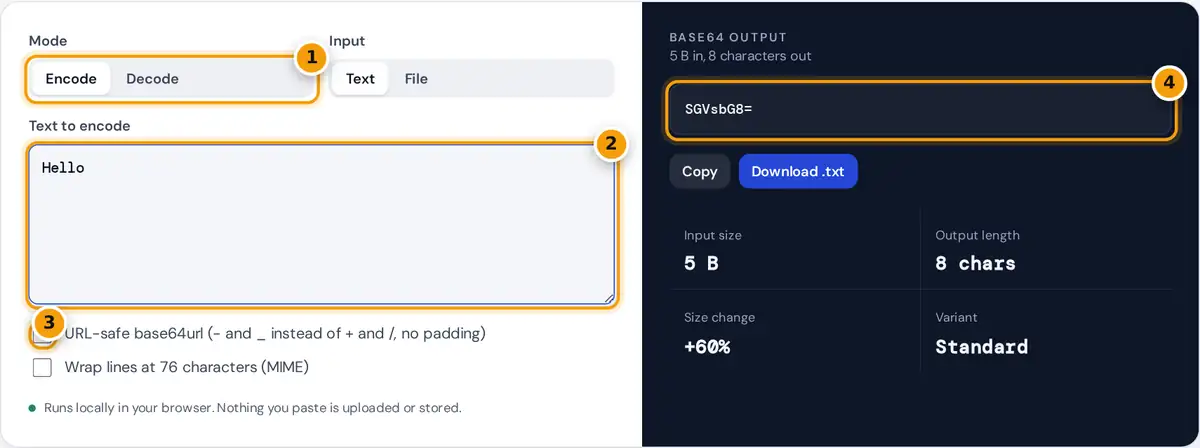
- Choose Encode or Decode.
- Type text or paste Base64. Switch the input to File to encode a file.
- Turn on URL-safe base64url for tokens and URLs, or line wrapping for email.
- Read the result, then copy it or download it as text or as the decoded file.
Choose Encode or Decode. To encode, type or paste text, or switch the input to File and pick any file such as an image, PDF or font. The Base64 output appears at once with buttons to copy it or download it as a text file. To decode, paste Base64 text or a complete data URI. If the result is readable UTF-8 text it is shown directly; if it is binary, the tool identifies common types such as PNG, JPEG, PDF and ZIP, previews images, and lets you download the file.
Options cover the common variants: URL-safe base64url for JWTs, URLs and file names, MIME line wrapping at 76 characters for email, and data URI output for embedding files in HTML or CSS. Everything runs locally in your browser, so files and text never leave your device.
How Base64 Encoding Works
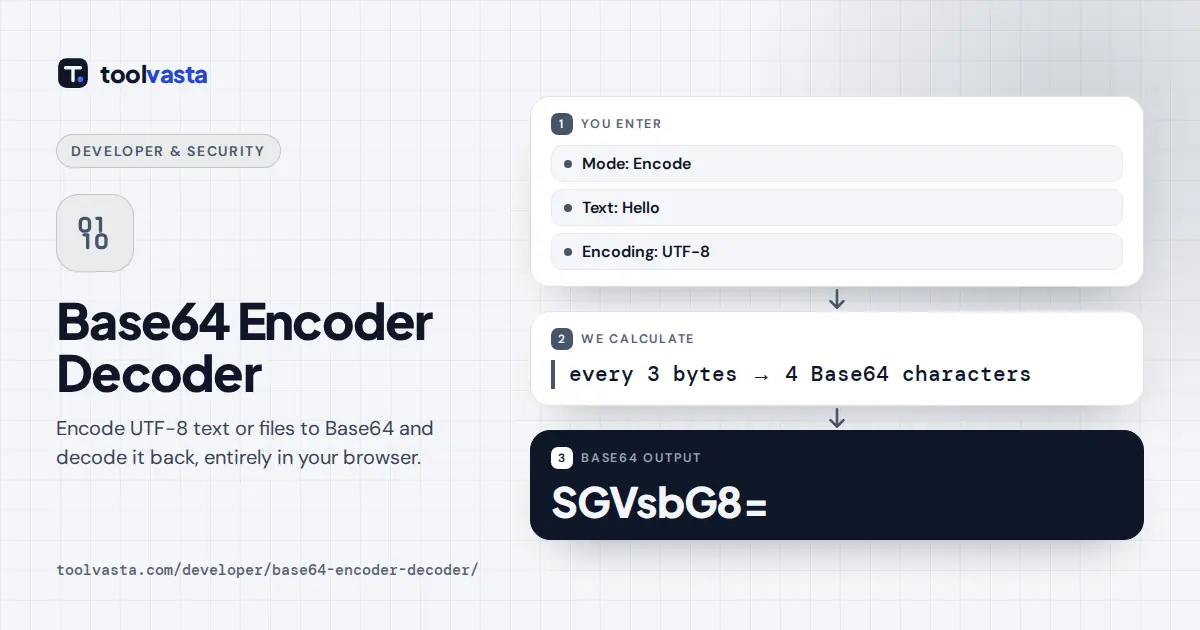
Base64, defined in RFC 4648, turns any bytes into 64 safe characters: A to Z, a to z, 0 to 9, plus + and /. Every 3 bytes (24 bits) are split into four 6-bit groups, and each group picks one character. When the input is not a multiple of 3 bytes, = signs pad the output.
output length = 4 × ceil(bytes ÷ 3)
size increase ≈ 33%
Text must first become bytes. This tool uses UTF-8, the encoding of the web, so “é” becomes two bytes and “☕” becomes three before encoding. That is why it handles accents and emoji correctly where the browser’s plain btoa() function fails.
Worked Example
Encode Man. The bytes are 77, 97 and 110, or 01001101 01100001 01101110 in binary. Regrouped into 6 bits: 010011 010110 000101 101110, which are 19, 22, 5 and 46. In the Base64 alphabet those are T, W, F and u, so Man becomes TWFu. The sample text “Hello, world! Café ☕” is 23 bytes in UTF-8 and encodes to 32 characters: SGVsbG8sIHdvcmxkISBDYWbDqSDimJU=.
Standard Base64 and base64url
| Variant | Characters 62 and 63 | Padding | Used in |
|---|---|---|---|
| Standard | + and / | = | Email (MIME), data URIs, PEM keys |
| base64url | - and _ | Usually omitted | JWTs, URLs, file names |
| MIME | + and / | = | Email bodies, lines of 76 characters |
For example, the bytes of “??>>” encode to Pz8+Pg== in standard Base64 and Pz8-Pg in base64url. The decoder accepts both, with or without padding and line breaks.
Common Uses
- Embedding small images or fonts in HTML and CSS as data URIs.
- Sending binary attachments through text-only channels such as email or JSON APIs.
- Reading the header and payload of a JWT. For tokens, our JWT Decoder does this automatically.
- Storing keys and certificates in PEM files, which wrap Base64 between BEGIN and END lines.
Base64 Is Not Encryption
Base64 hides nothing: anyone can decode it in a second. Never use it to protect passwords or personal data. It also makes data about a third larger, so data URIs are best kept for small assets. Files up to 25 MB are supported here, which keeps the page responsive on phones.
Base64 in Code
Most languages include Base64 in their standard library. In JavaScript, btoa and atob handle Latin-1 text only, so encode text with TextEncoder first, as this tool does. Python offers base64.b64encode and base64.urlsafe_b64encode, Java has java.util.Base64, and on Linux and macOS the base64 command line tool encodes and decodes files. When results differ between tools, check three things: the text encoding (UTF-8 or something else), the variant (standard or base64url) and whether line breaks or padding were added.
When a decoded result looks like random symbols, the data was probably binary, such as an image or a compressed file. The decoder detects common formats from their first bytes and offers a download with the right file extension, so you can open the file in the correct program.
Frequently asked questions
How do I decode Base64 to text?
Choose Decode and paste the Base64 string. The tool converts it to bytes and shows the text if it is valid UTF-8. If the data is an image, PDF or other file, it shows the type and offers a download instead.
Why does Base64 make data bigger?
Base64 uses 4 characters for every 3 bytes, because each character carries only 6 bits. That adds about 33% to the size, plus a few padding characters. Line breaks in MIME format add a little more.
Can I convert an image to Base64?
Yes. Switch the input to File, pick the image and turn on data URI output to get a string you can paste into an img src or CSS background. The file is read locally and never uploaded.
What is the difference between Base64 and base64url?
base64url replaces + with - and / with _, and usually drops the = padding, so the result is safe in URLs and file names. JSON Web Tokens use base64url. The decoder here accepts either form.
Why does btoa fail with accents or emoji?
The browser function btoa only accepts characters with codes up to 255. This tool first converts text to UTF-8 bytes, then encodes those bytes, so accents, Chinese characters and emoji all work correctly.
Is Base64 encryption?
No. Base64 is an encoding that anyone can reverse instantly, with no key. It makes binary data safe to send as text, but it does not protect it. Use real encryption for passwords or sensitive data.