How to Use the Binary Translator
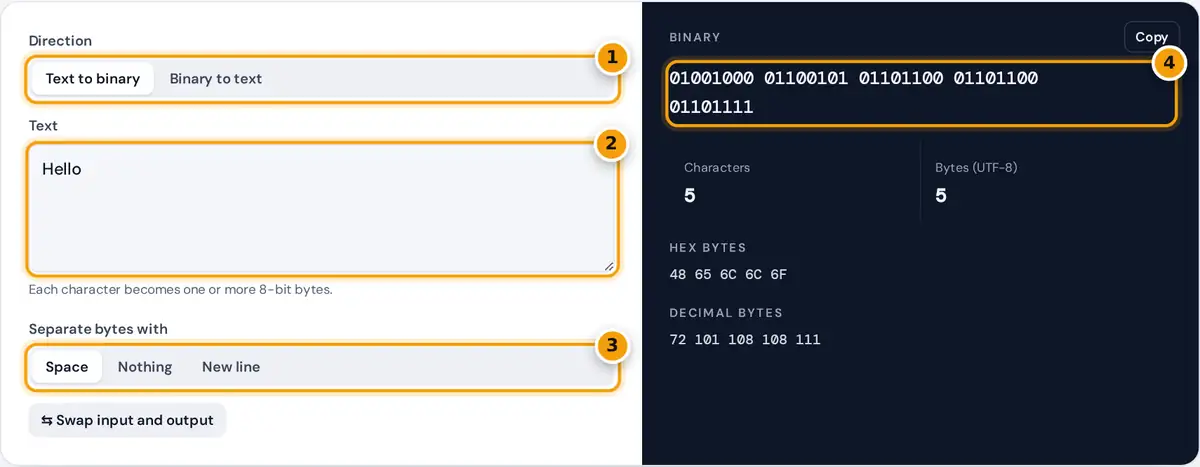
- Choose text to binary or binary to text.
- Type or paste your text, or the binary code you want to decode.
- Choose how bytes are separated: space, nothing or a new line.
- Read the binary output, check hex and decimal bytes, then copy it.
Choose Text to binary and type anything you like. Each character is converted to its UTF-8 bytes, and every byte is written as eight binary digits, with the hex and decimal byte values shown underneath.
Choose Binary to text to decode. Paste ones and zeros with or without spaces: the decoder accepts spaces, commas or line breaks between bytes and pads short groups such as 1001000 to a full byte.
The swap button moves the output into the input box and flips the direction, which is a quick way to check a translation. You can also remove the separator for one unbroken string of bits.
How Text Becomes Binary
Computers store text as numbers. Each character has a code point in the Unicode standard, and UTF-8 turns that code point into one to four bytes before the computer saves it or sends it anywhere.
H = 72 = 64 + 8 = 01001000
A byte is eight bits, so it can hold any value from 0 to 255. Binary is a base-2 numeral system, so each bit is worth a power of 2, doubling from right to left.
English letters, digits and common punctuation use one byte each, with the same values as the older ASCII code. UTF-8 is defined in IETF RFC 3629, which explains the multi-byte patterns for every other character.
Worked Example: Hello in Binary
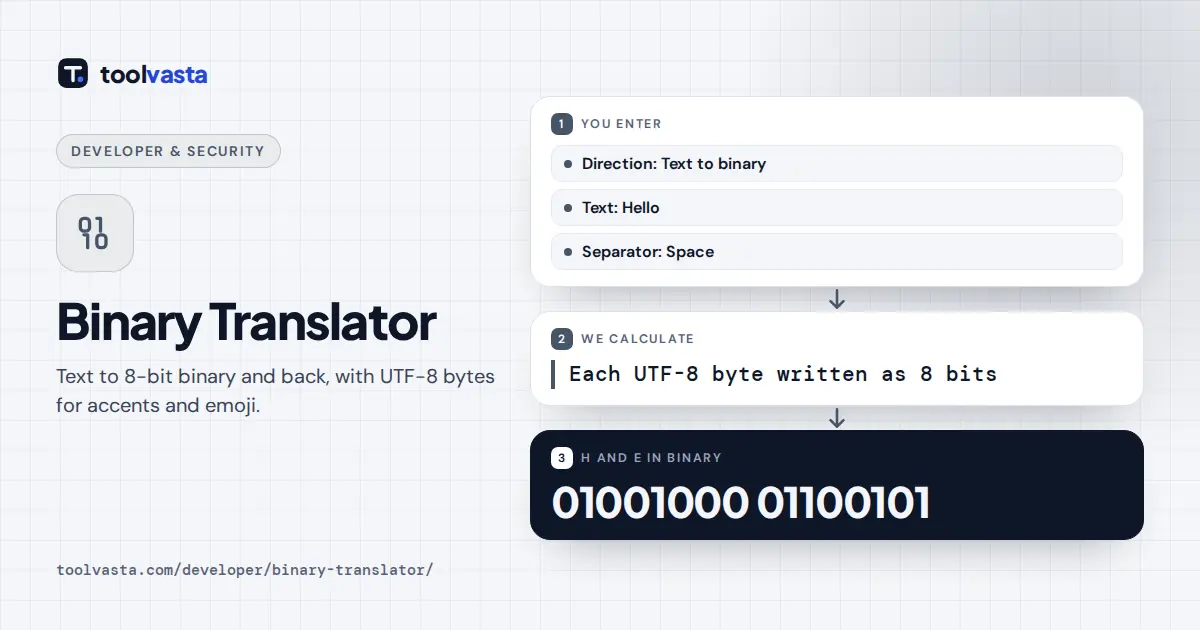
The word Hello has the byte values 72, 101, 108, 108 and 111. In binary that is 01001000 01100101 01101100 01101100 01101111, and in hexadecimal the same five bytes are 48 65 6C 6C 6F.
The letter é is outside ASCII, so UTF-8 uses two bytes for it: 11000011 10101001, or C3 A9 in hex. Typing é followed by an exclamation mark therefore gives three bytes in total for just two characters.
A thumbs-up emoji takes four bytes, F0 9F 91 8D, so a single emoji becomes 32 binary digits. With no separator, the word Hi becomes the single string 0100100001101001, which decodes straight back to Hi.
Binary Alphabet: Letters in Binary
Uppercase letters in ASCII run from 01000001 (A, decimal 65) to 01011010 (Z, decimal 90). The table below lists common letters, digits and symbols with their 8-bit binary codes, which you can copy for reference.
| Letter | Binary | Letter | Binary | Letter | Binary |
|---|---|---|---|---|---|
| A | 01000001 | a | 01100001 | 0 | 00110000 |
| B | 01000010 | b | 01100010 | 1 | 00110001 |
| C | 01000011 | c | 01100011 | 2 | 00110010 |
| D | 01000100 | d | 01100100 | Space | 00100000 |
| E | 01000101 | e | 01100101 | ! | 00100001 |
| Z | 01011010 | z | 01111010 | ? | 00111111 |
Lowercase letters are exactly 32 higher, so they differ from uppercase by a single bit, the third bit from the left. So flipping just that one bit turns a capital letter into a lowercase one.
Digits start at 00110000 for 0, so the last four bits of each digit match its value. The space character is 00100000, decimal 32, and it appears between the words in almost every binary message.
How to Decode Binary by Hand
Split the code into groups of eight bits, one byte per character for plain English. Then give the bits the place values 128, 64, 32, 16, 8, 4, 2 and 1 from left to right.
- Split the code into 8-bit groups.
- Write the place values 128 to 1 above each bit.
- Add the place values of every 1.
- Look up the total in an ASCII table.
Add the place values of every 1. For 01101001 that is 64 plus 32 plus 8 plus 1, which gives 105. Look up 105 in an ASCII table and you get the lowercase letter i.
In UTF-8, bytes that start with 110, 1110 or 11110 begin a multi-byte character, so read them together with the continuation bytes that follow. The Unicode code charts list every code point and its character.
Common Decoding Errors
The total number of bits must be a multiple of 8. If a digit is missing or extra, the tool tells you how many bits it counted, so you can find the broken group quickly.
Input may contain only 0 and 1 plus separators. Any other character, such as a 2 or a letter O typed instead of a zero, stops the translation and shows an error message straight away.
Invalid UTF-8 usually means the bytes are not text at all. They may be part of an image or other binary file, or just one bit may be wrong. Such bytes appear as replacement characters.
- Control characters: values below 32 are invisible commands, not letters, which usually means the data is not text.
- Question marks or boxes: the bytes decoded but your font cannot display that character.
Frequently asked questions
How do I translate binary to text?
Choose Binary to text and paste the code. Each group of eight bits becomes one byte, and the bytes are decoded as UTF-8 text. For example, 01001000 01101001 decodes to the word Hi.
What is Hello in binary?
Hello is 01001000 01100101 01101100 01101100 01101111 in 8-bit binary. The byte values are 72, 101, 108, 108 and 111, or 48 65 6C 6C 6F in hexadecimal.
Is this the same as ASCII?
For English letters, digits and basic punctuation, yes. UTF-8 uses the same single-byte values as ASCII and adds multi-byte codes for accented letters, other scripts, symbols and emoji.
Why does my binary code not decode?
The total number of bits must be a multiple of eight and contain only 0 and 1. If some bytes are not valid UTF-8, the data may come from a file that is not text.
Can I translate emoji to binary?
Yes. Emoji take four bytes in UTF-8, so one emoji becomes 32 binary digits. A thumbs-up emoji, for example, is F0 9F 91 8D in hex before conversion to binary.
How many bits are in a byte?
A byte has 8 bits, so it can store 256 different values, from 0 to 255. One plain English letter fits in one byte, while other characters can need two to four bytes.