How to Use the Bcrypt Generator
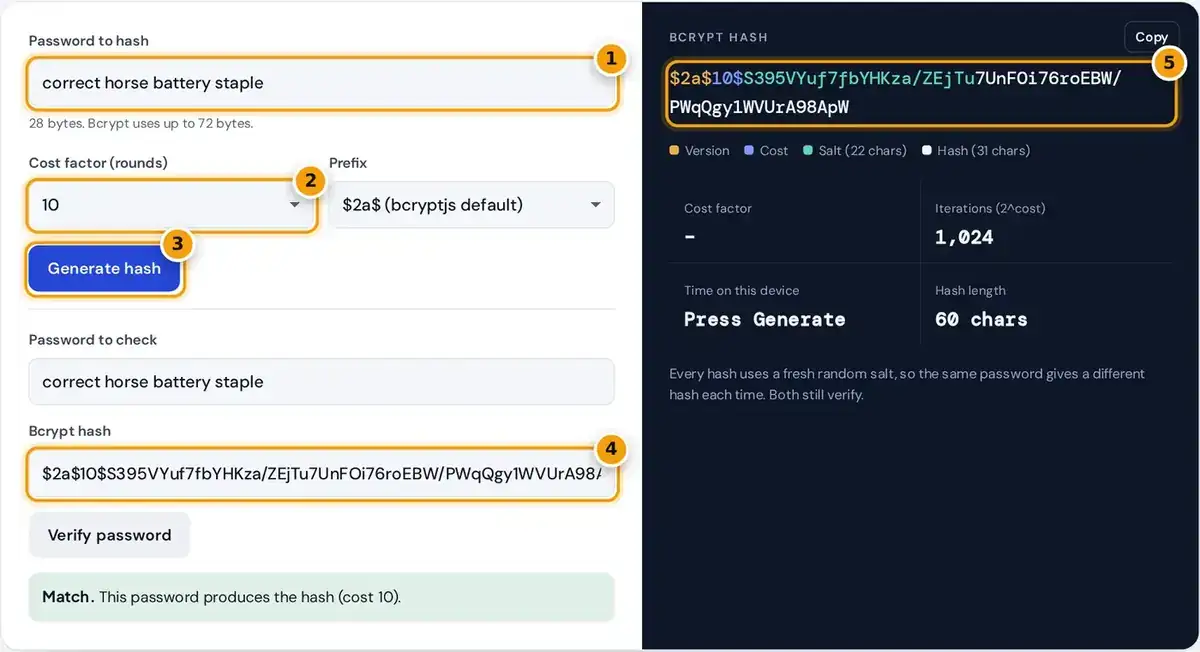
- Type the password to hash. Bcrypt reads up to 72 bytes.
- Choose a cost factor. Each step up doubles the work; 10 to 12 suits most apps.
- Press Generate hash to create a new salted bcrypt hash.
- To verify, paste an existing hash here with the password above it, then press Verify password.
- Copy the 60-character hash, split into version, cost, salt and hash.
Type a password, choose a cost factor from 4 to 14, pick a prefix. Press Generate hash and the bcrypt generator shows a 60 character hash with the version, cost, salt and hash parts colored.
To check a login, paste an existing hash into the verify section with the password you want to test, press Verify password. The result reads match or no match, and malformed hashes trigger a warning.
The result panel also lists the rounds, the time taken on your device and the hash length. Press copy to grab the full hash. Everything runs in your browser, so no password leaves your computer.
What Is Bcrypt?
Bcrypt is a password hashing function created in 1999 by Niels Provos and David Mazières, based on the Blowfish cipher. Its expensive key setup is repeated many times, which makes every single hash deliberately slow.
Each hash includes a random salt, so two users with the same password get different hashes. That defeats rainbow tables, precomputed lists attackers use against unsalted hashes, and forces a separate brute-force effort per account.
Slowness is the point. A login that takes a fraction of a second is fine for users, but an attacker testing billions of guesses against a stolen database is slowed enormously by the same cost.
Hashing vs Encryption
Hashing vs encryption is a very common confusion. Encryption is reversible with the right key, while bcrypt is one-way: there is no key, and nobody can decrypt a bcrypt hash back into the original password.
Verification works by hashing the candidate password again with the salt and cost stored in the hash, then comparing the results. If they are identical, the password is correct. Nothing is decrypted along the way.
General purpose functions such as MD5 and SHA-256 are fast hashes designed for files and signatures. Graphics cards can test billions of them per second, which makes them unsuitable for storing passwords on their own.
Anatomy of a Bcrypt Hash
Every bcrypt hash is exactly 60 characters and carries everything needed for verification except the password. The tool color codes each part, so you can see exactly where the version, cost, salt and hash sit.
$2b$ = algorithm version
12$ = cost factor, 212 = 4,096 key-setup rounds
next 22 chars = salt (128 bits, bcrypt base64)
last 31 chars = hash (184 bits)
After the version and the two digit cost come 22 characters of salt, encoding a 128-bit salt in bcrypt's own base64 alphabet. The last 31 characters hold the 184-bit hash output, in the same encoding.
Because salt and cost live inside the string, a database only needs one column per user. You can also raise the cost for new hashes later while older hashes still verify at their original setting.
Choosing a Cost Factor
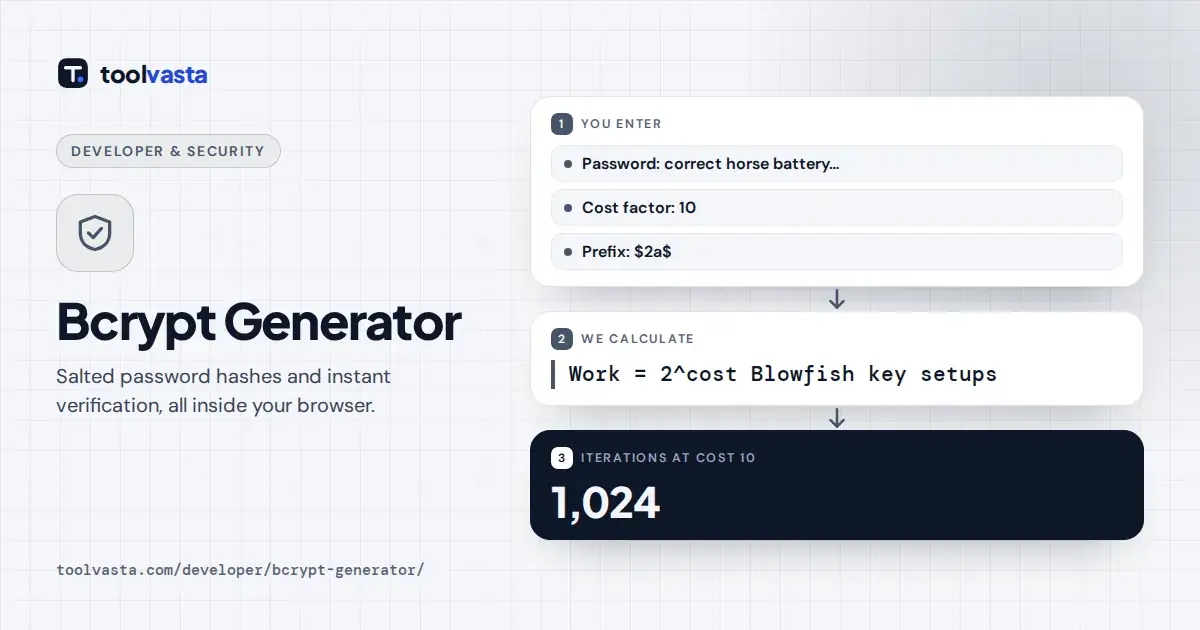
The work factor is 2^cost rounds, so each step up doubles the time. Cost 10 means 1,024 rounds, and cost 12 means 4,096 rounds, which is four times slower than cost 10 on identical hardware.
| Cost | Rounds | Relative time |
|---|---|---|
| 8 | 256 | 0.25× |
| 10 | 1,024 | 1× (baseline) |
| 11 | 2,048 | 2× |
| 12 | 4,096 | 4× |
| 13 | 8,192 | 8× |
| 14 | 16,384 | 16× |
The OWASP Password Storage Cheat Sheet sets a minimum cost of 10 and asks for the highest value your verification server can handle. Many teams aim for roughly 250 milliseconds per login on their servers.
The time shown here is measured in JavaScript on your own device, which is usually slower than native code on a production server. Treat it as a rough guide, then benchmark on the real hardware.
$2a$, $2b$ and $2y$ Prefixes
The prefixes record small historical bug fixes. $2a$ is the classic version and the bcrypt.js default. $2y$ was introduced by PHP after a bug in one implementation, and $2b$ by OpenBSD after a length bug.
For ordinary passwords all three produce the same hash, and most modern libraries will verify any of them. Pick the prefix your platform writes: $2b$ for OpenBSD and Python, and $2y$ for PHP's password_hash function.
Node.js projects often use bcrypt.js, which writes $2a$, or the native bcrypt package, which writes $2b$. Switch the prefix menu to match, then generate a fresh hash to paste into test fixtures or seed data.
Bcrypt vs Argon2id and Scrypt
OWASP now lists Argon2id first for new systems, then scrypt, with bcrypt suited to legacy systems where those are not available. Argon2id and scrypt are memory-hard, which makes GPU and custom hardware attacks very costly.
Bcrypt uses little memory, so its resistance to a GPU cluster is only moderate. It is still far stronger than a fast hash, it is supported almost everywhere, and a well-chosen cost keeps it acceptable.
Whatever algorithm you use, federal guidance in NIST SP 800-63B requires passwords to be salted and hashed with a suitable password hashing scheme, and cost settings to rise over time as attacker hardware keeps improving.
Limits, Privacy and Good Practice
Bcrypt ignores everything after the first 72 bytes of a password. Characters outside basic Latin can take 2 to 4 bytes each, so the byte counter under the password field warns when input is truncated.
This page uses the open-source bcrypt.js library, served from our own server. Hashing and verification run in your browser with no network requests, which you can confirm in your browser's developer tools while you test.
Use this tool for learning, testing and one-off checks. Real applications should always hash on the server with a maintained library, and live production passwords should never be pasted into any website, including this one.
Frequently asked questions
Does this bcrypt generator send my password anywhere?
No. The bcrypt.js library runs in your browser, and the page makes no network requests while hashing or verifying. You can confirm this in the network tab of your browser's developer tools.
Why does the same password give a different hash each time?
Bcrypt adds a new random 128-bit salt to every hash. The salt is stored inside the hash, so every one of those different hashes still verifies against the correct password.
What cost factor should I use?
Use at least 10, as OWASP recommends, and raise it until hashing takes about 250 milliseconds on your production server. Each step up doubles the time, so cost 12 is four times slower than 10.
Can a bcrypt hash be decrypted?
No. Bcrypt is a one-way function, not encryption. The only way to find the password is to guess candidates and hash each one, which the cost factor makes deliberately slow.
Are $2a$ and $2b$ hashes compatible?
For normal-length passwords the output is the same, and most libraries verify both prefixes. This tool can switch the prefix to $2a$, $2b$ or $2y$ to match what your platform expects.
Is bcrypt still secure?
Yes, with a cost of at least 10 and a 72-byte password limit enforced. OWASP prefers Argon2id for new systems, but bcrypt remains a sound choice where Argon2id or scrypt are not available.