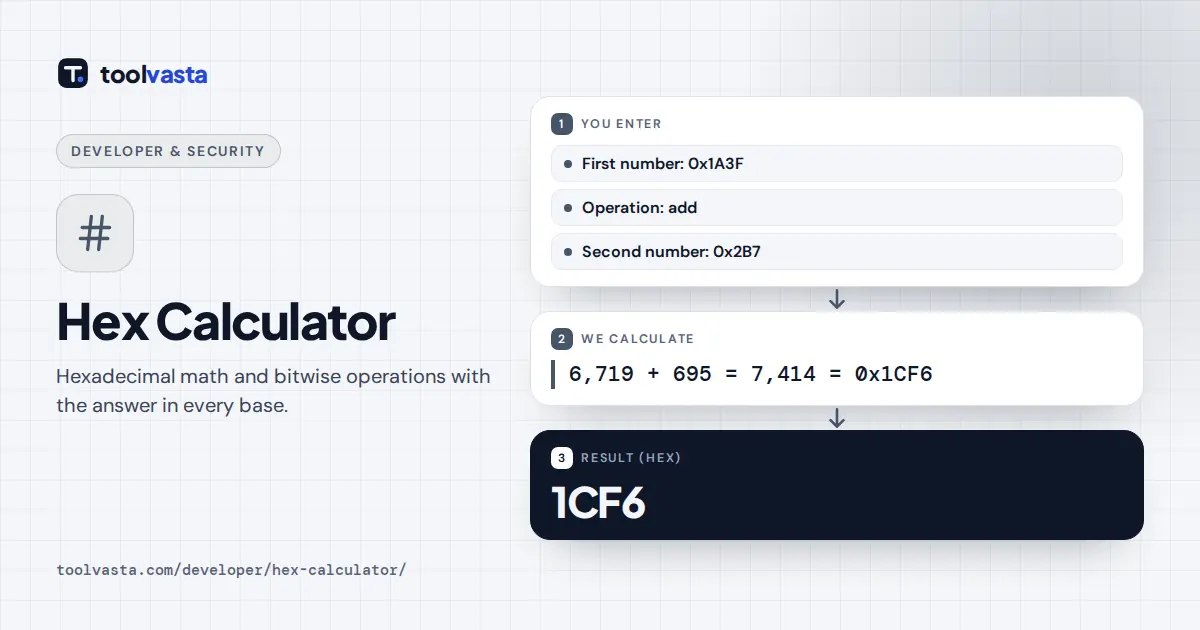
How to use the hex calculator
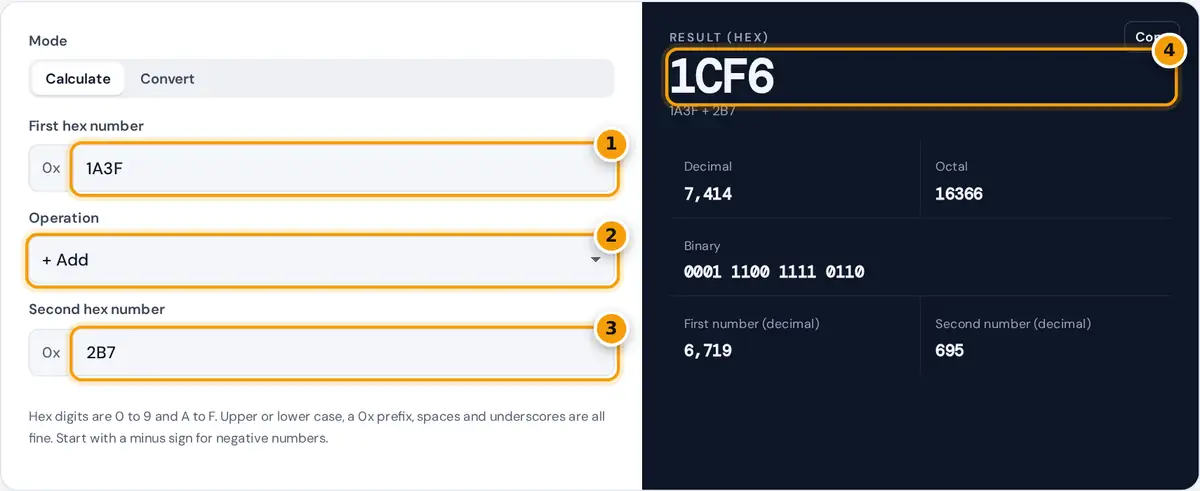
- Type the first hex number. A 0x prefix, lower case and spaces are fine.
- Choose an operation: add, subtract, multiply, divide, mod, AND, OR, XOR or shift.
- Type the second hex number.
- Read the hex result, then check it in decimal, octal and binary.
Type two hexadecimal numbers, choose an operation and read the result. Arithmetic covers addition, subtraction, multiplication, whole-number division and remainder. Bitwise operations cover AND, OR, XOR and shifts left or right by the number of bits in the second box. Every result is shown in hex, decimal, binary (grouped in fours, one group per hex digit) and octal.
Switch to Convert to change a number from decimal, hex, binary or octal into every other base. The calculator uses arbitrary precision integers, so 64-bit values, hashes and long keys work without rounding.
How hexadecimal works
Hexadecimal is base 16. It uses the digits 0 to 9 and the letters A to F for the values 10 to 15. Each position is worth 16 times the one to its right. One hex digit maps to exactly four binary bits, which is why programmers use hex for memory addresses, color codes and byte values.
1A3F = 1 × 4,096 + 10 × 256 + 3 × 16 + 15 = 6,719
Worked example: hex addition
Add 1A3F and 2B7. Line up the digits from the right and carry 1 whenever a column reaches 16:
- F + 7 = 15 + 7 = 22, which is 16 + 6. Write 6, carry 1.
- 3 + B + 1 = 3 + 11 + 1 = 15. Write F.
- A + 2 = 12. Write C.
- 1 carries down unchanged.
The answer is 1CF6. In decimal that is 6,719 + 695 = 7,414, which confirms the result. Other checks: FF × FF = FE01 (255 × 255 = 65,025), 64 ÷ 7 = E remainder 2 (100 ÷ 7 = 14 remainder 2), and F0F0 XOR 0FF0 = FF00.
Hex, decimal and binary table
| Hex | Decimal | Binary | Hex | Decimal | Binary |
|---|---|---|---|---|---|
| 0 | 0 | 0000 | 8 | 8 | 1000 |
| 1 | 1 | 0001 | 9 | 9 | 1001 |
| 2 | 2 | 0010 | A | 10 | 1010 |
| 3 | 3 | 0011 | B | 11 | 1011 |
| 4 | 4 | 0100 | C | 12 | 1100 |
| 5 | 5 | 0101 | D | 13 | 1101 |
| 6 | 6 | 0110 | E | 14 | 1110 |
| 7 | 7 | 0111 | F | 15 | 1111 |
Bitwise operations in hex
- AND keeps a bit only where both numbers have a 1. It is used to mask out parts of a value, for example x AND FF keeps the lowest byte.
- OR sets a bit where either number has a 1, which is used to switch flags on.
- XOR sets a bit where the numbers differ. XOR with the same value twice returns the original.
- Shift left by n multiplies by 2n. Shift right divides by 2n and drops the remainder.
Negative numbers
Results that go below zero are shown with a minus sign, for example 2B7 − 1A3F = −1788. Computers usually store negatives in a fixed width using two’s complement, where −1 in 32 bits is FFFFFFFF. Because this calculator has no fixed width, it shows the signed value instead.
Frequently asked questions
How do you add hex numbers?
Add digit by digit from the right, as in decimal, but carry 1 whenever a column reaches 16. For example, 1A3F + 2B7 = 1CF6.
How do I convert hex to decimal?
Multiply each digit by 16 raised to its position and add them up. 1A3F is 1 × 4,096 + 10 × 256 + 3 × 16 + 15 = 6,719. Use Convert mode for any value.
How does hex division work here?
It gives the whole-number quotient and shows the remainder below the result, the way integer division works in most programming languages. 64 ÷ 7 is E remainder 2.
Is there a size limit?
No practical one. The calculator uses arbitrary precision integers, so numbers up to thousands of digits are exact.
What does 0x mean?
0x is a prefix used in programming languages to mark a number as hexadecimal. You can include it or leave it out.