How to Use the Truth Table Calculator
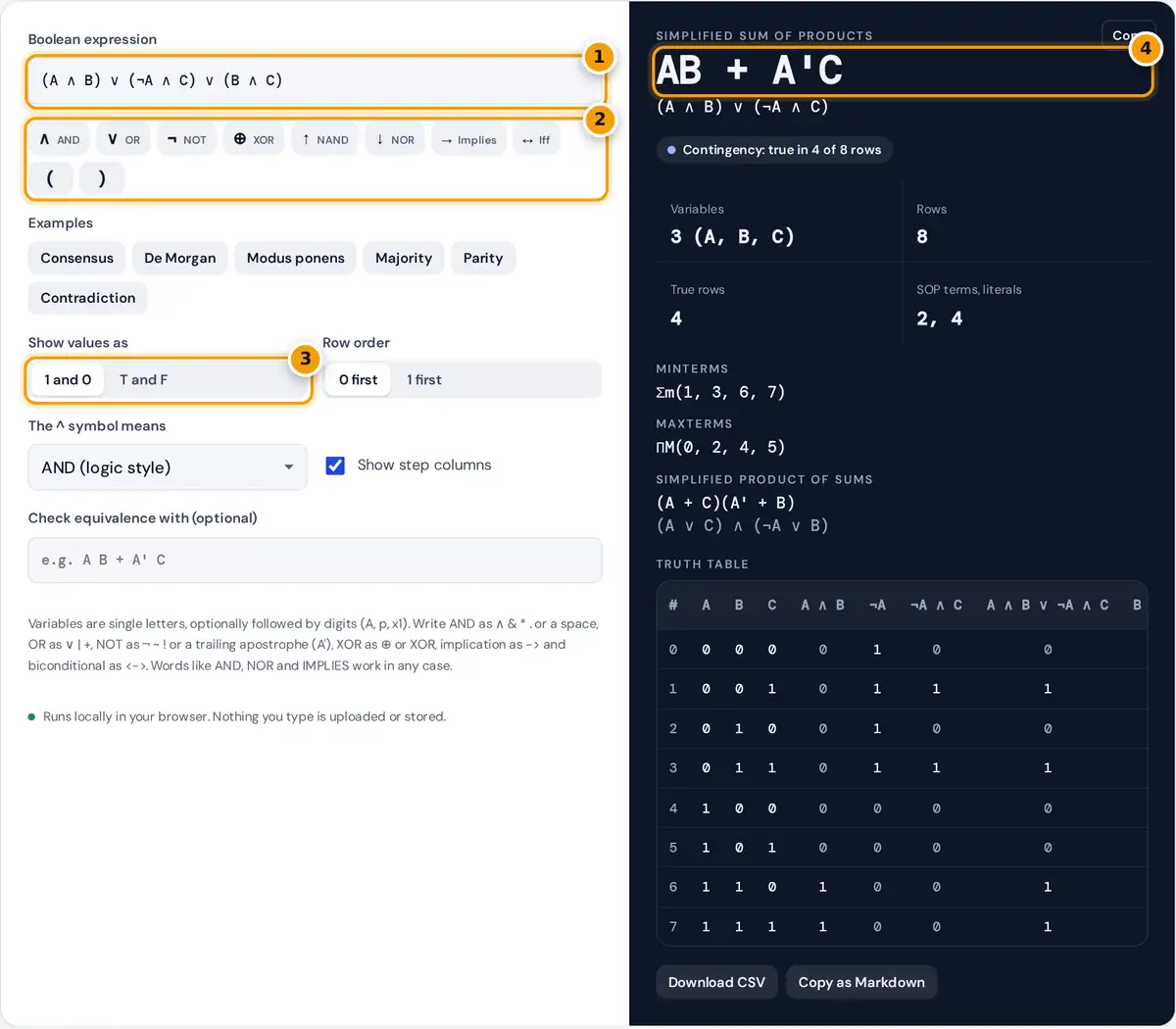
- Type a Boolean expression with symbols or words, for example (A AND B) OR (NOT A AND C).
- Tap an operator button to insert ∧, ∨, ¬, ⊕, NAND, NOR, implication or iff at the cursor.
- Choose 1 and 0 for digital logic or T and F for propositional logic.
- Read the simplified sum of products, then the minterms, product of sums and full truth table below.
Type an expression in the box, or tap the operator buttons to insert symbols such as ∧, ∨ and ¬ at the cursor. The table, the minterm list and the simplified forms update as you type. Each variable gets its own column, and with Show step columns switched on, every subexpression gets a column too, so you can follow the evaluation from the inside out. The last column, highlighted, is the value of the whole expression.
Use Show values as to switch between 1 and 0 (digital logic) and T and F (propositional logic), and Row order to start the table at all zeros or at all ones. Paste a second expression into Check equivalence with to test whether two formulas always give the same result. The table can be downloaded as CSV or copied as a Markdown table.
Operators and Precedence
The parser accepts symbols, programming operators and plain words. Without parentheses, operators bind in this order, from tightest to loosest:
| Operator | You can type | True when |
|---|---|---|
| NOT | ¬ ~ ! NOT, or A' after a term | the input is false |
| AND, NAND | ∧ & && * . AND, a space; ↑ NAND | both are true (NAND: not both) |
| XOR, XNOR | ⊕ != XOR; XNOR | exactly one is true (XNOR: both equal) |
| OR, NOR | ∨ | || + OR; ↓ NOR | at least one is true (NOR: neither) |
| Implication | → -> => IMPLIES | the first is false or the second is true |
| Biconditional | ↔ <-> <=> == IFF | both have the same value |
Implication groups to the right, so P → Q → R means P → (Q → R). The other binary operators group to the left. The caret ^ means AND by default, as in many logic courses, and can be switched to XOR, its meaning in C, Java and Python. Letters written together, such as AB, are read as A AND B, the usual digital logic shorthand.
How the Simplified Form Is Found
Every row where the expression is true is a minterm, numbered by reading the variable values as a binary number with the first variable as the most significant bit. The calculator feeds the minterms to the Quine-McCluskey method: it repeatedly merges terms that differ in exactly one variable to find all prime implicants, keeps the essential ones, and then searches for the smallest set that covers the remaining minterms, counting terms first and literals second.
A'BC + ABC → BC (the two terms differ only in A)
The product of sums is found the same way from the rows where the expression is false, then each term is complemented.
Worked Example
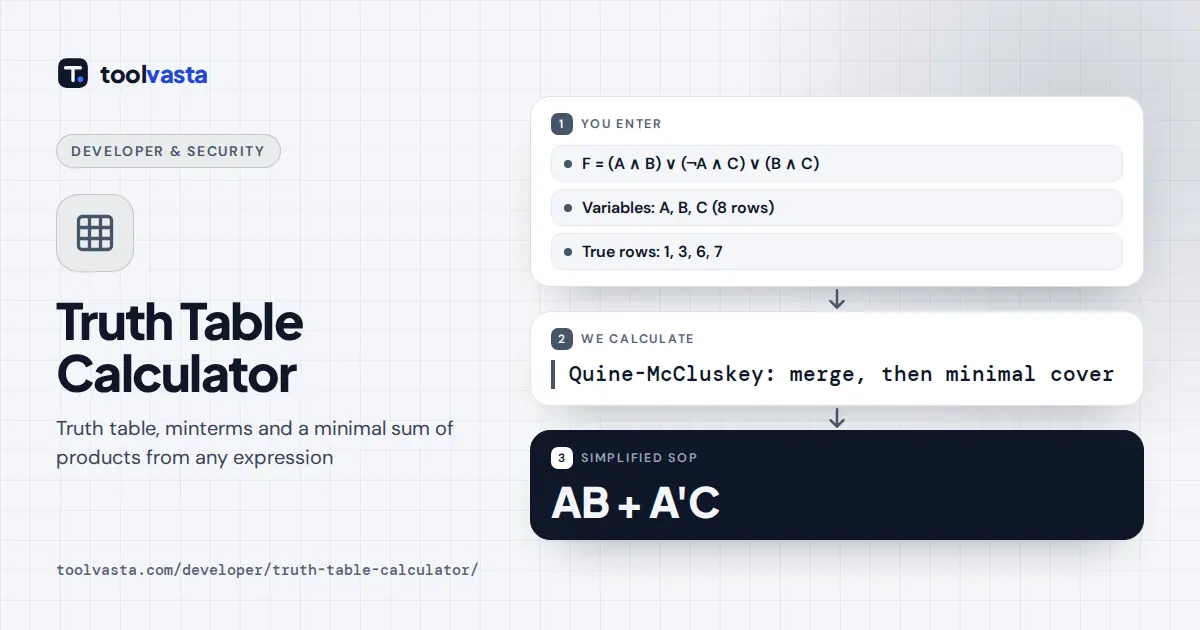
The default expression is (A ∧ B) ∨ (¬A ∧ C) ∨ (B ∧ C). It is true in rows 1 (001), 3 (011), 6 (110) and 7 (111), so F = Σm(1, 3, 6, 7). Merging gives three prime implicants: A'C from rows 1 and 3, BC from rows 3 and 7, and AB from rows 6 and 7. Row 1 is covered only by A'C and row 6 only by AB, so both are essential, and together they also cover rows 3 and 7. BC is redundant, and the result is AB + A'C. This is the consensus theorem: the term BC adds nothing. The false rows 0, 2, 4 and 5 give the product of sums (A + C)(A' + B).
Tautologies, Contradictions and Equivalence
A formula that is true in every row is a tautology, one that is false in every row is a contradiction, and anything else is a contingency. Two formulas are logically equivalent when their final columns match row for row, which is the same as saying that F ↔ G is a tautology. Load the De Morgan example to see ¬(P ∧ Q) ↔ (¬P ∨ ¬Q) come out true in all four rows.
Limits and Tips
- Up to 10 variables are supported, which is 1,024 rows. Each extra variable doubles the table.
- Variables are listed in alphabetical order, so minterm numbers follow that order.
- The simplified forms are minimal two-level expressions. A multi-level circuit, such as one using XOR gates, can be smaller still: three-input parity needs four terms in sum of products form.
- Uppercase and lowercase letters are different variables, and T and F are treated as variables. Use 1, 0, TRUE or FALSE for constants.
For number bases and bit operations, try the Programmer Calculator or the Binary Translator.
Frequently asked questions
How do I make a truth table for a logical expression?
List every combination of true and false for the variables, 2 to the power of n rows for n variables, then evaluate each subexpression in turn. This calculator does all of it as you type and shows a column for each step.
What is the order of operations in Boolean logic?
NOT binds tightest, then AND, then XOR, then OR, then implication, and finally the biconditional. Parentheses override the order. So A OR B AND C means A OR (B AND C).
What are minterms and maxterms?
A minterm is a row where the expression is true, written as Σm with its row numbers. A maxterm is a row where it is false, written as ΠM. Row numbers read the variable values as a binary number.
How does the calculator simplify a Boolean expression?
It uses the Quine-McCluskey method to find all prime implicants, keeps the essential ones and then searches for the smallest cover. The result is a minimal sum of products, the same answer a Karnaugh map gives.
When is an implication P → Q true?
An implication is false only when P is true and Q is false. In the other three rows it is true, including both rows where P is false, which is called a vacuous truth.
How can I check if two Boolean expressions are equivalent?
Enter the first expression, then type the second in the Check equivalence box. The calculator compares both over every combination of their variables and shows the first row where they differ, if any.