How to Use the Programmer Calculator
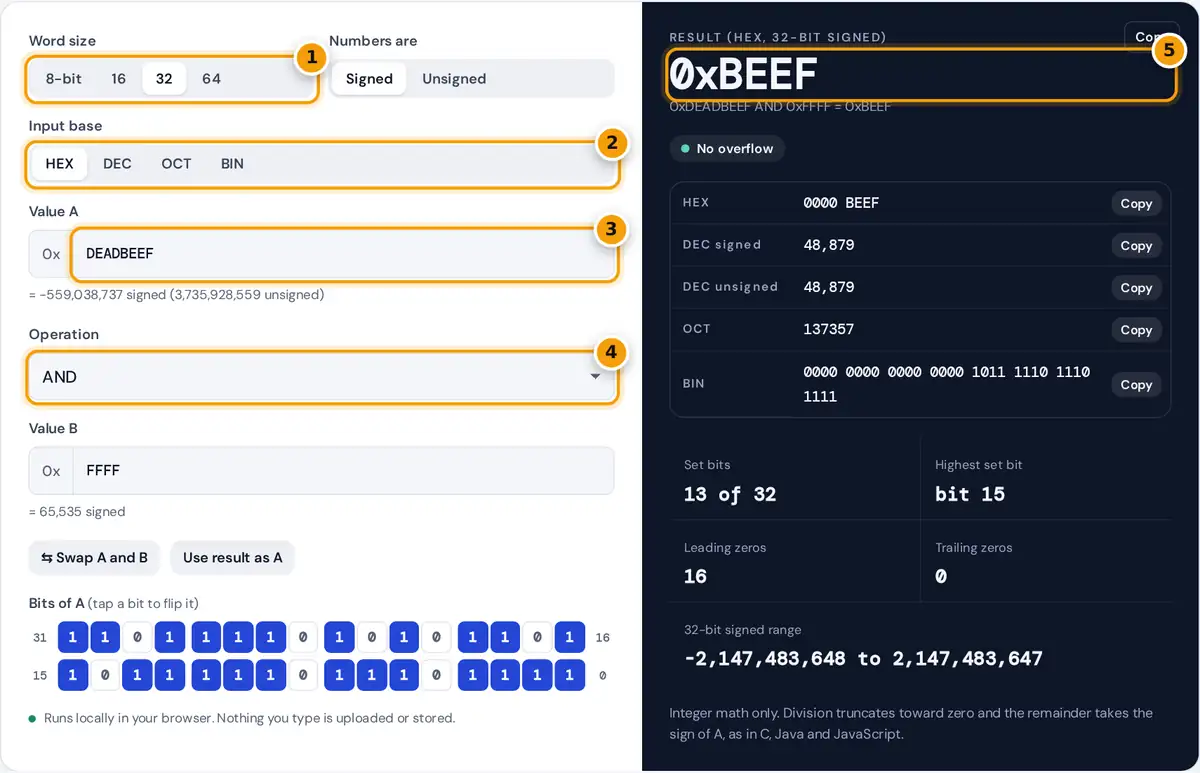
- Pick the word size: 8, 16, 32 or 64 bits.
- Choose the base you type in: HEX, DEC, OCT or BIN.
- Enter value A, for example DEADBEEF. Its decimal value appears underneath.
- Choose an operation such as AND, XOR, a shift or a rotate, then enter B.
- Read the result, with hex, signed and unsigned decimal, octal and binary listed below and any overflow flagged.
Choose a word size of 8, 16, 32 or 64 bits and decide whether the numbers are signed (two’s complement) or unsigned. Pick the input base, type value A, choose an operation and type value B. The result appears in the base you are typing in, and the panel lists it in hex, signed and unsigned decimal, octal and binary, each with its own copy button.
Switching the base rewrites both values in the new base, so you can also use the tool as a converter. Tap any bit in the Bits of A grid to flip it, which is handy for building masks and flags. Prefixes such as 0x, 0o and 0b, spaces and underscores are accepted, and a minus sign enters a negative number in two’s complement form.
Two’s Complement and Word Size
A fixed-width register holds a value modulo 2n. In unsigned form the bits read as an ordinary binary number. In signed form the top bit has a negative weight, so a pattern whose top bit is set stands for its unsigned value minus 2n.
−x = (NOT x) + 1 result = exact result mod 2n
| Word size | Unsigned range | Signed range |
|---|---|---|
| 8-bit (byte) | 0 to 255 | −128 to 127 |
| 16-bit (short) | 0 to 65,535 | −32,768 to 32,767 |
| 32-bit (int) | 0 to 4,294,967,295 | −2,147,483,648 to 2,147,483,647 |
| 64-bit (long) | 0 to 18,446,744,073,709,551,615 | −9,223,372,036,854,775,808 to 9,223,372,036,854,775,807 |
All math uses JavaScript BigInt, so 64-bit values are exact rather than rounded to the 53 bits of an ordinary floating point number.
Worked Example
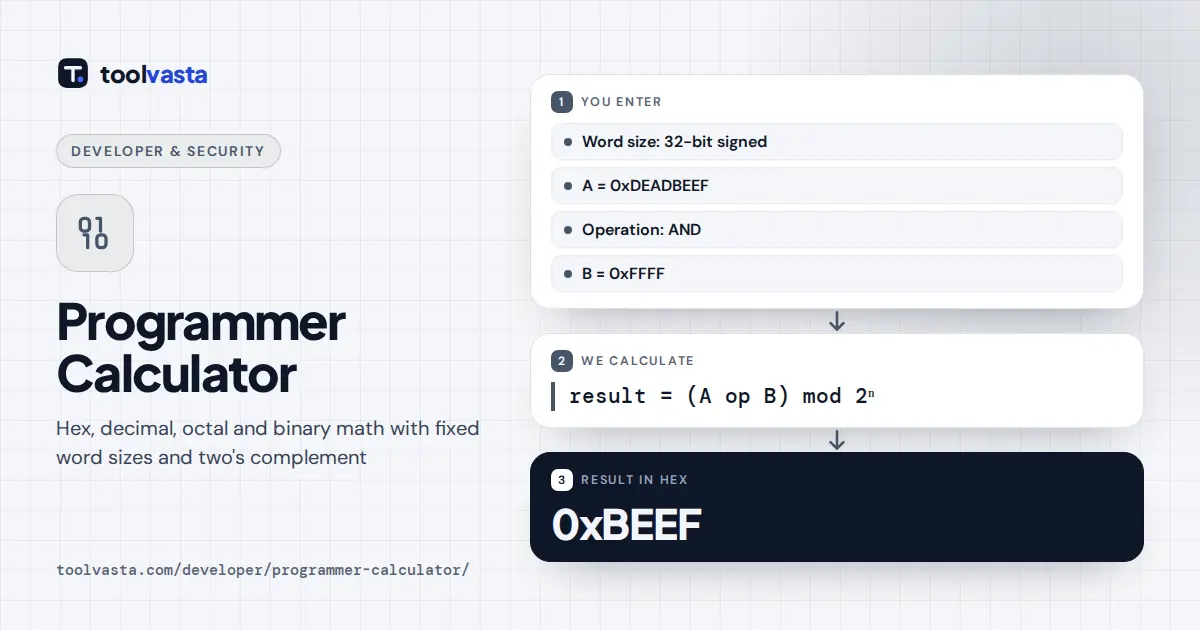
The calculator opens with 32-bit signed hex: 0xDEADBEEF AND 0xFFFF. The mask keeps the low 16 bits, so the result is 0xBEEF, which is 48,879 in decimal, 137357 in octal and 0000 0000 0000 0000 1011 1110 1110 1111 in binary, with 13 bits set. Value A on its own has its top bit set, so as a signed 32-bit number it is 3,735,928,559 − 4,294,967,296 = −559,038,737.
A second example shows overflow. In 8-bit signed mode, 100 + 50 should be 150, but the largest signed byte is 127. The bits wrap to 1001 0110, which reads as 150 − 256 = −106, and the calculator flags a signed overflow. Switch to unsigned and the same bits read as 150, with no overflow.
Bitwise Operations and Shifts
| Operation | What it does | Typical use |
|---|---|---|
| AND | 1 where both bits are 1 | Masking, testing a flag |
| OR | 1 where either bit is 1 | Setting flags |
| XOR | 1 where the bits differ | Toggling bits, checksums |
| NOT | Inverts every bit | Clearing with AND NOT |
| << n | Moves bits left, fills with 0 | Multiply by 2n |
| >> n | Moves right, copies the sign bit | Signed divide by 2n, rounding down |
| >>> n | Moves right, fills with 0 | Unsigned divide by 2n |
| ROL, ROR | Bits leaving one end re-enter at the other | Hashes, ciphers |
For example, in 16 bits 0x8000 >> 4 gives 0xF800 because the sign bit is copied, while 0x8000 >>> 4 gives 0x0800. Rotating 0x8000 left by one gives 0x0001.
Notes and Limits
- Division truncates toward zero and the remainder takes the sign of the dividend, as in C, Java and JavaScript. Python’s // and % round toward negative infinity instead, so results differ for negative numbers.
- Shifts by the word size or more give 0 (or all ones for an arithmetic shift of a negative number). In C that case is undefined behavior, so do not rely on it in code.
- Signed overflow is flagged in signed mode, and carry or borrow in unsigned mode.
- Only integers are supported. For arbitrary length hex math use the Hex Calculator.
Frequently asked questions
What is a programmer calculator?
It is a calculator for integer math in the number bases programmers use: hexadecimal, decimal, octal and binary. It works with fixed word sizes such as 32 bits and adds bitwise operations, shifts and two's complement signed numbers.
How do I convert a negative number to two's complement?
Choose the word size and DEC input, then type the number with a minus sign. The calculator shows its two's complement bits in hex and binary. By hand, invert every bit of the positive value and add 1.
What is the difference between >> and >>>?
>> is an arithmetic shift: it copies the sign bit into the empty positions, so negative numbers stay negative. >>> is a logical shift: it always fills with zeros, treating the value as unsigned.
Why does 127 + 1 give -128 in 8-bit signed mode?
The largest signed 8-bit value is 127, or 0111 1111. Adding 1 gives 1000 0000, and in two's complement that pattern means -128. The calculator flags this as a signed overflow.
Does the calculator handle 64-bit numbers exactly?
Yes. It uses JavaScript BigInt, so every 64-bit value up to 18,446,744,073,709,551,615 is exact. Ordinary JavaScript numbers lose precision above 2 to the power of 53.
How do I check whether a bit is set?
AND the value with a mask that has only that bit set, such as 0x8 for bit 3. A nonzero result means the bit is set. You can also read the Bits of A grid directly.