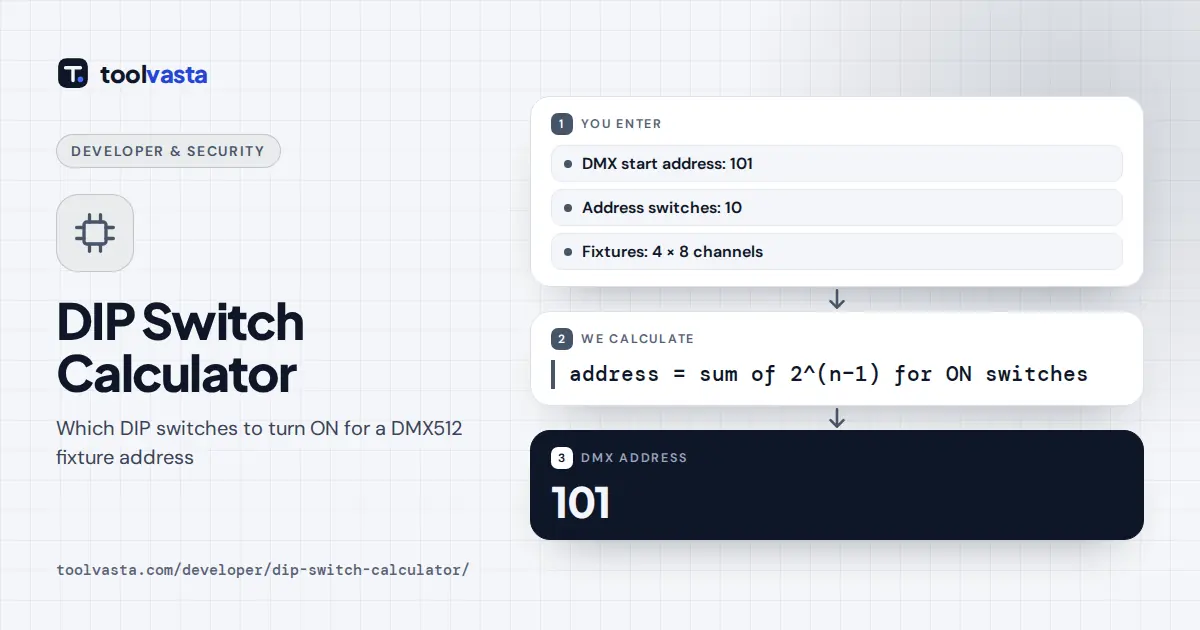
How to Use the DIP Switch Calculator
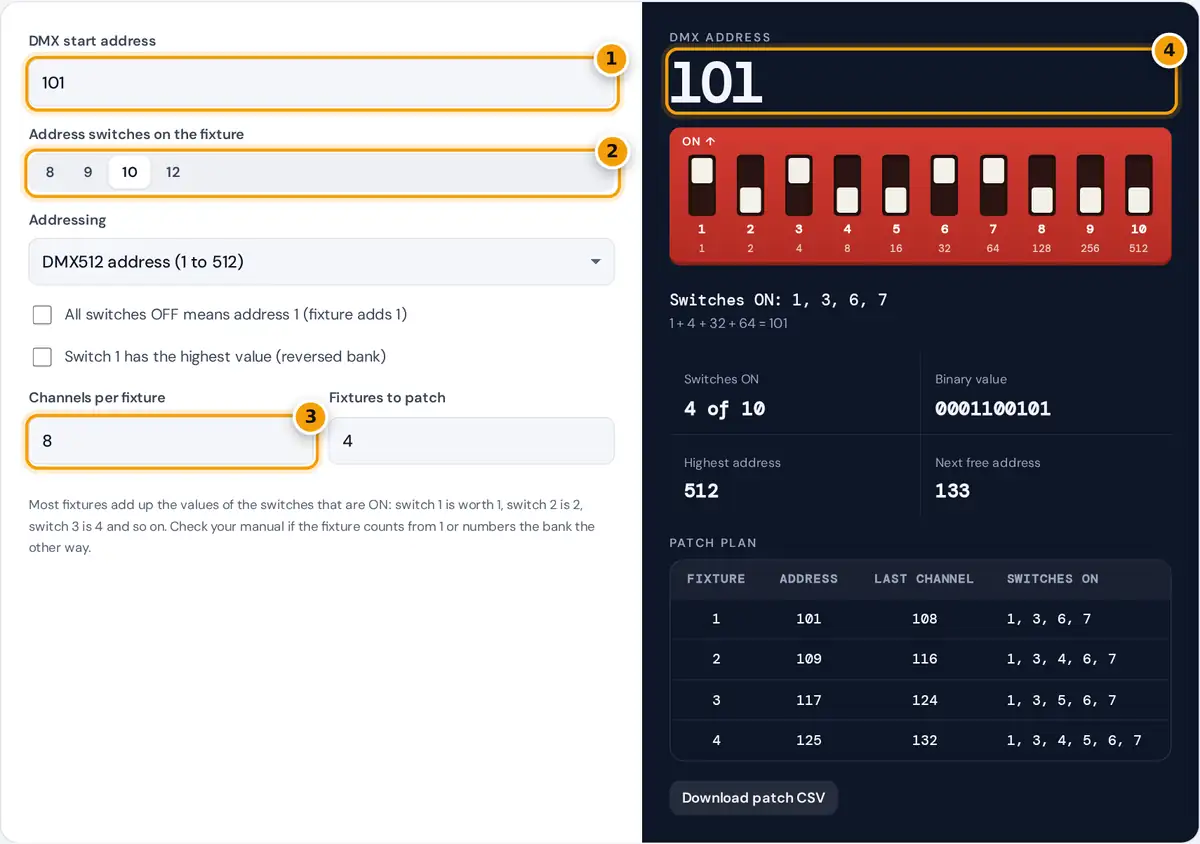
- Type the DMX start address you want, for example 101.
- Choose how many address switches the fixture has, usually 9 or 10.
- Enter the channel footprint and number of fixtures for the patch plan.
- Read the address and set the switches shown ON in the bank below. Tap any switch to read a new address.
Type the DMX start address you want the fixture to listen on, and choose how many address switches it has. Most stage lights have 9 or 10. The switch bank in the result panel shows which switches to set ON, with each switch’s value printed under its number. It works the other way too: tap the switches to match the fixture in front of you and the address appears at the top.
Set Channels per fixture to the DMX footprint of the fixture’s mode, as listed in its manual, and Fixtures to patch to the number of identical units. The patch plan then lists back-to-back start addresses with the switches for each, so a row of lights can be addressed without gaps or overlaps. Download it as CSV for your paperwork.
How DIP Switch Addressing Works
A DIP switch bank stores a binary number. Each switch stands for a power of two, and the address is the sum of the values of the switches that are ON.
switch: 1 2 3 4 5 6 7 8 9
value: 1 2 4 8 16 32 64 128 256
To find the switches for an address, take the largest switch value that still fits, subtract it, and repeat with what is left. Nine switches reach 1 + 2 + 4 + … + 256 = 511. A DMX512 universe has 512 channels, so the 10th switch, worth 512, is needed only for address 512. On many fixtures switch 10 has another job instead, such as choosing between DMX and standalone mode.
Worked Example
Address 101: the largest value that fits is 64 (switch 7), leaving 37. Then 32 (switch 6) leaves 5, 4 (switch 3) leaves 1, and 1 (switch 1) leaves 0. So switches 1, 3, 6 and 7 go ON: 1 + 4 + 32 + 64 = 101. With 8-channel fixtures, the next three units start at 109 (switches 1, 3, 4, 6, 7), 117 (switches 1, 3, 5, 6, 7) and 125 (switches 1, 3, 4, 5, 6, 7), and the first free channel after the group is 133.
Quick Reference
| Address | Switches ON | Address | Switches ON |
|---|---|---|---|
| 1 | 1 | 129 | 1, 8 |
| 17 | 1, 5 | 193 | 1, 7, 8 |
| 33 | 1, 6 | 257 | 1, 9 |
| 49 | 1, 5, 6 | 321 | 1, 7, 9 |
| 65 | 1, 7 | 385 | 1, 8, 9 |
| 97 | 1, 6, 7 | 449 | 1, 7, 8, 9 |
| 100 | 3, 6, 7 | 512 | 10 |
Channel Footprints and Universes
A fixture’s footprint is the number of consecutive DMX channels it reads, starting at its address. A simple dimmer may use 1 channel, an RGBW wash 4 to 8, and a moving head 16 or more, depending on the mode chosen in its menu. Changing mode changes the footprint, so set the mode before patching. One DMX512 universe carries 512 channels, which is 64 fixtures of 8 channels each. Larger rigs need more universes, each with its own cable run or network output.
Tips and Fixture Differences
- Offset by one. Some fixtures treat all switches OFF as address 1, so the switches hold the address minus 1. Tick the offset option if your manual says so.
- Reversed banks. If switch 1 is labeled as the highest value, tick the reversed option.
- ON direction. Look for the ON marking printed on the switch block. Fixtures mounted upside down make it easy to misread.
- Power cycle. Some older units read the switches only at power up.
- Avoid overlaps. A fixture uses every channel from its start address to start plus footprint minus 1. Rows that pass 512 belong on the next universe.
The same binary method applies to any DIP switch bank, such as device IDs. Choose Plain binary value for those. For other number base work, see the Programmer Calculator.
Frequently asked questions
How do I set a DMX address with DIP switches?
Turn ON the switches whose values add up to the address. Switch values double from 1: 1, 2, 4, 8 and so on. For address 101, turn on switches 1, 3, 6 and 7, since 1 + 4 + 32 + 64 = 101.
What is switch 10 for on a DMX fixture?
Switch 10 is worth 512, which is only needed for address 512. On many fixtures it selects another function instead, such as standalone or sound-active mode. Check the fixture manual before using it.
Why does my fixture respond to the wrong address?
The usual causes are reading the ON direction backward, a fixture that counts from 1 rather than 0, or a bank numbered in reverse. Try the offset and reversed options to match your fixture's manual.
How many DIP switches do I need for DMX512?
Nine switches cover addresses 1 to 511, and a tenth is needed for 512. Eight switches only reach 255, so fixtures with eight switches can use only the first half of a universe.
How do I address several fixtures in a row?
Give each fixture a start address equal to the previous start plus its channel count. Enter the channels per fixture and the number of fixtures, and the patch plan lists every start address and switch setting.
Can I use this for DIP switches that are not DMX?
Yes. Choose Plain binary value to convert any number to switch positions and back, for device IDs or configuration banks. Up to 12 switches are supported, for values up to 4,095.