How to Use the Time Duration Calculator
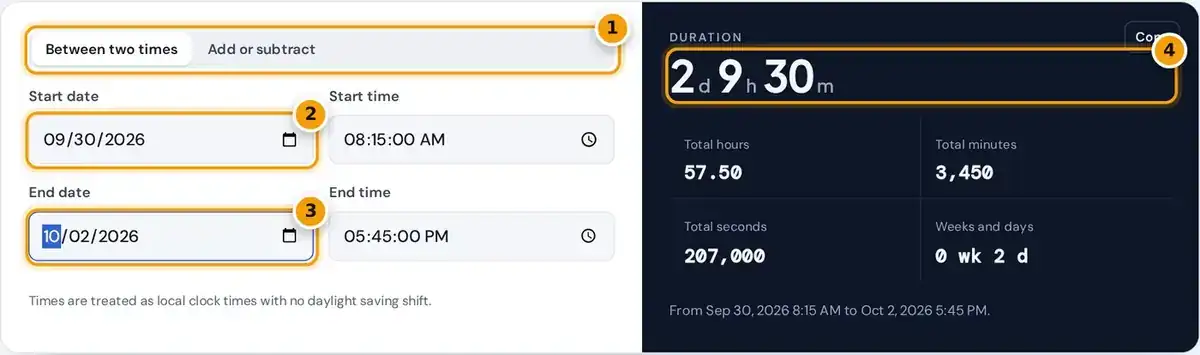
- Choose between two times, or add or subtract a duration.
- Enter the start date and start time.
- Enter the end date and end time.
- Read the duration plus total hours, minutes and seconds.
Choose Between two times, then enter a start date and start time and an end date and end time. The elapsed time appears straight away in days, hours, minutes and any leftover seconds you entered.
Below the main result you get total hours, total minutes, total seconds and a weeks and days figure, which suits billing, timesheets, travel planning or logging lab runs. Copy puts the result on your clipboard.
The time boxes accept seconds, useful for race results and video edits. If you enter the end before the start, the tool still shows the size of the gap and labels the order as reversed.
How the Duration Is Calculated
days = floor(seconds ÷ 86,400), hours = floor(remainder ÷ 3,600), and so on
The calculator converts both date and time pairs into a count of seconds, then subtracts the start from the end. Working in seconds avoids the minute borrowing that makes manual time subtraction so error prone.
It then splits the difference back into days, hours, minutes and seconds. A day is 86,400 seconds and an hour is 3,600 seconds, so each unit is peeled off in turn from the remaining total.
Because both dates are part of the input, spans across midnight or across several months need no special handling. The tool never guesses a next day for you, which removes a common source of mistakes.
Worked Example
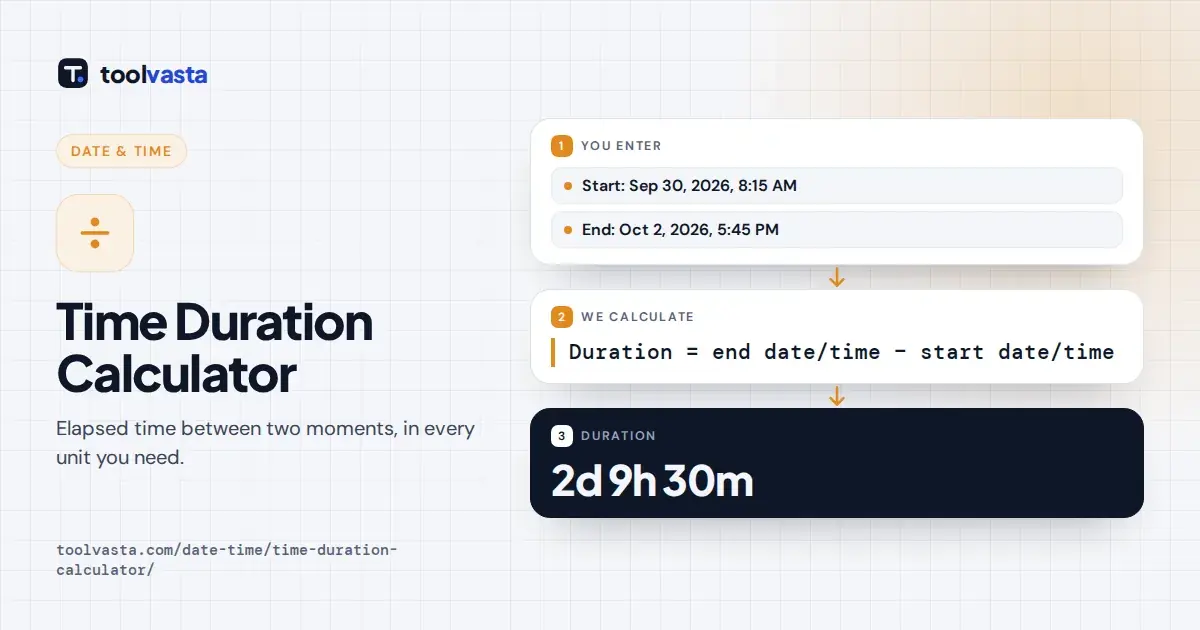
Take the defaults: from September 30, 2026 at 8:15 AM to October 2, 2026 at 5:45 PM. Two full days take you to October 2 at 8:15 AM, the same clock time as the start.
From there, 9 hours and 30 minutes more reaches 5:45 PM. The duration is 2 days 9 hours 30 minutes, which equals 57.5 hours, 3,450 minutes or 207,000 seconds. These match the default results exactly.
The weeks and days figure reads 0 weeks 2 days. Change the end to 8:14:30 AM on September 30 and the tool reports a reversed gap of 30 seconds, flagging that the end comes first.
Adding or Subtracting a Duration
Switch to Add or subtract to find a finish time. Enter the start, choose add or subtract, and type the days, hours, minutes and seconds. The result shows the new date, clock time and weekday.
Values are normalized, so 90 minutes counts as 1 hour 30 minutes, and the results panel lists the tidy version. It also shows the result in 24-hour time and the whole duration converted to hours.
A job starting September 30, 2026 at 8:15 AM and takes 1 day, 20 hours and 50 minutes finishes on Friday, October 2 at 5:05 AM. Subtracting 10 hours instead gives 22:15:00 on September 29.
Hours, Minutes and Decimal Hours
Total hours are always shown as decimal hours, the format that most payroll and timesheet software usually expects. In decimal form, 30 minutes is 0.5 hours, 15 minutes is 0.25 and 45 minutes is 0.75.
To convert by hand, divide minutes by 60 and add them to the whole hours. A frequent error is writing 7 hours 45 minutes as 7.45, which understates the time by 18 minutes versus 7.75.
Totals in hours are rounded to two decimals, while the total seconds value is always exact. When no seconds are entered, total minutes are shown as a whole number, which keeps your timesheet entries clean.
Overnight Shifts and Multi-Day Spans
For an overnight shift, set the end date to the next day. From 10 PM on one date to 6 AM on the next gives 8 hours, since the dates show exactly where midnight falls.
Multi-day spans work the same way, whether a project runs for three days or three months. The days count keeps growing, and the weeks and days figure helps when you plan by the weekly calendar.
To account for an unpaid break, subtract its length from the total afterward. A 9 hour span from 8 AM to 5 PM with a 30 minute lunch leaves 8.5 paid hours for the timesheet.
Time Unit Reference
| Unit | Seconds | Minutes | Hours |
|---|---|---|---|
| 1 minute | 60 | 1 | 0.0167 |
| 1 hour | 3,600 | 60 | 1 |
| 1 day | 86,400 | 1,440 | 24 |
| 1 week | 604,800 | 10,080 | 168 |
One minute is 60 seconds and one hour is 3,600 seconds. A day holds 86,400 seconds or 1,440 minutes, and 1 week holds 604,800 seconds, 10,080 minutes or 168 hours. These fixed values never change.
The second is the base unit of time in the International System of Units. Canada's official time is kept by the National Research Council Canada, which maintains atomic clocks and time signals for the country.
Months and years vary in length, so this calculator reports days rather than months. A 31 day span is always shown as 31 days here, whether it covers January to February or April to May.
Time Zones and Daylight Saving Time
The calculator treats every time as a local clock time, the way it is written on a schedule. It does not apply time zones or daylight saving time, so both readings need the same clock.
If a period crosses the spring or fall clock change in your area, the real elapsed time is one hour shorter or longer than shown. See the NIST daylight saving time page for current dates.
For events in two time zones, convert both times to the same zone first, or to UTC, before entering them. An overnight shift crossing a clock change should be adjusted by one hour by hand.
Frequently asked questions
How do I calculate the time between two dates and times?
Enter both date and time pairs. The calculator subtracts the start from the end and shows the result in days, hours, minutes and seconds, plus totals in hours, minutes and seconds for billing or timesheets.
How many hours are between two dates?
Read the Total hours value. For example, 8:15 AM on September 30 to 5:45 PM on October 2 is 57.5 hours, shown as 57.50 in decimal hours for payroll use.
Can I add hours and minutes to a time?
Yes. Choose Add or subtract, set the start date and time, and enter the duration. The result shows the new date, the clock time in 12-hour and 24-hour form and the weekday.
Does it account for daylight saving time?
No. Times are treated as local clock times without time zone rules, so a period that crosses a clock change can be off by one hour. Adjust the result by hand in that case.
How do I calculate hours for an overnight shift?
Set the end date to the day after the start date. For example, 10 PM to 6 AM the next morning gives 8 hours, and the tool handles the change of date for you.
How do I convert minutes to decimal hours?
Divide the minutes by 60 and add the result to the whole hours. For example, 7 hours 45 minutes becomes 7.75 hours, and 30 minutes becomes 0.5 hours on a timesheet.