How to Use the Date Calculator
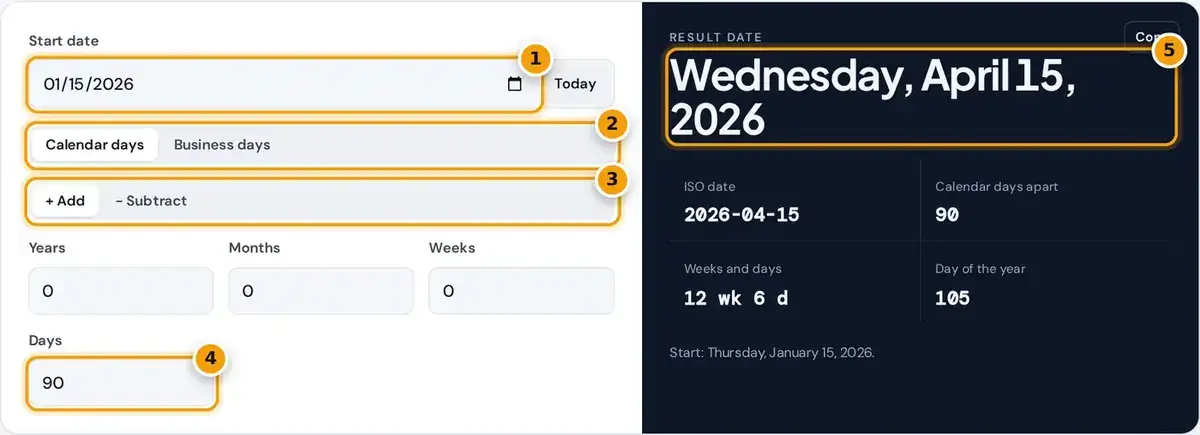
- Enter the start date, or tap Today.
- Choose calendar days or business days that skip weekends and holidays.
- Choose to add or subtract.
- Enter years, months, weeks and days to move by.
- Read the result date with its weekday, ISO date and day of the year.
Choose a start date, or press the Today button, then pick Add or Subtract. In calendar mode, enter any mix of years, months, weeks and days, and the result updates as soon as you type.
The answer shows the full date with its weekday, the ISO date in year, month and day order, the number of calendar days between the two dates and the day of the year for it.
Switch to Business days to count only working days, and choose a Canadian holiday list to skip statutory holidays as well. Press Copy to save the ISO date for a spreadsheet or an email later.
How the Date Calculation Works
The calculator applies years and months first, then weeks and days. That matches how people count on a calendar: one month after March 10 is April 10, whatever the exact number of days in March.
if the day does not exist in the new month, use the month's last day
When the start day does not exist in the target month, the calculator uses the last day of the month as the answer. So adding one month to January 31, 2024 gives February 29, 2024.
That month-end rule is shown in a note under the result, so you always know exactly when it was applied. Weeks are always seven days, and days are counted exactly, including across any leap days.
Worked Date Examples
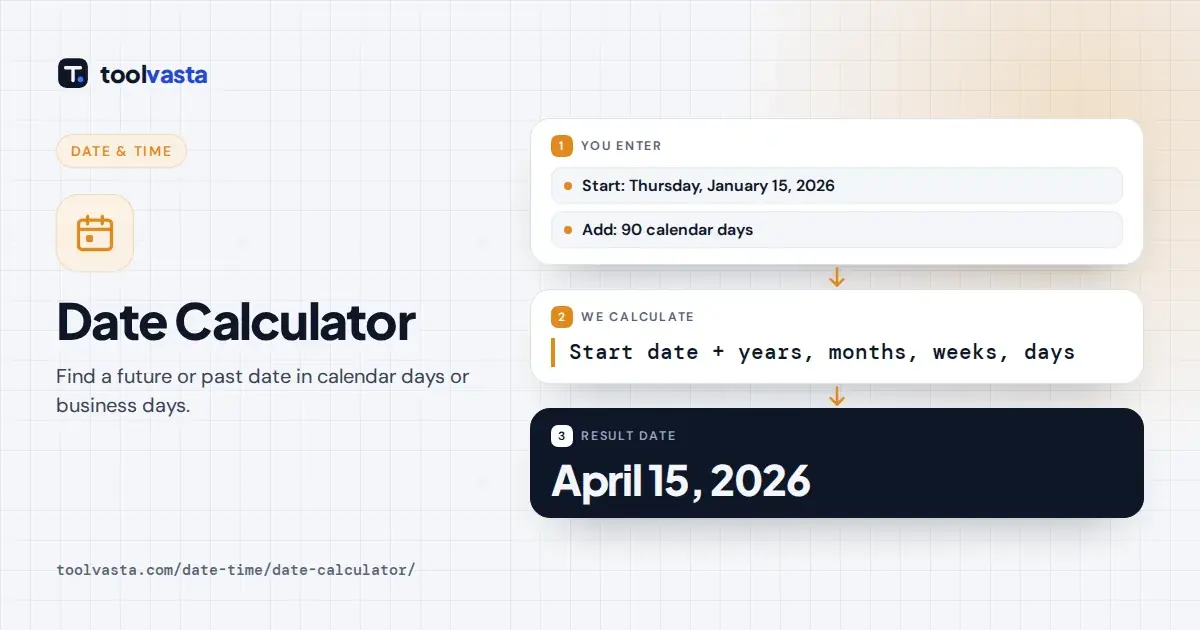
Starting on Thursday, January 15, 2026 and adding 90 days lands on Wednesday, April 15, 2026. The results show that this is 12 weeks and 6 days later, on the 105th day of the year.
Subtracting also works in the same steps. Starting from January 31, 2024 and going back 1 year and 2 weeks gives January 31, 2023, then 14 days earlier, which is 2023-01-17 in the ISO form.
Common questions such as what date is 90 days from today take just one simple step. Press Today, type 90 in the Days box, and read the weekday and date straight from the result panel.
Leap Years and the Gregorian Calendar
Every date follows the Gregorian calendar, introduced by papal decree in 1582. A leap year adds February 29 every fourth year, which keeps the calendar in step with the seasons over the very long term.
Century years are the main exception: they are only a leap year when divisible by 400. That is why 2000 was a leap year, while 1900 was not, and 2100 will not be one either.
The calculator handles all these rules for you automatically. February 29 appears in 2024 and 2028, and counts of days across several years include each extra leap day exactly where it falls in the calendar.
Counting Business Days
Business days mode counts only the working days from Monday to Friday. The start date itself is not counted, so one business day after a Friday is the following Monday, and weekends are always skipped.
Choose Weekends only to skip Saturdays and Sundays alone, or pick a holiday list to skip statutory holidays too. The note under the result then names every holiday that was skipped in the range chosen.
Adding 5 business days from Friday, December 18, 2026 with Ontario holidays skips Christmas and Boxing Day, observed on December 28, and lands on Tuesday, December 29. With weekends only, it lands on December 25.
Canadian Holiday Lists Used
The Canada nationwide list holds the five holidays observed almost everywhere in the country. The federal list follows the Canada Labour Code general holidays for federally regulated workplaces such as banks, airlines and telecom companies.
The federal list adds Easter Monday, Victoria Day, the Civic Holiday, Thanksgiving, Remembrance Day, Boxing Day and the National Day for Truth and Reconciliation from 2021. It covers twelve general holidays in total each year.
The Ontario list follows the provincial Employment Standards Act public holidays, including Family Day in February. In every list, a fixed holiday that lands on a weekend is treated as observed on the next weekday.
| Option | Holidays included |
|---|---|
| Canada nationwide | New Year's Day, Good Friday, Canada Day, Labour Day, Christmas Day |
| Federal (Canada Labour Code) | New Year's Day, Good Friday, Easter Monday, Victoria Day, Canada Day, Civic Holiday, Labour Day, National Day for Truth and Reconciliation (from 2021), Thanksgiving, Remembrance Day, Christmas Day, Boxing Day |
| Ontario (ESA) | New Year's Day, Family Day, Good Friday, Victoria Day, Canada Day, Labour Day, Thanksgiving, Christmas Day, Boxing Day |
How Moving Holidays Are Calculated
Good Friday and Easter Monday follow the date of Easter, which the calculator works out fresh for each year. Family Day falls on the third Monday of February in Ontario and in several other provinces.
Victoria Day is always the last Monday before May 25. The Civic Holiday and Labour Day fall on the first Mondays of August and September, and Thanksgiving is held on the second Monday of October.
For example, starting on Friday, September 25, 2026 and adding 3 business days with the federal list skips Wednesday, September 30, the National Day for Truth and Reconciliation, and then lands on Thursday, October 1.
When a Date Calculator Helps
People use it to work out a deadline, such as a filing date 30 days after a notice, the end of a probation period or the last day to return a purchase for a refund.
At work it helps with a notice period, delivery promises, shipping estimates and invoice due dates. Business day counts matter because a promise of five business days can span a full calendar week or more.
It also helps you plan projects, travel and events. For a contract or legal deadline, check how the document defines days, because some count calendar days and others count only business days or exclude holidays.
Assumptions and Limits
A fixed-date holiday on a Saturday or Sunday is treated as observed on the next weekday. Employers and provinces can each handle this differently, so confirm any deadline that really matters with the original source.
Provincial holidays outside Ontario, such as Saint-Jean-Baptiste Day in Quebec or Heritage Day in Alberta, are not in these lists yet. Use Weekends only and adjust for those dates manually if they apply to you.
Dates use the Gregorian calendar from year 1 to 9999, and all counts ignore time zones and daylight saving time. Results are for planning, so confirm legal and payroll dates with the responsible office directly.
Frequently asked questions
How do I add days to a date?
Enter the start date, choose Add and type the number of days in the Days box. The calculator shows the new date, its weekday and the ISO date instantly, with no button to press.
What date is 90 days from today?
Press Today, enter 90 in the Days box and read the result date. For example, 90 days after Thursday, January 15, 2026 is Wednesday, April 15, 2026, which is 12 weeks and 6 days later.
How are business days counted?
Only Monday to Friday count, and the start date is not included. You can also skip Canadian statutory holidays for the whole country, for federal workplaces or for Ontario using the holiday menu.
What happens when I add a month to January 31?
The result uses the last day of February, because February has no 31st. In 2024 that gives February 29. The same rule applies to other short months, such as adding a month to March 31.
Does the calculator handle leap years?
Yes. Every date is computed on the Gregorian calendar, so February 29 appears in leap years such as 2024 and 2028, and century years count only when divisible by 400.
Which Canadian holidays does the calculator skip?
It offers three lists: the five nationwide holidays, the twelve federal holidays under the Canada Labour Code, and Ontario public holidays under the Employment Standards Act, including Family Day and Boxing Day.