How to Use the Timecode Calculator
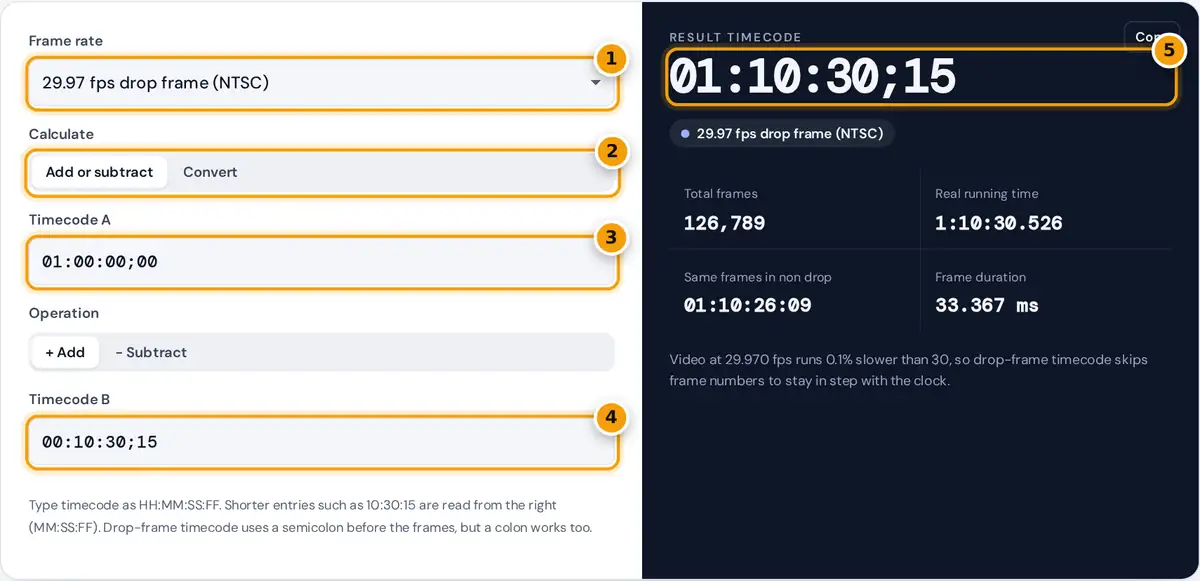
- Choose your project's frame rate, including drop frame if used.
- Choose to add or subtract timecodes, or to convert frames and seconds.
- Type the first timecode as HH:MM:SS:FF.
- Type the second timecode.
- Read the result with total frames and real running time.
Choose the frame rate of your project first, because the same timecode means a different number of frames at 24, 25 or 29.97 fps. In Add or subtract mode, type two timecodes in HH:MM:SS:FF format and pick the operation. This is how editors total the length of several clips, find the duration between an in point and an out point, or offset a sequence start. In Convert mode, enter a number of frames, a real-time length in seconds or a timecode to see the other forms.
The result shows the timecode, the total frame count, the real running time to the millisecond, and, for 29.97 and 59.94 fps, the same frame count written in the other counting mode. Errors explain what to fix, for example a drop-frame timecode that cannot exist.
Timecode Formulas
For integer frame rates such as 24, 25 or 30 fps, a timecode is simply hours, minutes, seconds and frames:
drop frame (29.97): frames = non-drop frames − 2 × (total minutes − total minutes ÷ 10)
real time = frames × 1001 ÷ 30000 seconds
NTSC video runs at 30000/1001, about 29.97 frames per second, slightly slower than 30. Counting it with 30 frame labels per second makes timecode drift behind the clock by about 3.6 seconds per hour. SMPTE drop-frame timecode fixes this by skipping frame numbers 00 and 01 at the start of every minute except minutes divisible by 10. No pictures are dropped, only labels. At 59.94 fps, four numbers are skipped instead of two.
Worked Example
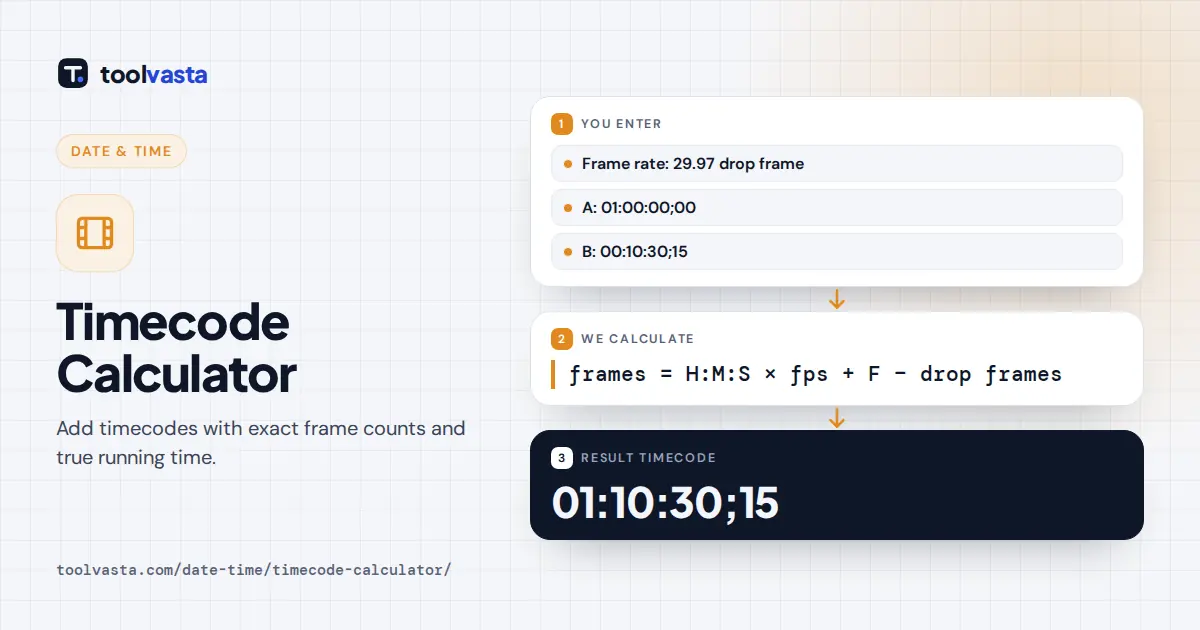
At 29.97 fps drop frame, 01:00:00;00 is 108,000 − 2 × (60 − 6) = 107,892 frames, and 00:10:30;15 is 18,900 + 15 − 2 × (10 − 1) = 18,897 frames. Adding them gives 126,789 frames, which converts back to 01:10:30;15. Its real running time is 126,789 × 1001 ÷ 30000 = 4,230.526 seconds, or 1:10:30.526.
The same 107,892 frames read as 00:59:56:12 in non-drop timecode, which shows the 3.6 second drift that drop frame removes. At 23.976 fps, 00:45:12:20 minus 01:02:03:04 is −24,248 frames, or −00:16:50:08. We checked each result against an independent implementation using exact fractions.
Common Frame Rates
| Frame rate | Exact value | Typical use |
|---|---|---|
| 23.976 | 24000/1001 | Film-style video for North American TV and streaming |
| 24 | 24 | Cinema and digital cinema packages |
| 25 | 25 | PAL broadcast in Europe, Asia and Australia |
| 29.97 DF | 30000/1001 | NTSC broadcast in Canada, the US and Japan |
| 50 | 50 | High frame rate PAL regions and sports |
| 59.94 DF | 60000/1001 | HD broadcast and sports in NTSC regions |
Reading a Timecode
SMPTE timecode has four pairs of digits: hours, minutes, seconds and frames. The frame field counts from 00 up to one less than the nominal rate, so at 25 fps it runs 00 to 24 and then the seconds advance. Editors also use timecode to mark in and out points: the duration of a clip is the out point minus the in point, and adding one frame gives an inclusive count when both ends are kept. Many cameras start each recording at 01:00:00:00 or at the time of day, which is why offsets are such a common calculation.
Tips
- 23.976 fps is always non-drop. The drop-frame scheme only exists for 29.97 and 59.94.
- Check your editing software’s timeline settings. A semicolon before the frames usually means drop frame and a colon means non-drop.
- For broadcast delivery, total durations in drop frame so they match the clock on the station’s schedule.
- Negative results mean timecode B is later than timecode A. Swap them to get a positive duration.
Limits
The calculator does not wrap at 24 hours, so totals over a day show 24 hours or more, which is useful for long projects. Converting seconds to frames rounds to the nearest whole frame. Audio sample timing and subframes are not covered.
Frequently asked questions
How do you add timecodes?
Convert each timecode to a frame count at the project's frame rate, add the frame counts, then convert the total back to hours, minutes, seconds and frames. The calculator does this exactly, including drop-frame rules.
What is drop-frame timecode?
A way of numbering 29.97 fps video so the timecode matches clock time. Frame numbers 00 and 01 are skipped at the start of each minute except every tenth minute. No video frames are actually removed.
Why does 29.97 fps exist?
When color was added to NTSC television, the frame rate was lowered by 0.1% to 30000/1001 to avoid interference between the color and sound signals. Canada and the United States still use it.
How many frames are in an hour of 29.97 video?
An hour of real clock time contains exactly 107,892 frames. In drop-frame timecode that is exactly 01:00:00;00, while non-drop timecode reads 00:59:56:12 at the same point.
How do I convert frames to timecode?
Switch to Convert, choose the frame rate, enter the number of frames and keep the unit as frames. For example, 10,000 frames at 29.97 drop frame is 00:05:33;20, about 333.667 seconds.
Is 23.976 drop frame?
No. 23.976 fps always uses non-drop timecode, so its timecode runs slightly slower than the clock, by about 3.6 seconds per hour. Drop-frame counting is defined only for 29.97 and 59.94 fps.