How to use the time calculator
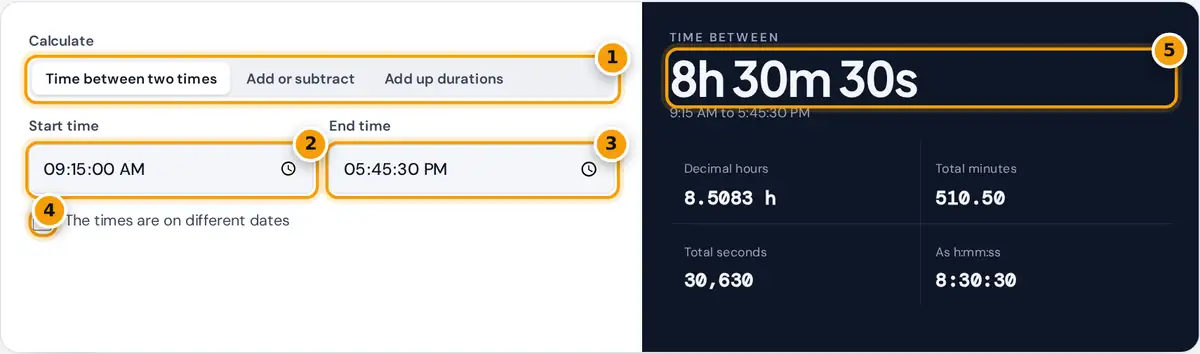
- Choose a mode: time between two times, add or subtract, or add up durations.
- Enter the start time.
- Enter the end time.
- Tick this if the times fall on different dates, such as an overnight shift.
- Read the time between, with decimal hours, minutes and seconds below.
The calculator has three modes:
- Time between two times: enter a start and end time to get the elapsed time in hours, minutes and seconds. If the end time is earlier than the start, it is treated as the next day, which suits night shifts. Tick the dates box when the times are more than a day apart.
- Add or subtract: start from a date and time, then add or subtract any number of days, hours, minutes and seconds. The result shows the new date, weekday and time.
- Add up durations: type one duration per line, such as 1:45, 2h 20m or 45m, and get the total. Lines that start with a minus sign are subtracted.
How to calculate time between two times
Convert both times to seconds after midnight, subtract the start from the end, and add 24 hours if the result is negative. Then split the seconds back into hours, minutes and seconds.
elapsed = end − start (add 86,400 if negative)
decimal hours = elapsed ÷ 3,600
Worked example
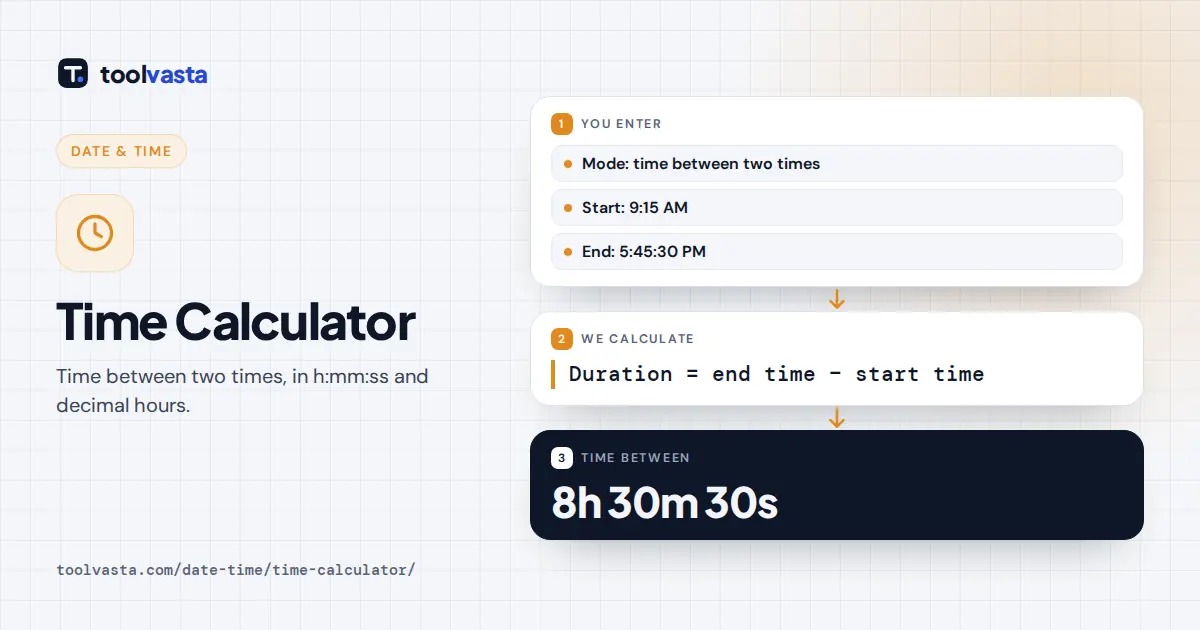
From 9:15:00 AM to 5:45:30 PM: the start is 33,300 seconds after midnight and the end is 63,930 seconds. The difference is 30,630 seconds, which is 8 hours 30 minutes 30 seconds, or 8.5083 decimal hours. A night shift from 10:30 PM to 6:15 AM gives −58,500 seconds, plus 86,400, which is 27,900 seconds or 7 hours 45 minutes.
Adding and subtracting time
To add time, convert everything to seconds, add it to the starting date and time, and convert back. Adding 1 day, 10 hours and 45 minutes to Thursday, October 1, 2026 at 2:30 PM gives Saturday, October 3, 2026 at 1:15 AM. Subtracting the same amount gives Wednesday, September 30, 2026 at 3:45 AM.
Adding up a list of times
The sum mode is handy for timesheets, playlists, workout logs and video edits. The default list, 1:45:30 + 2h 20m − 15m + 0:50, totals 4 hours 40 minutes 30 seconds. Results above 24 hours stay as hours, so 30 hours shows as 1d 6h 0m and 30:00:00.
Decimal hours conversion
| Minutes | Decimal hours | Minutes | Decimal hours |
|---|---|---|---|
| 5 | 0.0833 | 35 | 0.5833 |
| 10 | 0.1667 | 40 | 0.6667 |
| 15 | 0.25 | 45 | 0.75 |
| 20 | 0.3333 | 50 | 0.8333 |
| 25 | 0.4167 | 55 | 0.9167 |
| 30 | 0.5 | 60 | 1 |
Notes
- Clock arithmetic ignores daylight saving changes. On the night clocks change, real elapsed time is one hour more or less than the clock difference.
- Seconds are optional. Leave them at zero if you only need hours and minutes.
- For pay calculations with breaks and overtime, use the time clock or hours calculators in this section.
Frequently asked questions
How do I calculate the time between two times?
Subtract the start time from the end time. If the result is negative, add 24 hours because the end is on the next day. For example, 9:15 AM to 5:45 PM is 8 hours 30 minutes.
How do I calculate time across midnight?
Treat the end time as the next day. 10:30 PM to 6:15 AM is 1 hour 30 minutes before midnight plus 6 hours 15 minutes after, which is 7 hours 45 minutes.
How do I convert minutes to decimal hours?
Divide the minutes by 60. 30 minutes is 0.5 hours, 45 minutes is 0.75 hours and 20 minutes is about 0.3333 hours.
Can I add more than 24 hours?
Yes. Enter any number of days, hours, minutes and seconds in the add or subtract mode, or list long durations in the sum mode.
Does the calculator handle daylight saving time?
No. It does clock arithmetic, so on the day clocks change the actual elapsed time differs by one hour.