How to Use the Timelapse Calculator
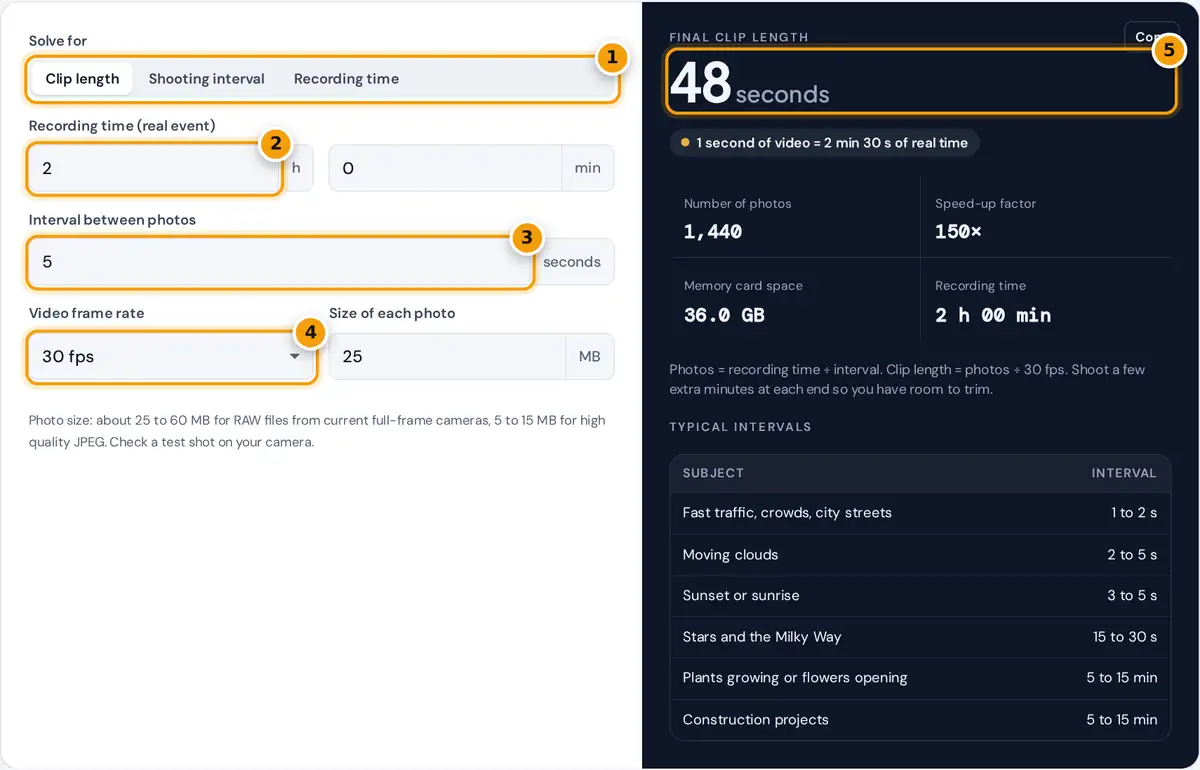
- Choose what to solve for: clip length, interval or recording time.
- Enter how long the event or recording lasts.
- Enter the interval between photos in seconds.
- Choose the video frame rate you will edit at.
- Read the clip length, photo count, speed-up and card space.
Pick what you want to solve for. Clip length answers “how long will my video be?” from the recording time and the interval. Shooting interval answers “how often should the camera fire?” when you know how long the event lasts and how long the finished clip should be. Recording time tells you how long to shoot to fill a clip at a given interval. Then choose the frame rate you will edit at and the size of one photo, from a test shot on your camera.
The result gives the answer plus the number of photos, the speed-up factor (how many times faster than real life the video plays) and the memory card space the shoot needs. The table lists common starting intervals for popular subjects.
Timelapse Formulas
clip length = photos ÷ frame rate
interval = recording time ÷ (clip length × frame rate)
speed-up = interval × frame rate
Each photo becomes one frame of the video. At 30 fps you need 30 photos for every second of finished footage, so the frame rate and the interval together decide how much the action speeds up. The photo count is rounded down to whole shots.
Worked Example
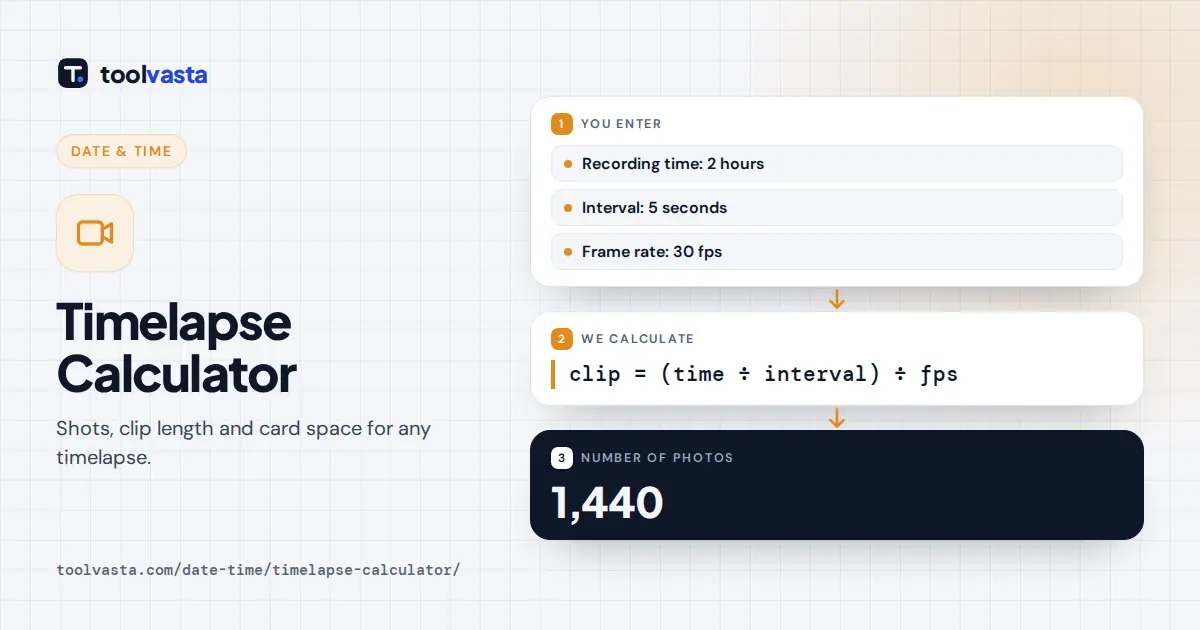
You want to film clouds over a lake for 2 hours with one photo every 5 seconds. That is 7,200 ÷ 5 = 1,440 photos. At 30 fps the clip runs 1,440 ÷ 30 = 48 seconds, and the action plays 5 × 30 = 150 times faster than real life, so each second of video shows 2 minutes and 30 seconds of sky. At 25 MB per RAW file, the shoot fills 36 GB of card space.
Working backwards: to fit a 2 hour sunset into a 30 second clip at 30 fps you need 900 photos, so the interval is 7,200 ÷ 900 = 8 seconds. To make a 30 second clip at a 5 second interval, you must record for 900 × 5 = 4,500 seconds, which is 1 hour 15 minutes. We checked these numbers with a separate script.
| Recording time | Interval | Photos | Clip at 24 fps | Clip at 30 fps |
|---|---|---|---|---|
| 30 min | 2 s | 900 | 37.5 s | 30 s |
| 1 h | 5 s | 720 | 30 s | 24 s |
| 2 h | 5 s | 1,440 | 60 s | 48 s |
| 4 h | 20 s | 720 | 30 s | 24 s |
| 8 h | 30 s | 960 | 40 s | 32 s |
Choosing the Right Interval
Fast subjects need short intervals, or the motion looks jumpy. Slow subjects need long intervals, or nothing seems to happen. A useful rule is to decide the speed-up first: if clouds should cross the frame in about 5 seconds of video and take 10 minutes in real life, you need a speed-up of 120, which at 30 fps is a 4 second interval. For night skies, the interval must be at least as long as the exposure plus a second or two for the camera to write the file.
Tips for Better Timelapses
- Use manual exposure, manual focus and a fixed white balance, so the brightness and color do not flicker between frames.
- A sturdy tripod is essential. Even small bumps show as jumps in the finished clip.
- For day to night transitions, use aperture priority with smoothing in editing software, or ramp the exposure gradually.
- Bring spare batteries for long shoots. Cold weather and long exposures drain them faster.
- Format the card before you start and check the count against the card space shown here.
Limits
Card space is an estimate, because RAW and JPEG file sizes change with scene detail and ISO. Shutter life ratings vary between camera models, so very long or repeated timelapses may be better shot with an electronic shutter or a dedicated timelapse camera.
Frequently asked questions
How do I calculate timelapse interval?
Divide the recording time by the number of photos you need, which is the clip length times the frame rate. For a 30 second clip at 30 fps from a 2 hour event, 7,200 seconds divided by 900 photos is 8 seconds.
How many photos do I need for a 30 second timelapse?
At 30 fps you need 900 photos, at 25 fps 750 photos and at 24 fps 720 photos. Each photo becomes one frame of the finished video.
What is a good interval for a cloud timelapse?
Most photographers start with 2 to 5 seconds for moving clouds. Fast storm clouds suit 1 to 2 seconds, while slow high clouds can use 5 to 10 seconds.
How long will a 2 hour timelapse be?
It depends on the interval. At one photo every 5 seconds you get 1,440 photos, which plays for 48 seconds at 30 fps or 60 seconds at 24 fps.
What frame rate should I use for a timelapse?
24 or 25 fps gives longer clips from the same number of photos and a cinematic look. 30 fps is common for online video. Match the frame rate of the project you will edit in.
How much memory card space does a timelapse need?
Multiply the number of photos by the size of one file. 1,440 RAW files at 25 MB each need about 36 GB. Shoot JPEG to save space if you do not need RAW editing.