How to Use the Hours Calculator
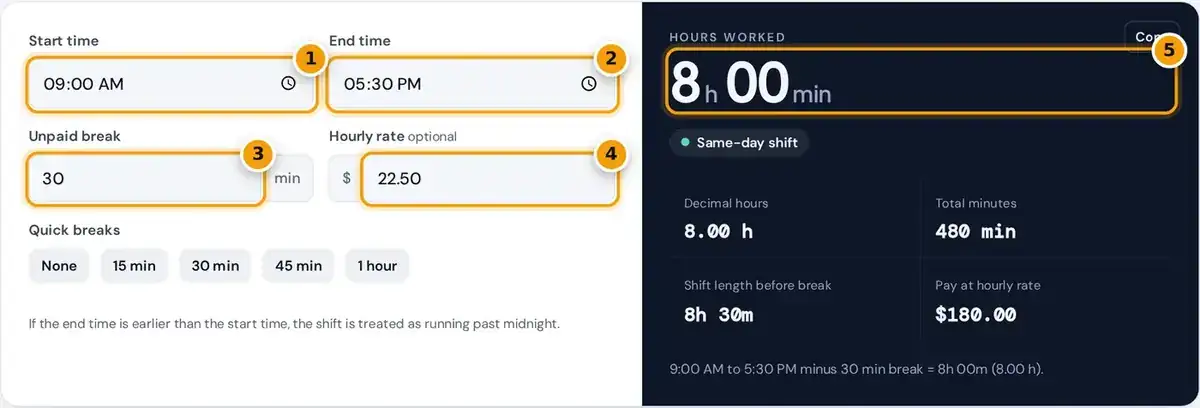
- Enter the start time of the shift.
- Enter the end time. An earlier end time is treated as an overnight shift.
- Enter the unpaid break in minutes, or tap a quick break button.
- Optional: add your hourly rate to see pay for the shift.
- Read hours worked, decimal hours for your timesheet and total pay.
Enter the start time and end time of the shift, then the length of any unpaid break in minutes. Use the quick breaks buttons to set none, 15, 30, 45 or 60 minutes at once.
Add an hourly rate if you want to see the pay for that shift. The rate is optional, and the time results appear whether or not you enter a rate, updating instantly as you type.
The result shows hours worked in hours and minutes, decimal hours, total minutes, the shift length before the break and the pay. Press Copy to grab a one line summary for your timesheet or notes.
How the Hours Are Calculated
The calculator subtracts the start time from the end time to get the total shift length, then removes any unpaid break you entered. The answer appears in hours and minutes and also as decimal hours.
if end ≤ start: add 24 hours (overnight)
decimal hours = minutes worked ÷ 60
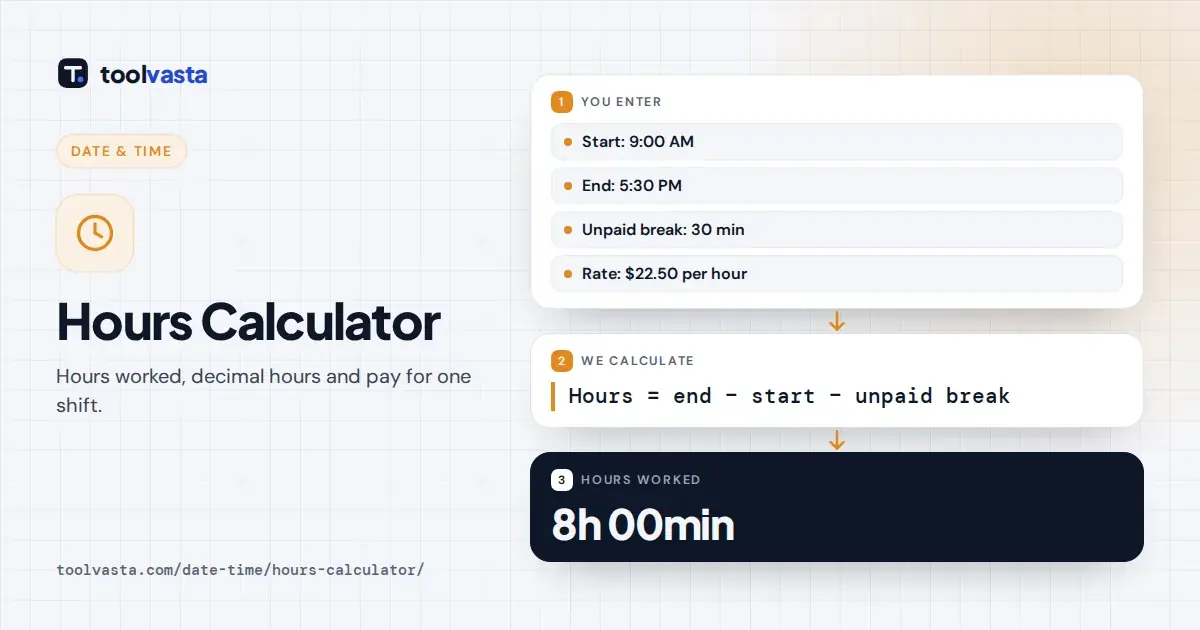
For example, a shift from 9:00 AM to 5:30 PM is 8 hours 30 minutes, or 510 minutes. Take away a 30 minute unpaid lunch and you are left with 480 total minutes actually worked.
That is 8h 00m, or 8.00 decimal hours. Working in minutes first avoids the most common arithmetic mistakes, because hours and minutes use base 60 rather than base 10 when you add or subtract them.
Overnight Shifts
When the end time is earlier than the start, the calculator treats the overnight shift as running past midnight. It adds 24 hours to the end time and marks it as ending the next day.
A night shift from 10:00 PM to 6:15 AM works out like this: 6:15 plus 24:00, minus 22:00, equals 8 hours 15 minutes. With a 45 minute break, the actual time worked is 7h 30m.
That equals 7.50 decimal hours. A longer example, 1:45 PM to 1:15 AM, spans 11 hours 30 minutes before any break. If start and end are identical, the shift counts as a full 24 hours.
Converting Minutes to Decimal Hours
Payroll systems use decimal hours, so 7 hours 45 minutes is 7.75 hours, not 7.45. To convert, divide the minutes by 60 and add the result to the whole hours before multiplying by a rate.
| Minutes | Decimal hours | Minutes | Decimal hours |
|---|---|---|---|
| 5 | 0.08 | 35 | 0.58 |
| 10 | 0.17 | 40 | 0.67 |
| 15 | 0.25 | 45 | 0.75 |
| 20 | 0.33 | 50 | 0.83 |
| 25 | 0.42 | 55 | 0.92 |
| 30 | 0.50 | 60 | 1.00 |
To go back to minutes, multiply the decimal part by 60. For example, 0.4 hours is 24 minutes, so 40.4 hours on a pay stub means 40 hours and 24 minutes of recorded work time.
Typing 7.45 instead of 7.75 underpays a shift by 18 minutes. Over a year of shifts, that small entry error really adds up, which is why the calculator always shows both formats side by side.
Turning Hours Into Pay
To work out pay, multiply the decimal hours by the hourly rate. With the default rate of $22.50 and 8.00 hours worked, the pay is $180.00 before deductions such as income tax, CPP and EI.
Freelancers can use the same result for billing. Turn a start and end time into billable decimal hours, then copy the figure onto an invoice for the client along with your agreed hourly billing rate.
The pay figure covers one shift at one rate. It does not add overtime premiums, shift differentials or vacation pay, so check those separately against your contract or your pay stub for that pay period.
Paid and Unpaid Breaks
Only enter breaks that are unpaid. In Ontario, the Employment Standards Act guide says an employee must not work more than five hours in a row without a 30 minute eating period, unpaid by default.
Short coffee breaks are often paid, so leave them in the worked time instead of entering them in the break box. A paid lunch also stays in the total, since you are paid for it.
Rules differ between provinces and between federally regulated workplaces, and your employment contract may be more generous. When in doubt, check with your employer or payroll office before you subtract any break from your hours.
Rounding and Timesheets
As a timesheet hours calculator, this tool uses exact minutes with no rounding. Some employers round punch times to the nearest quarter hour, 15 minutes, which can move each shift a little in either direction.
Under the common 7-minute rule, one to seven minutes past a quarter hour round down, and eight to fourteen round up. Some billing systems instead round to every 6 minutes, one tenth of an hour.
If your employer uses rounding, compare the exact result here with your actual pay stub. Rounding should be neutral over time, so a pattern of always rounding down is worth raising with your payroll department.
12-Hour and 24-Hour Times
The time boxes follow your device settings, so they may show AM and PM or a 24-hour clock. Both give exactly the same result, because the calculator works in minutes after midnight behind the scenes.
Remember that 12:00 AM is midnight and 12:00 PM is noon, a common source of timesheet errors. In 24-hour clock format, midnight is 00:00 and noon is 12:00, with no AM or PM letters needed.
A shift from 11:00 PM to 7:00 AM is 8 hours, not 16. If a result looks far too long or short, check whether AM and PM were accidentally swapped when the times were entered.
Limits
The tool handles one shift of up to 24 hours at a time. For a weekly total with overtime and a downloadable timesheet, use a time clock calculator that adds several days of shifts together.
Times are wall-clock times, so a shift that crosses a daylight saving time change will be off by one hour. The National Research Council sets out when clocks change in Canada each spring and fall.
In spring, a night shift that crosses the change is one hour shorter than the clock times suggest, and in fall it is one hour longer. Adjust the result by hand for those two nights.
Frequently asked questions
How do I calculate hours worked?
Subtract the start time from the end time, then subtract any unpaid break. For 8:30 AM to 5:00 PM with a 30 minute lunch, 8 hours 30 minutes minus 30 minutes equals 8 hours.
How do I calculate hours for an overnight shift?
Add 24 hours to the end time when it is earlier than the start. The calculator does this automatically, so a shift from 10:00 PM to 6:00 AM counts as 8 hours before breaks.
How do I convert hours and minutes to decimal hours?
Divide the minutes by 60 and add them to the hours. For example, 7 hours 45 minutes is 7 plus 45 divided by 60, which is 7.75 hours, not 7.45.
Should I subtract my lunch break?
Subtract it only if it is unpaid. Paid breaks count as time worked, so leave them in the total. In Ontario, the 30 minute eating period is unpaid unless your contract says otherwise.
How many hours is 9 to 5?
A shift from 9:00 AM to 5:00 PM is 8 hours before breaks. With a 30 minute unpaid lunch, the time worked is 7 hours 30 minutes, or 7.50 decimal hours.
Does the calculator round my hours?
No. It uses exact minutes, so the result matches the clock times you enter. If your employer rounds to the nearest quarter hour, your pay stub may differ by a few minutes per shift.