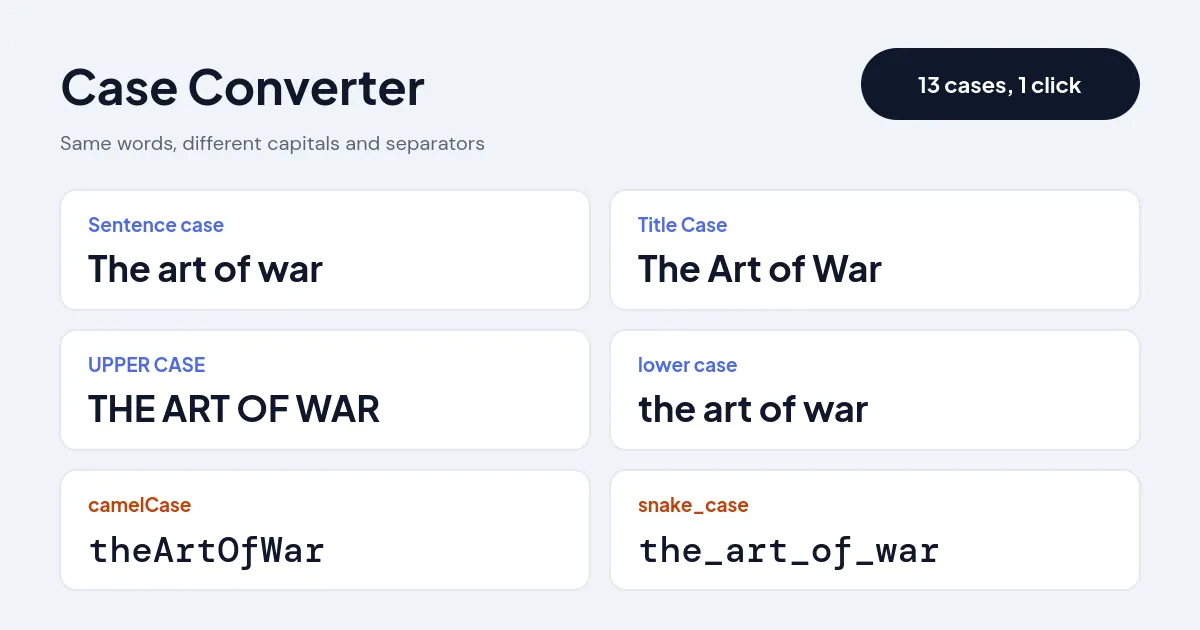
Quick answer: A case converter changes the capitalization of text without retyping it. Paste your text into this case converter, pick a style and copy the result: Sentence case, Title Case, UPPER CASE, lower case, or developer formats such as camelCase and snake_case. For example, "the art of war" becomes "The Art of War" in title case.
What Does Changing Text Case Mean?
A case converter is a text tool that switches letters between capitals and lowercase according to a rule, such as capitalizing only the first word of each sentence or every major word of a headline. It saves you from retyping a paragraph that was written with Caps Lock on, or from fixing a title word by word.
This converter offers 13 styles. Writing styles cover sentence case, title case, upper case, lower case and capitalize each word. Fun styles cover alternating and inverse case. Developer styles turn a phrase into camelCase, PascalCase, snake_case, kebab-case, CONSTANT_CASE or dot.case, stripping spaces and punctuation for you. Acronyms such as NASA and brand names such as iPhone stay as they are unless you untick the option. For headlines that need exact length, check the result in the character counter.
How Do You Switch Text to Sentence, Title or Upper Case?
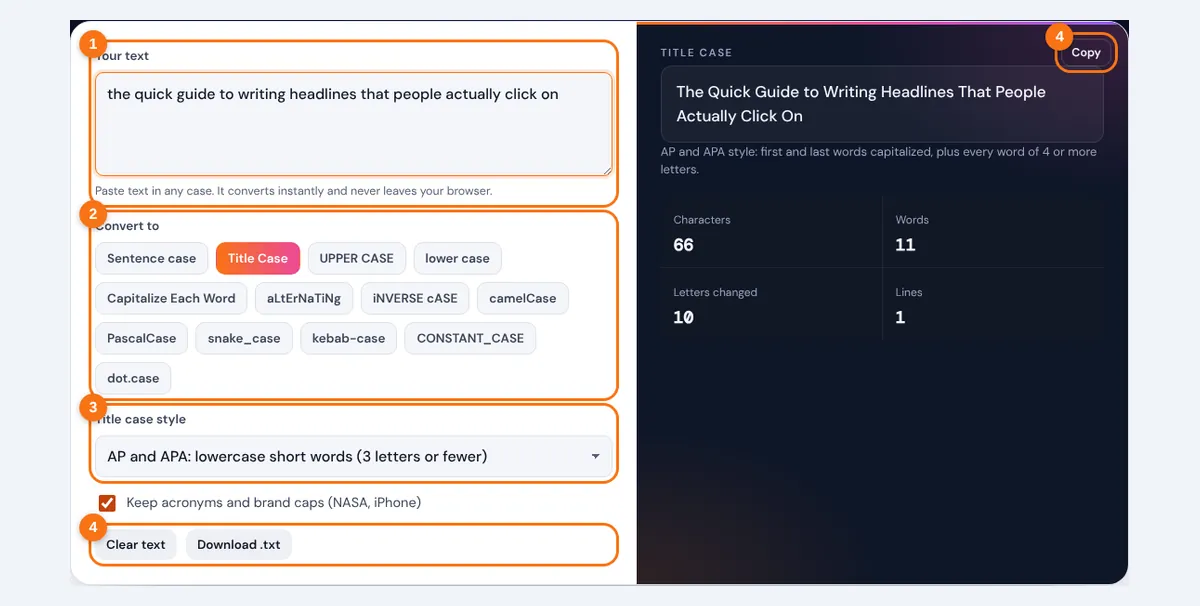
- Type or paste your text into the box. Multiple lines and paragraphs are fine.
- Choose a case style. The converted text appears straight away on the right.
- For Title Case, pick AP and APA style or Chicago style, and decide whether to keep acronyms in capitals.
- Press Copy to put the result on your clipboard, or Download .txt to save it as a file.
The tool converts each line separately, so a list of headings or variable names stays a list. Nothing is uploaded; the conversion runs in your browser.
What Are the Rules for Title Case?
Title case capitalizes the first word, the last word and every major word, and keeps short minor words in lowercase. The style guides only disagree about which small words count as minor.
Chicago: lowercase articles, and, but, for, or, nor, and every preposition whatever its length
All styles: capitalize the first and last word and the first word after a colon
The APA Style guidance on title case uses the 4-letter rule, which is also what AP follows for news headlines. Chicago is common in book publishing and treats prepositions such as "through" and "without" as minor words.
Worked example: "a walk through the park without fear" becomes "A Walk Through the Park Without Fear" in AP and APA style, because "through" and "without" have more than 3 letters. In Chicago style it becomes "A Walk through the Park without Fear".

| Original | AP and APA | Chicago |
|---|---|---|
| gone with the wind | Gone With the Wind | Gone with the Wind |
| what i learned from the war of the worlds | What I Learned From the War of the Worlds | What I Learned from the War of the Worlds |
| how to bake bread at home | How to Bake Bread at Home | How to Bake Bread at Home |
| a guide for the perplexed | A Guide for the Perplexed | A Guide for the Perplexed |
Sentence case is the simpler alternative: capitalize only the first word and proper nouns. Many newsrooms and app interfaces now prefer it for headings because it reads more naturally. Whichever style you pick, use it on every heading of a document.
Which Case Should You Use in Code?
Use the convention of the language or framework you are writing in, because consistent naming makes code easier to scan. Python's official style guide, PEP 8, asks for snake_case functions and variables, PascalCase classes and CONSTANT_CASE constants, while JavaScript and Java use camelCase for variables and functions.
| Case | "user first name" becomes | Common use |
|---|---|---|
| camelCase | userFirstName | JavaScript and Java variables and functions |
| PascalCase | UserFirstName | Class names, React components, C# methods |
| snake_case | user_first_name | Python variables, database columns |
| kebab-case | user-first-name | URLs, CSS classes, file names |
| CONSTANT_CASE | USER_FIRST_NAME | Constants and environment variables |
| dot.case | user.first.name | Config keys and translation keys |
The converter also splits existing camelCase, so "XMLHttpRequest" becomes "xml_http_request" in snake_case. Once your copy is in the right case, the word counter checks its length, and the small caps generator gives headings a different look on social profiles.
Related Tools
- Word Counter
- Character Counter
- Small Caps Generator
- Bold Text Generator
- Upside Down Text Generator
- Essay Title Generator
Cleaning up copied text? Our guide shows how to remove line breaks and clean up pasted text, step by step.
Frequently asked questions
What is sentence case?
Sentence case capitalizes only the first letter of each sentence and proper nouns, like normal prose. "How to Write a Cover Letter" in sentence case is "How to write a cover letter".
What is the difference between Title Case and Capitalize Each Word?
Title case leaves minor words such as "of", "the" and "and" in lowercase unless they come first or last. Capitalize Each Word capitalizes every word, so you get "The Art Of War" instead of "The Art of War".
Which words should not be capitalized in a title?
Articles (a, an, the), coordinating conjunctions (and, but, or, nor, for) and short prepositions (in, on, at, of, to, by) stay lowercase unless they are the first or last word. Chicago also lowercases longer prepositions such as "between" and "without".
How do I change uppercase to lowercase in Word or Google Docs?
In Microsoft Word, select the text and press Shift+F3 to cycle through lowercase, UPPERCASE and Capitalize Each Word. In Google Docs, use Format, then Text, then Capitalization. For title case or code formats, paste the text here instead.
Is camelCase the same as PascalCase?
No. camelCase starts with a lowercase letter (userName), while PascalCase starts with a capital (UserName). PascalCase is sometimes called upper camel case.
Why did my acronym turn into lowercase?
If most of your text is in capitals, the converter treats it as shouting and lowercases everything so the result reads normally. Fix the acronym by hand, or convert only the lowercase parts.