How to Use the Strikethrough Text Generator
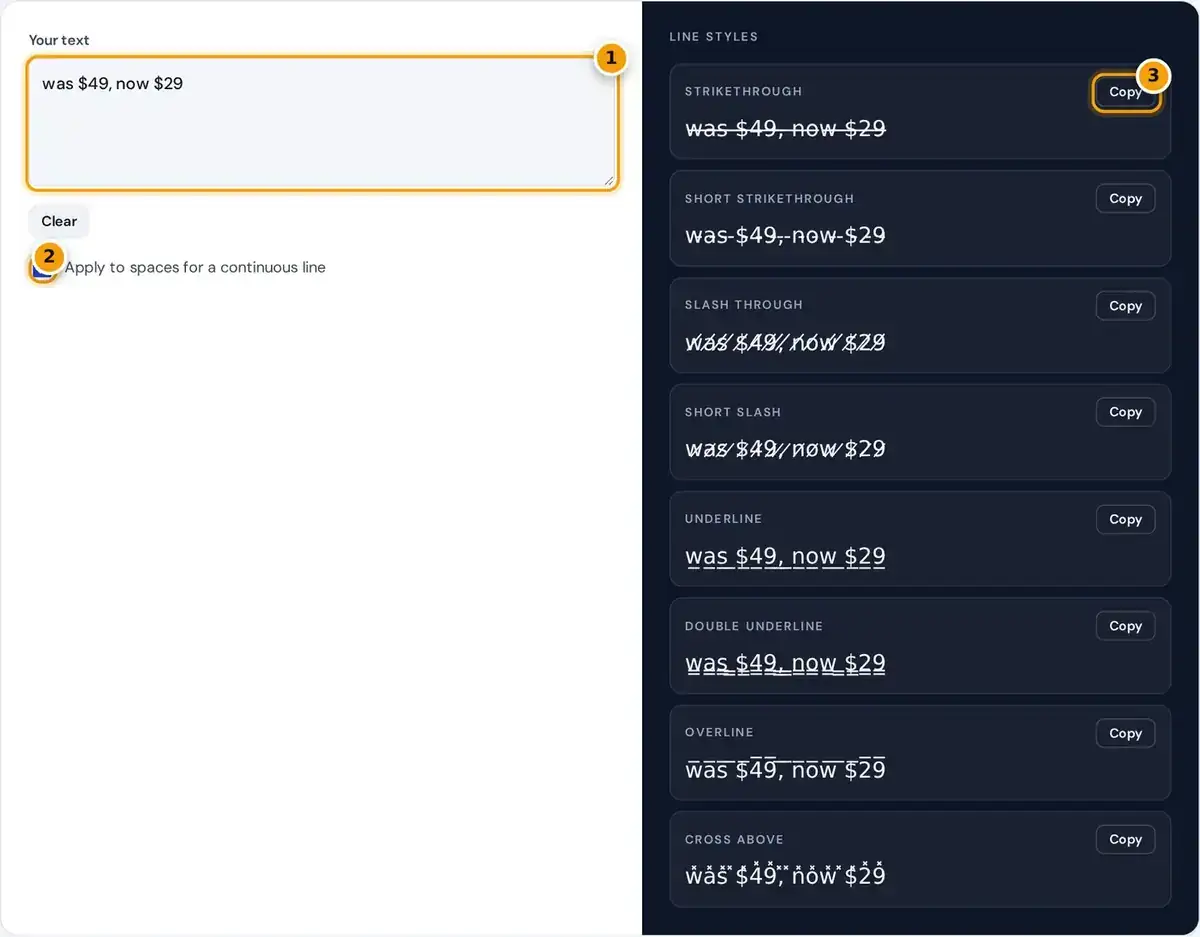
- Type or paste the text you want to cross out.
- Keep Apply to spaces ticked for one continuous line.
- Copy the strikethrough version, or any of the 7 other line styles below.
Type or paste text into the box, and the strikethrough text generator shows it in eight line styles at once. Each style has its own Copy button, so you can grab the look you want.
Keep Apply to spaces ticked for one continuous line through a whole phrase, or untick it to strike each word separately and leave the gaps between words clean. Clear empties the box for new text.
Press Copy next to a style, then paste the result into a caption, bio, comment, chat or display name. The output is ordinary text, so it keeps its lines intact wherever the app accepts it.
How Unicode Strikethrough Works
Strikethrough text is made with Unicode combining characters. A combining character has no width of its own, and the device draws it on top of the character that comes immediately before it in the string.
underline = each character + U+0332 slash = each character + U+0338
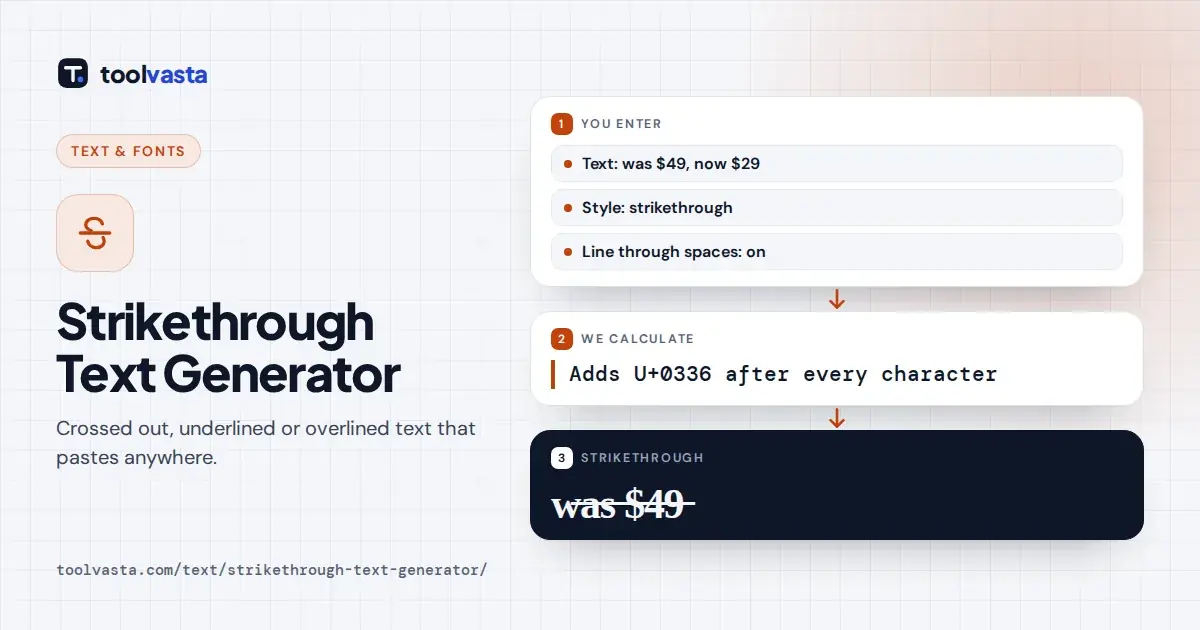
Adding the combining long stroke overlay, code point U+0336, after every letter draws a line through the whole word. Other combining marks from the same block create underlines, slashes and overlines in the same way.
Because the result is plain text rather than formatting, it survives copy and paste. Styling applied with HTML or a word processor disappears when pasted into most apps, while these characters travel with the text.
Worked Example
Take the short word ab. It becomes a, then U+0336, then b, then U+0336 once again, which displays as a̶b̶. The string is now four characters long, even though it still looks like two letters.
That doubling matters for any character limit. Each visible letter becomes two characters, so struck text uses about twice the space in a bio or display name, and some counters show a higher character count.
The default example, was $49, now $29, is a typical short sale message. Striking only the old price makes the change clear at a glance, while the new price stays easy to read and search.
Line Styles and Code Points
The generator offers eight styles, each built from one combining mark. The table lists every mark with its official name and a short sample, and all of them follow the Unicode combining diacritical marks chart.
| Style | Combining mark | Sample |
|---|---|---|
| Strikethrough | U+0336 long stroke overlay | t̶e̶x̶t̶ |
| Short strikethrough | U+0335 short stroke overlay | t̵e̵x̵t̵ |
| Slash through | U+0338 long solidus overlay | t̸e̸x̸t̸ |
| Short slash | U+0337 short solidus overlay | t̷e̷x̷t̷ |
| Underline | U+0332 low line | t̲e̲x̲t̲ |
| Double underline | U+0333 double low line | t̳e̳x̳t̳ |
| Overline | U+0305 overline | t̅e̅x̅t̅ |
| Cross above | U+033D x above | t̽e̽x̽t̽ |
Short strikethrough draws a shorter bar that can look neater in some wide fonts. Slash through and short slash cross letters diagonally, while underline, double underline and overline sit below or above the text instead.
How neat the line looks depends on the font in the app. In some fonts the strokes join into a smooth line, and in others small gaps appear between letters, especially around spaces and punctuation.
Strikethrough Text Copy Paste for Social Media
Strikethrough text copy paste works in most places that already accept emoji characters. Instagram captions, comments and bios take it, which matters because Instagram has no strikethrough button of its own anywhere in the app.
TikTok bios, captions and comments accept it too, and so do posts and comments on Facebook, X and LinkedIn. Some profile name fields strip combining marks, so always check the final result after you save.
For WhatsApp group names and About text, copy paste strikethrough text from this page. In ordinary WhatsApp chats you can also simply wrap words in single tildes, which applies WhatsApp's own built-in strikethrough formatting instead.
Discord, WhatsApp and Real Formatting
Discord supports real strikethrough in messages by wrapping text in double tildes, like ~~text~~. That Markdown formatting is better than Unicode because it stays accessible and searchable for everyone reading in the channel or server.
Use the Unicode version on Discord only where Markdown does not work, such as a nickname, display name, custom status or server name. The same rule applies to any other app with its own formatting.
On web pages, the HTML s and del elements mark struck text properly for browsers and assistive tools. Word processors and email editors also have a strikethrough button, which is usually the better choice there.
Common Uses
The most common use is showing an old price next to a sale price, such as was $49, now $29. Shoppers see the saving instantly, and the struck figure makes the discount feel more concrete.
Crossing out a completed task in a list posted to social media shows clear progress without deleting anything. The same idea works for goals, packing lists and event schedules that followers check through the day.
Writers use strikethrough for a visible correction or a joke, where a first thought is struck out and replaced with the real message. Keep these short, because long struck passages quickly become hard to read.
Accessibility and Search Caveats
Many screen readers ignore the combining lines entirely, so a listener will not know the text is crossed out. Do not rely on strikethrough alone to convey meaning, such as a cancelled price or date.
People using assistive technology such as screen readers may miss your point, so add a plain word like sold or updated where it matters. The W3C introduction to web accessibility explains why this helps everyone.
Do not strike hashtags or keywords, because search features match normal letters and styled words are usually not found. Combining marks also look poor on most emoji, and older devices may show empty boxes instead.
Frequently asked questions
How do I cross out text on Instagram?
Instagram has no strikethrough button. Type your text above, copy the strikethrough style and paste it into your caption, comment or bio. The line comes from Unicode characters, so it stays after posting.
How do I strikethrough in Discord?
Discord supports real strikethrough by wrapping text in double tildes, like ~~text~~. Use Unicode strikethrough only where Markdown does not work, such as nicknames, display names or server names.
Why does the line have gaps?
Each letter gets its own stroke, and the font decides how far the stroke extends. Some fonts leave small gaps, especially around spaces, so try the short strikethrough style or another app's font.
Does strikethrough text count as more characters?
Yes. Each visible letter becomes two characters, the letter plus the combining mark, so struck text uses about double the character limit in bios, names and posts.
Can I make double strikethrough text?
Unicode has no true double strikethrough mark. Adding the long stroke overlay twice usually looks the same as once, so use double underline or slash through if you want a stronger effect.
Can screen readers read strikethrough Unicode?
Many screen readers ignore the combining lines, so the listener will not know the text is crossed out. Do not rely on it to convey meaning such as a cancelled price.