How to Use the Italic Text Generator
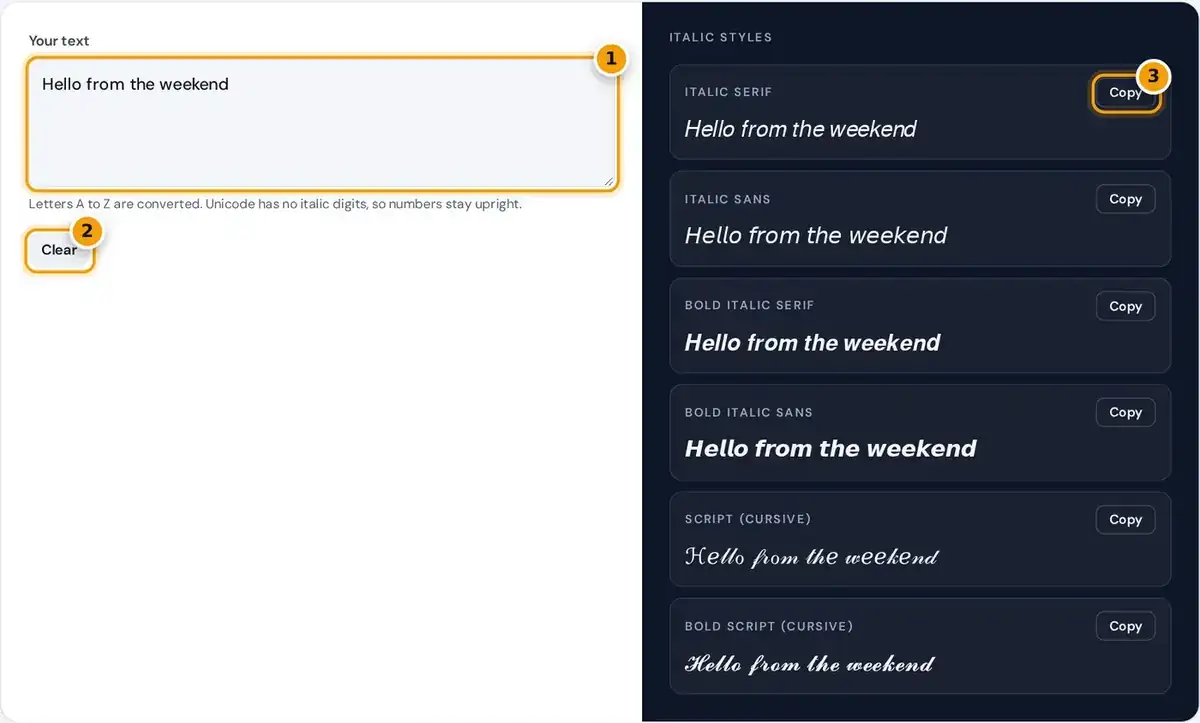
- Type or paste your text. Letters turn italic as you type.
- Clear the box to start again.
- Press Copy next to the italic style you like, then paste it anywhere.
Type or paste your text into the box. Six styles update as you type, from a classic italic serif to a flowing bold script, so you can compare them side by side before choosing one.
Press the Copy button beside a style, then paste it wherever you want slanted text, such as an Instagram caption, a TikTok bio or a Discord message. Press Clear to start again with new text.
People often search for an italic font generator, but nothing is installed. The tool swaps each letter for a special character, so the result pastes as italic text into apps that offer no formatting options.
How Unicode Italics Work
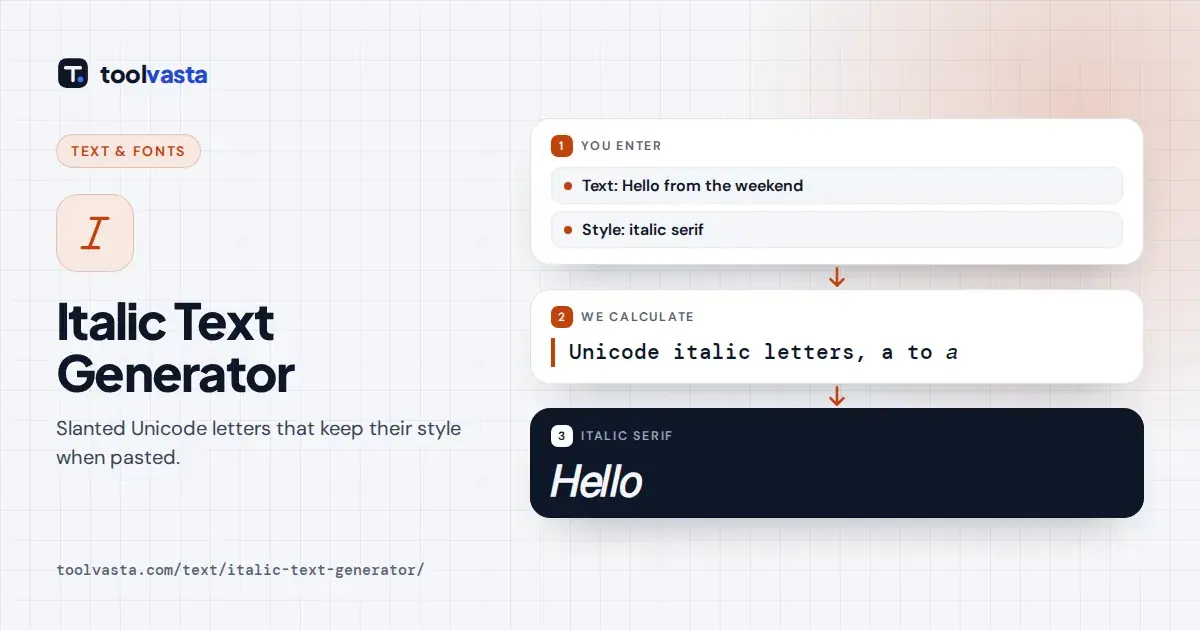
Most apps strip formatting when you paste, so this tool replaces each letter with a Unicode character that is drawn in italics. It is not a font: it survives copy and paste as plain text.
italic small = U+1D44E + (letter position − 1)
exception: italic small h is U+210E (ℎ), the Planck constant symbol
These characters come from the Mathematical Alphanumeric Symbols block, added so mathematicians could write distinct italic, bold italic and script letters. Each one has its own code point, such as U+1D434 for italic capital A.
The Unicode technical report on mathematics describes these letters as symbols for formulas, not for styling ordinary text. That is why the characters paste almost everywhere, yet behave oddly for screen readers and search engines.
Example: Converting Hello
Take the word Hello. The capital H is letter 8 of the alphabet, so its italic form is U+1D434 + 7 = U+1D43B (𝐻). The small e is letter 5, giving U+1D44E + 4 = U+1D452 (𝑒) in the italic output.
Put together, the word Hello becomes 𝐻𝑒𝑙𝑙𝑜. Each styled letter uses a longer code than a normal letter, so styled text may count as more characters in apps with strict length limits, such as profile bios.
A few letters already existed in an older block before the mathematical block was created, so the tool uses those. Italic small h is ℎ, and several script capitals, such as ℬ and ℰ, follow the same rule.
Italic and Cursive Styles
| Style | Sample | Best for |
|---|---|---|
| Italic serif | 𝐼𝑡𝑎𝑙𝑖𝑐 | Quotes, book titles, emphasis |
| Italic sans | 𝘐𝘵𝘢𝘭𝘪𝘤 | Clean, modern bios |
| Bold italic serif | 𝑰𝒕𝒂𝒍𝒊𝒄 | Headlines in captions |
| Script | ℐ𝓉𝒶𝓁𝒾𝒸 | Names, signatures, decorative text |
The six styles are italic serif, italic sans, bold italic serif, bold italic sans, script and bold script. The italic serif looks traditional and literary, while the italic sans feels cleaner and noticeably more modern.
Italic is a slanted version of a normal typeface. Script, often called cursive, imitates handwriting with flowing strokes, so it suits names, signatures and decorative lines rather than long sentences that people must read quickly.
Only basic Latin letters have italic versions. Accented letters and numbers stay in their normal form, which can look uneven in long passages. The two bold italic styles swap plain digits for bold numbers instead.
Where Italic Text Works
- Instagram: bio, display name, captions and comments, but not usernames.
- TikTok: profile bio, display name, captions and comments.
- Discord: messages, nicknames, channel topics and server descriptions.
- X, Facebook, YouTube and WhatsApp: posts, bios and messages.
Because the result is plain Unicode text, it pastes into most places that accept emoji, from comments to profiles. Instagram usernames allow only basic letters, numbers, periods and underscores, so styled characters are rejected there.
Apps can change what they accept at any time, and some strip or replace unusual characters in names. Older phones and computers may show empty boxes when a device font does not include a symbol.
Preview it on a second device before using it somewhere important, such as a business profile. If a friend sees boxes or question marks, switch to a simpler style or plain text for that platform.
When to Use Italic Text
Italics began as a typeface in 16th-century Italy, modeled on quick handwriting. In modern writing they mark emphasis, book titles and film titles, foreign words, and quotes, giving a softer, subtler highlight than bold text.
Where an app supports real formatting, use it instead of Unicode characters. In Discord Markdown, wrapping a word in single asterisks makes it italic, and word processors and email apps offer a proper italic button.
Unicode italics are best for places with no formatting option, such as a bio, a display name or a short caption. Keep them for a word or phrase, not whole paragraphs, so text stays readable.
Accessibility and Search Caveats
Screen readers do not treat these symbols as ordinary letters. Depending on the reader and platform, a styled word may be read one character at a time as mathematical italic capital H, or skipped completely.
People who rely on assistive technology can easily miss your message entirely. The W3C introduction to web accessibility explains why online content must work for everyone, including people using screen readers, magnifiers or voice control.
Do not style hashtags, keywords, names people need to find, or important details like dates, prices and links. Search features match normal letters, so styled words are usually not found, and plain text stays accessible.
Frequently asked questions
How do I type in italics on Instagram?
Instagram has no italic option. Type your text in the generator, copy the italic style you like and paste it into your caption, comment, bio or display name. Usernames only accept basic characters.
Why are my numbers not italic?
Unicode does not include italic digits, so numbers stay upright in the italic styles. The bold italic styles use bold digits instead, which keeps them visually consistent with the heavier letters.
What is the difference between italic and script?
Italic is a slanted version of a normal typeface. Script, or cursive, imitates handwriting with flowing strokes. Italic suits emphasis and titles, while script suits names and decorative text.
Will italic Unicode text work everywhere?
It works in most modern apps and browsers. Some older devices show empty boxes, and some sites block special characters in usernames, so preview your text on another device first.
Is italic Unicode text accessible?
Not fully. Screen readers may read each character by its symbol name or skip it, so keep styled text short and never use it for essential information such as dates or links.
How do I make italics in Discord?
Discord supports Markdown, so wrap the text in single asterisks or underscores to make it italic. Use the Unicode styles only where Markdown does not work, such as nicknames or server descriptions.