How to Make Glitch Text
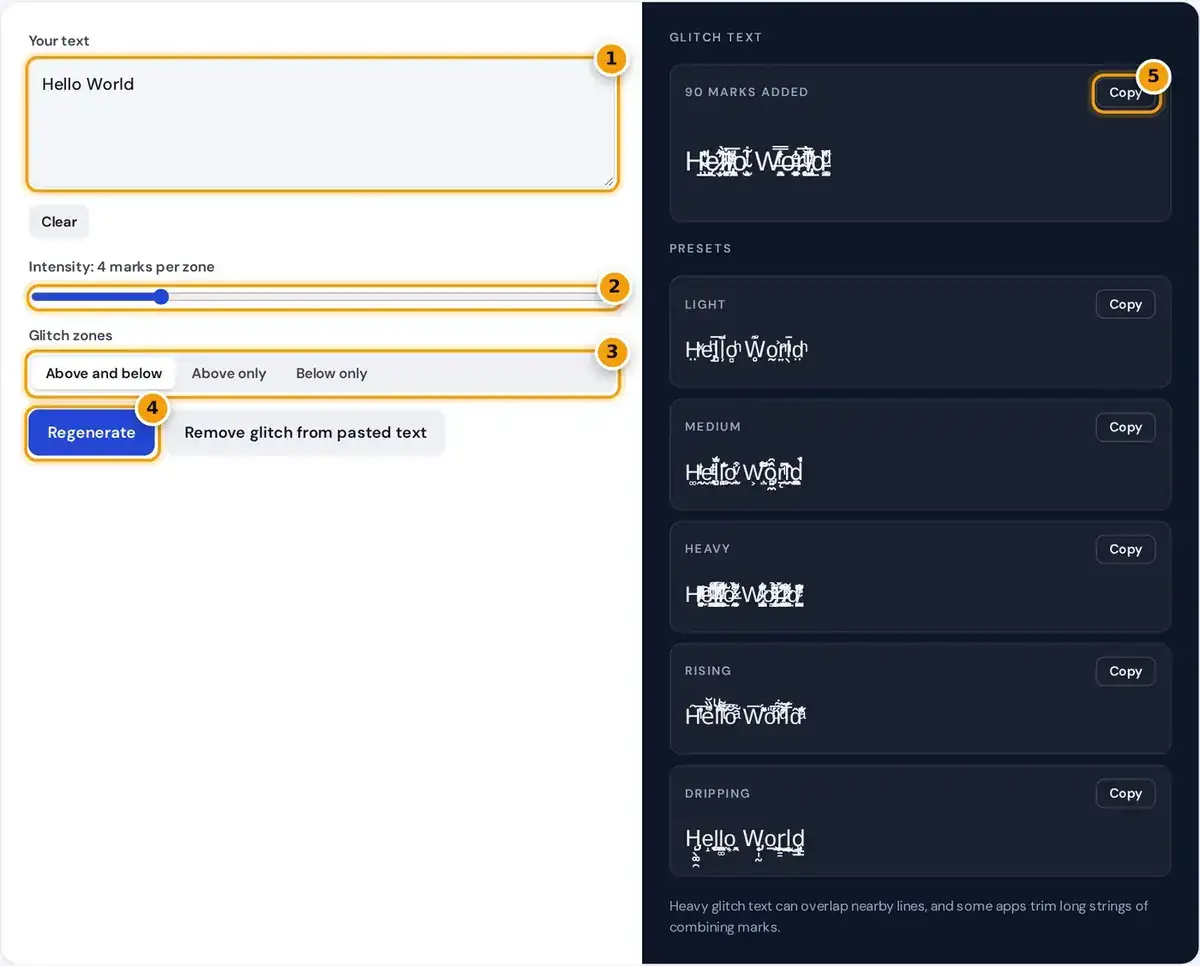
- Type or paste your text.
- Drag to set how many glitch marks each letter gets.
- Place the marks above, below or on both sides.
- Press Regenerate for a new random glitch, or clean pasted Zalgo text.
- Copy your glitch text, or grab a preset like Heavy or Dripping below.
Type your text into the box, then drag the Intensity slider to set how many marks attach to each letter, from 1 to 15 per zone. The glitch text updates the moment you change anything.
Choose where the glitch goes: above and below the letters, above only for a rising effect, or below only for a dripping look. A live counter shows how many marks were added to your text.
Press Regenerate for a new random pattern, then Copy. Five presets underneath give light, medium and heavy versions plus rising and dripping styles, each with its own copy button for quick pasting into any app.
What Is Zalgo Text?
Zalgo text is ordinary text with many Unicode combining characters attached to each base letter. The name comes from an internet horror meme, and people also call the same effect cursed text or creepy text.
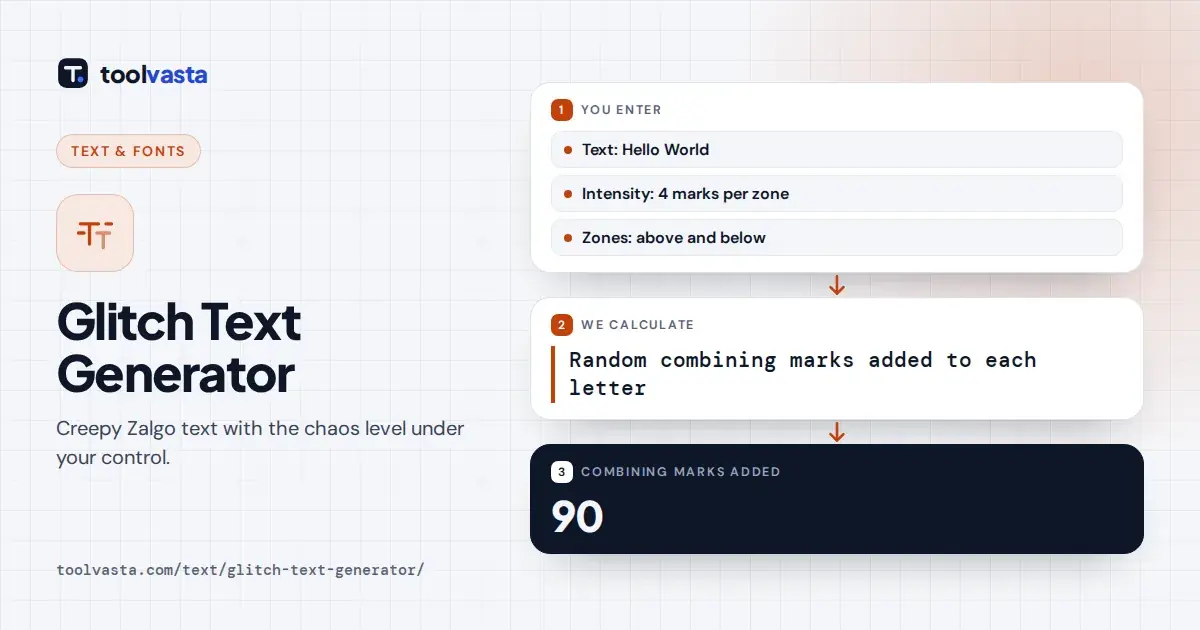
marks added = number of non-space characters × marks per letter
Combining characters normally add accents, or diacritics: the acute accent turns e into é. Unicode lets any number attach to one letter, so when dozens are stacked together they spill above and below the normal line.
Worked example: Hello World has 10 letters. At intensity 4 with both zones, each letter gets 4 marks above, 4 below and 1 through the middle, so 90 marks in total. Above only gives 40.
Which Unicode Marks Are Used
Every mark comes from the Combining Diacritical Marks block, which runs from U+0300 to U+036F. Each code point is a real character defined by the standard, so the result pastes anywhere as ordinary plain text.
| Zone | Unicode ranges | Examples |
|---|---|---|
| Above | U+0300 to U+0315, U+033D to U+0344, U+0363 to U+036F and others | grave, acute, tilde, small letters |
| Middle | U+0334 to U+0338 | tilde overlay, strokes, slashes |
| Below | U+0316 to U+0333, U+0339 to U+033C and others | dots, lines, hooks below |
Marks above include the grave accent, acute accent, tilde and tiny superscript Latin letters. Marks below add dots, lines and hooks, while the smaller middle set draws horizontal strokes and slashes straight through each character.
The tool picks marks at random from each zone, so every single press of Regenerate gives a completely different pattern. Spaces are left clean, which keeps words separated and the text at least partly readable.
Glitch Font Copy and Paste: Where It Works
Glitch text is not a real font. It is standard letters plus stacked marks, so glitch font copy and paste works anywhere that accepts Unicode, including most apps and websites that already handle emoji well.
- Instagram: bio, display name, captions and comments; the username allows only letters, numbers, periods and underscores.
- TikTok: bio, display name, captions and comments.
- Discord: messages, nicknames, channel topics and server descriptions.
- X, Facebook, YouTube and WhatsApp: posts, bios and messages.
Apps can change what they accept at any time, and some trim long strings of combining marks. Preview your text on a second device before using it in a bio or display name that matters.
Numbers and symbols can be glitched too, since the marks attach to any visible character. Only spaces and line breaks are skipped, so multi-line text such as a poem keeps its original layout after copying.
Choosing the Right Intensity
Intensity controls readability. At 1 or 2 marks per zone the words stay clear, which suits display names and short captions well. Above 8 the text becomes a dense tangle that works mainly as decoration.
The light preset uses just 1 mark per zone and medium uses 3, while heavy uses 8 for a strong horror look. Rising stacks 5 marks above only, and dripping hangs 5 marks below only.
For a Discord status or meme caption, a medium setting usually looks the best. For a spooky title or poster, go heavy but keep the phrase short, because long heavy lines overlap everything around them.
Removing Glitch Text
Paste any glitchy text into the input box and press Remove glitch from pasted text. The tool first decomposes each character and deletes all the combining marks, leaving only the plain text base letters underneath.
This works on zalgo text from any generator, since they nearly all use the same Unicode block. It is handy when a copied message or username is too messy to read, sort or search for.
Note that cleaning also strips genuine accents, so Café becomes Cafe. If your original text contains accented words, retype those letters after cleaning, or clean only the parts of the text that were actually glitched.
Accessibility and Moderation Caveats
Screen readers may announce every stacked mark, which makes glitch text hard to follow for blind and low-vision users. The W3C Web Accessibility Initiative explains why clear, readable text matters for everyone using the web.
Many online communities treat heavy zalgo as spam. Discord servers often run moderation bots that delete it, and some platforms quietly strip the marks from names automatically, so light glitch text survives far more often.
Older phones and computers may show empty boxes when their fonts lack a symbol. Keep glitch text fairly short, use low intensity for names, and never use it for information people actually need to read.
Frequently asked questions
How do I make glitch text?
Type your text above, choose an intensity and the zones you want, then copy the result. The glitch comes from stacked Unicode combining marks, so it pastes as plain text almost anywhere.
Does glitch text work in Discord?
Usually yes in messages and nicknames, but many servers limit or delete zalgo text with moderation bots, and very long strings may be trimmed. A light or medium intensity is the safest choice.
Is zalgo text the same as cursed text?
Yes. Cursed text, creepy text and glitch text are common names for the same zalgo effect, created by stacking Unicode combining characters above, through and below ordinary letters.
How do I remove zalgo from text?
Paste it into the box and press Remove glitch from pasted text. The tool strips the combining marks and keeps the base letters, although genuine accents such as the one in café are removed too.
Why does glitch text overlap other lines?
The stacked marks extend far above and below the letter. Apps usually do not add extra line spacing for them, so heavy intensities overlap nearby text and can cover whole lines.
Is glitch text a real font?
No. It uses ordinary letters plus combining marks from the Unicode standard, so there is nothing to install. Any device with a reasonably complete font can display it after you copy and paste.