How to Use the Tiny Text Generator
- Type or paste the text you want to make tiny.
- Check each card's count to see how many letters that style converted.
- Press Copy on the tiny style with the best coverage.
- Paste the tiny text into your bio, caption, footnote or chat.
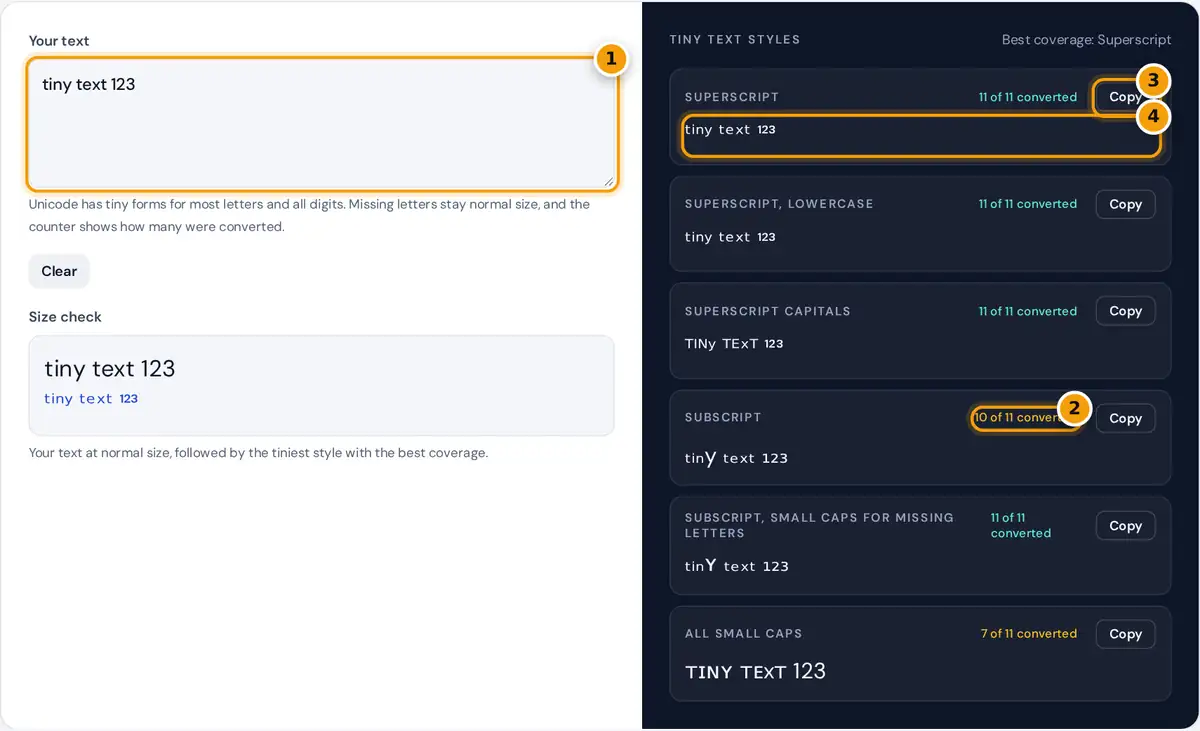
Type or paste your text. Six tiny styles appear at once, and each card shows a count such as "11 of 11 converted". A green count means every letter and digit has a tiny form in that style; an amber count means some characters had no tiny version and stay normal size. The note at the top names the style with the best coverage, and the size check on the left shows your text next to that style. Press Copy on the style you want.
Where Tiny Letters Come From
There is no "small font size" in plain text. A tiny text generator swaps each letter for a separate Unicode character that is drawn small. Three groups of characters do the job:
- Superscript and modifier letters sit high, like exponents. They were added for phonetics, so almost every lowercase letter has one, and 19 capitals do.
- Small capitals are capital shapes at the height of lowercase letters. All letters except x have one, and q uses a look-alike.
- Subscript letters sit low. Only 17 letters and the digits have a subscript form.
subscript digits: ₀ to ₉ = U+2080 + digit
coverage = converted letters and digits ÷ all letters and digits
Worked Example
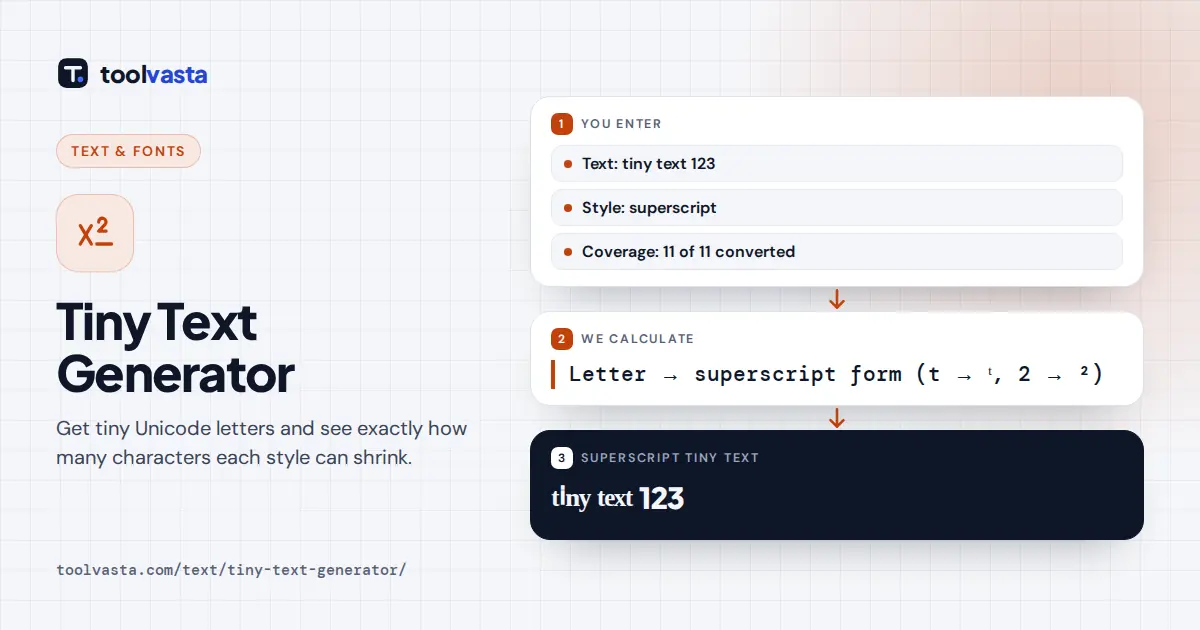
The default text "tiny text 123" has 11 letters and digits. Superscript converts all of them: t becomes ᵗ (U+1D57), y becomes ʸ and 2 becomes ², giving ᵗⁱⁿʸ ᵗᵉˣᵗ ¹²³, 11 of 11. Subscript has no y, so it scores 10 of 11 and leaves y full size: ₜᵢₙy ₜₑₓₜ ₁₂₃. The small caps fallback style replaces that y with ʏ and reaches 11 of 11. Small caps alone scores 7 of 11 because there is no small capital x and no small digits.
Tiny Text Styles Compared
| Style | Sample | Missing |
|---|---|---|
| Superscript | ˢᵐᵃˡˡ ᵗᵉˣᵗ | q; capitals C, F, Q, S, X, Y, Z use small forms |
| Superscript capitals | ˢᴹᴬᴸᴸ ᵀᴱˣᵀ | Q; seven capitals fall back to small forms |
| Subscript | ₛₘₐₗₗ ₜₑₓₜ | b c d f g q w y z |
| Subscript with fallback | ₛₘₐₗₗ ₜₑₓₜ | x only when no subscript exists |
| Small caps | ꜱᴍᴀʟʟ ᴛᴇxᴛ | x and digits |
Superscript is usually the tiniest and most complete choice. Small caps are larger but far easier to read, which makes them better for names and short phrases that people actually need to read.
Where Tiny Text Is Useful
- Bios and captions: a tiny tagline under a name, or a whisper-style comment.
- Footnotes and units: ¹ ² ³ markers, m² and cm³, or a trademark-style note.
- Gaming and Discord names: a small clan tag beside a normal name.
- Chemistry: subscript digits for formulas such as H₂O and CO₂.
How to Pick the Right Tiny Style
Start with the coverage counts. If one style shows a green count and the others are amber, that style will look the most even because no letter is left at full size. If several styles are complete, choose by position and feel: superscript floats above the line, subscript hangs below it, and small caps sit on the line like normal text. For a name in a bio, small caps usually look the most polished; for a playful whisper or a footnote, superscript is the classic choice.
Limits and Tips
The characters come from several Unicode blocks, so they vary a little in size and height depending on the font. Some fonts draw superscript ⁱ and ⁿ slightly larger than the other letters. Screen readers may read tiny text as "modifier letter small t" and so on, so do not hide important information in it. Search features also ignore these characters, which means tiny words in a bio are not found by search. Keep the message short and test it on a second device before you rely on it.
Frequently asked questions
How do I make tiny text?
Type your text in the box and copy one of the six styles. Superscript gives the smallest letters, while small caps are larger but easier to read. The counter on each card shows how many characters were converted.
Why are some letters not tiny?
Unicode never encoded a tiny version of every letter. There is no superscript q, no small capital x and only 17 subscript letters, so those characters stay normal size. The coverage count shows exactly how many were affected.
Is tiny text the same as a smaller font size?
No. A font size changes how big ordinary letters are drawn. Tiny text uses different characters that are designed small, which is why it keeps its size when you paste it into apps without formatting options.
Can I use tiny text in my Instagram or TikTok bio?
Yes. The characters are plain Unicode, so they work in bios, display names, captions and comments. Usernames only accept normal letters, numbers, periods and underscores, so tiny letters are rejected there.
Which tiny text style is easiest to read?
Small caps, because each letter keeps a clear capital shape at lowercase height. Superscript letters are smaller and look elegant, but long sentences in superscript are tiring to read on phones.
Does the generator store what I type?
No. All styles are created in your browser with JavaScript and nothing is sent to a server. Clearing the box or closing the page removes the text.