How to Use the Y2K Font Generator
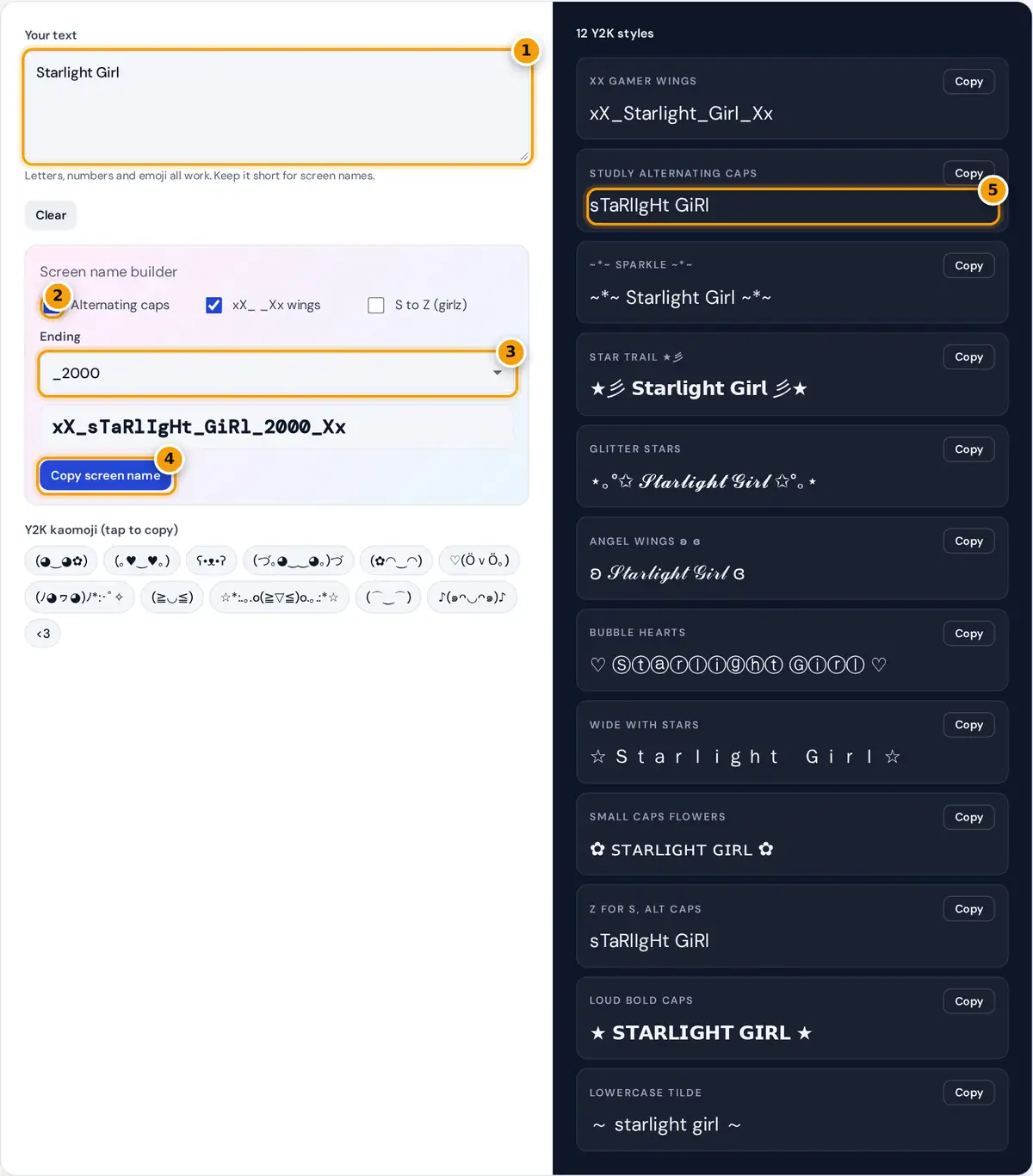
- Type a name or a short phrase.
- Toggle alternating caps, xX wings and S to Z for the screen name.
- Pick an ending such as _2000 or _4ever.
- Copy the finished screen name.
- Copy any of the 12 Y2K text styles.
Type a name, a nickname or a short phrase. The Screen name builder turns it into a classic early 2000s handle such as xX_sTaRlIgHt_GiRl_2000_Xx: tick or untick alternating caps, the xX_ _Xx wings and S to Z, and pick an ending like _2000 or _4ever. On the right, 12 Y2K text styles update as you type, from ~*~ sparkle ~*~ to star trails and bubble hearts. Tap any kaomoji to copy it, and press Copy on the style you want.
What Y2K Text Looks Like
Y2K style borrows from the internet of roughly 1999 to 2005: instant messenger away messages, early social profiles, glitter graphics and flip phone texting. Typing tricks were the decoration, because most sites only allowed plain text. People alternated capital letters, wrapped names in xX and Xx, swapped s for z, added sparkle punctuation like ~*~, and borrowed kaomoji faces from Japanese forums. Today the same look is back in bios, captions and playlist names.
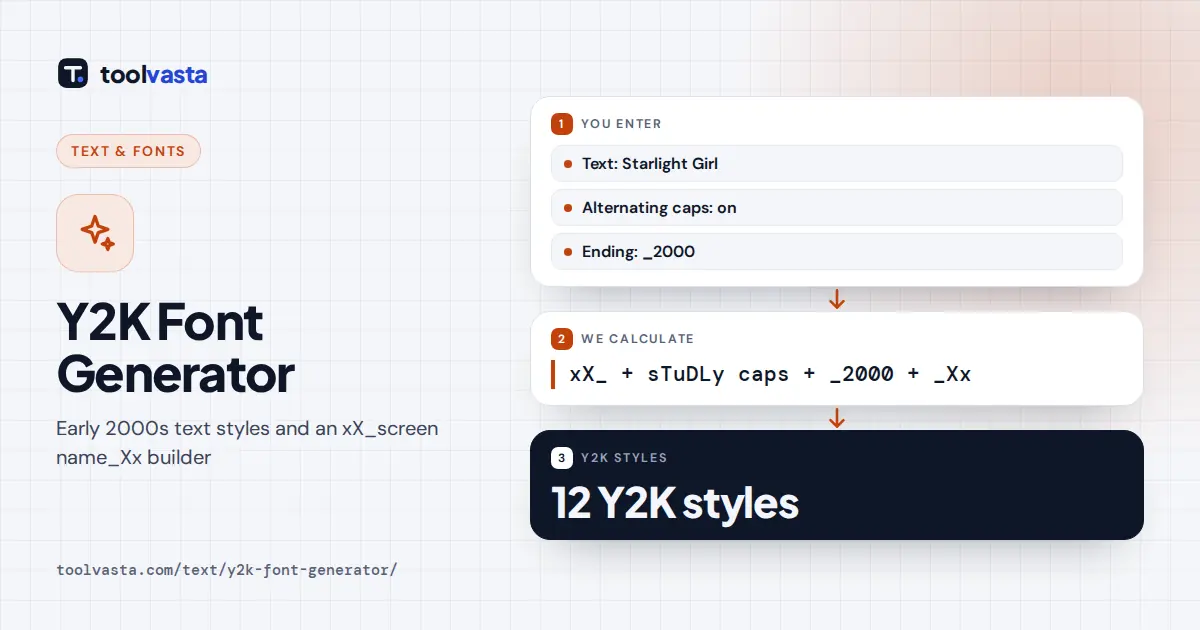
screen name = xX_ + words joined by _ + _ending + _Xx
Worked Example
"Starlight Girl" has 14 characters but 13 letters. Counting only letters from zero, S is letter 0 and stays lowercase, t is letter 1 and becomes T, and so on, giving sTaRlIgHt GiRl. The space becomes an underscore, the _2000 ending is added and the wings go around it: xX_sTaRlIgHt_GiRl_2000_Xx. With S to Z switched on and a phrase like "Cool Girls", the final s of Girls becomes z before the caps are applied: xX_cOoL_gIrLz_2000_Xx.
The 12 Y2K Styles
| Style | Sample | Era vibe |
|---|---|---|
| xX gamer wings | xX_Star_Xx | Online game and chat handles |
| sTuDLy caps | sO cUtE | Away messages and profile quotes |
| ~*~ sparkle ~*~ | ~*~ so cute ~*~ | Profile headlines |
| Star trail | ★彡 𝘀𝘁𝗮𝗿 彡★ | Signatures and screen names |
| Angel wings | ʚ 𝒶𝓃ℊℯ𝓁 ɞ | Cute captions |
| Bubble hearts | ♡ ⓛⓤⓥ ♡ | Bios and nicknames |
Tips for Y2K Bios and Names
- Mix one style with plain text. A sparkle headline over a normal bio looks retro without being hard to read.
- Usernames are strict. Most platforms allow letters, numbers, periods and underscores in handles, so the xX_name_Xx style usually fits while stars and hearts do not.
- Kaomoji add the era in one tap. Faces like (◕‿◕✿) were everywhere in early 2000s chat.
- Keep it short. Alternating caps is fun for a line or two and tiring for a paragraph.
Where Y2K Text Works Today
Plain-letter styles such as alternating caps, xX wings and ~*~ sparkles work everywhere, including usernames that allow underscores, game tags and email signatures. Styles with Unicode letters and symbols, like star trails and bubble hearts, suit Instagram and TikTok bios, Discord nicknames, playlist titles and captions. Kaomoji fit chats and comments best.
For the full early 2000s feel, combine one decorated headline with a plain line of text and finish with a kaomoji. Bright colors complete the look: hot pink, baby blue, lime green and shiny silver were the signature palette of the era.
Why Screen Names Looked Like This
Early chat services and online games often limited screen names to letters, numbers and underscores, and kept them short. Popular names were taken quickly, so people added wings like xX and Xx, years such as 2000 or 99, and endings like 4ever to make a name unique. Underscores stood in for spaces, and mixed capitals made a plain name feel personal. The builder follows the same rules, so its output fits most username fields that accept underscores.
Limits and Accessibility
Alternating caps and xX wings are plain letters, so they work anywhere and screen readers read them normally, if a little oddly. Styles with bold, script, bubble or wide letters use Unicode symbols that screen readers may spell out or skip, so do not put important details in them. Kaomoji are built from characters in several scripts, and a few may show as boxes on older devices. All styles are created in your browser and nothing is stored.
Frequently asked questions
What is a Y2K font?
It is the text style of the early 2000s internet: alternating caps, xX_name_Xx screen names, sparkle punctuation like ~*~ and kaomoji faces. The generator recreates it with plain letters and Unicode symbols you can copy anywhere.
How do I make an xX_ _Xx screen name?
Type your name in the box. The screen name builder joins the words with underscores, adds alternating caps and an ending such as _2000, and wraps it in xX_ and _Xx. Untick any option you do not want.
Can I use Y2K screen names as my username?
Often yes, if you switch off symbols. Handles that use only letters, numbers and underscores, like xX_StarGirl_2000_Xx, fit most username rules. Stars, hearts and kaomoji usually belong in the display name or bio.
What are kaomoji?
Kaomoji are faces made from text characters, such as (◕‿◕✿) or ʕ•ᴥ•ʔ. They began on Japanese forums and spread through early 2000s chat and profiles. Tap any one in the generator to copy it.
Why does the S to Z option only change some letters?
It changes an s or S only at the end of a word, the way people wrote girlz, boyz or thingz. Letters inside words stay as they are, so the name stays readable.
Does the Y2K font generator save my text?
No. Everything happens in your browser with JavaScript, and nothing you type is sent to a server. You can try as many names as you like and simply close the page when you are done.