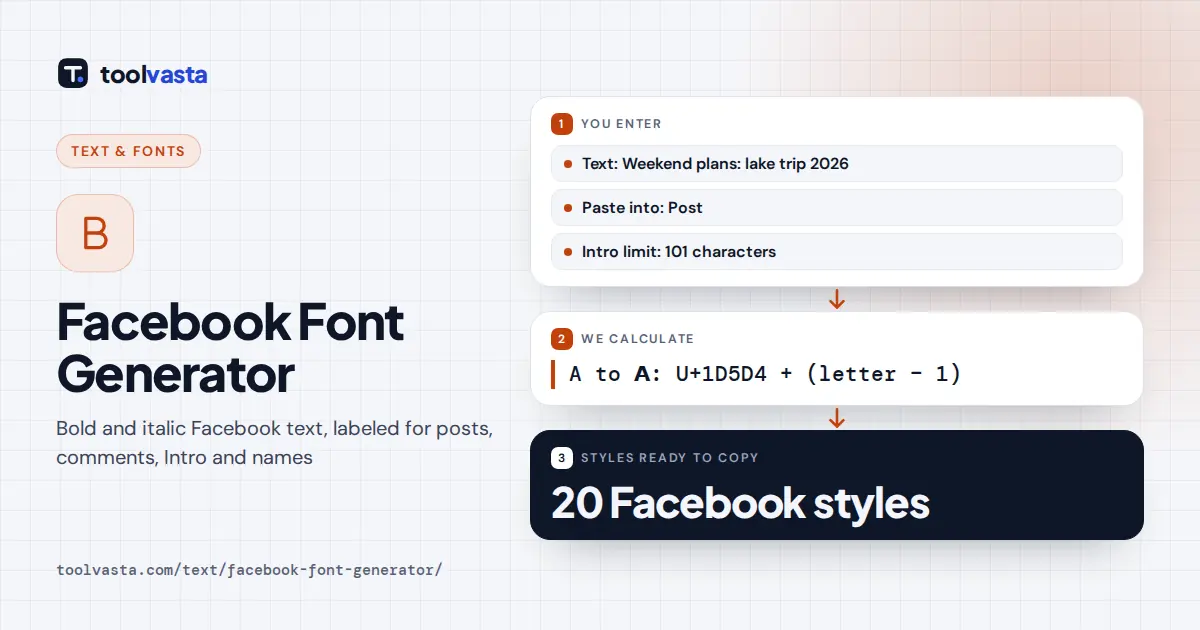
How to Use the Facebook Font Generator
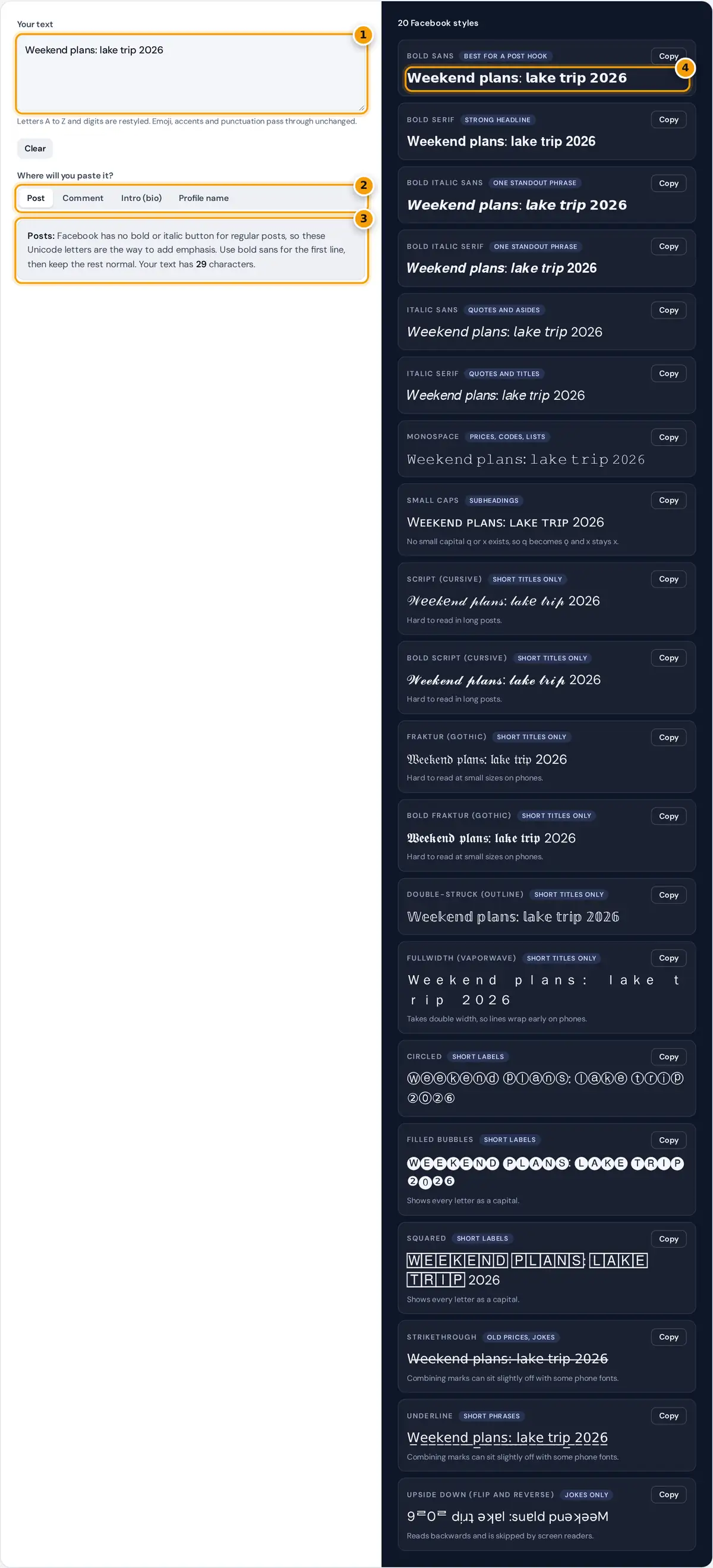
- Type or paste the text you want to post on Facebook.
- Choose where it goes: Post, Comment, Intro or Profile name. Labels and advice update.
- Read the advice panel. In Intro mode it checks the 101 character limit.
- Copy a style. Bold sans is the most readable choice for a post hook.
Type or paste your text into the box. All 20 styles update as you type, and each card carries a short label that says where that style works best. Choose where you will paste the text with the buttons under the box: Post, Comment, Intro (bio) or Profile name. The labels and the advice panel change to match, then press Copy on the card you like and paste it into Facebook.
In Intro mode every card shows its own length against the 101 character Intro limit. In Profile name mode the tool checks the name you typed against the kinds of characters Facebook's name standards rule out, and suggests a plain version.
Why Facebook Text Needs Unicode Fonts
Regular Facebook posts, comments and your Intro are plain text. There is no font menu and no bold button, so the only way to make words look bold or italic is to use different characters. Unicode, the standard that defines every character on phones and computers, includes complete bold, italic, script, gothic and monospace alphabets in its Mathematical Alphanumeric Symbols block. Because they are real characters, Facebook stores and shows them like any other text.
bold sans digit = U+1D7EC + digit strikethrough: each character + U+0336
Worked Example
The default text is "Weekend plans: lake trip 2026". W is the 23rd letter, so its bold sans form is U+1D5D4 + 22 = U+1D5EA (𝗪). The small e is the 5th letter: U+1D5EE + 4 = U+1D5F2 (𝗲). The digit 2 becomes U+1D7EC + 2 = U+1D7EE (𝟮). The colon has no bold form and stays as it is, so the whole line reads 𝗪𝗲𝗲𝗸𝗲𝗻𝗱 𝗽𝗹𝗮𝗻𝘀: 𝗹𝗮𝗸𝗲 𝘁𝗿𝗶𝗽 𝟮𝟬𝟮𝟲. It is still 29 characters long, exactly like the original.
Which Styles Work Where on Facebook
| Place | Styled text? | Best choice |
|---|---|---|
| Posts and Page posts | Yes | 𝗕𝗼𝗹𝗱 𝘀𝗮𝗻𝘀 for the first line, normal text after it |
| Comments and replies | Yes | One bold or italic word, such as 𝘳𝘦𝘢𝘭𝘭𝘺 |
| Intro (bio) | Yes, 101 characters | Small caps or bold sans for a short motto |
| Messenger | Yes | Any style, kept short |
| Profile name | No | Normal letters only |
The name field is the exception. Facebook's name standards, published in its Help Center, ask for the name you use in everyday life and rule out symbols, numbers, unusual capitalization, repeated characters and characters from several languages mixed together. Styled Unicode letters fall into those groups, so they are refused or later flagged.
What the Profile Name Check Looks For
- Styled letters: any character that changes when normalized to plain text, such as 𝐀𝐧𝐧𝐚 or Ⓐⓝⓝⓐ.
- Numbers and symbols: digits, emoji and punctuation other than an apostrophe, hyphen or period.
- Repeated letters: the same letter three or more times in a row.
- Unusual capitalization: words in all capitals or with capitals in the middle. Mc and Mac names such as McKenzie are allowed.
- Mixed writing systems: for example Latin and Cyrillic letters in one name.
These checks only catch common problems. Facebook makes the final decision, and passing the check is not a guarantee.
Writing a Bold Hook for a Facebook Post
Only the first few lines of a long post show in the feed before the See more link, so the opening line does most of the work. Put the main idea in bold sans, keep it short enough that it does not wrap awkwardly on a phone, and follow it with a blank line. For example, a bold line such as 𝗙𝗿𝗲𝗲 𝗽𝗮𝗻𝗰𝗮𝗸𝗲 𝗯𝗿𝗲𝗮𝗸𝗳𝗮𝘀𝘁 𝘁𝗵𝗶𝘀 𝗦𝗮𝘁𝘂𝗿𝗱𝗮𝘆 followed by the time and place in normal text is clear, easy to skim and still easy to find in search, because the details people search for stay in plain letters.
Tips for Readable Facebook Posts
- Style the hook, not the paragraph. One bold line followed by normal text reads best in the feed.
- Keep hashtags, names, links and dates in normal letters, because search matches plain letters only.
- Screen readers may read styled letters one by one or skip them, so never put the key fact only in a styled font.
- Preview on a phone. Wide and gothic styles take more space and can wrap differently than on a computer.
Frequently asked questions
How do I make bold text on Facebook?
Type your words here, copy the Bold sans or Bold serif card and paste it into your post or comment. The letters are Unicode characters that look bold, so Facebook keeps the style even though it has no bold button for posts.
Can I use fancy fonts in my Facebook name?
No. Facebook's name standards require normal letters, so styled, bubble or script characters in the name field are refused or flagged later. Use fancy fonts in posts, comments, Messenger and your Intro instead, and keep your name plain.
How many characters can my Facebook Intro have?
The Intro, the short bio under your profile picture, currently allows 101 characters. Switch the tool to Intro to see how long your text is in every style, including any frames or symbols you add.
Do Facebook fonts work in comments and Messenger?
Yes. Comments, replies and Messenger chats accept the same Unicode characters as posts, so the styles stay visible to everyone. Keep styling to a word or two in comments so replies stay easy to read.
Will styled text hurt the reach of my post?
Facebook has not published any rule that styled Unicode characters lower reach. The practical costs are that search does not match styled words and screen readers may skip them, so use styling for emphasis rather than whole posts.
Why do some styles look like boxes on my friend's phone?
Their device lacks a font with that character. Bold, italic and monospace letters are supported on current phones, while rarer symbols may show as empty boxes on older systems. Test your post on a second device first.