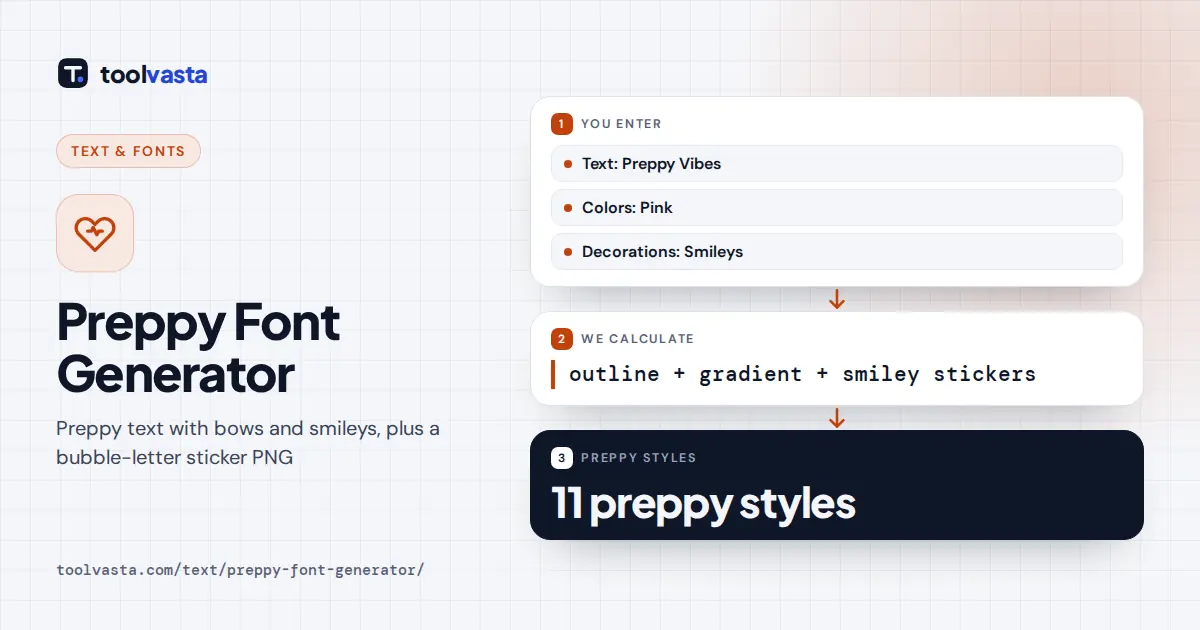
How to Use the Preppy Font Generator
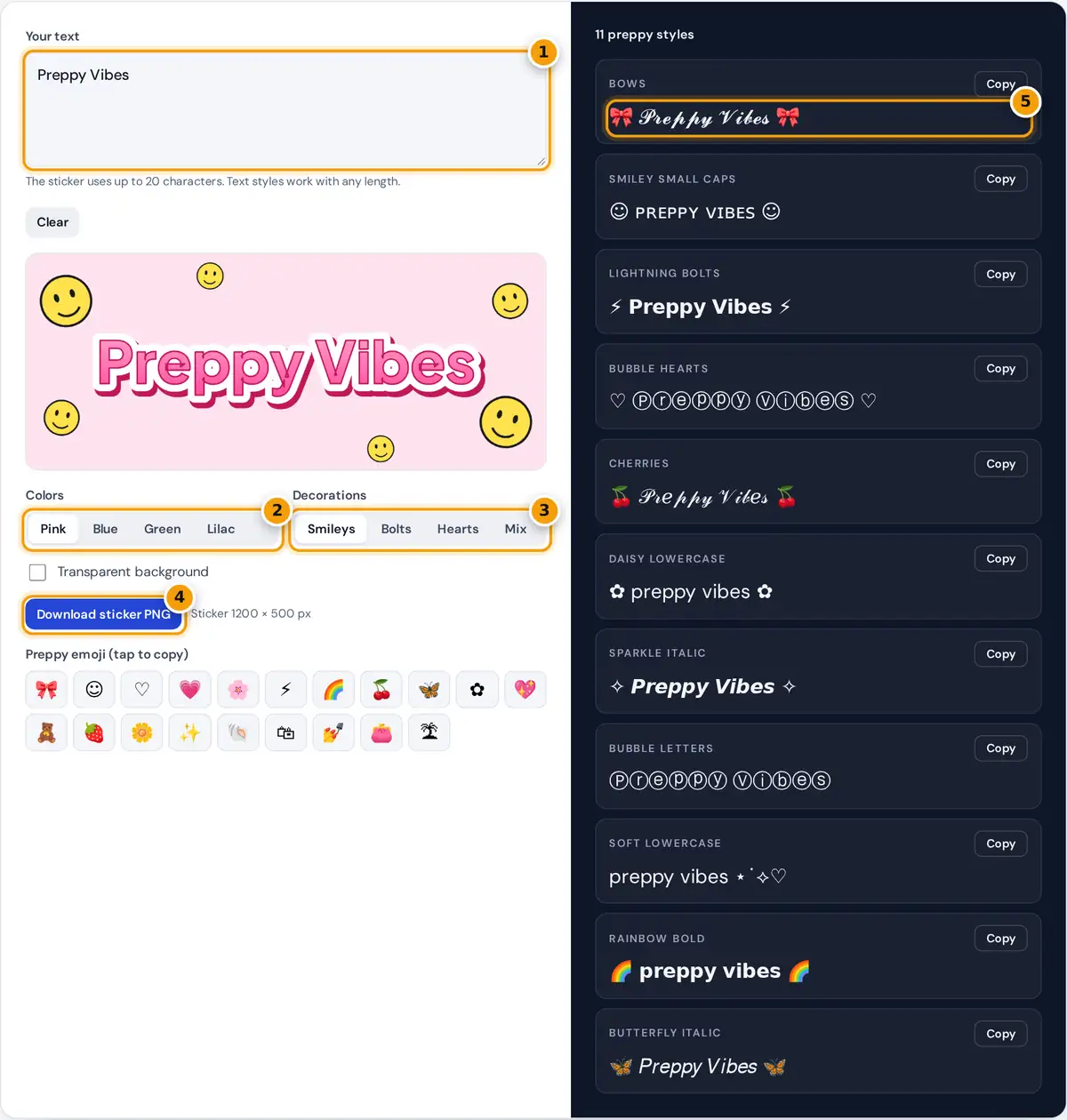
- Type a name or caption.
- Pick sticker colors: pink, blue, green or lilac.
- Choose smileys, bolts, hearts or a mix.
- Download the bubble-letter sticker PNG.
- Copy a preppy text style for your bio.
Type a name, a caption or a short phrase. Eleven preppy text styles update on the right, each ready to copy into a bio, caption or story. On the left, a puffy bubble-letter sticker redraws with your words. Choose Colors and Decorations (smiley faces, lightning bolts, hearts or a mix), tick Transparent background if you want to place the sticker on a photo, and press Download sticker PNG. Tap any emoji in the preppy emoji row to copy it.
What Makes a Font Look Preppy
The preppy aesthetic popular on TikTok and Instagram is bright, cheerful and a little bit extra: hot pink and baby blue, yellow smiley faces, lightning bolts, bows, cherries and puffy rounded letters with thick white outlines, like stickers on a water bottle. There is no single preppy typeface. The look comes from the combination of rounded heavy letters, soft colors and repeated cute symbols, which is exactly what the sticker maker and the text styles recreate.
text styles: emoji or symbol + space + Unicode letters + space + symbol
Worked Example
For "Preppy Vibes" the sticker starts at 170 pixels and shrinks in steps of 6 until the word fits inside the 1200 pixel canvas with room for decorations. The white outline is then 0.26 × the final size thick, which gives about 44 pixels at full size, and a darker copy is drawn 7 pixels right and 10 pixels down to act as the shadow. In the text styles, the same words become 🎀 𝓟𝓻𝓮𝓹𝓹𝔂 𝓥𝓲𝓫𝓮𝓼 🎀 with bows and ♡ Ⓟⓡⓔⓟⓟⓨ Ⓥⓘⓑⓔⓢ ♡ as bubble hearts. The bubble letters come from the Enclosed Alphanumerics block: P is U+24C5, the 16th circled capital after Ⓐ at U+24B6.
Preppy Styles and Where to Use Them
| Style | Sample | Best for |
|---|---|---|
| Bows | 🎀 𝓬𝓾𝓽𝓮 🎀 | Bios and names |
| Lightning bolts | ⚡ 𝗴𝗮𝗺𝗲 𝗱𝗮𝘆 ⚡ | Captions and story titles |
| Bubble hearts | ♡ ⓧⓞⓧⓞ ♡ | Short labels and highlights |
| Smiley small caps | ☺ ɢᴏᴏᴅ ᴠɪʙᴇꜱ ☺ | Readable longer lines |
| soft lowercase | good vibes ⋆˙⟡♡ | Anywhere symbols are limited |
Using the Sticker
- Story and post overlays: download with a transparent background and add it as a sticker in your photo editor.
- Highlight covers and banners: one short word, like a name or a month, looks best.
- Printables: the PNG prints sharply at about 10 cm wide for labels, binders and party signs.
- Match your feed: pink and lilac suit soft feeds, while blue and green look fresh for summer.
Preppy Bio and Caption Ideas
Preppy bios are short, upbeat and full of small symbols. A common pattern is a name in bows or bubble letters, a second line with a school, a sport or a city, and a third line of emoji. For example: a bow-framed name, then "class of 2028 ⚡ volleyball", then a row of hearts and smileys. Captions work the same way: one styled phrase such as 𝗴𝗮𝗺𝗲 𝗱𝗮𝘆 between lightning bolts, followed by a few plain words.
Sticker Color Palettes
| Palette | Letters | Shadow | Background |
|---|---|---|---|
| Pink | #FF9CCB to #FF4FA0 | #C2185B | #FFE3EF |
| Blue | #8EC5FF to #3D8BFF | #1E4FA8 | #E2F0FF |
| Green | #8BE3B0 to #2FBF71 | #17734A | #E3F8E9 |
| Lilac | #CDB4FF to #9B6BFF | #5B32B5 | #F1E8FF |
Use the same hex codes in your highlight covers or a design app so your profile picture, story stickers and bio share one look. Pink is the classic preppy choice, blue reads as beachy and fresh, green suits spring and summer, and lilac gives a softer, dreamier version of the aesthetic.
Limits
The sticker uses the site's rounded heavy font when it is available, otherwise a similar system font, so letters can vary slightly between devices. Emoji such as 🎀 and 🍒 look different on each platform because every company draws its own emoji. Styled Unicode letters can be skipped by screen readers, so keep key words plain. Nothing you type is uploaded.
Frequently asked questions
What is a preppy font?
It is the bright, cute lettering of the preppy aesthetic: puffy rounded letters, thick white outlines, pink and blue colors, smileys, bows and lightning bolts. The generator gives you copy-and-paste styles and a matching sticker image.
How do I download the preppy sticker?
Type your text, pick colors and decorations, then press Download sticker PNG. Tick Transparent background first if you want to place the sticker over a photo, a story or a highlight cover.
Can I use preppy text in my Instagram or TikTok bio?
Yes. The text styles are Unicode letters and emoji, so they paste into bios, captions, comments and display names. Usernames only accept plain letters, numbers, periods and underscores, so keep handles simple.
Why do the emoji look different on my friend's phone?
Each platform draws its own emoji, so a bow or a cherry looks slightly different on iPhone, Android and Windows. The meaning stays the same, and the sticker PNG looks identical everywhere because it is an image.
Which preppy style is easiest to read?
Smiley small caps and soft lowercase are the most readable because they use near-normal letters. Bubble letters and script styles are best for one or two words, such as a name or a heading.
Is the preppy font generator free?
Yes. It is free with no account, and both the text styles and the sticker are created in your browser. Nothing you type is sent to a server, and you can use the sticker for personal projects.