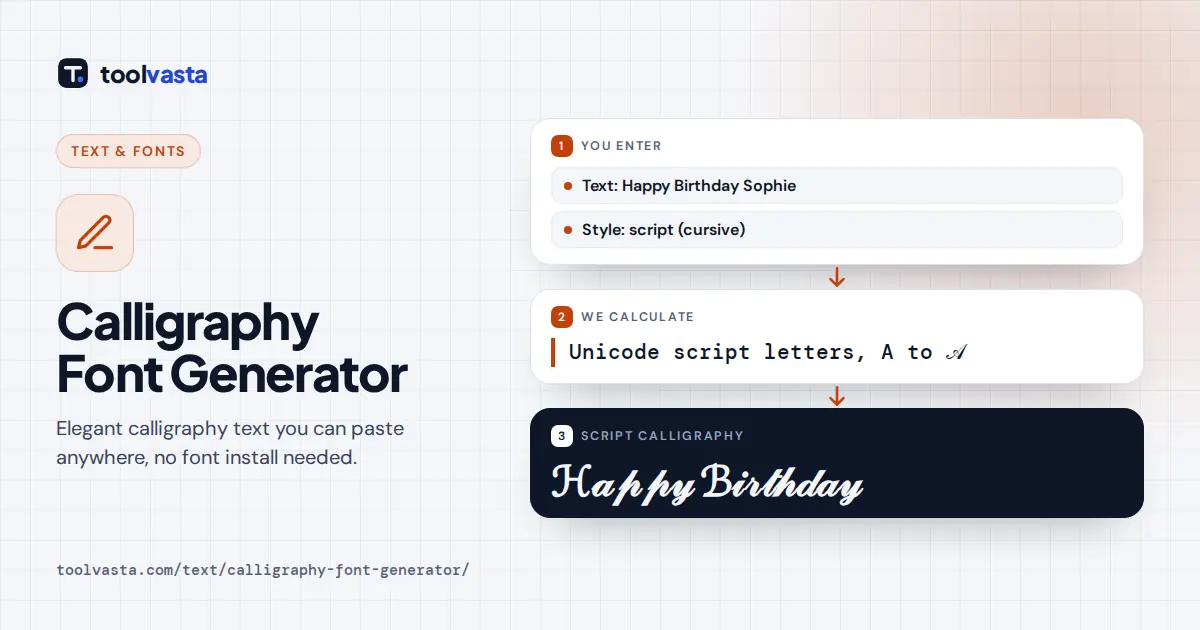
How to Use the Calligraphy Font Generator
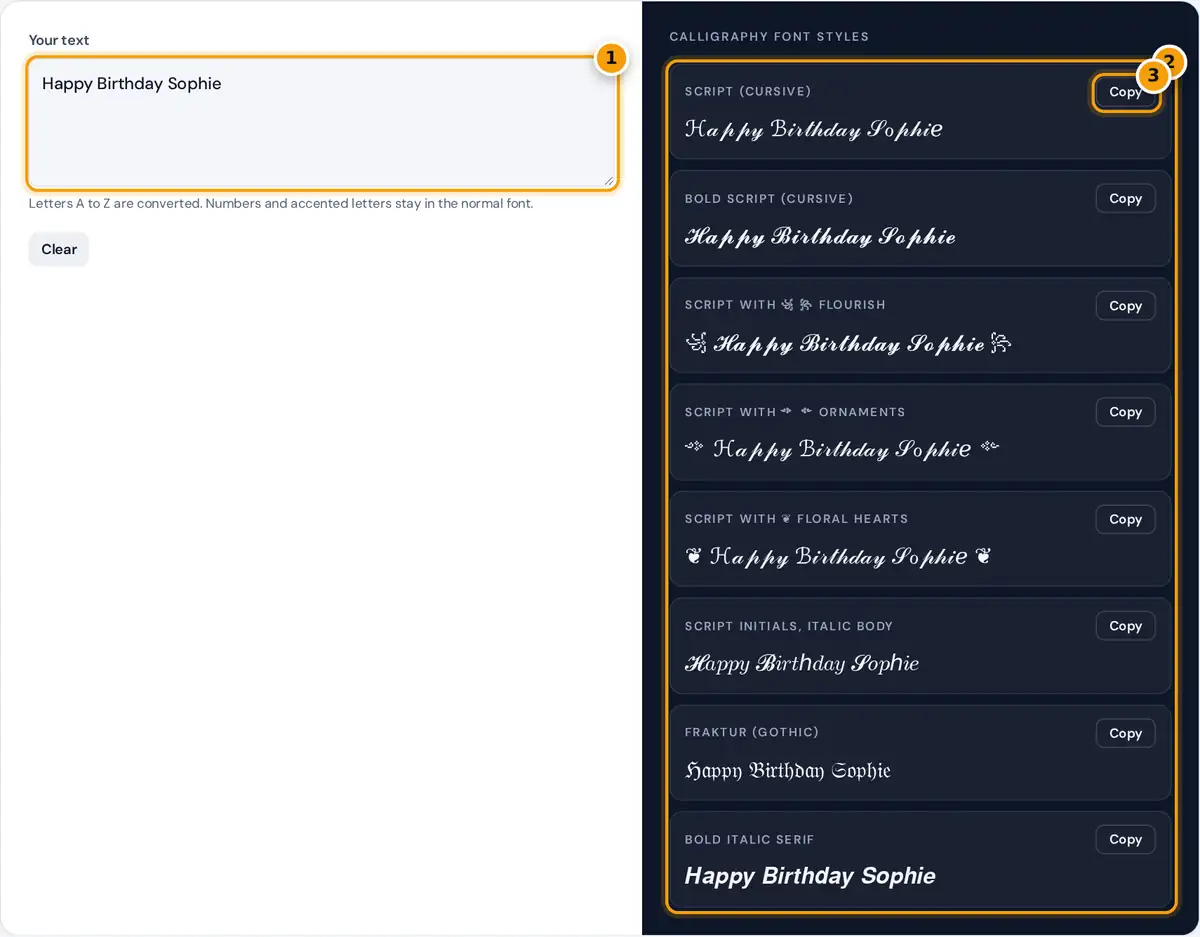
- Type or paste the name, quote or message you want in calligraphy.
- Browse the styles: script, bold script, flourish frames, Fraktur and more.
- Press Copy next to a style and paste it into your bio, caption or invite.
Type your text in the box, such as a name, a quote or short greeting. Eight calligraphy styles appear at once, so you can compare them side by side before you choose one to copy.
The styles are two pointed-pen scripts, three flourished frames, a mixed script and italic style, a broad-pen blackletter and a bold italic. Each one updates instantly as you type, with no sign-up or download needed.
Press Copy and paste the style into an Instagram bio, a WhatsApp message, a story caption or a digital invitation. It works as copy and paste text anywhere that accepts emoji, on phones and computers.
Calligraphy Hands and Their Unicode Look-Alikes
Real calligraphy is written by hand with a nib or brush, and each tradition has its own shapes. Unicode cannot reproduce ink and pen pressure, but several character sets come close to the classic hands.
| Calligraphy hand | Closest style here | Sample |
|---|---|---|
| Copperplate and Spencerian (pointed pen) | Script | 𝒮ℴ𝓅𝒽𝒾ℯ |
| Modern brush lettering | Bold script | 𝓢𝓸𝓹𝓱𝓲𝓮 |
| Blackletter and Textura (broad pen) | Fraktur | 𝔖𝔬𝔭𝔥𝔦𝔢 |
| Italic chancery hand | Bold italic | 𝑺𝒐𝒑𝒉𝒊𝒆 |
Copperplate grew out of 18th-century English engraving, while Spencerian later became the standard American business hand in the 1800s. Both styles use a flexible pointed pen that creates strong contrast between thick and thin strokes.
Blackletter, also called Gothic script or Fraktur, comes from a broad-edged pen held at a fixed angle. Modern brush lettering is looser and bolder, which is why the bold script style matches it the best.
How the Conversion Works
Every style is a character map that swaps each normal letter for a different Unicode character. Script letters come from the Mathematical Alphanumeric Symbols block, where they were originally encoded for use in mathematical notation.
script small = U+1D4B6 + (letter position − 1)
legacy exceptions: ℬ B, ℰ E, ℱ F, ℋ H, ℐ I, ℒ L, ℳ M, ℛ R, ℯ e, ℊ g, ℴ o
Eleven script letters were already in the older Letterlike Symbols block, so the generator uses those code points instead, exactly as the Unicode standard requires. Some fonts draw these exceptions in a slightly different style.
Because the output is real text and not an image, the styling survives when other people copy it. It is not a font file, so it works in apps where you cannot choose a font.
Worked Example: Sophie in Script
For the name Sophie, S is letter 19 of the alphabet, so its script form is U+1D49C plus 18, which is U+1D4AE. The small o is one of the eleven exceptions and becomes U+2134 instead.
The small p is letter 16, so its script form is U+1D4B6 plus 15, which gives you U+1D4C5. The other letters follow the same rule, and the e is another exception taken from Letterlike Symbols.
Bold script has no exceptions, so bold script S is simply U+1D4D0 plus 18, which is U+1D4E2. Digits stay in the normal font, because Unicode has no script or blackletter versions of the ten digits.
Design Tips for Calligraphy Text
Script capitals are wide and decorative, so write names in title case, never in all capitals. Pair a styled name or headline with plain text for the rest, which keeps your bio easy to read.
The flourished frames, such as the Javanese ornaments and the floral heart, are separate symbols placed around your styled text. Delete them after pasting if a platform shows them as empty boxes instead of decorations.
For printed wedding invitations, signs and logos, use a real calligraphy font in a design app. Unicode text is really meant for social media posts and messages, where you usually cannot choose a font yourself.
Where These Characters Work
Because the result is plain Unicode text, it pastes into most places that accept emoji. That includes Instagram bios, display names, captions and comments, but Instagram usernames only allow basic letters, numbers, periods and underscores.
- TikTok: profile bio, display name, captions and comments.
- Discord: messages, nicknames, channel topics and server descriptions.
- X, Facebook, YouTube and WhatsApp: posts, bios and messages.
It also works in TikTok, Discord, X, Facebook, YouTube and WhatsApp for posts and messages. Apps can change what characters they accept at any time, and some apps strip or replace unusual characters in names.
Older phones and computers may show empty boxes when a font on the device does not include a symbol. Preview text on a second device before using it somewhere important, such as a business profile.
Accessibility and Search Caveats
Screen readers do not treat these symbols as ordinary letters. A styled word may be read out one character at a time with names like mathematical bold capital H, or skipped completely by the reader.
People who rely on assistive technology can easily miss your message entirely, so follow W3C accessibility guidance and use styled text only for short decorative accents, not for whole posts, important dates, prices or links.
Do not style hashtags or keywords, because search features match normal letters and styled words are usually not found. Where a platform offers real bold or italic formatting, use that instead, since it stays accessible.
Frequently asked questions
Is this a real calligraphy font?
No. It produces Unicode characters that look like calligraphy, so you can paste them into apps that do not support fonts. For print work, install a calligraphy font in your design software instead.
Why do some script letters look different from the rest?
Eleven script letters, such as ℬ and ℴ, come from an older Unicode block, and some fonts draw them in a different style. The bold script style has no exceptions and looks more even.
Can I use calligraphy text on Instagram?
Yes. Copy a style and paste it into your Instagram bio, name, captions or comments. Usernames only allow standard letters, numbers, periods and underscores, so styled text will not work there.
Does it convert numbers?
No. Unicode has no script digits, so numbers stay in the normal font. Blackletter and bold italic also leave digits unchanged, so a date or year looks plain beside styled letters.
What is the difference between cursive and calligraphy?
Cursive is everyday joined handwriting. Calligraphy is a formal craft with strong contrast between thick and thin strokes, written with a nib or brush in set styles such as Copperplate, Spencerian or blackletter.
Can screen readers read calligraphy text?
Often not well. Screen readers may spell styled letters out one by one with long symbol names, or skip them. Keep important words, names and links in plain text so everyone can read them.