How to Use the Pixel Text Generator
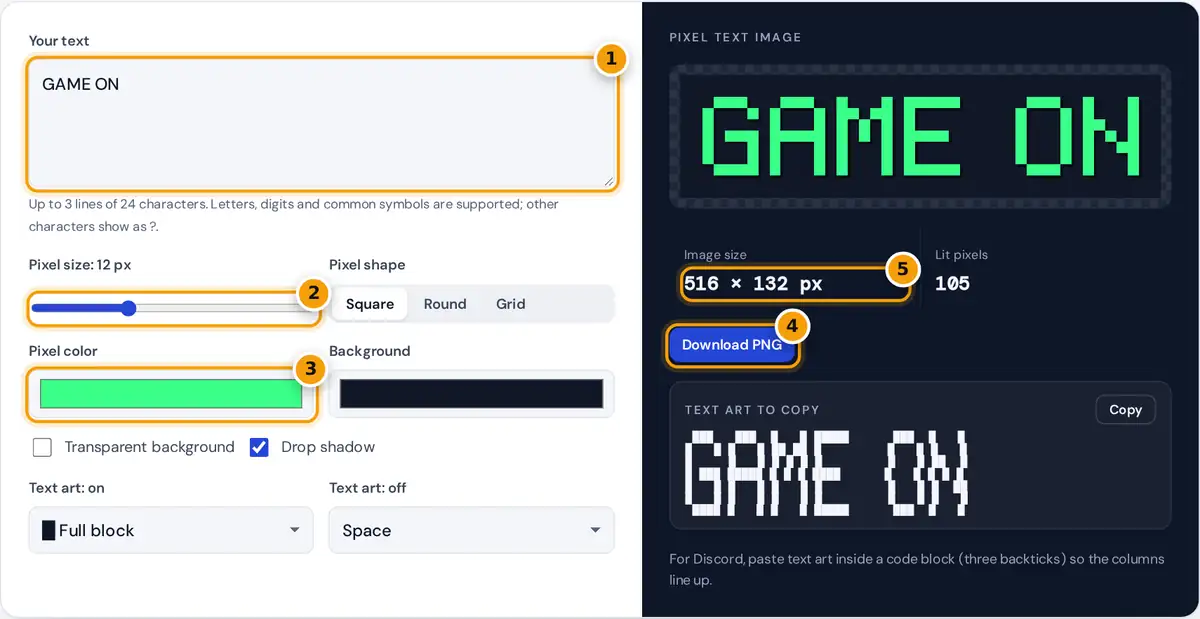
- Type up to three lines of text.
- Set the pixel size; the image size updates instantly.
- Pick the pixel color and background, or tick transparent.
- Download the pixel text as a PNG.
- Check the image size, then copy the text art below for Discord.
Type a word or a short title, up to three lines. The generator draws it in a retro 5 by 7 pixel font on the right. Choose the pixel size, a square, round or grid pixel shape, the pixel and background colors, and whether you want a drop shadow or a transparent background, then press Download PNG. Below the image, the same letters appear as text art that you can copy into Discord, a code comment, a README or a chat. Pick what each lit and unlit pixel is made of, from a solid block to an emoji or any custom character.
How the Pixel Font Works
Every character is stored as a grid of 7 rows and 5 columns, where 1 is a lit pixel and 0 is empty. This is the classic size used by early dot matrix displays and many retro games. Letters are placed side by side with one empty column between them, and lines are separated by one empty row.
image height = (8 × lines − 1 + 4) × pixel size (2 pixels of padding on every side)
Worked Example
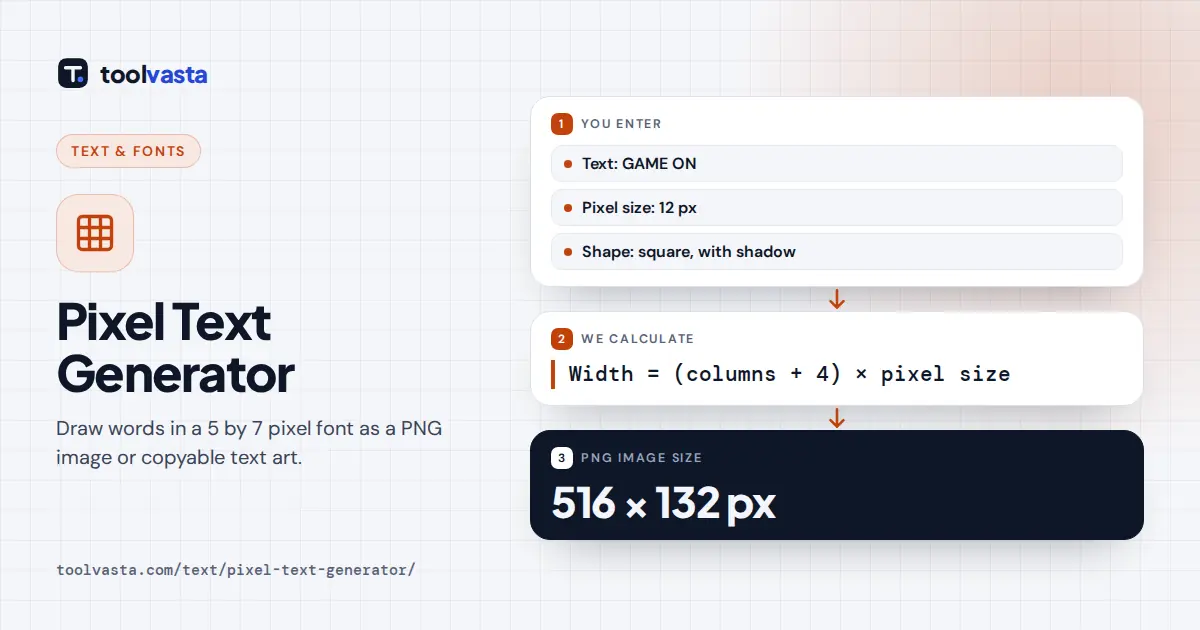
"GAME ON" has seven characters: six letters 5 pixels wide and a space 3 pixels wide. That is 6 × 5 + 3 = 33 columns plus 6 gaps, or 39 columns. With 2 columns of padding on each side and 12 pixel squares, the image is (39 + 4) × 12 = 516 pixels wide and (7 + 4) × 12 = 132 pixels tall. The letters light 105 pixels. As text art with # and dots, the top row of "HI" reads #...#..###..
| Pixel size | "GAME ON" image | Good for |
|---|---|---|
| 4 px | 172 × 44 px | Favicons, tiny badges |
| 12 px | 516 × 132 px | Thumbnails, chat stickers, headers |
| 24 px | 1,032 × 264 px | Banners, posters, video overlays |
Keeping Pixel Art Crisp
Pixel text looks best when every pixel stays a sharp square. The PNG is drawn at exact whole-pixel sizes, so it stays crisp at 100% zoom. When you scale it in another app, use whole multiples such as 2× or 3× and choose "nearest neighbor" resampling if the app offers it. Smooth resampling blurs the edges and loses the retro look. On web pages, the CSS rule image-rendering: pixelated keeps upscaled pixel art sharp.
Text Art for Discord and Code
Text art only lines up in a monospace font, where every character has the same width. In Discord, wrap it in a code block with three backticks before and after. Emoji are about twice as wide as letters, so the generator switches the empty pixel to a wide space when you pick an emoji and a plain space, which keeps emoji art aligned on most phones. Long words make wide art, so keep emoji art to five or six letters for phone screens.
Ideas for Pixel Text
- Game titles, level names and "GAME OVER" screens for school projects and game jams.
- Twitch and YouTube overlays, stream starting soon screens and channel art.
- Retro birthday cards and posters with a transparent PNG on any background.
- ASCII banners for terminal tools, README files and code comments.
Limits
The font covers A to Z, digits 0 to 9, the space and common punctuation such as ! ? . , - : # @ and a heart (♥). Lowercase letters are drawn as capitals, which is how most 5 by 7 displays worked. Characters outside the set are shown as a question mark and listed in a message so you can change them. The image and the text art are created in your browser, and nothing you type is uploaded.
Frequently asked questions
How do I make 8-bit pixel text?
Type your words, choose a pixel size and colors, then press Download PNG. The text is drawn in a 5 by 7 pixel font, the same grid used by many retro games and dot matrix displays.
Can I get a transparent background?
Yes. Tick Transparent background before downloading. The PNG then keeps only the pixels and the optional shadow, so you can place it over a photo, a video or a colored banner.
How do I paste pixel text art into Discord?
Copy the text art, type three backticks in Discord, paste the art on the next line and close it with three more backticks. The code block uses a monospace font, so the columns line up.
Why does my emoji text art look uneven?
Emoji are wider than letters and differ between platforms. Use a wide space or a white square for the empty pixels, keep the art short and view it in a code block on the same platform.
Can I use the pixel text image commercially?
Yes. The font grid was drawn for this tool, and the image is generated on your device. You can use it in videos, games, merchandise mockups and social posts without credit.
Why are lowercase letters shown as capitals?
A 5 by 7 grid is too small for clear lowercase letters with descenders, so classic displays used capitals only. The generator follows that tradition so every word stays readable.