How to Use the Wavy Text Generator
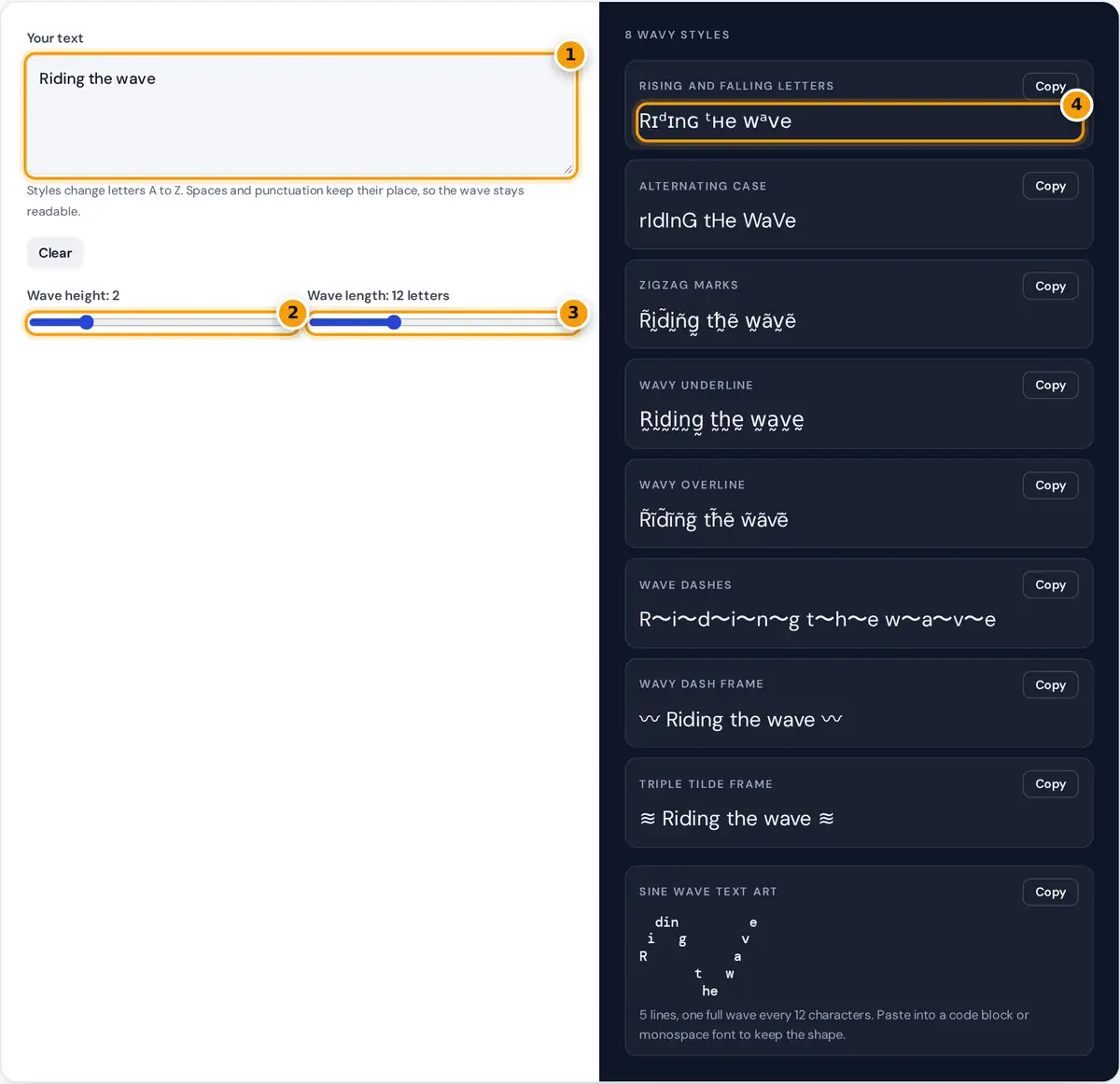
- Type the phrase you want to make wavy.
- Set the wave height for the sine wave art.
- Set how many letters one full wave spans.
- Copy a wavy style or the sine wave art and paste it.
Type a word or a short phrase. Eight wavy styles appear in the panel: letters that rise and fall in size, alternating capitals, zigzag marks, wavy lines over or under your text, wave dashes between letters and two wave frames. Press Copy to use one. Under the styles, the sine wave text art spreads your text across several lines so it follows a real wave. Use the Wave height and Wave length sliders to make it taller, flatter, tighter or longer, then copy the art.
How Wavy Text Is Made
Plain text cannot be curved, so each style creates a wave in a different way. The rising and falling style cycles every letter through four sizes: normal, small capital, superscript and small capital again, which reads as a gentle wave. The line styles add a combining character after each letter: U+0330 draws a tilde below and U+0303 draws one above, and alternating them gives a zigzag. The sine wave art uses real trigonometry.
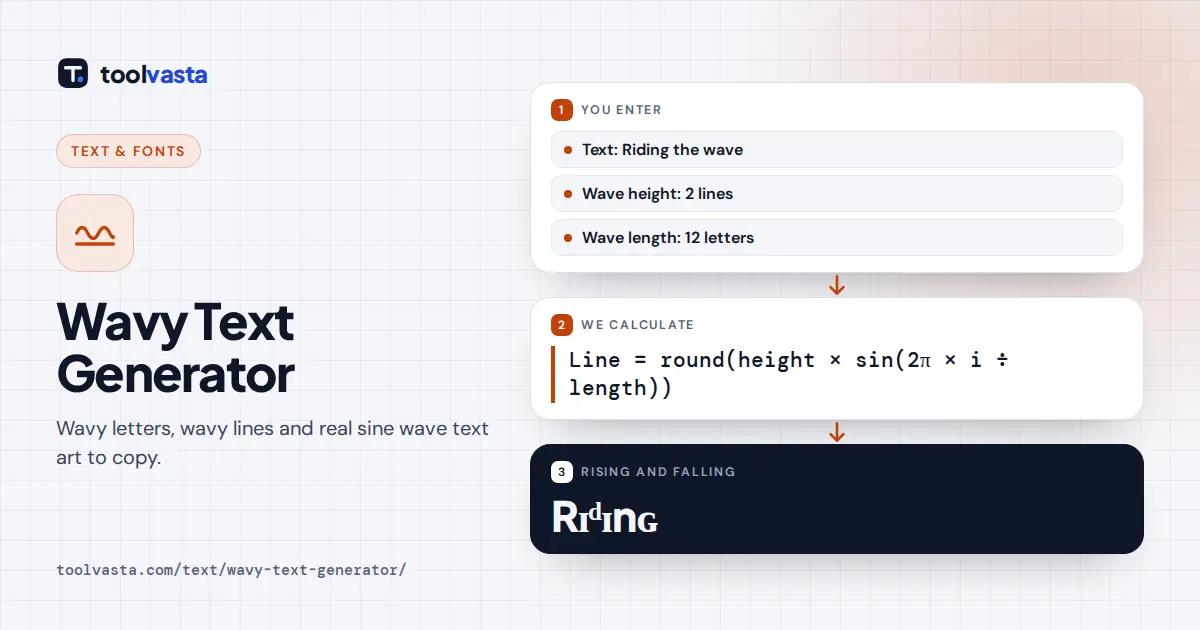
line used = height − offset (line 0 is the top) total lines = 2 × height + 1
Worked Example
With a height of 1 and a wave length of 4, the offsets for the first four characters are round(sin 0) = 0, round(sin 90°) = 1, round(sin 180°) = 0 and round(sin 270°) = −1. So for "wave" the w sits on the middle line, the a on the top line, the v on the middle line and the e on the bottom line, giving three lines that read top to bottom as " a", "w v" and " e". In the rising and falling style, "Riding" becomes Rɪᵈɪnɢ.
Wavy Styles Compared
| Style | Sample | Method |
|---|---|---|
| Rising and falling | wᴀᵛʏ tᴇˣᴛ | Size cycle: normal, small capital, superscript |
| Alternating case | wAvY tExT | Lowercase and capitals in turn |
| Zigzag marks | w̃a̰ṽy̰ | Tilde above, then below |
| Wavy underline | w̰a̰v̰y̰ | Combining tilde below, U+0330 |
| Wave dashes | w〜a〜v〜y | WAVE DASH, U+301C, between letters |
| Wave frames | 〰 wavy 〰 ≋ wavy ≋ | WAVY DASH U+3030 or TRIPLE TILDE U+224B |
Tuning the Sine Wave
Height sets how many lines the wave climbs above and below the middle, so a height of 2 uses five lines. Wave length is the number of characters in one complete wave. A short wave of 4 to 8 characters looks like a tight zigzag; 12 to 20 gives smooth, ocean-like swells. For longer phrases, a longer wave keeps whole words readable, while short words look best with a tighter wave. The art only keeps its shape in a monospace font, so paste it into a code block in Discord, Slack or a README.
Picking the Right Wavy Style
For a name or a bio line, the rising and falling style looks the most like a wave while staying readable, because every letter keeps its basic shape. Wavy underline and overline are subtle accents for a single word. The frames are the safest choice on platforms that strip combining marks, since they only add symbols at each end. For a big visual moment, such as a server welcome message, use the sine wave art.
Where to Use Wavy Text
- Beach, surf and summer captions and bios.
- Playful or sarcastic replies, where alternating caps signal a mocking tone.
- Headers in Discord servers, forum signatures and plain text newsletters.
- Code comments and terminal banners using the sine wave art.
Limits
Combining marks can sit slightly off center in some fonts and are removed by a few platforms. Superscript letters exist for most of the alphabet but not for q, so that letter stays normal size in the rising style. Screen readers read each styled or marked letter separately, so keep important messages in normal text.
Frequently asked questions
How do I make wavy text?
Type your words and copy one of the eight wavy styles, or use the sine wave text art for a real multi-line wave. Everything is plain Unicode text, so it pastes into chats, bios and posts.
How does the sine wave text art work?
Each character is placed on a line chosen by the sine function, using the height and wave length you set. The result is several lines of text that trace a smooth wave when shown in a monospace font.
Why does my wave look broken after pasting?
Most apps use proportional fonts, where letters have different widths, so the columns drift. Paste the art inside a code block, such as three backticks in Discord, to keep every character in its column.
What is alternating caps text used for?
Alternating capitals, like wAvY tExT, is often used online to signal a mocking or sarcastic tone. It also works as a lighthearted wavy look in captions.
Can I put a wavy line under text?
Yes. The wavy underline style adds a combining tilde below each character. It works in most apps, though a few platforms remove combining marks or draw them slightly offset.
Does wavy text work on Instagram and TikTok?
The single-line styles work in bios, captions and comments. The multi-line sine art needs a monospace font to keep its shape, so it looks best in Discord code blocks, notes and README files.