How to Use the Playback Speed Calculator
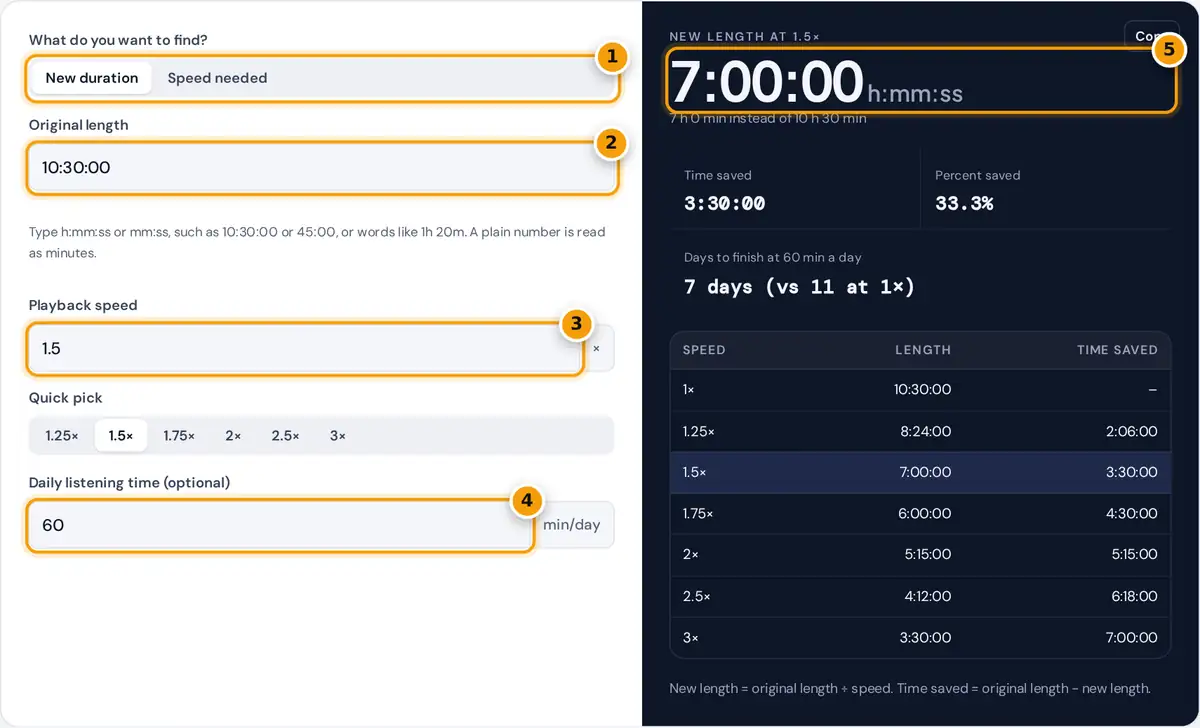
- Choose New duration, or Speed needed to fit a deadline.
- Type the original length, such as 10:30:00, 45:00 or 1h 20m.
- Enter the playback speed or tap a quick pick such as 1.5× or 2×.
- Optionally add your daily listening minutes to see the days to finish.
- Read the new length, then the time saved and the full speed table.
Type the original length of the audiobook, podcast, course or video. You can paste a time straight from a player, such as 10:30:00 or 45:00, or write it in words such as 1h 20m. A plain number is treated as minutes. Then choose a mode.
New duration shows how long the content takes at the speed you enter, how much time you save and, if you fill in your daily listening time, how many days it takes to finish. Use the quick pick buttons for the common speeds or type any value such as 1.3. Speed needed works backward from the time you have, for example a lecture you want to finish before an exam or a book you want to complete on a road trip. The table under the result compares every common speed at a glance.
The Formula
Time saved = original length − new length
Percent saved = (1 − 1 ÷ speed) × 100
Speed needed = original length ÷ time available
Playback speed is a straight ratio. At 2× every minute of audio plays in 30 seconds, so the length halves. Time saved does not grow in a straight line with speed: going from 1× to 1.5× saves a third of the time, while going from 1.5× to 2× saves only another sixth.
Worked Example
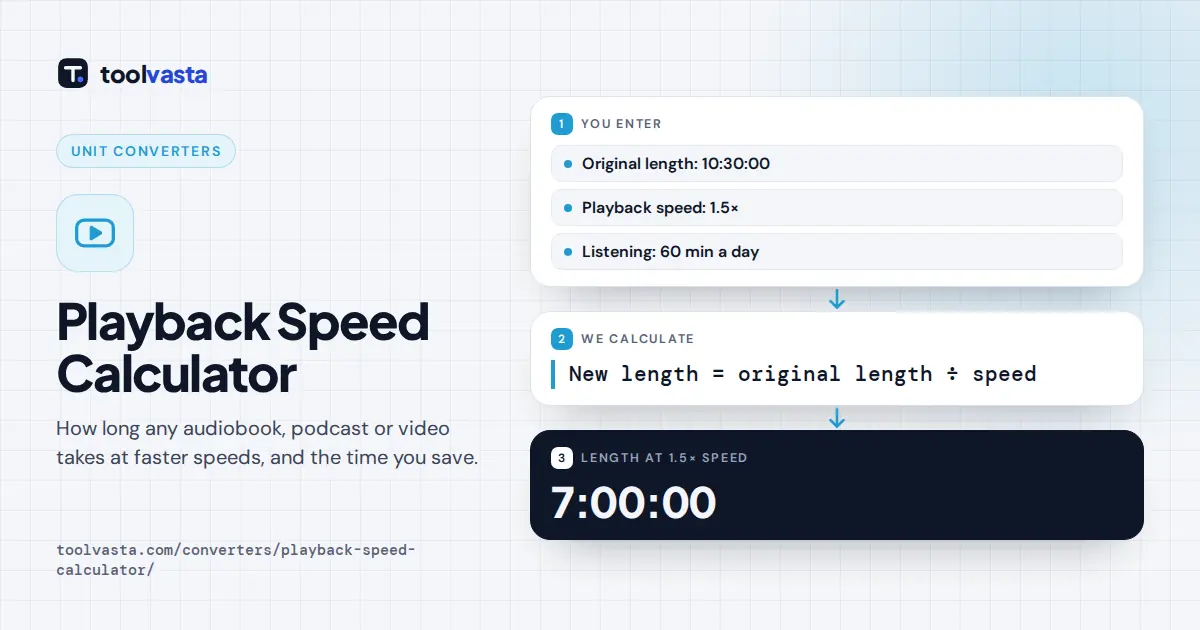
A 10 hour 30 minute audiobook played at 1.5× takes 10.5 ÷ 1.5 = 7 hours, saving 3 hours 30 minutes, or 33.3%. If you listen for 60 minutes a day, you finish in 7 days instead of 11. If you only have 6 hours before a book club meeting, you need 10.5 ÷ 6 = 1.75×.
Playback Speed Table for a 10.5 Hour Audiobook
| Speed | Length | Time saved | Percent saved |
|---|---|---|---|
| 1× | 10:30:00 | 0 | 0% |
| 1.25× | 8:24:00 | 2:06:00 | 20% |
| 1.5× | 7:00:00 | 3:30:00 | 33.3% |
| 1.75× | 6:00:00 | 4:30:00 | 42.9% |
| 2× | 5:15:00 | 5:15:00 | 50% |
| 2.5× | 4:12:00 | 6:18:00 | 60% |
| 3× | 3:30:00 | 7:00:00 | 66.7% |
Choosing a Comfortable Speed
The best speed depends on the content and the narrator. Conversational podcasts and slow narrators often sound natural at 1.25× to 1.5×. Dense material such as technical lectures, poetry or a language you are learning is easier to follow at normal speed or slightly faster. Many listeners raise the speed gradually over a few weeks, because the brain adapts to faster speech with practice.
Players offer different steps. Some apps change speed in 0.05× steps, others in 0.1× or 0.25× steps, which is why the speed needed mode rounds the exact answer up to each step. Rounding up guarantees you finish within the time you have.
Planning Study and Listening Time
Students often use playback speed to fit recorded lectures around a timetable. Add up the lectures for a week, enter the total as the original length and type the hours you can spare as the time you have. The speed needed tells you whether the plan is realistic. If it comes out above about 2×, consider watching key lectures at normal speed and reviewing the rest faster. The same approach works for training videos at work, language courses and long podcast backlogs: set a daily listening time to see how many days the backlog takes at each speed.
Tips and Limits
- Speeds below 1× work too. At 0.75× a 40 minute tutorial takes 53 minutes 20 seconds, and the calculator shows the time added instead of time saved.
- Some video players skip silences or trim pauses on top of the speed setting. That saves extra time this calculator cannot predict.
- Chapter lengths shown in an app may already reflect your current speed. Check that you enter the original length at 1×.
- For a whole playlist of episodes or tracks, add up the lengths first with the playlist length calculator, then enter the total here.
Frequently asked questions
How long is a 10 hour audiobook at 1.5x speed?
It takes 10 divided by 1.5, which is 6 hours 40 minutes. You save 3 hours 20 minutes, a third of the original listening time. At 2x the same book takes exactly 5 hours.
How do I calculate time at 1.25x speed?
Divide the original length by 1.25, which is the same as multiplying by 0.8. A 60 minute podcast at 1.25x takes 48 minutes, so you save 12 minutes, or 20% of the time.
How much time does 2x speed save?
Exactly half. At 2x any audio or video plays in 50% of its original length, so a 3 hour course takes 1 hour 30 minutes. Each further step above 2x saves a smaller share of the remaining time.
What speed do I need to finish in time?
Divide the original length by the time you have. To fit a 90 minute lecture into 60 minutes you need 1.5x. The calculator rounds that up to the steps your player offers, such as 0.1x or 0.25x.
Does 1.5x speed save 50 percent of the time?
No. At 1.5x the content takes two thirds of the original time, so you save one third, or 33.3%. You only save 50% at 2x, because saved time equals 1 minus 1 divided by the speed.
Can I enter the length in minutes only?
Yes. Type a plain number such as 95 and it is read as 95 minutes. You can also type 1h 35m, 1:35:00 or 95:00, and all of them give the same result.