How to Use the DPI Calculator
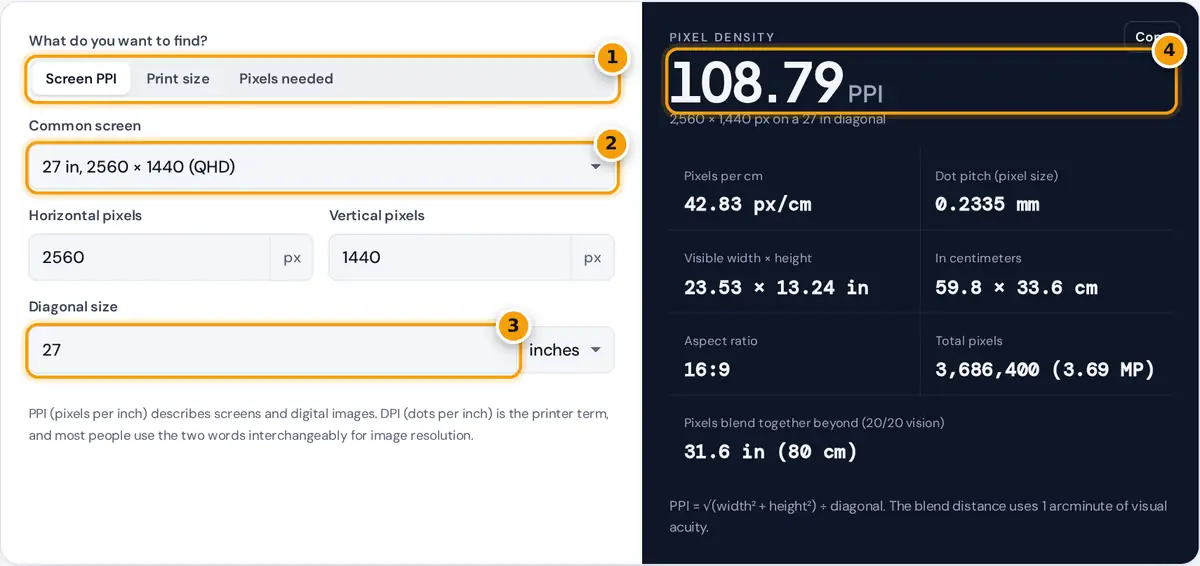
- Choose a mode: screen PPI, print size at a DPI, or pixels needed for a print.
- Pick a common screen, or leave Custom and type your own resolution.
- Enter the diagonal size in inches or centimeters.
- Read the PPI, with dot pitch, physical size, aspect ratio and the distance where pixels blend.
Choose one of three modes. Screen PPI works out the pixel density of a monitor, laptop, tablet or phone: pick a common screen from the list or type the horizontal and vertical resolution and the diagonal in inches or centimeters. Print size shows how large a digital image prints at a given DPI, and the table below the result repeats the calculation at the resolutions printers and photo labs use most. Pixels needed answers the reverse question: how many pixels an image must have to print sharply at a chosen size.
Every result updates as you type, and the copy button copies the main figure.
PPI and DPI: What the Numbers Mean
PPI stands for pixels per inch and describes how tightly pixels are packed on a screen or how an image is mapped onto paper. DPI stands for dots per inch, the number of ink or toner dots a printer lays down. Printers use several tiny dots to reproduce each image pixel, so a printer rated at 1,200 or 2,400 DPI still prints a 300 PPI image at its full detail. In everyday use, including photo editing apps and print shops, “300 DPI” almost always means 300 image pixels per printed inch, which is how this calculator uses the term.
The Formulas
Dot pitch (mm) = 25.4 ÷ PPI
Print size (in) = pixels ÷ DPI
Pixels needed = print size (in) × DPI
1 inch = 2.54 cm exactly
The screen formula uses the Pythagorean theorem: the diagonal resolution in pixels divided by the diagonal length gives pixels per inch along any direction, because pixels on modern displays are square.
Worked Examples
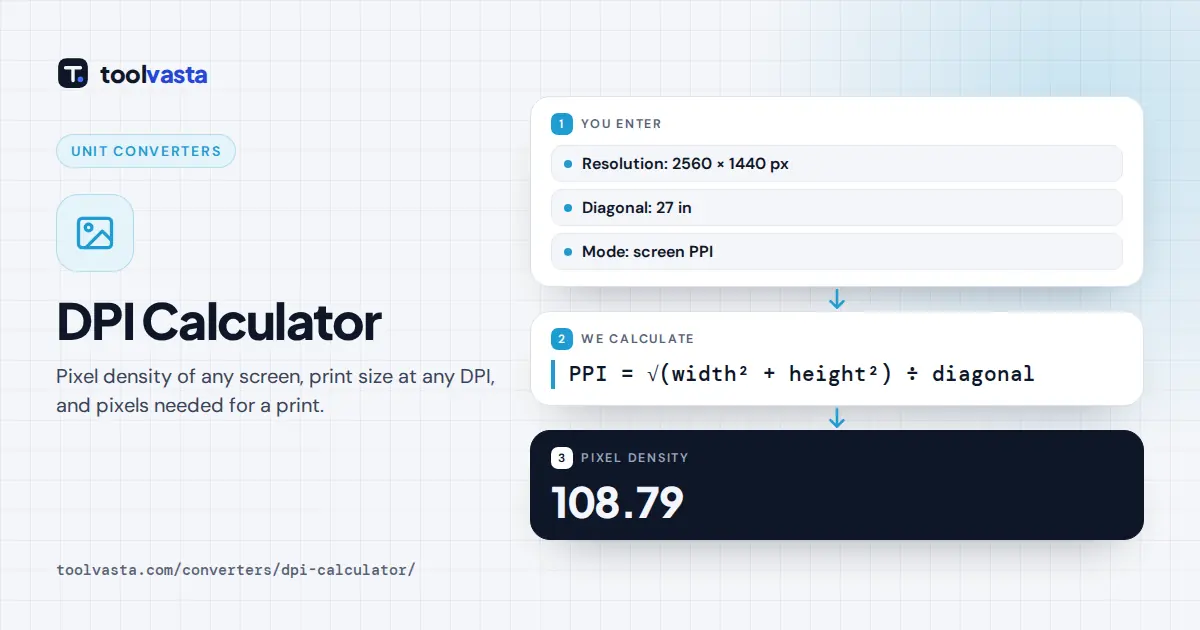
A 27 inch QHD monitor. The diagonal resolution is √(2,560² + 1,440²) = 2,937.21 pixels. Dividing by 27 inches gives 108.79 PPI. Each pixel is 25.4 ÷ 108.79 = 0.2335 mm wide, and the visible area is 23.53 by 13.24 inches.
Printing a 6 megapixel photo. A 3,000 by 2,000 pixel image at 300 DPI prints at 3,000 ÷ 300 = 10 inches by 2,000 ÷ 300 = 6.67 inches, or 25.4 by 16.93 cm. At 150 DPI the same file covers 20 by 13.33 inches, sharp enough for a poster viewed from a few steps away.
Pixels for an 8 by 10 print. At 300 DPI you need 8 × 300 = 2,400 by 10 × 300 = 3,000 pixels, which is 7.2 megapixels.
Pixel Density of Common Screens
| Screen | Resolution | PPI |
|---|---|---|
| 24 in monitor | 1920 × 1080 | 91.79 |
| 27 in monitor | 2560 × 1440 | 108.79 |
| 27 in monitor | 3840 × 2160 | 163.18 |
| 15.6 in laptop | 1920 × 1080 | 141.21 |
| 13.3 in laptop | 2560 × 1600 | 226.98 |
| 6.1 in phone | 1170 × 2532 | 457.25 |
Viewing Distance and Sharpness
Whether a screen looks sharp depends on PPI and on how far away you sit. A person with 20/20 vision resolves detail down to about one arcminute of angle. The calculator turns that into the distance beyond which neighboring pixels blend together: 1 ÷ (PPI × tan(1/60°)), or roughly 3,438 ÷ PPI inches. For the 27 inch QHD monitor that is about 31.6 inches (80 cm), so at a normal desk distance individual pixels are just at the edge of visibility. A phone at 457 PPI blends at about 7.5 inches, closer than most people hold it.
Print works the same way. Wall posters and banners are viewed from far away, so 100 to 150 DPI is common, while photos and magazines held at reading distance are printed at about 300 DPI.
Tips and Limits
- Changing the DPI value in an image file’s metadata does not add detail. Only the pixel count matters; DPI simply tells the printer how large to print it.
- Advertised screen sizes are rounded, for example 27 inches may be 27.0 or 26.9 inches of visible area, so the last decimal of PPI can differ slightly from a spec sheet.
- Operating system scaling (such as 150%) changes how large text appears, not the physical pixel density.
- If your image and print have different aspect ratios, the print shop will crop or add borders. Check the aspect ratio in the result before ordering.
Frequently asked questions
How do I calculate the PPI of my screen?
Square the horizontal and vertical resolution, add them, take the square root, and divide by the diagonal in inches. A 27 inch 2560 by 1440 monitor works out to 2,937.21 divided by 27, which is about 108.79 PPI.
Is DPI the same as PPI?
Not strictly. PPI counts image or screen pixels per inch, while DPI counts printer ink dots. In photo editing and print ordering, people say DPI when they mean pixels per printed inch, so 300 DPI usually means 300 PPI.
How big can I print a photo at 300 DPI?
Divide each side in pixels by 300 to get inches. A 6,000 by 4,000 pixel photo prints at 20 by 13.33 inches, and a 3,000 by 2,000 pixel photo prints at 10 by 6.67 inches.
What resolution do I need for an 8x10 print?
At 300 DPI, an 8 by 10 inch print needs 2,400 by 3,000 pixels, about 7.2 megapixels. At 240 DPI, which still looks good for most photos, 1,920 by 2,400 pixels is enough.
What is a good PPI for a monitor?
There is no single standard. Around 90 to 110 PPI is typical for desktop monitors viewed at arm's length, while laptops and phones use higher densities because they are held closer. Viewing distance decides whether pixels are visible.
What is dot pitch?
Dot pitch is the distance between the centers of neighboring pixels, usually given in millimeters. It equals 25.4 divided by PPI, so a 108.79 PPI monitor has a dot pitch of about 0.2335 mm.