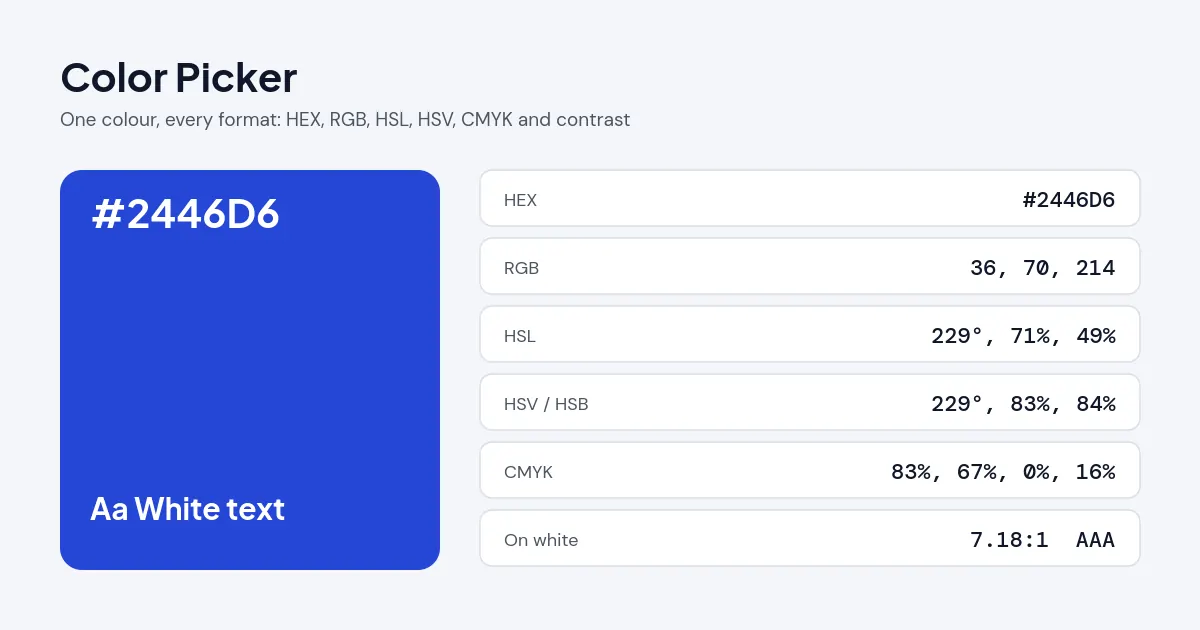
Quick answer: Use this color picker by clicking the large square, typing a HEX code, sampling a pixel from an uploaded image or picking from anywhere on screen. It instantly shows the HEX, RGB, HSL, HSV and CMYK values, plus the WCAG contrast ratio on white and black. For example, #2446D6 is rgb(36, 70, 214) with 7.18:1 contrast on white.
Which Colour Formats Do You Get?
A color picker is a tool for choosing a colour visually and reading its exact code, so you can reuse it in a website, a slide deck, a logo or a paint app. This one gives every common format side by side: HEX for CSS and HTML, RGB for screens, HSL and HSV for design software, and CMYK as a starting point for print. It also tells you whether white or black text is readable on the colour, which most basic colour pickers leave out.
You can start in four ways: the system colour dialog behind the large square, a typed HEX code, a pixel from an image you upload, or the screen eyedropper that samples any point on your display in supported browsers. Nothing is uploaded; images are read inside your browser.
How Do You Choose a Colour and Copy Its Code?
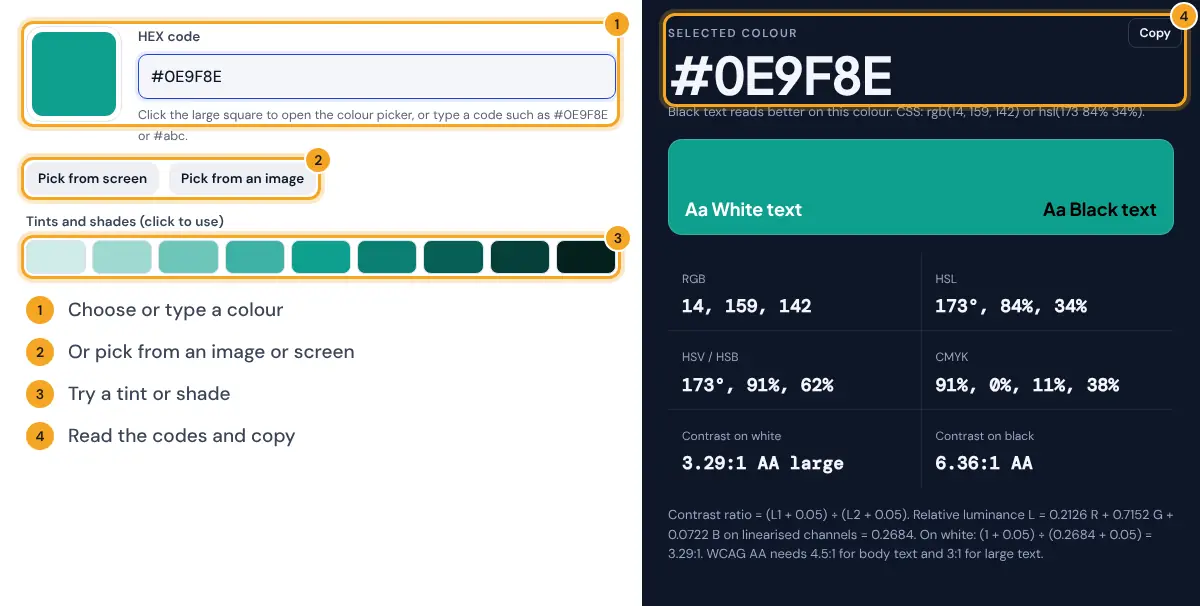
- Click the large colour square to open the picker, or type a HEX code such as #0E9F8E.
- To match an existing colour, choose Pick from an image and tap the spot you want, or use Pick from screen.
- Click a tint or shade to try lighter and darker versions of the same colour.
- Read the HEX, RGB, HSL, HSV and CMYK values and the contrast ratings, then press Copy to take the HEX code.
Colours you settle on are kept in the Recent colours row while the page is open, so you can compare a few options before choosing.
How Are the Colour Codes Calculated?
Every format is calculated from the same three RGB numbers. HEX writes each channel in base 16; the RGB to HEX converter shows that step digit by digit. HSL and HSV both describe hue as an angle on the colour wheel; they differ in how they measure lightness. CMYK here is the simple device-independent conversion, so treat it as a guide and use your printer's profile for final artwork.
HSL lightness L = (max + min) ÷ 2, saturation S = d ÷ (1 − |2L − 1|)
HSV value V = max, saturation S = d ÷ max
CMYK: K = 1 − max, C = (1 − R′ − K) ÷ (1 − K), and the same for M and Y
Worked example. For #2446D6, R = 36, G = 70 and B = 214, so max = 214 ÷ 255 = 0.839 and min = 36 ÷ 255 = 0.141. HSL lightness is (0.839 + 0.141) ÷ 2 = 0.49, or 49%. HSV value is 84%. For CMYK, K = 1 − 0.839 = 16%, and C = (1 − 0.141 − 0.161) ÷ 0.839 = 83%, giving 83%, 67%, 0%, 16%. The hue, 229°, is the same in HSL and HSV.
Is Your Colour Readable? Contrast Ratios Explained
A colour is readable as text when its contrast ratio with the background is at least 4.5:1 for body text, or 3:1 for large text, under the W3C WCAG 2.2 contrast guidance. UK public sector websites must meet this level under the GOV.UK accessibility requirements for public sector websites. The ratio compares the relative luminance of the two colours:
L = 0.2126 R + 0.7152 G + 0.0722 B (each channel linearised first)
| Colour | RGB | On white | On black | Body text on white |
|---|---|---|---|---|
| #000000 | 0, 0, 0 | 21.00:1 | 1.00:1 | Passes AAA |
| #595959 | 89, 89, 89 | 7.00:1 | 2.99:1 | Passes AAA |
| #2446D6 | 36, 70, 214 | 7.18:1 | 2.92:1 | Passes AAA |
| #D62828 | 214, 40, 40 | 5.00:1 | 4.19:1 | Passes AA |
| #767676 | 118, 118, 118 | 4.54:1 | 4.62:1 | Passes AA |
| #0E9F8E | 14, 159, 142 | 3.29:1 | 6.36:1 | Large text only |
| #FFA500 | 255, 165, 0 | 1.97:1 | 10.63:1 | Fails |
| #FFD60A | 255, 214, 10 | 1.41:1 | 14.87:1 | Fails |
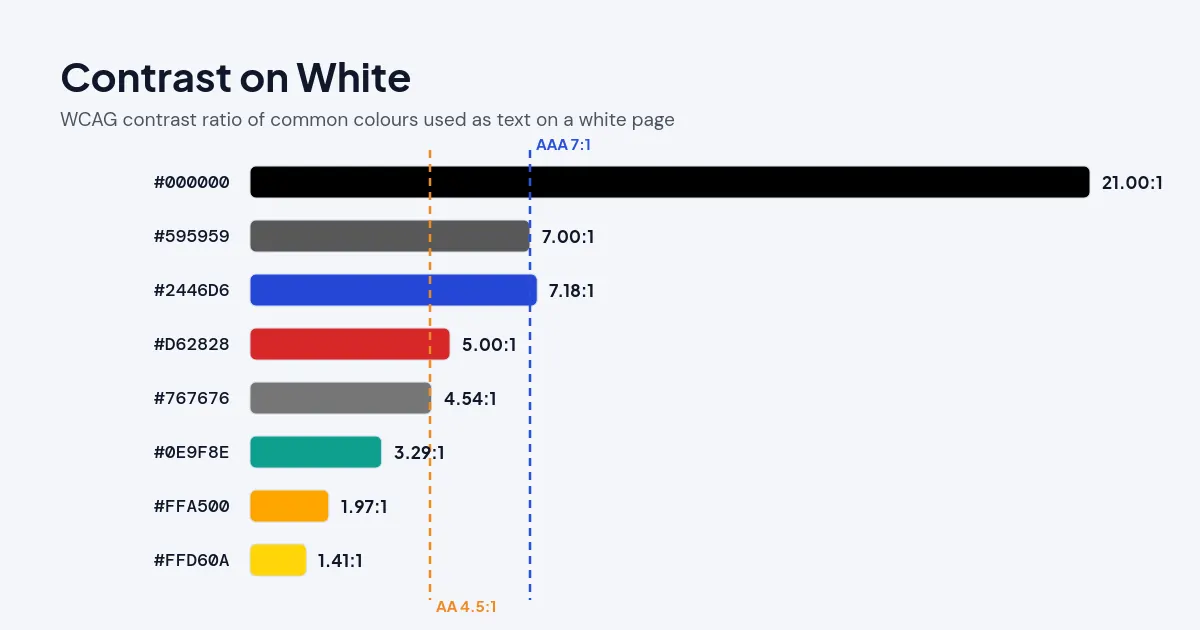
#767676 is the lightest grey that passes AA on white, which is why it turns up in so many style guides. Bright orange and yellow fail on white but work well behind black text. To see how a palette looks to people with colour vision deficiency, try the colour blind test as well.
How Do You Pick a Colour from an Image or Screen?
Choose Pick from an image, select a photo, logo or screenshot, then click or tap the exact spot. Dragging across the image updates the colour as you move, which helps on gradients and photos where neighbouring pixels differ. The picker reads the real pixel value, so a logo saved as JPG may give a slightly different code from the brand original because of compression.
Pick from screen uses the browser EyeDropper feature, which is available in Chrome, Edge and Opera on desktop. It lets you sample any visible pixel, including other apps and browser tabs. Once you have a colour, the colour wheel builds complementary and triadic schemes from it, and the colour palette generator turns it into a full palette.
Related Tools
- RGB to HEX Converter
- Color Wheel
- Color Palette Generator
- CSS Gradient Generator
- Color Blind Test
- Hex Calculator
Frequently asked questions
How do I find the HEX code of a colour in an image?
Choose Pick from an image, upload the picture and click the spot you want. The HEX code appears in the results panel and the Copy button copies it.
Can I pick a colour from anywhere on my screen?
Yes, in Chrome, Edge and Opera on a computer. Press Pick from screen and click any pixel, even outside the browser. Safari, Firefox and mobile browsers do not support this yet, so use Pick from an image with a screenshot instead.
What is the difference between HSL and HSV?
Both use the same hue angle. HSL puts pure colours at 50% lightness, with white at 100%, while HSV puts pure colours at 100% value. Photoshop uses HSB, which is the same as HSV; CSS uses HSL.
Is the CMYK value accurate for printing?
It is a mathematical conversion with no colour profile, so it is a good starting point but not an exact print match. Ask your printer for their profile, such as FOGRA39 in the UK and Europe, for final artwork.
What contrast ratio do I need for text?
WCAG level AA needs at least 4.5:1 for normal text and 3:1 for large text (about 24 px, or 19 px bold). Level AAA raises these to 7:1 and 4.5:1.
Does the color picker upload my images?
No. Images are drawn on a canvas inside your browser and never leave your device.