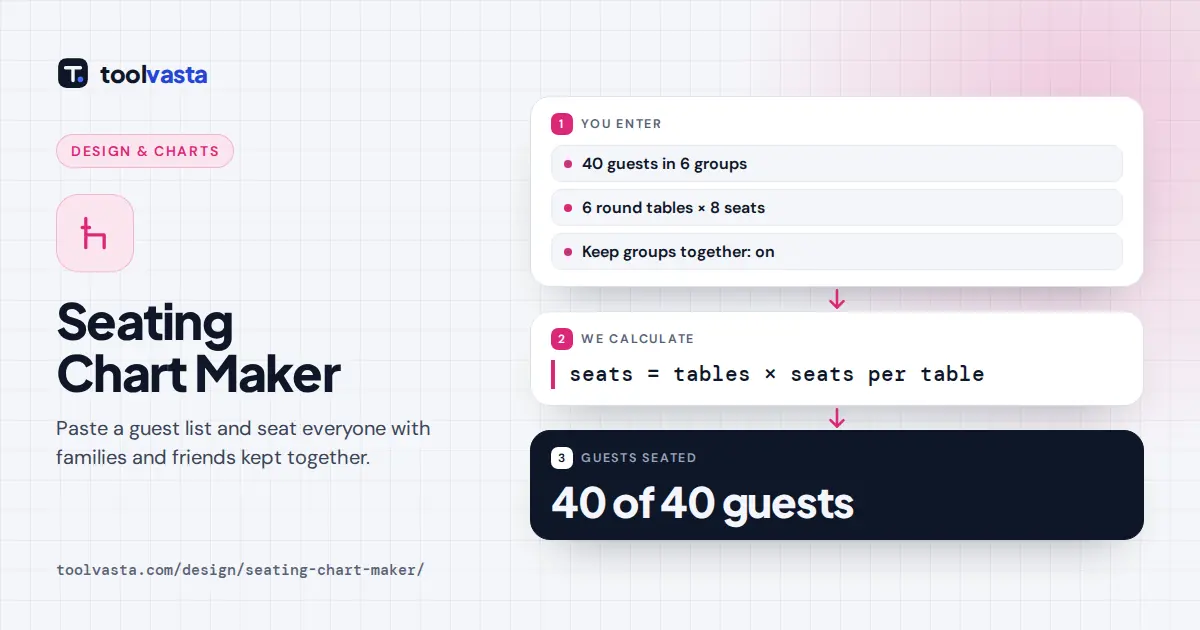
How to Use the Seating Chart Maker
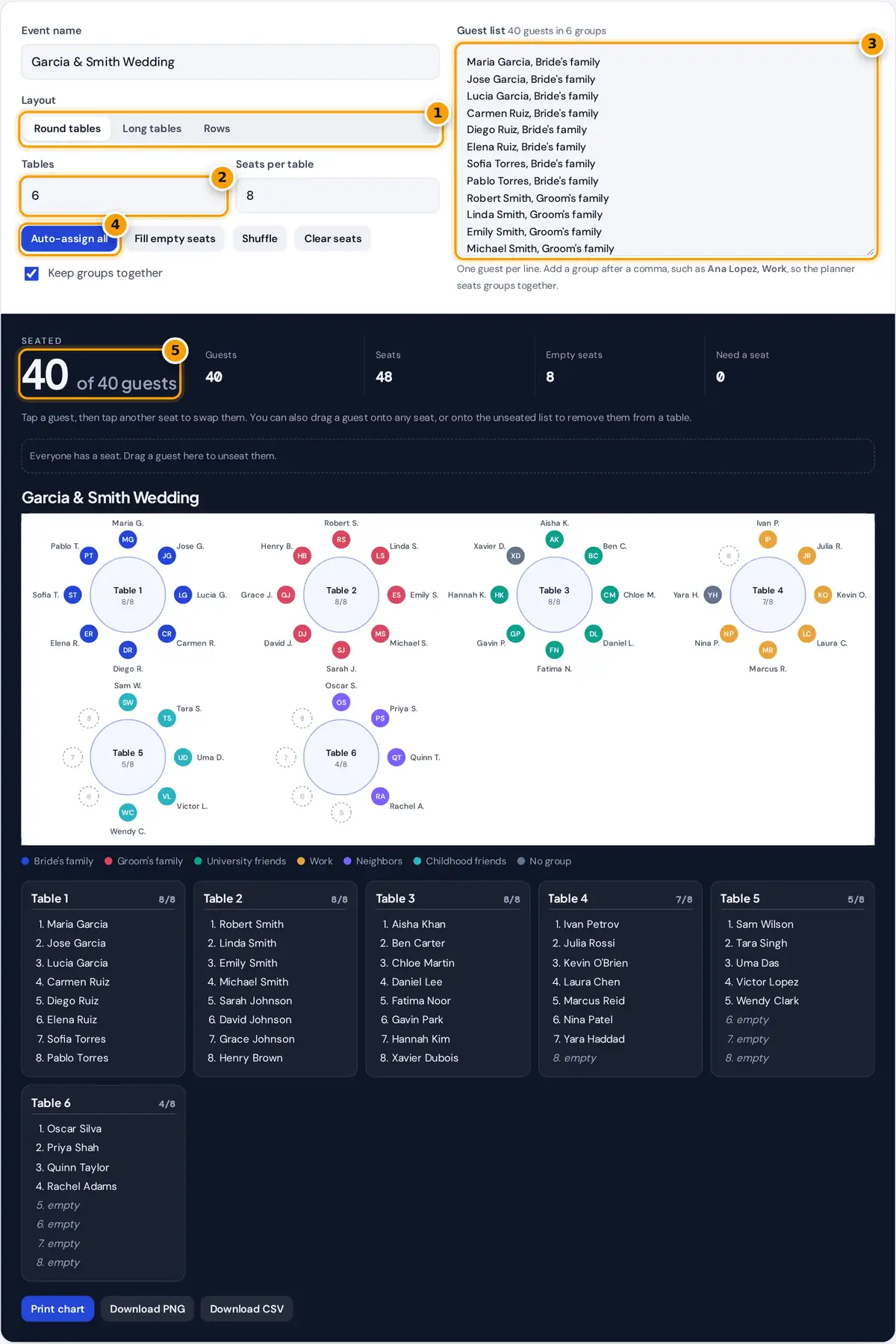
- Choose round tables, long tables or rows.
- Set how many tables and how many seats each one has.
- Paste your guest list, adding a group after a comma to keep people together.
- Press Auto-assign all, then tap or drag guests to swap seats.
- Check how many guests are seated, then print or download the chart.
- Name your event, then choose Round tables, Long tables or Rows for ceremonies, classrooms and presentations.
- Set the number of tables and the seats at each. The counts update straight away, with a warning if there are more guests than seats.
- Paste your guest list, one name per line. Add a group after a comma, for example Maria Garcia, Bride's family, so the planner keeps that group together.
- Press Auto-assign all for a full plan, or Fill empty seats to place only new guests without moving anyone already seated. Shuffle gives a random plan that still respects groups.
- Fine tune by hand: tap a guest and then another seat to swap them, or drag a guest to any seat. Drag a guest onto the unseated list to take them off a table. Rename tables in the lists below the chart.
- Press Print chart for an escort card board or venue copy, or download a PNG image or a CSV file for a spreadsheet.
Your guest list stays in your browser. Nothing is uploaded, so you can plan with real names safely.
How Auto-Assign Keeps Groups Together
The planner treats each group as one bundle and seats the largest bundles first, the way most planners do by hand. Each bundle goes to the table where it fits most tightly, which fills tables evenly and leaves whole tables free for later groups. A group bigger than any free table is split across the tables with the most space, so the pieces stay as large as possible.
empty seats = seats − seated guests
best table = the one with the fewest free seats that still fits the whole group
Worked Example
The sample wedding has 40 guests and 6 round tables of 8, giving 6 × 8 = 48 seats and 8 to spare. The groups are 8, 8, 7, 6, 5 and 4 people plus 2 guests with no group. Both families fill tables 1 and 2 exactly. University friends take table 3 with one seat left, work friends take table 4 with two left, childhood friends table 5 and neighbors table 6. The two single guests then fill the tightest gaps, at tables 3 and 4. All 40 guests are seated and no group is split.
How Many Tables Do You Need?
Divide your guest count by the seats per table and round up. Leave one or two spare seats for late changes.
| Table type | Typical seats | Tables for 100 guests |
|---|---|---|
| Round, 60 inch (152 cm) | 8 to 10 | 10 to 13 |
| Round, 72 inch (183 cm) | 10 to 12 | 9 to 10 |
| Rectangular, 8 ft (244 cm) | 8 (4 per side) | 13 |
| Banquet rows | Any | Set by room length |
Seat counts are common rental guidelines. Check with your venue, because chair width and centerpieces change how many people fit comfortably.
Seating Plan Tips
- Seat couples and families together by giving them the same group name.
- Mix groups on purpose by turning off Keep groups together and pressing Shuffle when you want guests to meet new people.
- Keep older guests and people with mobility needs near exits, restrooms and away from loudspeakers.
- Place children with their parents or at a kids' table near the family.
- Print two copies: one for the venue team and one for the welcome table.
Classroom and Meeting Seating
Choose Rows for a classroom, ceremony, theater or training room. Each row is labelled A, B, C and so on, with the front marked at the top. Teachers can paste a class list, use groups for project teams or to separate students who distract each other, and swap pairs by tapping. Long tables suit boardrooms, banquets and workshops where people face each other.
Frequently asked questions
How do I make a wedding seating chart?
Paste your guest list with a group name after each guest, set the number of tables and seats, and press Auto-assign all. Adjust seats by dragging or tapping, rename tables, then print the chart or download it.
Can I keep families together at the same table?
Yes. Give everyone in a family the same group name after a comma. With Keep groups together switched on, the planner seats each group at one table whenever a table has enough free seats.
How do I move a guest to another seat?
Tap the guest, then tap any other seat to swap the two. On a computer you can also drag a guest onto a seat. Dragging a guest onto the unseated list removes them from the table.
What happens if I have more guests than seats?
The extra guests appear in the unseated list with a note showing how many seats to add. Increase the tables or seats per table, then press Fill empty seats to place them.
Can I print the seating chart?
Yes. Print chart prints only the chart and the table lists, without the rest of the page. You can also download a PNG image or a CSV file that opens in Excel or Google Sheets.
Does this work for classrooms?
Yes. Choose Rows, set the number of rows and seats per row, and paste your class list. Rows are labelled from A at the front, and you can swap students by tapping two seats.