How to Use the Lego Mosaic Maker
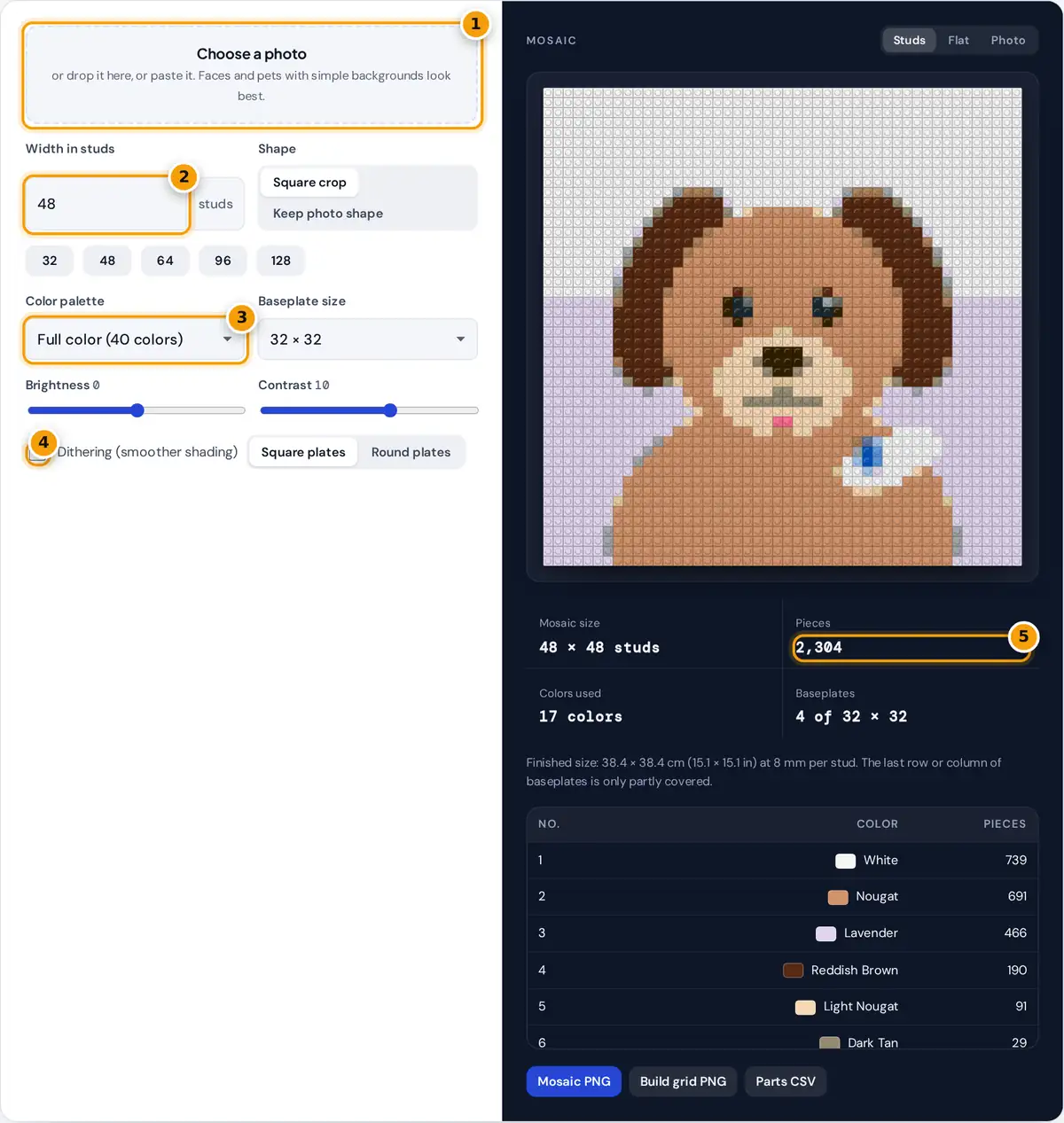
- Choose or drop the photo for your mosaic.
- Set the width in studs, or press a preset size.
- Pick full color, grayscale, black and white or sepia.
- Turn on dithering for smoother shading in photos.
- Check pieces and baseplates, then download the grid and parts list.
- Choose, drop or paste a photo. A cartoon dog is loaded as an example.
- Set the width in studs, or press 32, 48, 64, 96 or 128. Square crop makes a square mosaic from the center of the photo; Keep photo shape keeps the original proportions.
- Pick a palette. Full color uses 40 common plate colors, while Grayscale, Black and white and Warm sepia give the classic portrait looks.
- Adjust brightness and contrast, and turn on dithering for smoother shading in faces and skies.
- Check the stud preview, the parts list and the number of baseplates, then download the mosaic PNG, a numbered build grid and the parts list as CSV.
How the Photo Becomes Bricks
Each stud is one pixel of a tiny version of your photo. The maker shrinks the image to the mosaic size, applies your brightness and contrast, and then replaces every pixel with the closest color in the palette. "Closest" is measured in the CIELAB color space, which is designed so that equal distances look equally different to the eye:
pieces = width × height baseplates = ⌈width ÷ plate⌉ × ⌈height ÷ plate⌉
With dithering on, the color error of each stud is passed on to its neighbors using the Floyd-Steinberg weights 7/16, 3/16, 5/16 and 1/16. Areas between two palette colors then become a fine mix of both, which the eye blends from a distance.
Worked Example
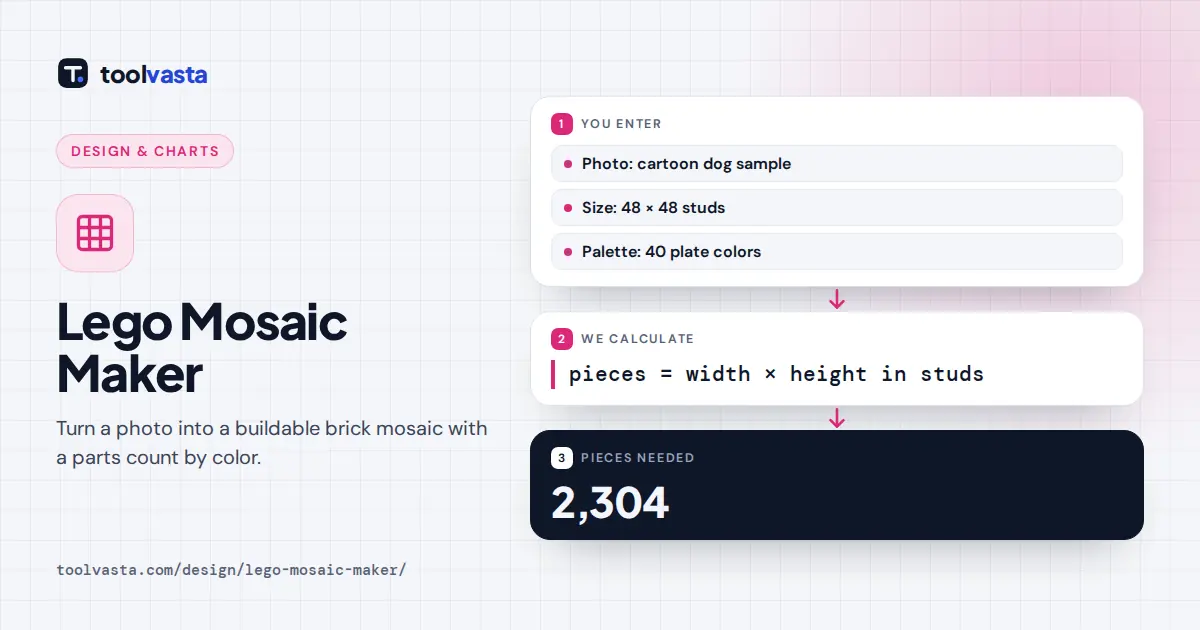
A 48 × 48 stud mosaic needs 48 × 48 = 2,304 pieces. With 32 × 32 baseplates it needs ⌈48 ÷ 32⌉ × ⌈48 ÷ 32⌉ = 2 × 2 = 4 plates, with the outer row and column of plates half covered, or a single 48 × 48 plate. One stud is 8 mm wide, so the finished mosaic is 48 × 0.8 = 38.4 cm, about 15.1 inches, on each side.
| Mosaic | Pieces | 32 × 32 plates | Finished size |
|---|---|---|---|
| 32 × 32 | 1,024 | 1 | 25.6 cm (10.1 in) |
| 48 × 48 | 2,304 | 4 | 38.4 cm (15.1 in) |
| 64 × 64 | 4,096 | 4 | 51.2 cm (20.2 in) |
| 96 × 96 | 9,216 | 9 | 76.8 cm (30.2 in) |
Tips for a Mosaic That Looks Like the Photo
- Crop tight. A face that fills the frame keeps its features even at 48 studs. Full-body or landscape shots need 96 studs or more.
- Use a plain background, or one with a single strong color, so the subject stands out.
- Raise the contrast slightly. Shrinking a photo flattens it, and a little extra contrast brings back the shapes.
- Try grayscale first for portraits. Four gray tones are easy to source in quantity and almost always look striking.
- Order spares. Round up each color by a few percent for lost or damaged pieces.
Building from the Grid
The build grid PNG shows every stud with its color number, row and column numbers along the edges, and red lines at the baseplate boundaries. Work one baseplate at a time, row by row, and tick off rows as you go. The legend at the bottom lists each number with its color name and piece count, the same as the CSV.
About the Colors
The palette uses common plate color names with approximate screen colors. Real bricks look different under different lights, and not every color is available in every piece type, so check availability before you order. LEGO is a trademark of the LEGO Group, which does not sponsor or endorse this tool. The mosaic works with any compatible 1 × 1 plates, tiles or round plates.
Frequently asked questions
How many pieces do I need for a brick mosaic?
Multiply the width by the height in studs. A 48 by 48 mosaic needs 2,304 one-by-one pieces, and a 64 by 64 mosaic needs 4,096. The parts list breaks that total down by color.
What size should my mosaic be?
48 by 48 studs is a good portrait size of about 38 cm, roughly 15 inches, per side. Use 32 studs for simple icons and 96 or more for detailed photos or landscapes.
How big is one stud?
One stud is 8 mm from center to center, so a 32 stud baseplate is 25.6 cm wide. Multiply the width in studs by 0.8 to get the finished size in centimeters.
Should I use dithering?
Use dithering for photos with soft gradients such as skin, skies and fur. It mixes neighboring colors to suggest in-between shades. Leave it off for logos, cartoons and pixel art with flat colors.
Are the colors exact matches to real bricks?
No. They are approximate screen colors with common color names. Real pieces vary with lighting and production, and availability differs by piece type, so check before ordering.
Is my photo uploaded?
No. The mosaic, parts list, build grid and CSV are all created in your browser on your device, and nothing is sent to a server.