How to Use the Color Wheel
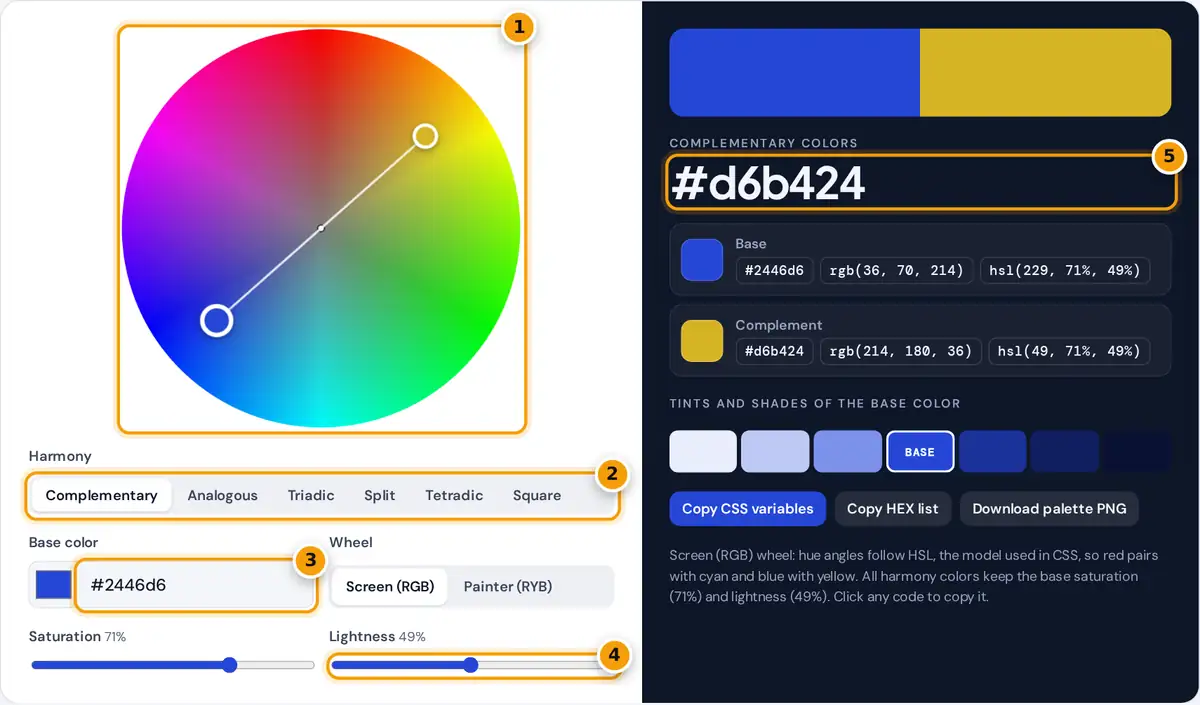
- Drag the large marker around the wheel to set hue and saturation.
- Choose complementary, analogous, triadic, split, tetradic or square.
- Or type a hex code to start from a brand color.
- Adjust lightness to make the whole scheme darker or paler.
- Read the harmony colors, then click any HEX, RGB or HSL code to copy it.
- Drag the large marker around the wheel. Moving around the circle changes the hue, and moving toward or away from the center changes the saturation. You can also drag any smaller marker, and the whole harmony rotates with it.
- Or type a hex code, or use the color picker, to start from a brand color you already have.
- Choose a harmony: complementary, analogous, triadic, split complementary, tetradic or square. The markers, the palette strip and the codes update together.
- Use the Lightness slider for darker or paler versions of the whole scheme, and pick Screen (RGB) or Painter (RYB) depending on whether you work on screens or with paint.
- Click any HEX, RGB or HSL code to copy it, copy the full set as CSS variables, or download the palette as a PNG.
Color Harmony Rules
Every harmony is a set of fixed angles around the wheel, measured from the base hue. Saturation and lightness stay the same, so only the hue changes:
analogous: h − 30°, h, h + 30°
triadic: h, h + 120°, h + 240°
split complementary: h, h + 150°, h + 210°
tetradic (rectangle): h, h + 60°, h + 180°, h + 240°
square: h, h + 90°, h + 180°, h + 270°
| Harmony | Feel | Best use |
|---|---|---|
| Complementary | High contrast, energetic | Call to action buttons, sports brands |
| Analogous | Calm and unified | Backgrounds, nature and wellness themes |
| Triadic | Balanced and playful | Illustrations, children's products |
| Split complementary | Contrast with less tension | Websites that need one strong accent |
| Tetradic and square | Rich and varied | Charts, games, editorial layouts |
Worked Example
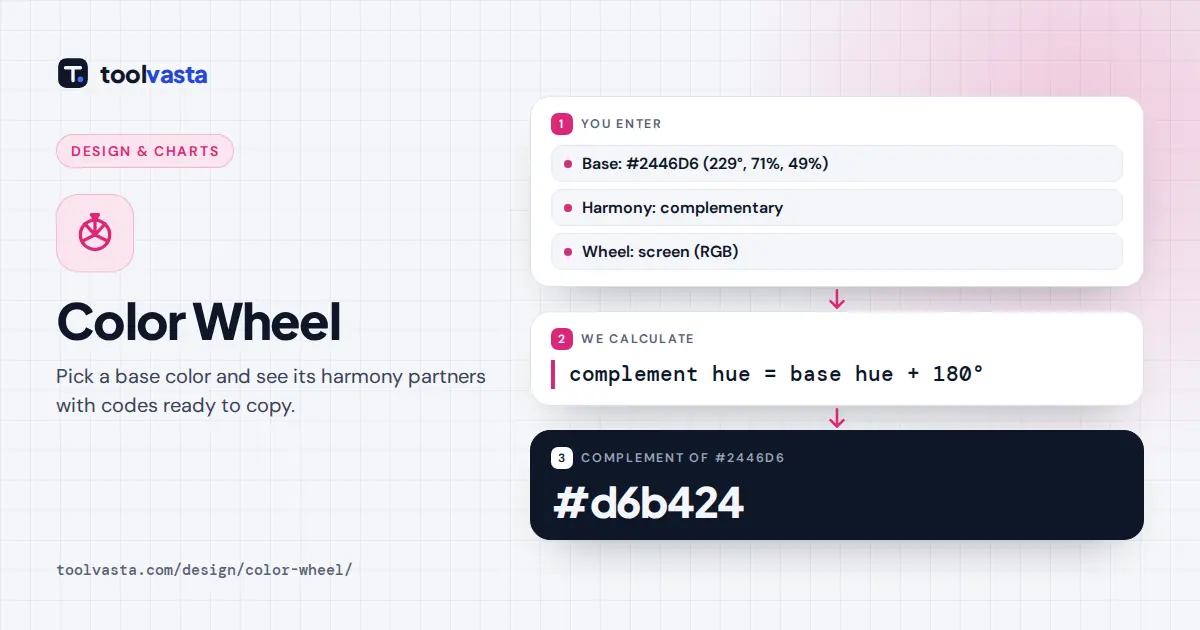
The default base color is #2446D6, which converts to HSL as about 229° hue, 71% saturation and 49% lightness. Its complement is 229 + 180 = 409°, and 409 − 360 = 49°, a golden yellow. Keeping the same saturation and lightness gives #D6B424, or rgb(214, 180, 36). The triadic partners at +120° and +240° are #D62446 (crimson) and #46D624 (green).
RGB Wheel vs RYB Painter's Wheel
Screens mix light, so their primaries are red, green and blue. In the RGB or HSL wheel used by CSS, red sits opposite cyan and blue opposite yellow. Painters mix pigments, and the traditional art class wheel uses red, yellow and blue as primaries, so red sits opposite green and blue opposite orange. Switch to Painter (RYB) and the wheel is stretched so these artist pairs line up, then each color is shown as its nearest screen color. RYB has no single official definition, so treat it as a guide for paint and craft work. The HSL model itself is defined in the W3C CSS Color Module Level 4.
Tips for Using Color Schemes
- Follow the 60-30-10 rule: one dominant color, one secondary and a small accent. Harmonies with four colors work best when one of them dominates.
- Vary lightness, not just hue. Use the tints and shades row for backgrounds, borders and hover states.
- Check text contrast. The WCAG 2.1 guidelines ask for a contrast ratio of at least 4.5:1 for normal body text.
- Do not rely on color alone. Pair colors with labels or icons, because red and green look similar to many people with color vision deficiency.
HEX, RGB and HSL Codes
HEX is the compact form used in most design tools. RGB lists the red, green and blue channels from 0 to 255. HSL describes hue, saturation and lightness, which makes it easy to adjust a color by hand. All three describe the same sRGB color, so you can paste whichever your software expects.
Frequently asked questions
What is the complementary color of blue?
On the screen (RGB) wheel, blue's complement is yellow, for example #2446D6 pairs with #D6B424. On the painter's RYB wheel, blue's complement is orange, which is what most art classes teach.
How do I find complementary colors?
Add 180 degrees to the hue of your color and keep the saturation and lightness the same. Type your hex code into this color wheel and the complement appears instantly with its HEX, RGB and HSL codes.
What are analogous colors?
Analogous colors sit next to each other on the wheel, usually 30 degrees apart, such as blue, blue-violet and violet. They look calm and unified, which suits backgrounds and nature themes.
What is a triadic color scheme?
A triadic scheme uses three hues spaced evenly at 120 degrees, forming a triangle on the wheel. Red, yellow and blue on the painter's wheel is the classic example. It feels balanced and lively.
What is the difference between tetradic and square?
Both use four colors made of two complementary pairs. Square spaces them evenly at 90 degrees. Tetradic, also called rectangle, uses 60 and 120 degree gaps, which gives two closely related pairs.
Should I use the RGB or the RYB color wheel?
Use RGB for websites, apps and anything shown on a screen, because CSS colors are defined in that model. Use RYB when mixing paint, dye or other pigments, where red, yellow and blue act as primaries.