How to Use the Business Card Maker
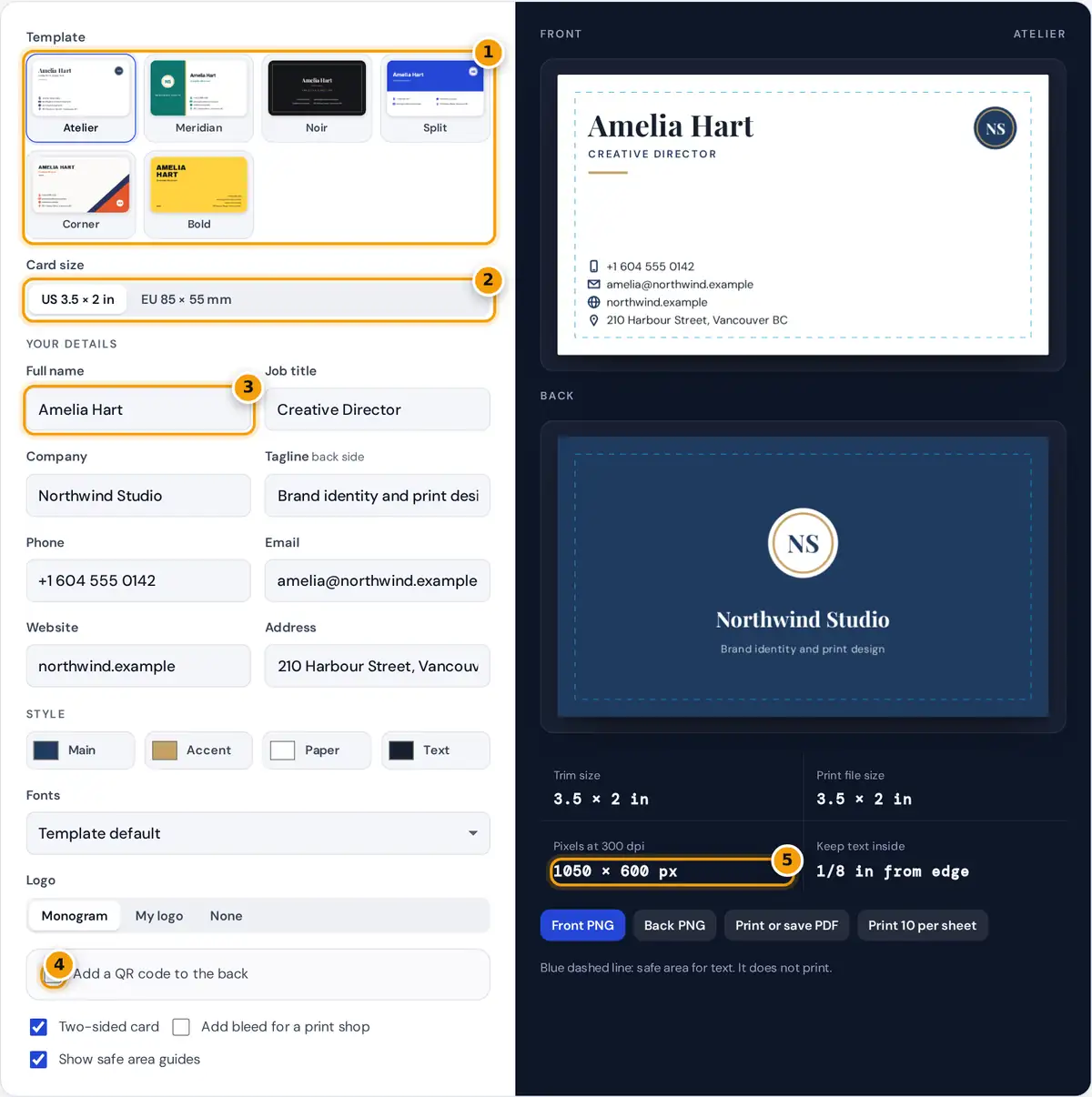
- Pick one of the six original templates. Each has a matching front and back.
- Choose the US 3.5 x 2 in or EU 85 x 55 mm card size.
- Type your name, title, company and contact details. Empty fields disappear.
- Optionally add a QR code for your website or a vCard to the back.
- Check the 300 dpi file size, then download PNGs or print a PDF.
- Choose one of the six templates. Each one has a front for your name and contact details and a back for your logo, company name and tagline.
- Pick US 3.5 × 2 in or EU 85 × 55 mm. The layout adapts to the size you choose.
- Type your details. Empty fields simply disappear from the card, so leave out anything you do not want printed.
- Set the main, accent, paper and text colors, and choose a font pairing, or keep the template defaults.
- Keep the Monogram made from your company initials, upload your own logo, or choose None.
- Optionally add a QR code to the back that opens your website, saves your contact details as a vCard, or opens any link you type.
- Download the front and back as 300 dpi PNG files, print the card at its exact size, or print a sheet of ten.
The preview shows a blue dashed line for the safe area. It is a guide only and never appears in your files.
Standard Business Card Sizes
North America uses 3.5 × 2 inches. Most of Europe uses 85 × 55 mm, close to the ISO credit card format of 85.6 × 54 mm used in some countries. The file sizes below are what this tool exports at 300 dots per inch, the usual resolution for offset and digital print.
| Format | Trim size | With bleed | Pixels at 300 dpi (with bleed) |
|---|---|---|---|
| US and Canada | 3.5 × 2 in (88.9 × 50.8 mm) | 3.75 × 2.25 in | 1050 × 600 (1125 × 675) |
| Europe | 85 × 55 mm | 91 × 61 mm | 1004 × 650 (1075 × 720) |
Bleed, Trim and the Safe Area Explained
Printers print several cards on a large sheet and cut them apart. The blade can drift by a fraction of a millimeter, so a colored background that stops exactly at the edge can leave a thin white sliver. Bleed extends the background past the cut line so any drift still lands on color.
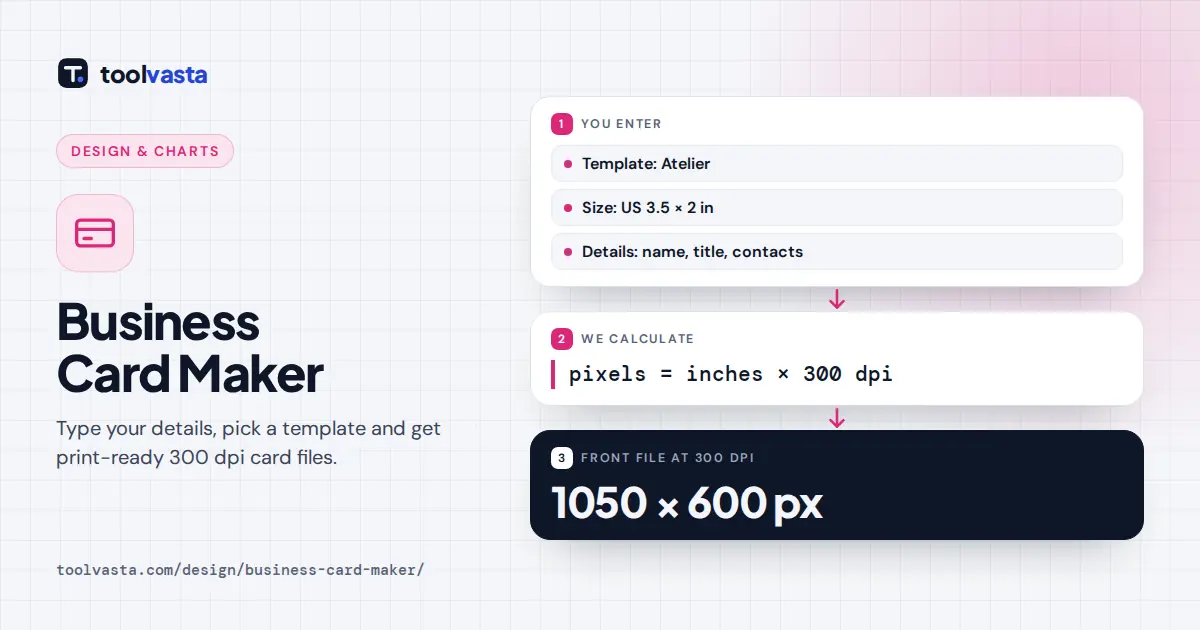
pixels = inches × dpi
Worked example: a US card with 1/8 in bleed is 3.5 + 2 × 0.125 = 3.75 in wide and 2 + 2 × 0.125 = 2.25 in tall. At 300 dpi that is 3.75 × 300 = 1125 by 2.25 × 300 = 675 pixels. A European card with 3 mm bleed is 91 × 61 mm, which is 91 ÷ 25.4 × 300 = 1074.8, rounded to 1075 pixels wide, and 720 pixels tall.
The safe area sits the same distance inside the trim line. Keep names, phone numbers and logos inside it so nothing important is cut off. Every template here already respects it.
Printing at Home or at a Print Shop
- Print shop: turn on bleed, then download the front and back PNGs, or use Print or save PDF and choose Save as PDF in the print dialog. Each page is exactly one card plus bleed.
- Home printer: use Print 10 per sheet. You get a Letter page (US size) or an A4 page (EU size) with two columns of five cards and crop marks. The back sheet swaps the columns so the sides line up when you flip the paper on its long edge.
- In the print dialog set scale to 100% or Actual size, turn off headers and footers, and use heavy card stock of around 300 to 350 g/m² if your printer accepts it.
Adding a QR Code
The QR code uses error correction level M, which still scans when part of the code is scuffed. A plain website link makes the smallest, easiest to scan code. A vCard holds your name, company, title, phone, email, website and address, so the code becomes denser. Print the code at least about 2 cm wide, keep the white border around it, and always test it with a phone before ordering cards. QR Code is a registered trademark of DENSO WAVE INCORPORATED.
Design Tips for a Professional Card
- Use one or two fonts and no more than three colors. The font pairings here combine a display face for your name with a clean text face for the details.
- Keep contact text at roughly 7 to 9 points. The templates size it automatically and shrink long lines to fit.
- For an uploaded logo, a PNG or SVG with a transparent background looks best on colored sides.
- Check contrast between text and background, especially on light accent colors.
Frequently asked questions
What size is a standard business card?
In the US and Canada a business card is 3.5 by 2 inches. In most of Europe it is 85 by 55 mm. This maker supports both and exports each at 300 dpi for sharp printing.
Do I need bleed on my business card?
Add bleed when any color or image runs to the edge and a print shop will trim the cards. It adds 1/8 inch or 3 mm on every side so small cutting errors never leave white edges.
How do I save my business card as a PDF?
Press Print or save PDF and choose Save as PDF as the printer in the dialog. Each page is exactly one card in size, with the front first and the back second when the card is two-sided.
Can I print business cards at home?
Yes. Use Print 10 per sheet to get two columns of five cards with crop marks on Letter or A4. Print at 100% scale on card stock, then cut along the marks with a trimmer.
What should a QR code on a business card link to?
A website link gives the simplest, most reliable code. A vCard lets people save your details straight to their contacts. Always scan the code with your phone before printing a batch.
Is my information stored or uploaded?
No. The card is drawn in your browser and the downloads are created on your device. Your details and logo are never sent to a server.