How to Use the Flyer Maker
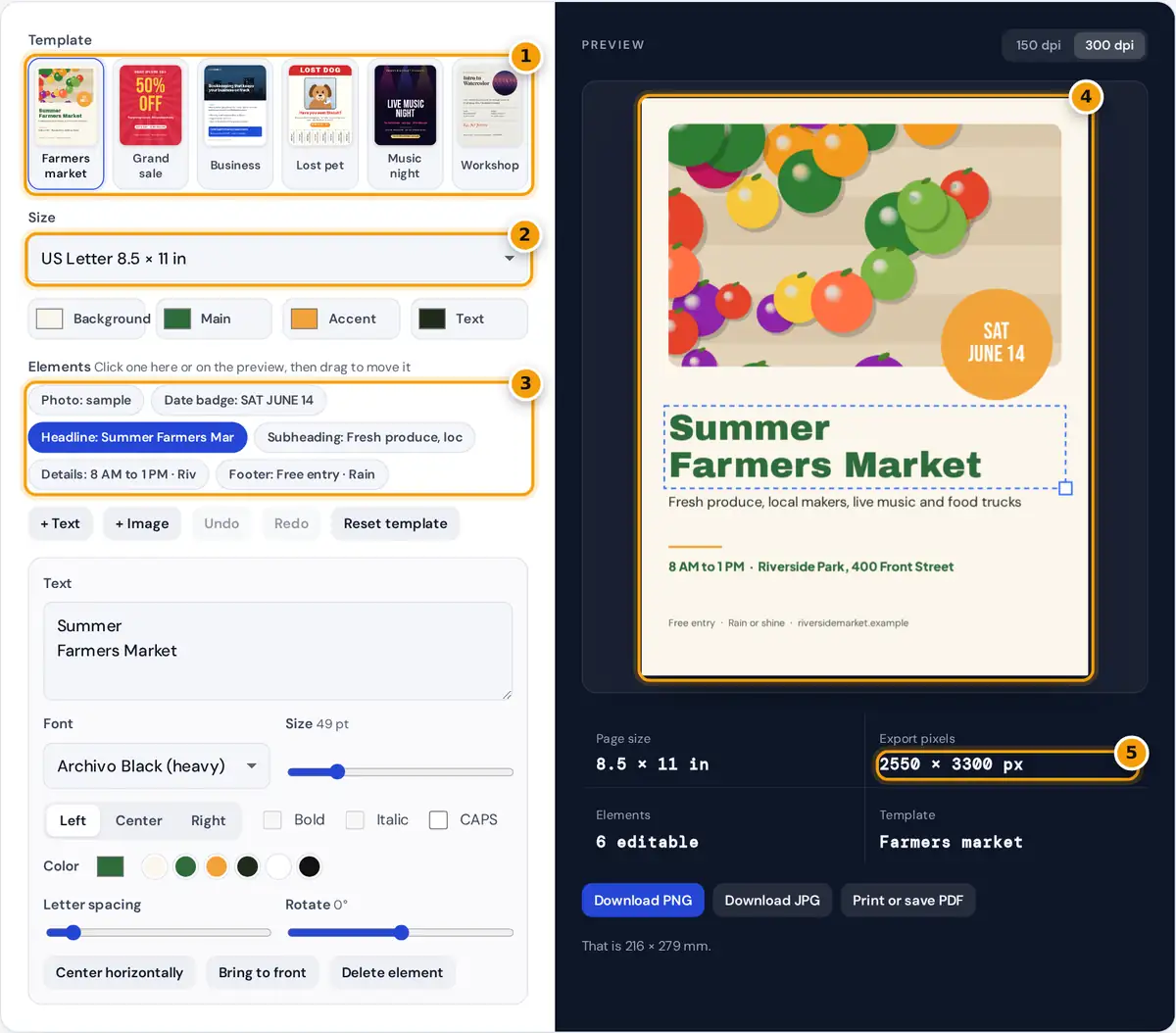
- Pick a flyer template: market, sale, business, lost pet, music night or workshop.
- Choose Letter, A4, Half Letter, A5 or a 1080 x 1350 social post.
- Select an element, then edit its text, font, size and color or replace the photo.
- Drag elements on the preview to move them, or drag the corner to resize.
- Check the export pixels, then download a PNG or JPG, or print a PDF.
- Pick a template. Each one is an original layout that you can change completely: farmers market, grand sale, business service, lost pet with tear-off tabs, music night and workshop.
- Choose the paper size. US Letter, A4, Half Letter and A5 are print sizes, and the 1080 × 1350 pixel option suits a social media post.
- Set the four theme colors. Background, main, accent and text colors flow through the whole design, so one change restyles every element that uses them.
- Click an element in the list or directly on the preview. Type new text, pick a font and size, change the alignment or color, or replace a photo with your own.
- Drag elements to move them. Drag the small square at the bottom right corner to resize: text scales with it and images change their frame.
- Download a PNG or JPG, or press Print or save PDF.
Keyboard users can focus the preview and nudge the selected element with the arrow keys (hold Shift for bigger steps). Ctrl+Z undoes a change and Ctrl+Shift+Z redoes it.
Flyer Sizes and Print Resolution
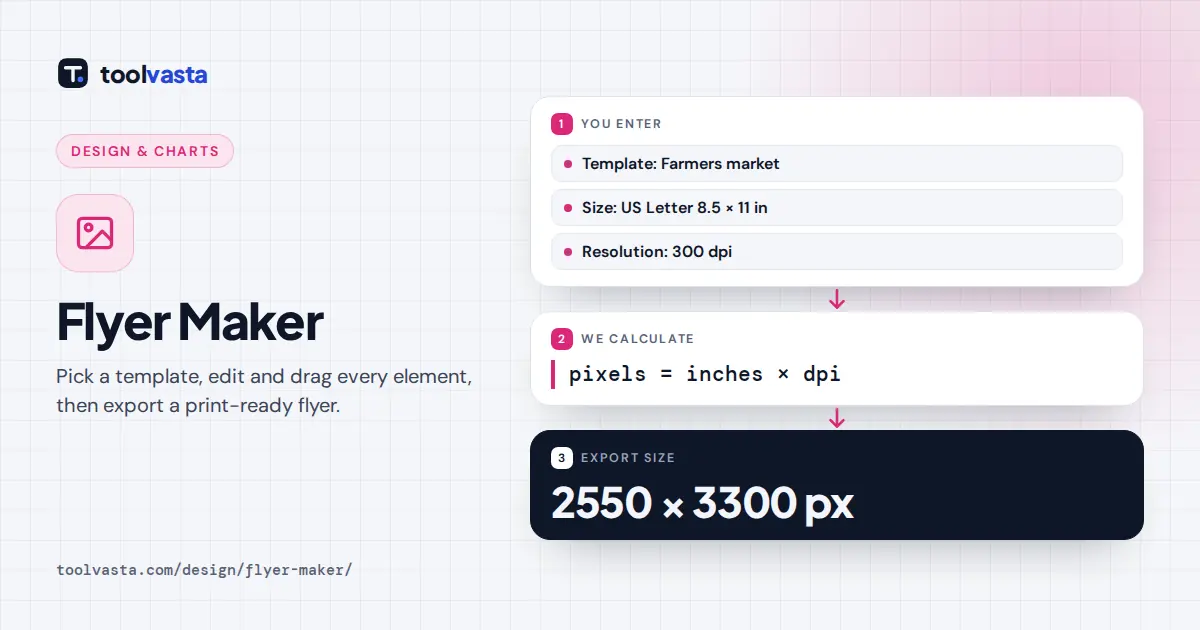
Print shops and home printers work in physical size, while the file is measured in pixels. The link between the two is resolution in dots per inch (dpi):
Worked example: a US Letter flyer is 8.5 × 11 inches. At 300 dpi it needs 8.5 × 300 = 2550 by 11 × 300 = 3300 pixels. An A4 flyer is 210 × 297 mm, which is 8.27 × 11.69 inches, so at 150 dpi it becomes 1240 × 1754 pixels. Those are the exact numbers the tool shows in the Export pixels box.
| Size | Dimensions | Pixels at 150 dpi | Pixels at 300 dpi |
|---|---|---|---|
| US Letter | 8.5 × 11 in | 1275 × 1650 | 2550 × 3300 |
| A4 | 210 × 297 mm | 1240 × 1754 | 2480 × 3508 |
| Half Letter | 5.5 × 8.5 in | 825 × 1275 | 1650 × 2550 |
| A5 | 148 × 210 mm | 874 × 1240 | 1748 × 2480 |
Use 300 dpi for anything printed and viewed up close. 150 dpi is fine for quick drafts and for sharing by email.
What Makes a Flyer Work
- One clear headline. People decide in a second or two whether to read on. Make the headline the largest thing on the page and keep it to a few words.
- The essentials in order: what it is, when, where, and how to act. Every template follows that order.
- Contrast. Dark text on light backgrounds, or light text on dark ones. Avoid placing small text over busy photos; the music and business templates add a dark fade under the text for that reason.
- Two fonts at most. A display font for the headline and a clean text font for details reads better than a mix of styles.
- White space. Leave room around the edges so nothing falls into the unprintable margin of a home printer.
Tear-off Tabs for Notice Boards
The lost pet template ends with eight tear-off tabs, the classic strip of phone numbers you cut along the dashed lines so passers-by can take one. Select Tear-off tabs and type one or two lines, such as a name on the first line and a phone number on the second. Each tab repeats the text sideways, and the first line is set in bold. Drag the tabs up or down to change their height. The same element works for lessons, rooms for rent, lost items or volunteer calls.
Printing Your Flyer
Print or save PDF opens your browser's print dialog with the page set to the exact flyer size and no margins. Choose your printer, or choose Save as PDF to send the file to a print shop. Set scale to 100% or Actual size. Most home printers cannot print to the very edge, so keep important text about 0.25 in (6 mm) away from the edges. Full-bleed designs, such as the grand sale template, print edge to edge at a print shop. Your photos and text never leave your device: the flyer is drawn and exported in the browser.
Frequently asked questions
How do I make a flyer for free?
Pick a template, replace the text and photo with your own, adjust the colors and fonts, then download a PNG or JPG or print it. There is no sign-up, watermark or upload of your files.
What size should a flyer be?
The most common flyer sizes are US Letter (8.5 by 11 inches) in North America and A4 (210 by 297 mm) elsewhere. Half Letter and A5 suit handouts, and 1080 by 1350 pixels suits social posts.
What resolution should a printed flyer be?
Use 300 dpi for printing. A Letter flyer at 300 dpi is 2550 by 3300 pixels. Lower resolutions such as 150 dpi are fine for drafts and email but may look soft on paper.
Can I add my own photo or logo?
Yes. Select an image element and choose a file, drop it on the upload box, or paste it. Use + Image to add more pictures, then drag and resize them on the preview.
How do I save my flyer as a PDF?
Press Print or save PDF and choose Save as PDF as the destination in the print dialog. The page is already set to your flyer size with no margins.
How do tear-off tabs work?
The tear-off tab element repeats your text sideways across a row of tabs with dashed cut lines. Print the flyer, cut along the vertical lines up to the horizontal one, and pin it to a notice board.