How to Use the Words Per Second Test
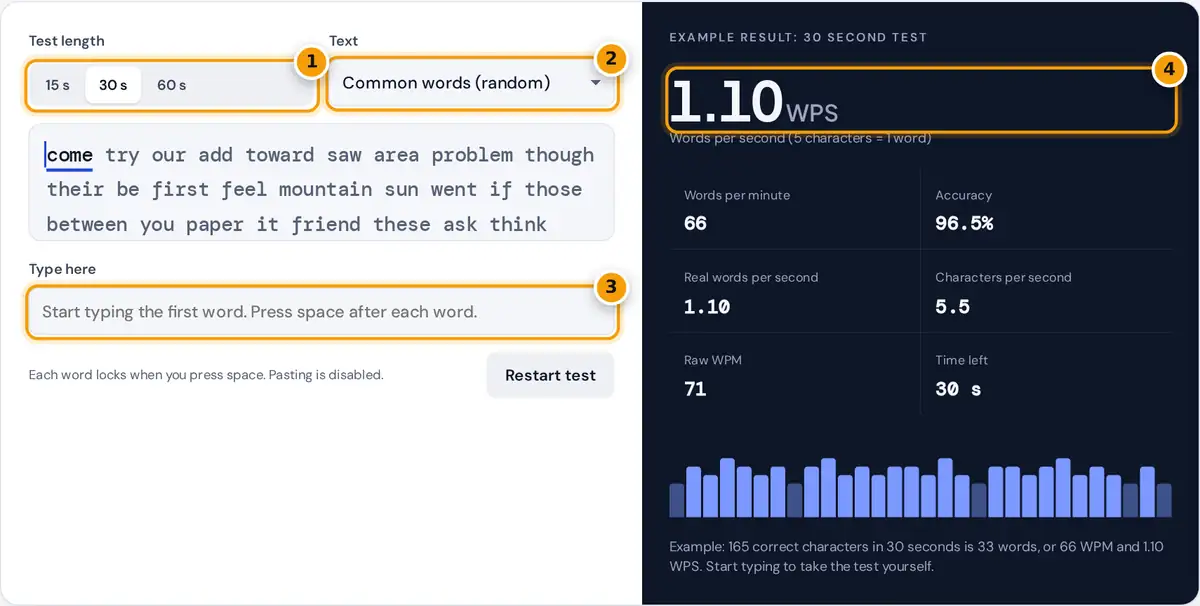
- Choose a test length of 15, 30 or 60 seconds.
- Pick a text: random common words, pangrams, a short story, an office email or numbers and punctuation.
- Type the words shown, pressing space after each one. The timer starts on your first key.
- Read your words per second, WPM, accuracy and the second by second speed chart.
Pick a test length of 15, 30 or 60 seconds and a text. Common words gives a fresh random list each time, the pangram sentences use every letter of the alphabet, the story and email are natural prose, and the numbers text adds digits, prices and punctuation. Click the typing box and start typing the first word. The clock starts on your first key.
Press space after each word. The current word is underlined, correct letters turn green and wrong ones turn red as you type. Once you press space, the word locks: correct words turn dark and wrong ones are underlined in red. When time runs out, the panel shows your words per second (WPS), words per minute (WPM), accuracy and a bar for every second of the test, so you can see where you sped up or slowed down. The page opens with an example result from a 30 second test.
How Words Per Second Is Calculated
Typing tests count a word as five characters, including the space after it, so long and short words are scored fairly. Only correctly typed words count toward your speed, plus the correct start of the word you were typing when the time ran out.
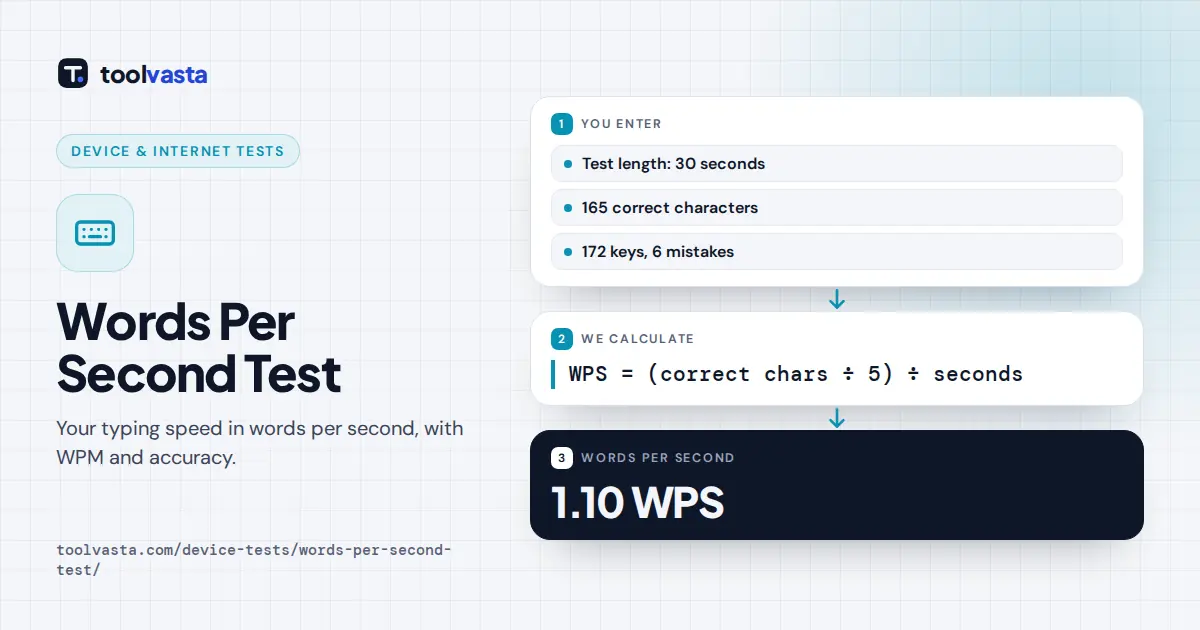
WPS = WPM ÷ 60 = (correct characters ÷ 5) ÷ seconds
accuracy = (keystrokes − wrong keystrokes) ÷ keystrokes × 100
real words per second = correct words ÷ seconds
Raw WPM counts every character you typed, right or wrong, so the gap between raw and net speed shows how much your errors cost. Real words per second counts actual words, which reads higher for texts full of short words such as the common words list.
Worked Example
In a 30 second test you type 33 words correctly, which together with their spaces make 165 characters. That is 165 ÷ 5 = 33 standard words in half a minute, so your speed is 33 ÷ 0.5 = 66 WPM, and 66 ÷ 60 = 1.10 WPS. You pressed 172 keys and 6 of them were wrong, so accuracy is (172 − 6) ÷ 172 × 100 = 96.5%. Real words per second is 33 ÷ 30 = 1.10. These are the figures in the example result.
What Is a Good Words Per Second Score?
| Words per second | Words per minute | Level |
|---|---|---|
| Under 0.42 | Under 25 | Beginner, often looking at the keys |
| 0.42 to 0.67 | 25 to 40 | Typical casual typist |
| 0.67 to 1.00 | 40 to 60 | Above average, suits most office work |
| 1.00 to 1.33 | 60 to 80 | Fast, professional level |
| 1.33 and above | 80 and above | Very fast, competitive typists |
These bands are general guidance rather than an official standard. Typing one word per second, 60 WPM, is a common goal for people who type all day.
Tips to Raise Your WPS
- Accuracy first. A wrong word scores nothing, so slowing down slightly often raises your WPS.
- Look ahead. Read the next word while your fingers finish the current one.
- Use the right test length. 15 seconds measures burst speed; 60 seconds shows the pace you can keep up.
- Practice the hard text. Numbers and punctuation slow most people down the most, so a few minutes on that text pays off quickly.
Notes and Limits
Pasting is blocked so results stay fair. Each word locks when you press space, so mistakes in finished words cannot be fixed, which keeps the test quick and honest. The common words list is shuffled into a new random order every time you restart, so you cannot memorize it, while the fixed texts stay the same and are useful for tracking progress over several days. Phone keyboards with autocorrect may change words as you type, so turn autocorrect off or use a physical keyboard for the most accurate result. Nothing you type is stored or sent anywhere.
Frequently asked questions
How do I convert words per minute to words per second?
Divide WPM by 60. For example, 60 WPM is 1.00 word per second and 90 WPM is 1.50. To go the other way, multiply words per second by 60 to get words per minute.
What is a good words per second score?
Around 0.67 WPS, which is 40 WPM, is a solid everyday speed. One word per second, or 60 WPM, is fast and suits most jobs, while 1.33 WPS and above puts you among very fast typists.
Why is a word counted as five characters?
Real words vary in length, so typing tests use a standard word of five characters, including the space. This makes results comparable between texts with short words and texts with long words.
What is the difference between WPS and real words per second?
WPS uses the five character standard word. Real words per second counts actual correct words, so it reads higher on texts full of short common words and lower on texts with long words.
Which test length should I choose?
Use 30 seconds for a balanced result. The 15 second test measures your burst speed and suits quick practice, while 60 seconds shows the speed you can keep up for longer stretches of typing.
Does accuracy affect my words per second?
Yes. Only correctly typed words count toward WPS, so every mistyped word lowers your score. Accuracy is also shown separately, counting every key you pressed, including mistakes you later fixed in the current word.